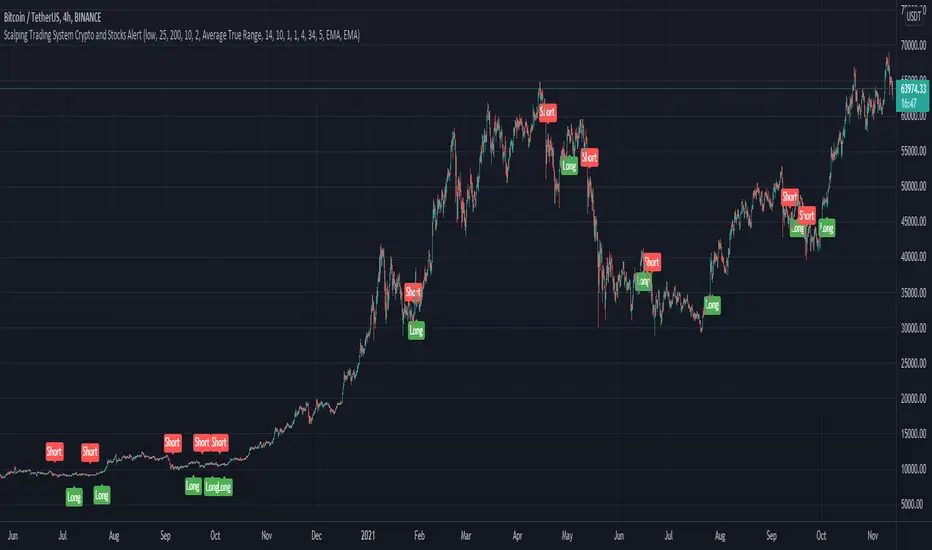
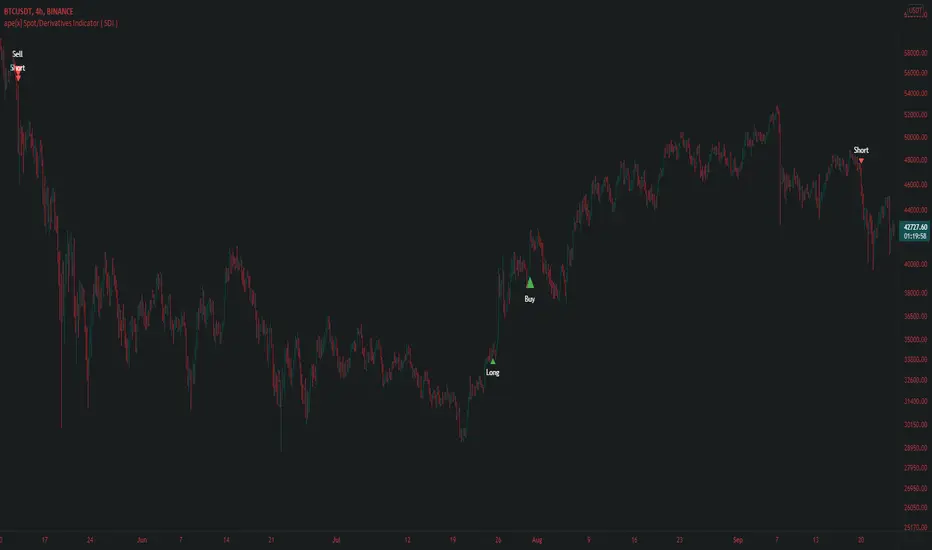
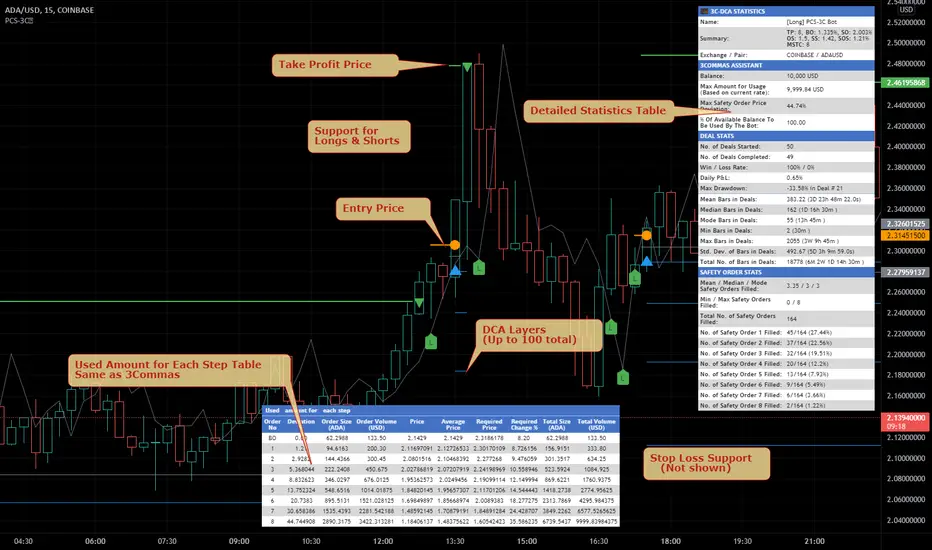
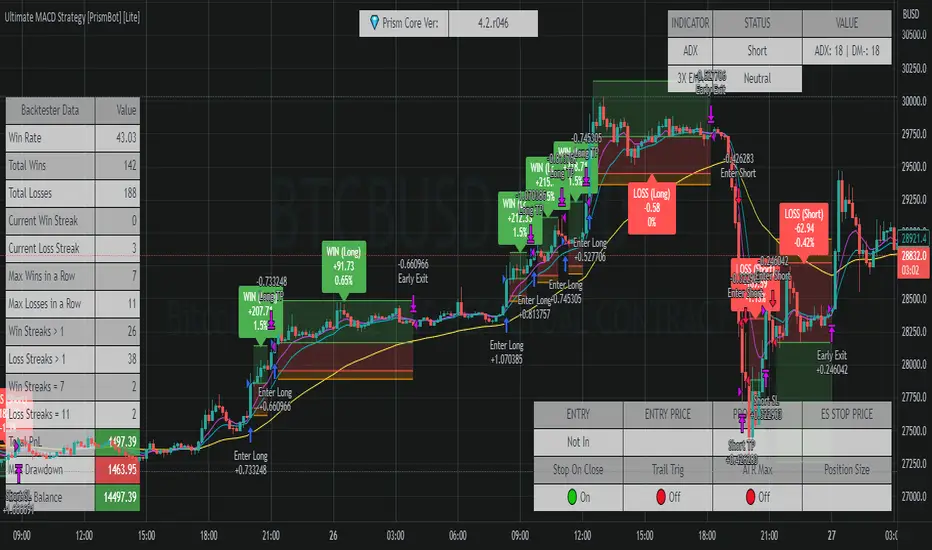
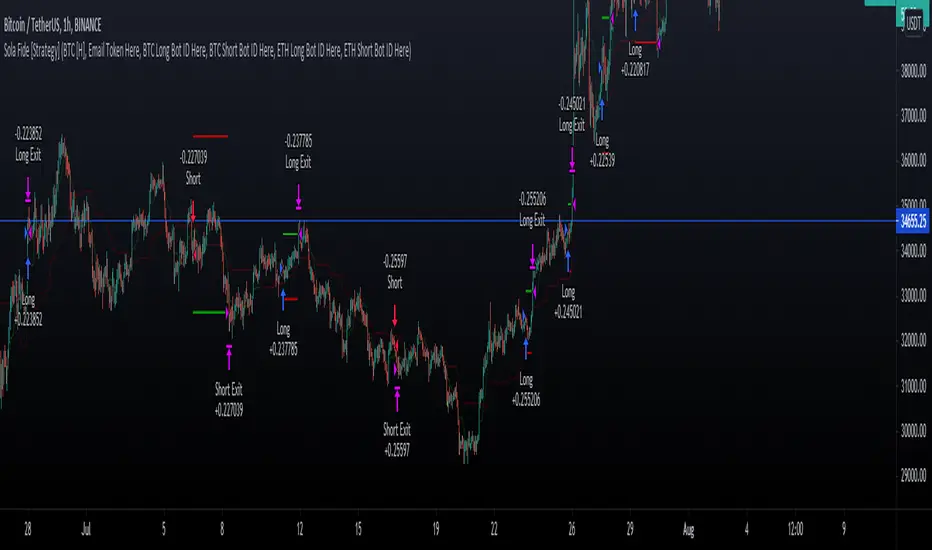
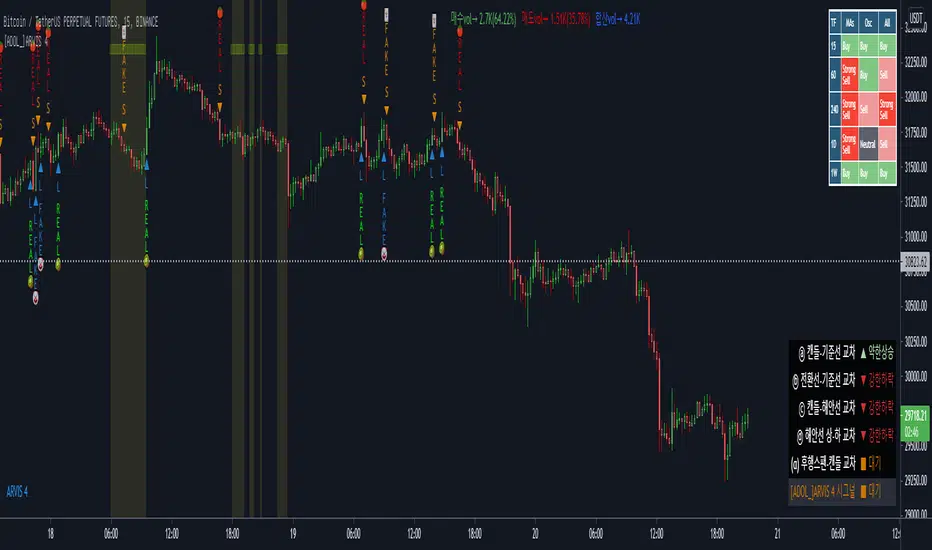
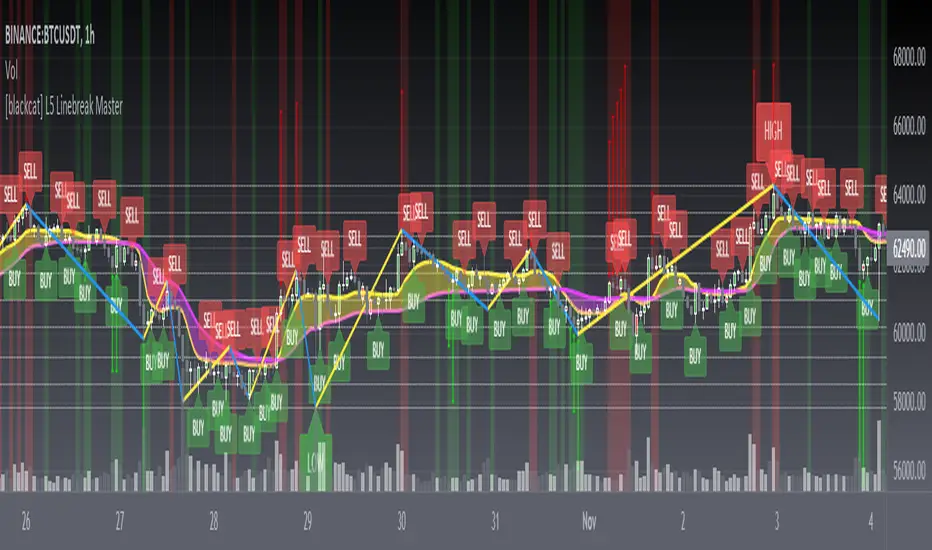
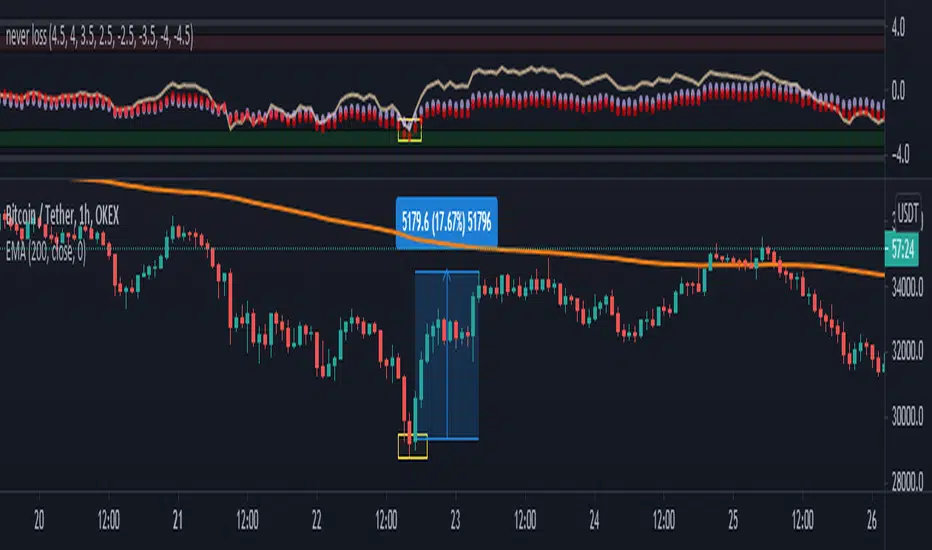
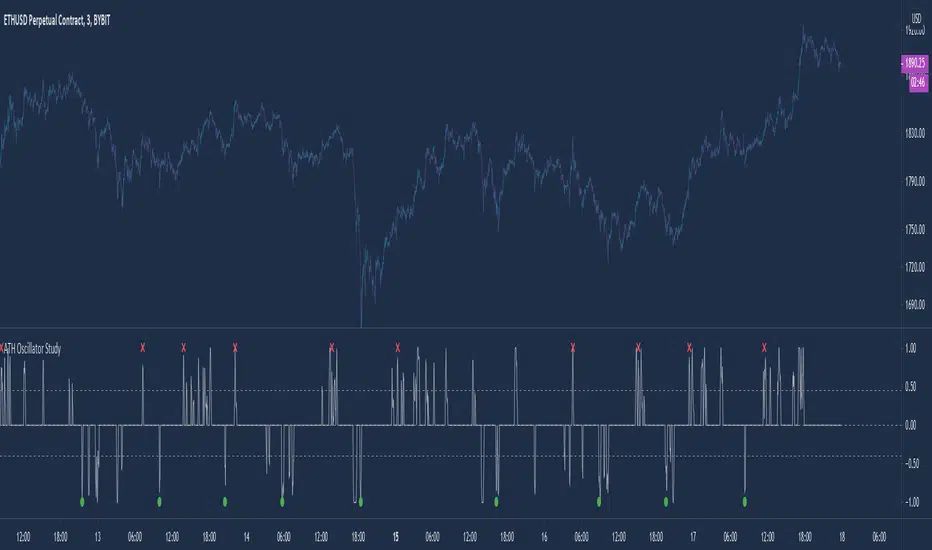
ProfitTrailerV2 RSI+BB+SRSI+Stochastic Oscillator Signal+AlertsThis is an all-in-one indicator with alerts that most people call signals and it's designed for Cryptocurrency leverage trading. This indicator features, the most popularly used indicators in technical analysis and are the basic technical analysis indicators any successful trader should master before going into more advanced technical analysis tool. The ProfitTrailerV2 RSI+BB+SRSI+Stochastic Oscillator Signal+Alerts features the Bollinger Bands, Relative Strength Index, Stochastic RSI and Stochastic Oscillator, and it was designed for use with ProfitTrailer V2 and can also be used with all other trading bots or on its own as a powerful market leveraging and trading indicator using alerts.
The ProfitTrailerV2 RSI+BB+SRSI+Stochastic Oscillator Signal+Alerts can be customized to any trader specific trading patterns and offers the ability to choose a combination of indicators from the featured ones to use. With the Buy and Sell Signal feature, trading on any cryptocurrency exchange can be automated and with the alerts feature, the ProfitTrailerV2 RSI+BB+SRSI+Stochastic Oscillator Signal+Alerts will automated buying and selling signals for any crypto trading bot but I'll always recommend using for making buys only when using with any bot. This indicator/script can be used with any base pair; BTC, ETH, and USD or USDT.
As mentioned above, all four indicators can be combined to find a very safe and secure buy and profitable sell signals, which maximizes your profit margins and overall earnings over time. Also, 2 or 3 could be combined as well, depending on the traders knowledge on how to use each indicator independently to find its best settings. My recommendation would be to test all independently and or together with very little capital to find what works best for you. I recommend this because the cryptocurrency market in a very volatile market and unpredictable, some combination of indicators would work for some certain coin pairs and not all, while others would work better with a different setting and a particular coin pair.
As with all script use at your own risk and only trade what you can afford to lose, while this indicator isn't designed to lose you money and I will not be held liable for any losses due to misuse. I am also not a financial advisor and the ProfitTrailerV2 RSI+BB+SRSI+Stochastic Oscillator Signal+Alerts will be made available soon as it's still undergoing rigorous testing.
Cari skrip untuk "bot"
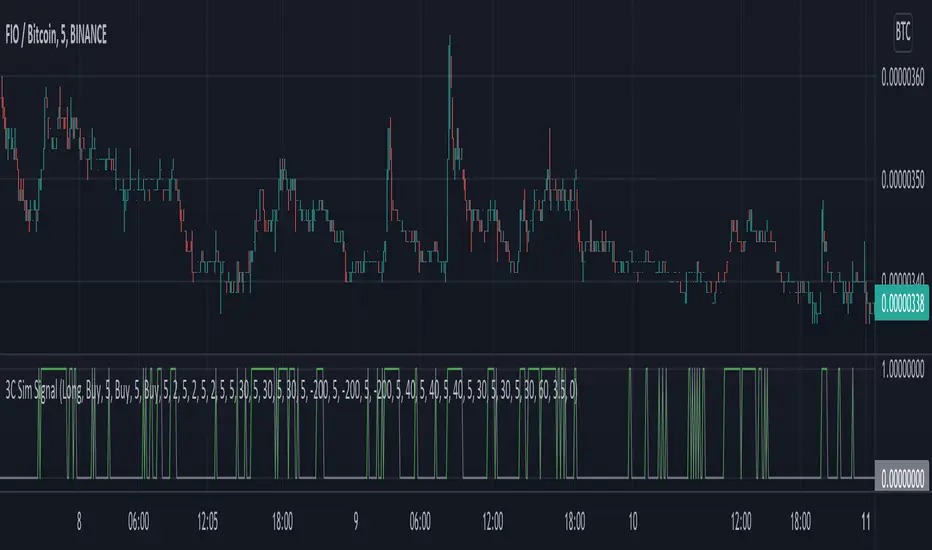
CMYK RMI TRIPLE Automated strategy▼ This is the strategy version of the script.
◊ Introduction
This script makes use of three RMI 's, that indicate Overbought/Oversold on different timescales that correspond with Frequency’s that move the market.
◊ Origin
The Relative Momentum Index was developed by Roger Altman and was introduced in his article in the February, 1993 issue of Technical Analysis of Stocks & Commodities magazine.
While RSI counts up and down ticks from close to close, the Relative Momentum Index counts up and down ticks from the close relative to a close x number of days ago.
This results in an RSI that is smoother, and has another setting for fine tuning results.
This bot originated out of Project XIAM , an investigative script that outlined my approach towards Automated Trading Strategies.
Are you interested in writing bots yourself ? check out the beta version of this script.
It has many bugs, but also most of the Skeleton.
◊ Usage
This script is intended for Automated Trading with AUTOVIEW or TVAUTOTRADER , on the 1 minute chart.
◊ Features Summary
Overlay Mode
Indicator Mode
Three RMI's
Trend adjustment
Pyramiding
Ignore first entries
Take Profit
Stop Loss
Interval between Entries
Multiring Fix
Alert signal Seperation
◊ Community
Wanna try this script out ? need help resolving a problem ?
CMYK :: discord.gg
AUTOVIEW :: discordapp.com
TRADINGVIEW UNOFFICIAL :: discord.gg
◊ Setting up Autoview Alerts
Use the study version of this script, To set up The Alerts Autoview Picks up on.
The Signals to work with are :
Open 1 Long
Use this to open one Long Position.
With quantity being : /
Once per bar
Being larger than 0
Comment example : e=exchange b=long q=amount t=market
Open 1 Short
Use this to open one Short Position.
With quantity being : /
Once per bar
Being larger than 0
Comment example : e=exchange b=short q=amount t=market
Close1 Position
Use this to Close The amount of one Open Position.
With quantity* being : /
Once per bar
Being larger than 0
Comment example : e=exchange c=position q=amount t=market
*Beware when using a percental % quantity, instead of an absolute quantity.
Percental Quantities are based on the , Not
And will change in absolute value relative to the amount of open trades.
Close All positions
Use this to Close All Open Positions.
With quantity being :
Once per bar
Being larger than 0
Comment example : e=exchange c=position t=market
For the specific Syntax used in the comment of the alert, visit Autoview .
◊ Setting up TVAutotrader
Use the strategy version of this script, And load it into TVAT .
◊ Backtesting
Use the strategy version of this script for backtesting.
◊ Contact
Wanna try this script out ? need help resolving a problem ?
CMYK :: discord.gg
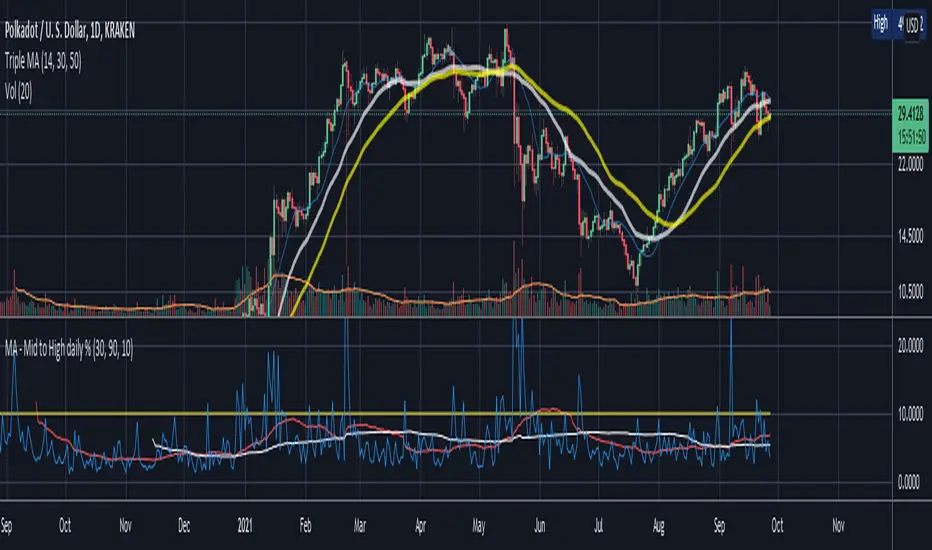
PT Magic Triggers So its me again. I have decided to create Trend Trigger Script for PT Magic addon for a trading bot Profit Trailer. If you do not own this bot and Addon the following explanation will not help you.
For each Trend you define number of minutes and it then calculates the percentage change between the close price now and X candles before.
Same calculation is for all 6 Triggers i beleive that is all you need :)
Hope it helps you all.
LTC: LYHj4WDN7BPu5294cSpqK3SgWSWdDX56Qt
BTC: 1NPVzeDSsenaCS9QdPro877hkMk93nRLcD
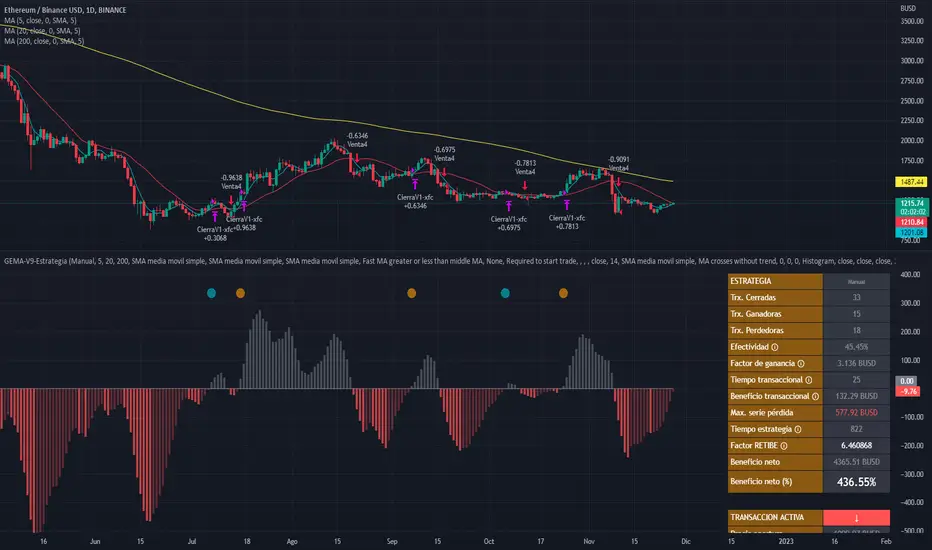
MACD, backtest 2015+ only, cut in half and doubledThis is only a slight modification to the existing "MACD Strategy" strategy plugin!
found the default MACD strategy to be lacking, although impressive for its simplicity. I added "year>2014" to the IF buy/sell conditions so it will only backtest from 2015 and beyond ** .
I also had a problem with the standard MACD trading late, per se. To that end I modified the inputs for fast/slow/signal to double. Example: my defaults are 10, 21, 10 so I put 20, 42, 20 in. This has the effect of making a 30min interval the same as 1 hour at 10,21,10. So if you want to backtest at 4hr, you would set your time interval to 2hr on the main chart. This is a handy way to make shorter time periods more useful even regardless of strategy/testing, since you can view 15min with alot less noise but a better response.
Used on BTCCNY OKcoin, with the chart set at 45 min (so really 90min in the strategy) this gave me a percent profitable of 42% and a profit factor of 1.998 on 189 trades.
Personally, I like to set the length/signals to 30,63,30. Meaning you need to triple the time, it allows for much better use of shorter time periods and the backtests are remarkably profitable. (i.e. 15min chart view = 45min on script, 30min= 1.5hr on script)
** If you want more specific time periods you need to try plugging in different bar values: replace "year" with "n" and "2014" with "5500". The bars are based on unix time I believe so you will need to play around with the number for n, with n being the numbers of bars.
UT Bot + SMC PRO (PROP) + VISUAL SIGNALS-DE ALEJANDRO PONCEHOW TO USE THEM TOGETHER (GOLDEN RULE)
Reading Sequence
UT → without B Bounce / pullback
B → without UT Weak break
UT → B (same direction) ✅ Valid setup
UT ↔ Opposite Bs Noise / range
AlgosPoint G&MPoint Breaking 2025 (MB&GB Breaking Point Pro)
What It Does:
A comprehensive TradingView indicator that combines multiple technical analysis tools to identify key market breakout points, support/resistance levels, and trading opportunities. It integrates Volume Profile analysis, AlphaTrend signals, and custom risk assessment metrics.
Key Features:
Volume Profile Analysis: Displays Point of Control (POC), Value Area High/Low (VAH/VAL), and volume distribution
Support & Resistance Detection: Automatically identifies key price levels based on volume or price action
AlphaTrend Signals: Generates BUY/SELL signals with visual labels on chart
Volume Spike Detection: Highlights unusual volume activity indicating potential exhaustion or breakout
High Volatility Alerts: Marks periods of increased market volatility using ATR
Risk Assessment Dashboard: Real-time panel showing:
Long/Short percentages (RSI-based)
Stop levels for both directions
Bot activity percentage
Csocy Signal status (Safe/Undecided/Risky)
How to Use:
Add to Chart: Apply indicator to any timeframe (works best on 15m-4H)
Configure Settings: Adjust parameters in grouped sections:
📊 General Settings (lookback periods)
🎯 Support & Resistance (line styles/colors)
💥 Volume Spike (threshold sensitivity)
⚡ High Volatility (ATR multiplier)
📈 Volume Profile (display options)
🔥 AlphaTrend (signal sensitivity)
Read Signals:
BUY label = Potential long entry when AlphaTrend crosses up
SELL label = Potential short entry when AlphaTrend crosses down
Dashboard colors: Green = bullish, Red = bearish, Yellow = neutral
Set Alerts: Built-in alerts for price crosses, volume spikes, and signal confirmations
Risk Management: Use displayed stop levels and Csocy Signal status to manage position sizing
Best For:
Day traders and swing traders
Crypto, Forex, and Stock markets
Identifying high-probability breakout zones
Volume-based trading strategies
Backtest any Indicator [Target Mode] StrategyUniversal Backtester Strategy with Sequential Logic
This strategy serves as a highly versatile, universal backtesting engine designed to test virtually any indicator-based trading system without requiring custom code for every new idea. It transforms standard indicator comparisons into a robust trading strategy with advanced features like sequential entry steps, dynamic target modes, and automated webhook alerts.
The core philosophy of this script is flexibility. Whether you are testing simple crossovers (e.g., MA Cross) or complex multi-stage setups (e.g., RSI overbought followed by a MACD flip), this tool allows you to configure logic via the settings panel and immediately see backtested results with professional-grade risk management.
Core Logic: Source vs. Target Mode
The fundamental building block of this strategy is the "Comparator" engine. Instead of hard-coding specific indicators, the script allows users to define logic slots (L1-L5 for Longs, S1-S5 for Shorts).
Each slot operates on a flexible comparison logic:
Source: The primary indicator you are testing (e.g., Close Price, RSI, Volume).
Operator: The condition to check (Equal/Cross, Greater Than, Less Than).
Target Mode:
Value Mode: Compares the Source against a fixed number (e.g., RSI > 70).
Source Mode: Compares the Source against another dynamic indicator (e.g., Close > SMA 200).
This "Target Mode" switch allows the strategy to adapt to almost any technical analysis concept, from oscillator levels to moving average trends.
Advanced Entry System: Sequential Steps (1-5)
Unlike standard backtesters that usually require all conditions to happen simultaneously (AND logic), this strategy implements a State Machine for sequential execution. Each of the 5 entry slots (L1-L5 / S1-S5) is assigned a "Step" number.
The logic flows as follows:
Stage 1: The strategy waits for all conditions assigned to "Step 1" to be true.
Latch & Wait: Once Step 1 is met, the strategy "remembers" this and advances to Stage 2. It waits for a subsequent bar to satisfy Step 2 conditions.
Trigger: The actual trade entry is only executed once the highest assigned step is completed.
Example Use Case:
Step 1: Price closes below the Lower Bollinger Band (Dip).
Step 2: RSI crosses back above 30 (Confirmation).
Execution: Buy Signal triggers on the Step 2 confirmation candle.
This creates a realistic "Setup -> Trigger" workflow common in professional trading, preventing premature entries.
Exit Logic & Risk Management
The strategy employs a dual-layer exit system to maximize profit retention and protect capital.
1. Signal-Based Exits (OR Logic) There are 5 configurable exit slots (LX1-LX5 / SX1-SX5). Unlike entries, these operate on "OR" logic. If any enabled exit condition is met (e.g., RSI becomes overbought OR Price crosses below EMA), the position is closed immediately.
2. Hard Stop & Take Profit
Fixed %: Users can set a hard percentage-based Stop Loss and Take Profit.
Trailing Stop: A toggleable "Trailing?" feature allows the Stop Loss to dynamically trail the price.
Longs: The SL moves up as the price makes new highs.
Shorts: The SL moves down as the price makes new lows.
Automated Alerts & Webhooks
This script is built with automation in mind. It includes a dedicated makeJson() function that constructs a JSON payload compatible with most trading bots (e.g., 3Commas, TradersPost, Tealstreet).
Alert Modes Supported: | Alert Type | Description | | :--- | :--- | | Order Fills Only | Triggers standard TradingView strategy alerts when the broker emulator fills an order. | | Alert() Function | Triggers specific JSON payloads defined in the code ("action": "buy", "ticker": "MNQ", etc.). |
The script automatically calculates the alert quantity based on your equity percentage settings, ensuring the payload matches your backtest sizing.
Dashboard & Visuals
To aid in rapid analysis, the strategy includes visual tools directly on the chart:
Performance Table: A dashboard (top-right) displays real-time stats including Net Profit, Win Rate, Profit Factor, and Max Drawdown.
Trade Markers: Custom labels (goLong, exLong) show exactly where trades opened and closed, including the trade number and profit percentage.
SL/TP Visualization: Dynamic step-lines (Orange for SL, Lime for TP) show exactly where your protection levels are sitting, helping you visually verify if your stops are too tight or too loose.
ALFA BUY IndikatorThis indicator is an improved version of the Mucip + Yağız indicator. I have been using it smoothly for the past 3 months.
I use it on futures markets for the three major coins such as BNB/USDT, BTC/USDT, and ETH/USDT.
My usage logic is as follows: on average, it generates around 2 signals per coin per day.
For each trade, I enter positions using 4–5% of my total capital.
I use 25x leverage on ETH and BNB, and 50x leverage on BTC.
My take-profit levels are 0.25% for BTC and 0.5% for the others, which results in approximately 10–12% profit per trade.
Overall, the average daily capital growth is around 2–3%.
Note: I use a trading bot for executions, because the indicator is designed for 2-minute charts, and it is almost impossible to catch the signals manually.
So far, everything has been working flawlessly, and it performs best on 2-minute timeframes.
Vhenom ORB A+ (Professional)Vhenom ORB A+ (Professional)
Advanced Opening Range Breakout System with A+ Momentum & Failure Detection
What This Indicator Is
Vhenom ORB A+ (Professional) is a precision-built Opening Range Breakout system designed for active index futures traders who want early entries, objective confirmation, and protection against false breakouts.
This is not a generic ORB clone.
It is a multi-session, momentum-aware, reversal-aware trading framework built specifically to handle:
Explosive breakouts
Failed breakouts
Intraday continuation
Reversals back into range
Real-time decision-making (not just candle-close hindsight)
Core Philosophy
Most ORB indicators fail because they:
Only work at candle close
Treat all breakouts the same
Ignore volatility context
Provide no framework for failed moves
Vhenom ORB A+ solves all of that.
It does not tell you what to trade.
It tells you when conditions are objectively favorable.
🔹 Key Features
1️⃣ Multi-Session ORB Engine (NY Time)
Define ORBs across multiple intraday windows, not just the cash open:
NY Cash Open (09:30–09:45)
Midday Expansion
Power Hour
Evening Session
Overnight Sessions
Fully customizable ORB windows
Each ORB:
Draws High / Low / Midline in real time
Freezes when complete
Automatically rolls forward into the next session
No repainting of historical ORBs.
2️⃣ Real-Time Breakout Detection (Live Preview)
Unlike most indicators, Vhenom ORB A+ can signal intrabar:
Signals flicker live as price breaks the ORB
Signals confirm on candle close
If price re-enters the range, the signal disappears
This allows:
Earlier entries for aggressive traders
Confirmed entries for conservative traders
You choose.
3️⃣ A+ Momentum Engine (ATR-Based)
Not all breakouts are equal.
The A+ Engine measures candle expansion relative to ATR to identify true momentum breakouts.
When an A+ breakout occurs:
The candle is highlighted
The label upgrades to A+ Buy / A+ Sell
Optional filtering: require A+ for signals or use it as a visual upgrade
This helps eliminate:
Chop
Low-energy fake moves
Weak breakouts that stall immediately
4️⃣ Failure Mode (Reversal Detection)
This is where most ORB tools fall apart.
Vhenom ORB A+ actively monitors failed breakouts.
If price:
Breaks out of the ORB
Fails to hold
Re-enters the range within a defined window
The indicator generates:
R Buy (failed downside breakout)
R Sell (failed upside breakout)
With:
Acceptance-by-close logic
Minimum bar delay (no same-candle chaos)
Optional live preview
This allows traders to:
Capture reversals
Avoid chasing failed breakouts
Trade against trapped participants
5️⃣ Conflict Protection (No Mixed Signals)
The logic explicitly prevents:
Buy and Sell on the same candle
Breakout and reversal on the same bar
Overlapping signal noise
If a conflict ever exists:
Sell wins (conservative bias)
The system is intentionally opinionated to reduce indecision.
6️⃣ Candle Coloring for Immediate Context
Candle colors provide instant visual feedback:
A+ Breakout candles
Failed breakout reversal candles
Priority rules ensure clarity (Reversal > A+)
You can glance at the chart and know what just happened.
🔹 Designed For
This indicator is ideal for:
NQ / ES / MNQ / MES traders
GC / MGC traders
ORB, momentum, and reversal traders
Traders who scale quickly and manage stops tightly
Traders who want structure, not guesses
It works on any symbol or timeframe, but is optimized for index futures.
🔹 What This Is NOT
❌ Not a signal bot
❌ Not a “win every trade” system
❌ Not meant for set-and-forget trading
This tool gives high-quality decision points — execution is up to you.
🔹 Basic vs Professional
Basic Version
NY Cash Session ORB only
ORB lines only
No momentum logic
No reversals
Professional Version (This)
Multiple ORB sessions
Live breakout preview
A+ momentum detection
Failure / reversal detection
Advanced filtering & controls
Designed for real trading, not hindsight
🔹 Final Notes
This indicator was built by a trader, refined through real market behavior, and designed to expose opportunity and risk at the same time.
If you understand:
Opening ranges
Volatility
Acceptance vs rejection
Risk management
Vhenom ORB A+ gives you an edge — not a crutch.
Supfabio Break-Return BandsSupfabio Break-Return Bands (B3 & B4 • 3-Candle Confirmation)
Supfabio Break-Return Bands is a volatility-based price action indicator built on top of a Two-Pole smoothing filter combined with ATR-derived dynamic bands.
It is designed to highlight price exhaustion, rejection, and potential reversal zones, with a strong emphasis on structural confirmation rather than immediate breakouts.
Core Concept
The indicator plots four volatility bands (Band 1 to Band 4) above and below a smoothed Two-Pole filter.
Signals are intentionally restricted to the outer bands, where price behavior is statistically more likely to show:
Volatility expansion
Liquidity grabs (stop runs / false breaks)
Strong rejection or mean-reversion behavior
Signal Logic
Band 4 (Primary Extreme Zone)
BUY and SELL signals are generated when:
Initial trigger (first candle)
Price either crosses the Band 4 level or
Touches and rejects the band (wick / pin behavior)
Confirmation on the 3rd candle (t + 2)
The confirmation candle:
Must not touch the same band again
Must close on the correct side of the band
Confirms that the initial break or pin was rejected
This delayed confirmation helps filter false breakouts and impulsive entries.
Band 3 (Secondary Setup)
On Band 3, signals are intentionally more selective:
Pin / rejection only
No direct cross signals
Uses the same 3-candle confirmation logic
This allows Band 3 signals to act as deeper pullback or early exhaustion setups.
Confirmation Mechanism
The script uses an internal state-based logic to:
Track the exact bar where the trigger occurred
Confirm signals only on the correct third candle
Prevent duplicate or consecutive signals from the same setup
Ensure pin-based triggers are not missed
Visual Elements
Main Two-Pole filter plotted as a thick continuous line
Volatility bands plotted with progressive line thickness
Band line styles (dotted / dashed) can be customized manually in the Style tab
Clear BUY and SELL labels plotted directly on the confirmation candle
Optional candle coloring based on filter direction
Alerts & Automation
Built-in alertcondition() for BUY and SELL
Alerts are suitable for webhook automation
Compatible with external systems and trading bots
Intended Use
This indicator is suitable for:
Reversal and exhaustion analysis
Mean-reversion strategies
Liquidity and rejection-based setups
Manual trading or automated execution
Intraday and higher-timeframe analysis
Notes
This script is intended as an analytical tool, not as a standalone trading system.
Signals should be used in combination with market structure, trend context, and proper risk management.
CCI + Buy/Sell Cross (supfabio)This indicator is an enhanced version of the Commodity Channel Index (CCI) designed to generate clear BUY and SELL signals based on customizable level crossovers, with built-in support for webhook automation and external trade execution.
🔹 Signal Logic
BUY Signal:
Triggered when the CCI crosses upward (from below to above) the user-defined BUY level (red line).
SELL Signal:
Triggered when the CCI crosses downward (from above to below) the user-defined SELL level (green line).
Signals can optionally be configured to trigger only on candle close, reducing real-time noise and false signals.
🔹 Key Features
✅ Original CCI calculation (standard formula preserved)
✅ Fully configurable BUY and SELL levels
✅ Optional display of signal level lines
✅ Visual BUY / SELL markers plotted on the CCI panel
✅ Support for moving average smoothing and Bollinger Bands applied to the CCI
✅ Dynamic alerts using alert(), ideal for:
Webhook integrations
Trading bots
External servers and automated execution systems
🔹 Alerts & Webhook Integration
The indicator sends dynamic alert messages containing:
Action type (BUY / SELL)
Symbol
Closing price
Timestamp
To use:
Add the indicator to your chart
Create an alert and select “Any alert() function call”
Enable Webhook URL and configure your endpoint
Done — signals will be sent automatically
🔹 Best Use Cases
Traders who use CCI as a primary entry trigger
Momentum or mean-reversion strategies
Automated trading systems
Visual backtesting and signal validation
⚠️ Disclaimer
This indicator is not a complete trading system and does not replace proper risk management. Always use it in combination with market context, confirmation tools, and sound position sizing.
Smart Money Bot [MTF Confluence Edition]Uses multi-time frame analysis and supply and demand strategy.
Best used when swing trading.
Star V12⭐ Star Engine — Multi-Component, Multi-Timeframe Trade Execution System
The Star Engine is a stateful trade execution and analytics system designed to transform indicator confluence into structured, measurable trade runs. Rather than producing isolated buy/sell signals, the engine decomposes market behavior into pressure, confirmation, event grouping, and trade lifecycle management. Each component plays a specific role, and no single component is sufficient on its own. Below is a detailed breakdown of each subsystem and why it exists.
💣 Bomb Engine — Directional Pressure Measurement
The Bomb Engine is responsible for identifying directional pressure in the market. It evaluates whether price action exhibits sustained momentum in one direction, independent of whether that direction is immediately tradable.
What Bomb Uses
Bomb aggregates momentum- and trend-oriented inputs such as MACD-based momentum direction, momentum persistence and continuation logic, directional bias filters, and impulse strength evaluation. All inputs are evaluated across multiple timeframes, with each timeframe contributing independently.
How Bomb Works
Each timeframe produces a directional contribution (bullish, bearish, or neutral). Contributions are aggregated into a net Bomb total. The total is mapped into discrete tone buckets (blue, green, red, black, etc.). Higher totals indicate stronger directional dominance.
What Bomb Tells You
Bomb answers one question: Is there directional pressure building or persisting? It does not determine entry timing, exhaustion, or trade quality. Bomb is context, not execution. This allows Bomb to be early without being responsible for precision.
✨ Golden Engine — Structural Confirmation & Regime Filtering
The Golden Engine evaluates whether the directional pressure detected by Bomb is structurally supported. Golden exists to prevent entries during momentum exhaustion, conflicting timeframe regimes, and counter-structure moves.
What Golden Uses
Golden relies on a different indicator stack than Bomb, focused on confirmation and balance, including RSI regime classification (not simple overbought/oversold), momentum agreement vs divergence, trend-following vs counter-trend positioning, overextension detection, and compression and rotational behavior. Each timeframe is evaluated independently using the same logic.
The Role of RSI in Golden
RSI in Golden is used to identify regimes, not signals. It answers questions such as: Is momentum expanding or decaying? Is the move early, mid-structure, or extended? Do multiple timeframes share compatible RSI states? If RSI regimes conflict across timeframes, Golden will not confirm. This is one of the main mechanisms that makes Golden selective.
Momentum & Alignment Logic
Golden evaluates whether momentum supports continuation, is fragmenting, is diverging from price, or is contradicting higher-timeframe structure. If lower-timeframe impulses are not supported by higher-timeframe structure, Golden suppresses confirmation — even if Bomb remains strong.
What Golden Guarantees
Golden does not guarantee profitable trades. Golden guarantees that the detected directional pressure is not internally contradictory across RSI regimes, momentum behavior, and timeframe structure. This replaces vague terms like “clean” with explicit structural conditions.
🔗 Multi-Timeframe Aggregation (MTF)
Both Bomb and Golden operate on a multi-timeframe voting system. Lower timeframes capture early impulses, higher timeframes enforce structural context, each timeframe votes independently, conflicts weaken totals, and alignment strengthens totals. This creates temporal confluence, not just price-based confluence.
⭐ Star Events — Qualified Market Impulses
A Star (⭐) is created only when Bomb is active, Golden is active, both agree on direction, and all gating rules pass (thresholds, time filters, modes). A Star represents a qualified impulse, not a trade. Stars are atomic events used by the execution layer.
⏱ Star Clusters — Trade Run State
The Star Cluster groups Stars into runs. The first Star starts a cluster, anchor price, bar, and time are recorded, each additional Star increments the cluster count, and all Stars belong to the same run until exit. This prevents duplicate entries, signal spam, and overtrading in volatile conditions.
⛔ Reset Gap Logic — Temporal Control
To prevent rapid re-entry, a minimum time gap is required to start a new run. Stars occurring too close together are merged. Reset does not terminate active runs. This enforces time-based discipline, not indicator-based guessing.
1➡️ Entry Logic — Confirmation-Based Execution
The engine never enters on the first Star. Instead, the user defines 🔢 N (Entry Star Index). Entry occurs only on the Nth Star, and that bar is marked 1➡️🔢N. This ensures entries occur after persistence, not detection. At ENTRY, Best = 0.00 and Worst = 0.00. Statistics measure real trade performance, not early signal noise.
📊 STAT Engine — Live Trade Measurement
Once entry is active, the STAT engine tracks ⏱ run progression, 🏅 maximum favorable excursion, and 📉 maximum adverse excursion. Mechanics: uses highs and lows, not closes; updates every bar; entry bar resets stats; historical bars marked 🎨. This creates an objective performance envelope for every trade.
🛑 Exit Engine — Deterministic Outcomes
Trades are exited using explicit rules: 🏅 WIN → profit threshold reached, 📉 LOSE → risk threshold breached, ⏱ QUIT → structural or safety exit.
Safety Exits
🐢 Idle Stop — no Stars for N bars.
🧯 Freeze Failsafe — STAT inactivity.
QUIT is a controlled termination, not failure. Each exit is recorded with a short cause tag.
🧾 Trade Memory & Journaling
Every trade produces immutable records. Entry: time, price, side, confirmation index. Exit: time, price, PnL, result, cause. These records power tables, alerts, JSON output, and external automation.
📊 Time-Block Performance (NY Clock)
Performance is grouped by real time, not bar count. Rolling NY blocks (e.g. 3 hours). Independent statistics per block. Live trades persist across block boundaries. This enables session-based analysis.
🔔 Alerts & Automation
Alerts are state-based: Entry confirmed → Long / Short alert. Trade closed → Exit alert. Optional JSON output allows integration with bots, journals, and dashboards.
Summary
The Star Engine is a component-based trade execution system, where Bomb measures pressure, Golden validates structure, Stars qualify impulses, clusters define runs, entry is delayed by confirmation, stats measure reality, exits are deterministic, and results are time-aware. It is not designed to “predict the market”, but to control how trades are formed, managed, and evaluated.
Kairos QX Indicator [v1.7]What’s New in v1.7?
Streak Analytics (Dashboard Expansion):
The dashboard now tracks Winning and Losing Streaks.
Max Consec. (TP / SL): Displays the highest number of wins and losses that occurred in a row (e.g., 5 / 3).
Avg Consec. (TP / SL): Calculates the average length of your winning and losing streaks (e.g., 2.4 / 1.8).
Updated Default "settings" for MNQ 5 MIN Candles
Full Script Description
This script is a professional-grade Mean Reversion & Trend Following Engine designed for automated execution. It acts as a bridge between discretionary chart analysis and algorithmic trading, allowing you to backtest complex ideas visually and then automate them via alerts without writing code.
1. Core Logic: The "Flip Switch" Strategy
Standard Mode (Mean Reversion):
The script identifies "exhaustion" points where price pierces the Bollinger Bands.
It bets on a reversal (e.g., Price > Upper Band = Short).
Inverse Mode (Trend Following - Default):
With the "Inverse Trades" box checked, the logic flips.
It identifies "breakout" points where price pierces the bands.
It bets on continuation (e.g., Price > Upper Band = Long).
2. Advanced Automation & Safety Features
This system is built to drive trading bots (like TradersPost or 3Commas) safely:
State-Aware Execution: It tracks its own trades (in_trade state). It will never fire a duplicate "Open" signal if a trade is already active, preventing accidental pyramiding.
No Trade Zone (Force Close): You can define a specific time window (default 15:10–17:00). If a trade is open when this time hits, the script immediately triggers a Close Alert, preventing overnight holds.
Signal Cooldown: Configurable "Signals to Skip" allows you to force a cooldown period after a trade closes to avoid over-trading in choppy conditions.
3. Real-Time Analytics Dashboard
The on-chart table provides a transparent, real-time backtest of your settings:
Equity Calculator: You can set a dollar value per point (e.g., $2 for MNQ). The dashboard calculates your estimated Net Profit/Loss based on the total points gained.
Streak Analysis: Shows both the Maximum and Average number of consecutive wins and losses, helping you understand the psychological difficulty of trading the strategy.
Data Integrity: It automatically detects "N/A" trades (candles that hit both SL and TP) and excludes them from the Win Rate calculation to ensure realistic statistics.
4. Modular "Recipe" Building
The strategy is highly customizable via the settings menu (no coding required). You can filter the Bollinger Band trigger with 10 different indicators:
Supported Filters: RSI, Stochastic, CCI, Williams %R, MFI, CMO, Fisher Transform, Ultimate Oscillator, and ROC.
Logic: All selected filters must agree with the main trigger for a trade to fire.
5. Visual Projection Engine
Glowing Outcomes: The script draws exact TP (Green) and SL (Red) boxes for past trades. These boxes glow to indicate the result, allowing for rapid visual verification of the strategy's performance.
Force Close Markers: Special gray markers appear on the chart where a trade was forced to close due to the "No Trade Zone" time limit.
Kairos QX Indicator [v1.6]This script, Kairos QX , is a sophisticated, highly customizable trading engine designed for automated execution. It serves as a bridge between discretionary charting and algorithmic trading, allowing you to visually backtest complex ideas and then automate them via alerts.
Its core logic is built on Mean Reversion, but it features a powerful "Inverse Mode" that instantly transforms it into a Trend Following system.
1. The Core Strategy: Mean Reversion (Default)
By default, the script operates on the principle that price eventually returns to an average value after an extreme move.
Logic: It fades the move.
Short Signal: Price pierces the Upper Bollinger Band (overbought) + optional confluence filters (e.g., RSI > 70). The bet is that price will revert down.
Long Signal: Price pierces the Lower Bollinger Band (oversold) + optional confluence filters. The bet is that price will revert up.
2. The "Inverse Mode": Trend Following (Flip Switch)
The script includes a unique Inverse Trades checkbox that flips the entire logic engine. This allows you to adapt to market conditions where price isn't reverting but is instead "running" hard.
Logic: It rides the breakout.
Short Signal becomes Long: When price pierces the Upper Bollinger Band, instead of shorting (expecting a drop), the script enters Long (expecting the trend to blast through and continue higher).
Long Signal becomes Short: When price pierces the Lower Bollinger Band, the script enters Short, betting on a trend continuation downward.
Why this matters: If your backtest shows a failing Mean Reversion strategy (e.g., a "F" grade), flipping this switch can instantly invert those losses into wins by aligning with the trend instead of fighting it.
3. Built for Automation & Safety
The script is engineered to safely drive third-party auto-trading bots (like TradersPost, 3Commas, or PineConnector) without manual intervention.
State-Aware Execution: The script tracks its own trade state. It will never fire a duplicate "Open" signal if a trade is already active, preventing accidental double-entries.
No Trade Zone (Force Close): You can set a specific time window (e.g., 15:55 PM) where the script automatically triggers a Close Alert for any open position. This protects you from holding day trades overnight or through major news events.
Signal Cooldown: To prevent over-trading in choppy markets, you can set the script to ignore the next 1-5 signals after a trade finishes, forcing it to wait for a fresh setup.
4. Modular "Recipe" Building
You don't need to know code to change the strategy. The settings menu allows you to mix and match 10 different indicators as confluence filters.
Example Recipe: "Only take a Mean Reversion Long if: Price is below the Bollinger Band AND RSI is < 30 AND MFI is < 20."
If you check the boxes, the script enforces the rules. If you uncheck them, they are ignored.
5. Visual Projection Dashboard
The script doesn't just print arrows; it performs a real-time visual backtest on the chart.
Glowing Projections: It draws the exact Take Profit (Green) and Stop Loss (Red) boxes for historical trades. These boxes glow to indicate if the trade won or lost.
Data Integrity: It automatically detects and isolates "N/A" trades—candles so volatile that they hit both your SL and TP in the same bar—excluding them from your win rate to keep your data realistic.
Live Grading: A dashboard in the corner grades your current settings (A-F) based on their performance over the last 1,000 to 40,000 bars.
Vega Convexity Regime Filter [Institutional Lite]STOP TRADING THE NOISE.
90% of retail trading losses occur during "Chop"—sideways markets where standard trend-following bots bleed capital through slippage and fees. Institutional desks know that the secret to high returns isn't just winning trades; it's knowing when to sit in cash.
The Vega V6 Regime Filter is the "Gatekeeper" layer of our proprietary Hierarchical Machine Learning engine (developed by a 25-year TradFi Risk Quant). It calculates a composite volatility score to answer one simple question: Is this asset tradeable right now?
THE VISUAL LOGIC
This indicator visually filters market conditions into two distinct Regimes based on our institutional backtests:
🌫️ GREY BARS (Noise / Chop)
The State: Volatility is compressing. The trend is undefined or weak.
The Trap: This is where MACD/RSI give false signals.
Institutional Action: Sit in Cash. Preserve Capital. Wait.
🟢 🔴 COLORED BARS (Impulse)
The State: Volatility is expanding. Momentum is statistically significant.
The Opportunity: A "Fat-Tail" move is likely beginning.
Institutional Action: Deploy Risk. Look for entries.
HOW IT WORKS (The Math)
Unlike simple moving average crossovers, the Vega Gatekeeper analyzes 4 distinct market dimensions simultaneously to generate a Tradeability Score (0-10) :
Trend Strength (ADX): Is there a vector?
Momentum (RSI/MACD): Is the move accelerating?
Volatility (Bollinger Bands): Is the range expanding?
Volume Flow: Is there institutional participation?
The Rule: If the composite score is < 4 , the market is Noise. The bars turn Grey. You do nothing.
BEST PRACTICES
For Swing Trading (Daily): Use Medium sensitivity. Only look for entries when the background turns Green/Red.
For Day Trading (4H/1H): Use Low sensitivity (more conservative). Use the Grey zones to tighten stops or exit positions.
THE PHILOSOPHY: "CASH IS A POSITION"
Most traders feel the need to be in a trade 24/7. The Vega V6 Engine (the system this tool is based on) achieved a +3,849% backtested return (18 months) largely by sitting in cash during chop. This tool visualizes that discipline.
🔒 WANT THE DIRECTIONAL SIGNALS?
This Lite version provides the Regime (When to trade).
To get the specific Entry Signals , Intraday Stop-Losses , and Probability Matrix (Stage 2 of our model), you need the Vega V6 Convexity Engine .
The Pro Version includes:
🚀 Specific Direction: Classification of "Explosion," "Rally," or "Crash."
🛡️ Dynamic Risk: Plots the exact Stop Loss levels used in our institutional backtests.
🌊 Macro Data: Integration of M2 Liquidity flow alerts.
👉 ACCESS INSTRUCTIONS:
Links to the Pro System , our Live Dashboard , and the 18-Month Performance Audit can be found in the Author Profile below or in the script settings.
Disclaimer: This tool is for educational purposes only. Past performance is not indicative of future results. Trading cryptocurrencies involves significant risk.
AlgoZ Pro v2.4.3 [LITE] - Adaptive Trend SystemOverview
AlgoZ Pro v2.4.3 is a high-precision trend-following system designed to filter market noise and keep you on the right side of the trend. Built on an advanced ATR-adaptive engine, this indicator dynamically adjusts its sensitivity to market volatility, providing clear entries and trailing stop-loss levels for Scalpers and Day Traders.
How It Works
The system uses a volatility-based "Trailing Cloud" to identify the dominant trend.
Green Cloud: Bullish Trend (Look for Longs)
Red Cloud: Bearish Trend (Look for Shorts)
Labels:
Clear BUY/SELL text labels appear when the trend flips, confirmed by volatility expansion.
Lite Features (Included)
Adaptive Trend Cloud: Visualizes the trend direction instantly.
Smart Trailing Stops: The trend line acts as a dynamic stop-loss level.
Signal Labels: Clean Buy/Sell markers on chart.
Multi-Timeframe Logic: Optimized for 5m, 15m, and 4H timeframes.
UNLOCK THE FULL SUITE (PRO v2.4.3)
This script is the "Lite" version of the complete AlgoZ Pro system. By upgrading to the full source code version, you unlock the institutional toolkit used by professional traders:
1. 🏦 Smart Money Range (SMR) Zones Automatically draws institutional Support & Resistance zones based on Donchian liquidity levels. Stop guessing where price will bounce.
2. 📊 Volume Divergence System Detects hidden reversals before they happen by analyzing volume/price disagreements.
3. 🛡️ "Strict Mode" Filters Includes our proprietary "Anti-Spam" filter that uses MFI, RSI, and Candle Color logic to eliminate false signals during choppy markets.
4. 📈 Built-in Backtester See the real-time Win Rate, Profit Factor, and Drawdown directly on your chart. Know the math before you trade.
5. 💎 100% Source Code Ownership Get the complete Pine Script code. Modify the logic, build your own bot, and own the system forever with no monthly fees.
👉 Get the PRO Source Code & SMR Zones here: www.algozpro.com
Impulse Day PlanOverview
This script provides a structured intraday trade plan built on three interacting components:
Impulse-based TP/SL system
Detects trend bias shifts and automatically generates Entry, TP1–TP3 and SL based on impulse range projections. Targets update dynamically and wick-touch confirmation is used for accurate ✓ tracking.
ATR day zones
A blended ATR model (Daily + selected base timeframe) produces support, balance and resistance zones derived from the previous session close. These zones provide directional context and realistic intraday expansion boundaries.
VWAP/EMA trend filter
Trend confirmation is applied using VWAP and EMA 50/200 structure. Signals are only considered aligned when price, VWAP and EMA trend agree.
The script displays a compact dashboard with the active trade plan, including:
Entry
TP1, TP2, TP3
Stop Loss
Checkmarks showing completed targets
This makes the indicator a planning framework, not a simple overlay.
How it differs from my previous publications
I previously released:
Smart Money OB + Limit Orders + Priority
SM OB Intraday Bot Assistant
Impulse TP/SL Zones
Those scripts focus on isolated concepts such as Smart Money structure, intraday automation or basic impulse mapping.
This script introduces a new integrated workflow: impulse TP/SL logic, ATR day zones and VWAP/EMA trend confirmation operating together as a single system. It does not reproduce the functionality of my previous tools and is designed as a standalone intraday planning method.
How to use
Select a base timeframe for the ATR zone model (15m, 1H, 4H).
Follow the dashboard for entry, targets and SL.
Use ATR zones to understand where targets sit within the day’s expected range.
Execute trades only when impulse signal and VWAP/EMA trend align.
RSI Dip Reversal Pro ScannerRSI Upside Reversal Scanner (High Accuracy)
This indicator is designed to detect early-stage upside reversals by identifying when RSI crosses upward from oversold levels while the price remains positioned in the lower portion of its recent range. It combines momentum shift with price location analysis to produce highly reliable reversal signals.
It uses 3 primary filters:
RSI Oversold Cross:
RSI must cross upward from the oversold threshold (default 30).
Price in Bottom Range:
Price must be located within the lower 40% of the last 20-bar range, indicating a discount zone.
Overbought Protection:
RSI must stay below the ceiling level (default 75) to prevent signals near top exhaustion.
When all criteria are met, the indicator plots a “GİRİŞ” (ENTRY) label below the candle.
This tool is ideal for:
Identifying accurate dip-buy zones
Capturing trend reversals early
Optimizing swing and scalp entries
Feeding systematic trading models or bots
It performs well on short- and mid-term timeframes.
Prophecy Orderflow Institutional v11 Alpha🔮 Prophecy Orderflow — Institutional v11 (Alpha)
📚 Free Trading Academy: howtobebullish.com
💼 Invest With My Team (MAM): 4xprophet.com/mam
📸 Instagram: @mrkilldamarkets
▶️ YouTube: @mrkilldamarkets
📢 Telegram: t.me/prophecyorderflow
⸻
⚙️ What v11 (Alpha) actually is
This is the institutional “Alpha” build of Prophecy Orderflow.
It takes the core engine you know and adds a smarter layer of:
• Clean BUY / SELL signal generation
• Risk mapped on chart (SL + TP ladder + BE)
• Smart Money visuals
• Liquidity and previous day levels
• A live institutional panel so you always know what the engine is seeing
No trade automation.
No promises.
Just a structured, visual decision system.
⸻
🧠 What the indicator shows you
v11 focuses on clarity and context, not noise:
• 🔁 Directional Calls
Clear BUY / SELL signals with on-chart labels and mapped levels
• 📊 Trend & Volatility Context
The panel shows you trend state and volatility environment so you’re not trading blind into chop
• 🎯 Risk & Targets
• Entry
• Stop
• TP1 / TP2 / TP3
• Break-even marker and ping
• 🧱 Smart Money Layer (Visual Only)
• Structure shifts (CHOCH / BOS)
• Zones of interest (demand / supply POIs)
• Liquidity grabs
• Previous Day High / Low reference
All of this is visual output only.
The internal logic, filters and formulas stay private.
⸻
🕹 How to use Prophecy v11 step by step
1️⃣ Load it on your main markets
Best for:
• XAUUSD
• Indices
• Major FX pairs
• Volatile intraday markets
Keep one chart clean with only Prophecy running so you can read it properly.
⸻
2️⃣ Start with the top-left panel
The panel gives you the summary in one glance:
• Current symbol and timeframe
• Trend context
• Last signal (BUY / SELL / none)
• Count of calls for the session / day
• The latest:
• Entry
• SL
• TP1 / TP2 / TP3
• BE level
If the panel says the session is closed, treat signals as lower priority.
⸻
3️⃣ Read the chart like an institutional layout
Once a signal prints:
• Use the mapped entry + SL + TP ladder as your structure
• The right-edge labels show SL / TP levels clearly
• The BE line and tag show you where price would neutralize risk
• The risk ladder gives you a visual framework instead of guessing
You still decide:
• If you take the entry
• How much you risk
• How you scale out at TP1 / TP2 / TP3
Prophecy v11 is a decision aid, not a replacement for your brain.
⸻
4️⃣ Use the Smart Money layer as confirmation, not a signal
The extra visuals are there to keep you aware of context:
• CHOCH / BOS tags → show when structure is shifting
• Liquidity grabs → show when highs / lows are being raided and rejected
• Demand / Supply zones (POIs) → highlight areas where reaction is likely
• Prev Day High / Low → key reference levels for intraday trading
You can use these to:
• Avoid chasing entries into obvious liquidity
• Align your trades with structure direction
• Time your entries near POIs instead of in the middle of nowhere
Again: these are not standalone signals, they are context.
⸻
👤 Who v11 is built for
• Intraday traders on Gold, indices and FX
• Traders who like clean on-chart levels
• Traders who want signal + structure + liquidity in one place
• Those who already have a plan and just want a sharper visual operating system
If you’re looking for a “press button get rich” bot, this isn’t for you.
⸻
⚠️ Risk Disclaimer
• This is not financial advice
• This indicator does not guarantee profitability
• Markets carry risk; only trade what you can afford to lose
• Always combine this with your own backtesting and risk management
Prophecy Orderflow v11 is a professional-style visual assistant, not a magic hack.
⸻
🌐 Join the ecosystem
📚 Free Trading Education: howtobebullish.com
💼 Invest with my team (MAM): 4xprophet.com/mam
📸 Instagram: @mrkilldamarkets
▶️ YouTube: @mrkilldamarkets
📢 Telegram Broadcast: t.me/prophecyorderflow
HEIST PROPHECY MASTER SUITE v20This is the top level HEIST engine.
Your all-in-one institutional scanner that blends breakout logic, structure mapping, smart zones, trend state and an execution dashboard into one visual system.
MASTER SUITE v20 is built for traders who want everything on the chart without clutter and without guesswork.
You get the bigger picture
the structure
the direction
the levels
and the execution map
all in a single interface.
No strategy leaks.
No code exposure.
Only the outputs.
⸻
⭐ What it displays
• High quality buy and sell signals
• Visual structure shifts (BOS / CHoCH)
• Supply and demand zones
• Liquidity sweep markers
• Clean trend read
• ATR-based risk framework
• TP1, TP2 and TP3 projections
• A compact institutional dashboard showing direction, entry, stop and targets
Everything is visual.
Internal logic stays private.
⸻
⭐ How to use MASTER SUITE v20
1. Load the indicator
Works best on:
• Gold
• Indices
• Major FX pairs
2. Read the trend and signal panel
The dashboard instantly tells you:
• Bullish or bearish trend state
• BUY, SELL or SCANNING mode
• Entry, SL and TP levels
This keeps your decision making clean.
3. Let the chart show the story
The visuals help you see:
• When structure shifts
• Where zones of interest form
• Where liquidity gets taken
• Where continuation or reversal may happen
You’re not guessing anymore.
4. When a HEIST signal appears
Use this simple checklist:
• Does it align with your personal bias?
• Does the dashboard confirm direction?
• Do the levels fit your risk profile?
• Is the market clean or chaotic?
Execution is your choice.
The suite simply organizes the environment.
5. Manage the trade using the built-in levels
• SL is placed visually
• TP1, TP2, TP3 help you scale out or let runners go
• Structure cues help you see when momentum shifts
You control the outcome.
The engine just keeps the map clean.
⸻
⭐ Who MASTER SUITE v20 is made for
• Intraday and swing traders
• Gold and index traders
• Structure-based traders
• Continuation and breakout traders
• Traders who want clean execution without clutter
⸻
⭐ What MASTER SUITE v20 is NOT
• Not a bot
• Not financial advice
• Not a guarantee of outcomes
• Not a replacement for your plan
It’s a visual system designed to support professional-level decision making.
⸻
⭐ Join my free trading ecosystem
Learn how I actually use these tools inside my own workflow:
howtobebullish.com
Want passive exposure to my capital systems?
4xprophet.com/mam
Instagram: @mrkilldamarkets
YouTube: @mrkilldamarkets
Telegram: t.me/prophecyorderflow
Prophecy Orderflow Institutional v6Free Trading Academy: howtobebullish.com
Invest With My Team: 4xprophet.com/mam
Instagram: @mrkilldamarkets
YouTube: @mrkilldamarkets
Telegram: t.me/prophecyorderflow
⸻
⭐ What Prophecy Orderflow v6 is
A clean intraday execution assistant built to help traders:
• Spot high quality breakouts without noise
• See structured entries instead of guessing
• Get instant clarity with mapped SL and TP levels
• Manage trades more confidently with optional BE and trail visuals
This is an execution support tool, not an automated strategy.
⸻
⭐ What it shows you (WITHOUT revealing the logic)
• Buy or sell signals when momentum breaks cleanly
• A mapped entry zone
• Automatic SL and TP1, TP2, TP3 projections
• Optional break even marker
• Optional trailing guide
• Session on/off filter to avoid dead market hours
• A simple dashboard that keeps everything readable
All logic stays private.
Users only see the output.
⸻
⭐ How to actually use it (clear but not exposing IP)
1. Load the indicator on your preferred chart
Works best on Gold, indices, and major forex pairs.
2. Choose your trading timeframe
Prophecy adapts to 1 minute, 5 minute and 15 minute execution styles.
3. Turn sessions ON if you only want signals during active market hours
London and New York sessions usually feel the cleanest.
4. When a signal prints, follow this simple decision process:
• Does it align with your personal bias?
• Is the market moving clean or is it choppy?
• Does the mapped SL and TP structure make sense for your plan?
If yes, you trade it.
If not, you skip it.
No overthinking.
5. Manage the trade using the visuals
• SL and TP levels update instantly
• BE line shows when you can neutralize risk
• Trail line appears only when the move is strong enough
You choose how much you want to lock in or let run.
⸻
⭐ Who it’s designed for
• Scalpers who need clean entries
• Intraday traders who want structure
• Traders who struggle with SL and TP placement
• Gold and index traders who need fast visual clarity
⸻
⭐ Important Notes
• Not financial advice
• Not a bot
• Use your own risk management
• Backtest and forward test before sizing up
⸻
⭐ Access the full trading ecosystem
Free Academy: howtobebullish.com
Invest Into My Capital Systems: 4xprophet.com/mam
Instagram: @mrkilldamarkets
YouTube: @mrkilldamarkets
Telegram: t.me/prophecyorderflow
Volume Analysis🙏🏻 (signed) Volume Analysis is 2 of 2 structural layer / ordeflow analysis scripts, while the first one is Liquidity Analysis. Both are independent so can’t be released together as a single script, but should be used together.
The same math used in this script can be applied to other types of aggressive volume data: non-aggregated flow of market orders, volume traded of put vs call options.
There’s no universal agreement about terminology, but this script works with volumes signed by the aggressor who initiated a transaction. Then these volumes get aggregated by time and a cumulative sum is calculated. Mostly this is widely known as Cumulative Volume Delta.
However this script works with 'inferred' volumes vs the provided ones. It’s the better choice for equities, bonds; neutral choice for currencies; and suboptimal choice for natural and artificial commodities.
Contents:
Output description;
How to analyze & use the outputs;
How to use it together with Liquidity Analysis script;
How did I use both scripts to finish The Leap profitably and skipped many losses.
1. Output description
Color of the CVD line reflects (signed) volume imbalance state: red is negative, purple is neutral, blue is positive.
3 purple lines are lower deviation (lower band), basis (middle band), upper deviation (upper band): used to generate signals by a ruleset that would be explained in a minute
Gray number in the script’s status line is the advised input you may put into Inferred volume multiplier in script’s setting, I will explain it
Vertical dash line marks the moving window end, this way you can be certain over what exact data you see the profile was built.
2. How to analyze & use the outputs
Setup up the script:
Moving window length: set it to ~ ¼ of your data analysis window. E.g if you see on your charts and use ~ 256 bars, set the length to 64.
Inferred volume multiplier: you can easily leave it 256, this is not a critical factor for the math, it’s mostly there if you want to ~ equate inferred volumes with real ones in scale. For this, use the gray number in the script status line, it’s calculated as ratio of long term real volumes weighted avg to long term inferred volumes weighted avg.
Again, changing the inferred volume multiplier won’t affect the math.
Use 2 timeframes: main one and a far lower one 3 steps down, just like on the screenshot.
Find out current volume imbalance state:
As mentioned before, based on CVD line color, it can be negative, neutral or positive. This is the state variable that changes slowly and denies/confirms the signals generated by crossovers of CVD line and 3 purple thresholds.
For this I use my own very fast and lightweight metric that is totally statistically grounded, utilizes temporal information, and calculates volume imbalance without using heavy math like regressions as it’s usually done. It also provides a natural neutral zone, when volume imbalance is not strong enough to be confirmed.
...
CVD-based signals:
First you need to understand what precisely a touch of a threshold is:
Touch: an event when either of these 2 happens:
One CVD datapoint is above the threshold, and the next CVD datapoint is below the threshold
One CVD datapoint is below the threshold, and the next CVD datapoint is above the threshold
These are usually called crossovers/crossunders.
Now with the 3 purple thresholds we follow this logic:
Monitor the last touched threshold;
Once another threshold is touched, here we may generate a signal but only once !, after the first generated signal at that threshold we can’t generate more signals on this threshold, we need to wait when CVD comes to another threshold.
If CVD touches one threshold, and then goes down and touches another threshold downwards, we wait when CVD makes a datapoint above this threshold. When it happens, we register a long signal
If CVD touches one threshold, and then goes up and touches another threshold upwards, we wait when CVD makes a datapoint below this threshold. When it happens, we register a short signal
However, don’t open new trades against the current volume imbalance state. So don’t open shorts when the CDV line is blue, and don’t open longs when CVD line is red.
Btw, this technique I call it “reclaim” of a level/threshold. It can be applied to horizontal levels, and it’s very powerful especially when you fade levels on very volatility assets like BTC. This technique allows you to Not fade a level straight away, but wait when price goes past the level a bit, and then comes back and reclaims it, only there you enter, and moreover you now have a very well defined risk point.
The last part is multi-timeframe logic. Prefer to act when a lower timeframe is Not against the main timeframe. That’s all, no multiple higher timeframes are needed.
3. How to use it together with Liquidity Analysis script.
That script also has a mean to generate its own signals, and another state variable called Liquidity Imbalance.
So now you’re not only looking at volume imbalance but also at liquidity imbalance that would deny/confirm the CVD based signal. You need at least one of these two to favor your long or short.
This is the same logic widely used in HFT, where MM bots cancel/shift/resize orders when book is too onesided And ordeflow is one sided as well.
4. How did I use both scripts to finish The Leap profitably and skipped many losses.
Even tho you can use structural information as your main strategic layer, as many so-called orderflow traders do, I traded in objective style: my fade signals were volatility based in essence, and I used ordeflow for better entries and stops, but most importantly to skip losses.
When ‘both‘ liquidity imbalance and volume imbalance (in their main timeframes) were against my trades, I skipped them all, saving many ~$500 stop losses (that was my basis risk unit for the Leap). Unless I had a very strong objective signal, i.e. confluence of several signals, or just one higher timeframe signal, I did all these skips.
I traded ~ intraweek timeframe, so I was analyzing either the last 230 30min bars or 1380 5min bars. Both Liquidity Analysis and (signed) Volume Analysis scripts were set to moving window length 46 or 276 for either granularity.
I finished the leap with 9% profit and max DD ~ 5%, a bit short of my goal of 12.5%. If not these 2 scripts I would’ve finished a bit above breakeven I think.
,,,
Another thing, I made these 2 scripts invite-only because they are made particularly for trading, particularly for certain types of market data. These are tools adapted for particular use case, not like my other posts with general math entities like Kernel Density Estimation or Kalman filter, that you can take and apply properly on any data you need yourself.
However these are made from general math entities like everything else. ‘All’ the components are available in my other scripts, ideas, and other sources related to me. If you want to reverse-engineer these, you can find all the components you need in my already posted open source work.
∞