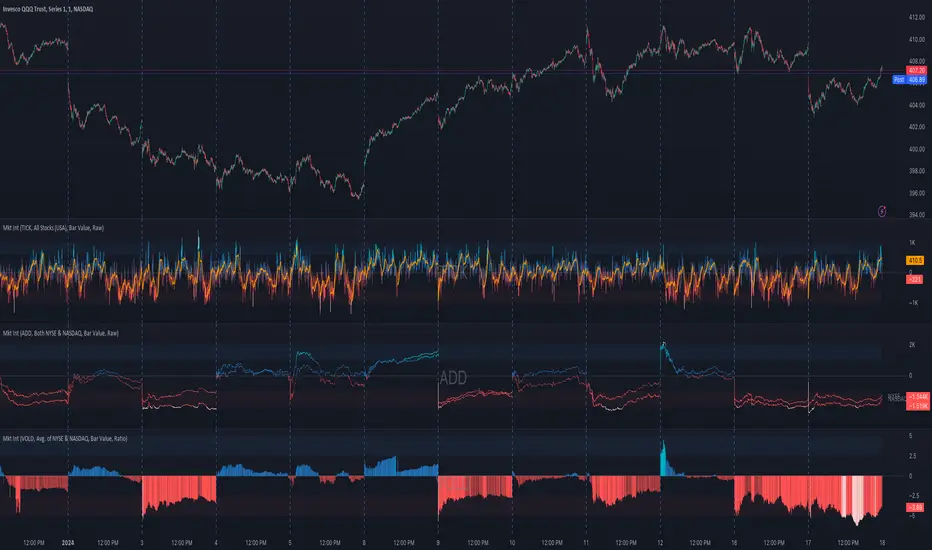
888 BOT #alertsโ 888 BOT #alerts
This is an Expert Advisor 'EA' or Automated trading script for โlongsโ and โshortsโ, which uses only a Take Profit or, in the worst case, a Stop Loss to close the trade.
It's a much improved version of the previous โRepanochaโ. It doesn`t use 'Trailing Stop' or 'security ()' functions (although using a security function doesn`t mean that the script repaints) and all signals are confirmed, therefore the script doesn`t repaint in alert mode and is accurate in backtest mode.
Apart from the previous indicators, some more and other functions have been added for Stop-Loss, re-entry and leverage.
It uses 8 indicators, (many of you already know what they are, but in case there is someone new), these are the following:
1. Jurik Moving Average
It's a moving average created by Mark Jurik for professionals which eliminates the 'lag' or delay of the signal. It's better than other moving averages like EMA, DEMA, AMA or T3.
There are two ways to decrease noise using JMA. Increasing the 'LENGTH' parameter will cause JMA to move more slowly and therefore reduce noise at the expense of adding 'lag'
The 'JMA LENGTH', 'PHASE' and 'POWER' parameters offer a way to select the optimal balance between 'lag' and over boost.
Green: Bullish, Red: Bearish.
2. Range filter
Created by Donovan Wall, its function is to filter or eliminate noise and to better determine the price trend in the short term.
First, a uniform average price range 'SAMPLING PERIOD' is calculated for the filter base and multiplied by a specific quantity 'RANGE MULTIPLIER'.
The filter is then calculated by adjusting price movements that do not exceed the specified range.
Finally, the target ranges are plotted to show the prices that will trigger the filter movement.
Green: Bullish, Red: Bearish.
3. Average Directional Index (ADX Classic) and (ADX Masanakamura)
It's an indicator designed by Welles Wilder to measure the strength and direction of the market trend. The price movement is strong when the ADX has a positive slope and is above a certain minimum level 'ADX THRESHOLD' and for a given period 'ADX LENGTH'.
The green color of the bars indicates that the trend is bullish and that the ADX is above the level established by the threshold.
The red color of the bars indicates that the trend is down and that the ADX is above the threshold level.
The orange color of the bars indicates that the price is not strong and will surely lateralize.
You can choose between the classic option and the one created by a certain 'Masanakamura'. The main difference between the two is that in the first it uses RMA () and in the second SMA () in its calculation.
4. Parabolic SAR
This indicator, also created by Welles Wilder, places points that help define a trend. The Parabolic SAR can follow the price above or below, the peculiarity that it offers is that when the price touches the indicator, it jumps to the other side of the price (if the Parabolic SAR was below the price it jumps up and vice versa) to a distance predetermined by the indicator. At this time the indicator continues to follow the price, reducing the distance with each candle until it is finally touched again by the price and the process starts again. This procedure explains the name of the indicator: the Parabolic SAR follows the price generating a characteristic parabolic shape, when the price touches it, stops and turns (SAR is the acronym for 'stop and reverse'), giving rise to a new cycle. When the points are below the price, the trend is up, while the points above the price indicate a downward trend.
5. RSI with Volume
This indicator was created by LazyBear from the popular RSI.
The RSI is an oscillator-type indicator used in technical analysis and also created by Welles Wilder that shows the strength of the price by comparing individual movements up or down in successive closing prices.
LazyBear added a volume parameter that makes it more accurate to the market movement.
A good way to use RSI is by considering the 50 'RSI CENTER LINE' centerline. When the oscillator is above, the trend is bullish and when it is below, the trend is bearish.
6. Moving Average Convergence Divergence (MACD) and (MAC-Z)
It was created by Gerald Appel. Subsequently, the histogram was added to anticipate the crossing of MA. Broadly speaking, we can say that the MACD is an oscillator consisting of two moving averages that rotate around the zero line. The MACD line is the difference between a short moving average 'MACD FAST MA LENGTH' and a long moving average 'MACD SLOW MA LENGTH'. It's an indicator that allows us to have a reference on the trend of the asset on which it is operating, thus generating market entry and exit signals.
We can talk about a bull market when the MACD histogram is above the zero line, along with the signal line, while we are talking about a bear market when the MACD histogram is below the zero line.
There is the option of using the MAC-Z indicator created by LazyBear, which according to its author is more effective, by using the parameter VWAP (volume weighted average price) 'Z-VWAP LENGTH' together with a standard deviation 'STDEV LENGTH' in its calculation.
7. Volume Condition
Volume indicates the number of participants in this war between bulls and bears, the more volume the more likely the price will move in favor of the trend. A low trading volume indicates a lower number of participants and interest in the instrument in question. Low volumes may reveal weakness behind a price movement.
With this condition, those signals whose volume is less than the volume SMA for a period 'SMA VOLUME LENGTH' multiplied by a factor 'VOLUME FACTOR' are filtered. In addition, it determines the leverage used, the more volume, the more participants, the more probability that the price will move in our favor, that is, we can use more leverage. The leverage in this script is determined by how many times the volume is above the SMA line.
The maximum leverage is 8.
8. Bollinger Bands
This indicator was created by John Bollinger and consists of three bands that are drawn superimposed on the price evolution graph.
The central band is a moving average, normally a simple moving average calculated with 20 periods is used. ('BB LENGTH' Number of periods of the moving average)
The upper band is calculated by adding the value of the simple moving average X times the standard deviation of the moving average. ('BB MULTIPLIER' Number of times the standard deviation of the moving average)
The lower band is calculated by subtracting the simple moving average X times the standard deviation of the moving average.
the band between the upper and lower bands contains, statistically, almost 90% of the possible price variations, which means that any movement of the price outside the bands has special relevance.
In practical terms, Bollinger bands behave as if they were an elastic band so that, if the price touches them, it has a high probability of bouncing.
Sometimes, after the entry order is filled, the price is returned to the opposite side. If price touch the Bollinger band in the same previous conditions, another order is filled in the same direction of the position to improve the average entry price, (% MINIMUM BETTER PRICE ': Minimum price for the re-entry to be executed and that is better than the price of the previous position in a given %) in this way we give the trade a chance that the Take Profit is executed before. The downside is that the position is doubled in size. 'ACTIVATE DIVIDE TP': Divide the size of the TP in half. More probability of the trade closing but less profit.
โ STOP LOSS and RISK MANAGEMENT.
A good risk management is what can make your equity go up or be liquidated.
The % risk is the percentage of our capital that we are willing to lose by operation. This is recommended to be between 1-5%.
% Risk: (% Stop Loss x % Equity per trade x Leverage) / 100
First the strategy is calculated with Stop Loss, then the risk per operation is determined and from there, the amount per operation is calculated and not vice versa.
In this script you can use a normal Stop Loss or one according to the ATR. Also activate the option to trigger it earlier if the risk percentage is reached. '% RISK ALLOWED' wich is calculated according with: '%EQUITY ON EACH ENTRY'. Only works with Stop Loss on 'NORMAL' or 'BOTH' mode.
'STOP LOSS CONFIRMED': The Stop Loss is only activated if the closing of the previous bar is in the loss limit condition. It's useful to prevent the SL from triggering when they do a โpumpโ to sweep Stops and then return the price to the previous state.
โ ALERTS
There is an alert for each leverage, therefore a maximum of 8 alerts can be set for 'long' and 8 for 'short', plus an alert to close the trade with Take Profit or Stop Loss in market mode. You can also place Take Profit limit and Stop Loss limit orders a few seconds after filling the position entry order.
- 'MAXIMUM LEVERAGE': It is the maximum allowed multiplier of the % quantity entered on each entry for 1X according to the volume condition.
- 'ADVANCE ALERTS': There is always a time delay from when the alert is triggered until it reaches the exchange and can be between 1-15 seconds. With this parameter, you can advance the alert by the necessary seconds to activate it earlier. In this way it can be synchronized with the exchange so that the execution time of the entry order to the position coincides with the opening of the bar.
The settings are for Bitcoin at Binance Futures (BTC: USDTPERP) in 30 minutes.
For other pairs and other timeframes, the settings have to be adjusted again. And within a month, the settings will be different because we all know the market and the trend are changing.
โ 888 BOT (SPANISH)
Este es un Expert Advisor 'EA' o script de trading automatizado para โlongsโ y โshortsโ, el cual, utiliza solo un Take Profit o, en el peor de los casos, un Stop Loss para cerrar el trade.
Es una versiรณn muy mejorada del anterior โRepanochaโ. No utiliza โTrailing Stopโ, ni funciones โsecurity()โ (aunque usar una funciรณn security no significa que el script repinte) y todas las seรฑales son confirmadas, por consiguiente, el script no repinta en modo alertas y es preciso en en el modo backtest.
Aparte de los anteriores indicadores se han aรฑadido algunos mรกs y otras funciones para Stop-Loss, de re-entrada y apalancamiento.
Utiliza 8 indicadores, (muchos ya sabรฉis sobradamente lo que son, pero por si hay alguien nuevo), son los siguientes:
1. Jurik Moving Average
Es una media mรณvil creada por Mark Jurik para profesionales la cual elimina el โlagโ o retardo de la seรฑal. Es mejor que otras medias mรณviles como la EMA, DEMA, AMA o T3.
Hay dos formas de disminuir el ruido utilizando JMA. El aumento del parรกmetro 'LENGTH' harรก que JMA se mueva mรกs lentamente y, por lo tanto, reducirรก el ruido a expensas de aรฑadir โlagโ
Los parรกmetros 'JMA LENGTH', 'PHASE' y 'POWER' ofrecen una forma de seleccionar el equilibrio รณptimo entre โlagโ y sobre impulso.
Verde : Alcista, Rojo: Bajista.
2. Range filter
Creado por Donovan Wall, su funciรณn es la de filtrar o eliminar el ruido y poder determinar mejor la tendencia del precio a corto plazo.
Primero, se calcula un rango de precio promedio uniforme 'SAMPLING PERIOD' para la base del filtro y se multiplica por una cantidad especรญfica 'RANGE MULTIPLIER'.
A continuaciรณn, el filtro se calcula ajustando los movimientos de precios que no exceden el rango especificado.
Por รบltimo, los rangos objetivo se trazan para mostrar los precios que activarรกn el movimiento del filtro.
Verde : Alcista, Rojo: Bajista.
3. Average Directional Index (ADX Classic) y (ADX Masanakamura)
Es un indicador diseรฑado por Welles Wilder para medir la fuerza y direcciรณn de la tendencia del mercado. El movimiento del precio tiene fuerza cuando el ADX tiene pendiente positiva y estรก por encima de cierto nivel mรญnimo 'ADX THRESHOLD' y para un periodo dado 'ADX LENGTH'.
El color verde de las barras indica que la tendencia es alcista y que el ADX estรก por encima del nivel establecido por el threshold.
El color Rojo de las barras indica que la tendencia es bajista y que el ADX estรก por encima del nivel de threshold.
El color naranja de las barras indica que el precio no tiene fuerza y seguramente lateralizarรก.
Se puede elegir entre la opciรณn clรกsica y la creada por un tal 'Masanakamura'. La diferencia principal entre los dos es que en el primero utiliza RMA() y en el segundo SMA() en su cรกlculo.
4. Parabolic SAR
Este indicador, creado tambiรฉn por Welles Wilder, coloca puntos que ayudan a definir una tendencia. El Parabolic SAR puede seguir al precio por encima o por debajo, la particularidad que ofrece es que cuando el precio toca al indicador, este salta al otro lado del precio (si el Parabolic SAR estaba por debajo del precio salta arriba y viceversa) a una distancia predeterminada por el indicador. En este momento el indicador vuelve a seguir al precio, reduciendo la distancia con cada vela hasta que finalmente es tocado otra vez por el precio y se vuelve a iniciar el proceso. Este procedimiento explica el nombre del indicador: el Parabolic SAR va siguiendo al precio generando una caracterรญstica forma parabรณlica, cuando el precio lo toca, se para y da la vuelta (SAR son las siglas en inglรฉs de โstop and reverseโ), dando lugar a un nuevo ciclo. Cuando los puntos estรกn por debajo del precio, la tendencia es alcista, mientras que los puntos por encima del precio indica una tendencia bajista.
5. RSI with Volume
Este indicador lo creo un tal LazyBear de TV a partir del popular RSI.
El RSI es un indicador tipo oscilador utilizado en anรกlisis tรฉcnico y creado tambiรฉn por Welles Wilder que muestra la fuerza del precio mediante la comparaciรณn de los movimientos individuales al alza o a la baja de los sucesivos precios de cierre.
LazyBear le aรฑadiรณ un parรกmetro de volumen que lo hace mรกs preciso al movimiento del mercado.
Una buena forma de usar el RSI es teniendo en cuenta la lรญnea central de 50 'RSI CENTER LINE'. Cuando el oscilador estรก por encima, la tendencia es alcista y cuando estรก por debajo la tendencia es bajista.
6. Moving Average Convergence Divergence (MACD) y (MAC-Z)
Fue creado por Gerald Appel. Posteriormente se aรฑadiรณ el histograma para anticipar el cruce de medias. A grandes rasgos podemos decir que el MACD es un oscilador consistente en dos medias mรณviles que van girando en torno a la lรญnea de cero. La lรญnea del MACD no es mรกs que la diferencia entre una media mรณvil corta 'MACD FAST MA LENGTH' y una media mรณvil larga 'MACD SLOW MA LENGTH'. Es un indicador que nos permite tener una referencia sobre la tendencia del activo sobre el cual se estรก operando, generando de este modo seรฑales de entrada y salida del mercado.
Podemos hablar de mercado alcista cuando el histograma del MACD se sitรบe por encima de la lรญnea cero, junto con la lรญnea de seรฑal, mientras que hablaremos de mercado bajista cuando el histograma MACD se situarรก por debajo de la lรญnea cero.
Estรก la opciรณn de utilizar el indicador MAC-Z creado por LazyBear que segรบn su autor es mรกs eficaz, por utilizar el parรกmetro VWAP (precio medio ponderado por volumen) 'Z-VWAP LENGTH' junto con una desviaciรณn standard 'STDEV LENGTH' en su cรกlculo.
7. Volume Condition
El volumen indica el nรบmero de participantes en esta guerra entre toros y osos, cuanto mรกs volumen mรกs probabilidad de que se mueva el precio a favor de la tendencia. Un volumen bajo de negociaciรณn indica un menor nรบmero de participantes e interรฉs por el instrumento en cuestiรณn. Los bajos volรบmenes pueden revelar debilidad detrรกs de un movimiento de precios.
Con esta condiciรณn se filtran aquellas seรฑales cuyo volumen es inferior a la SMA de volumen para un periodo 'SMA VOLUME LENGTH' multiplicado por un factor 'VOLUME FACTOR'. Ademรกs, determina el apalancamiento utilizado, a mรกs volumen, mรกs participantes, mรกs probabilidad de que se mueva el precio a nuestro favor, es decir, podemos utilizar mรกs apalancamiento. El apalancamiento en este script lo determina las veces que estรก el volumen por encima de la lรญnea de la SMA.
El apalancamiento mรกximo es de 8.
8. Bollinger Bands
Este indicador fue creado por John Bollinger y consiste en tres bandas que se dibujan superpuestas al grรกfico de evoluciรณn del precio.
La banda central es una media mรณvil, normalmente se emplea una media mรณvil simple calculada con 20 perรญodos. ('BB LENGTH' Nรบmero de periodos de la media mรณvil)
La banda superior se calcula sumando al valor de la media mรณvil simple X veces la desviaciรณn tรญpica de la media mรณvil. ('BB MULTIPLIER' Nรบmero de veces la desviaciรณn tรญpica de la media mรณvil)
La banda inferior de calcula restando a la media mรณvil simple X veces la desviaciรณn tรญpica de la media mรณvil.
la franja comprendida entre las bandas superior e inferior contiene, estadรญsticamente, casi un 90% de las posibles variaciones del precio, lo que significa que cualquier movimiento del precio fuera de las bandas tiene especial relevancia.
En tรฉrminos prรกcticos, las bandas de Bollinguer se comporta como si de una banda elรกstica se tratara de manera que, si el precio las toca, รฉste tiene mucha probabilidad de rebotar.
En ocasiones, despuรฉs de rellenarse la orden de entrada, el precio se devuelve hacia el lado contrario. Si toca la banda de Bollinger se rellena otra orden en la misma direcciรณn de la posiciรณn para mejorar el precio medio de entrada, (% MINIMUM BETTER PRICE': Precio mรญnimo para que se ejecute la re-entrada y que sea mejor que el precio de la posiciรณn anterior en un % dado) de esta manera damos una oportunidad al trade de que el Take Profit se ejecute antes. La desventaja es que se dobla el tamaรฑo de la posiciรณn. 'ACTIVATE DIVIDE TP': Divide el tamaรฑo del TP a la mitad. Mรกs probabilidad de que se cierre el trade pero menos ganancias.
โ STOP LOSS y RISK MANAGEMENT.
Una buena gestiรณn de las pรฉrdidas o gestiรณn del riesgo es lo que puede hacer que tu cuenta suba o se liquide en poco tiempo.
El % de riesgo es el porcentaje de nuestro capital que estamos dispuestos a perder por operaciรณn. Este se aconseja que debe estar comprendido entre un 1-5%.
% Risk = (% Stop Loss x % Equity per trade x Leverage) / 100
Primero se calcula la estrategia con Stop Loss, despuรฉs se determina el riesgo por operaciรณn y a partir de ahรญ se calcula el monto por operaciรณn y no al revรฉs.
En este script puedes usar un Stop Loss normal o uno segรบn el ATR. Tambiรฉn activar la opciรณn de que salte antes si se alcanza el porcentaje de riesgo. '% RISK ALLOWED' que se calcula segรบn el porcentaje de tu capital para 1X '% EQUITY ON EACH ENTRY'.
'STOP LOSS CONFIRMED': Solamente se activa el Stop Loss si el cierre de la barra anterior se encuentra en la condiciรณn de lรญmite de pรฉrdidas. Es รบtil para evitar que se dispare el SL cuando hacen un โpumpโ para barrer Stops y luego se devuelve el precio a la normalidad.
โ ALERTAS
Hay una alerta por cada apalancamiento por consiguiente como mรกximo se pueden poner 8 alertas para 'long' y 8 para 'short', mรกs una alerta para cerrar el trade con Take Profit o Stop Loss en modo market. Tambien puedes colocar las ordenes Take Profit limit y Stop Loss limit unos segundos despues de rellenar la orden de entrada de la posiciรณn.
- 'MAXIMUM LEVERAGE': Es el mรกximo multiplicador permitido de la cantidad introducida para 1X segรบn la condiciรณn de volumen.
- 'ADVANCE ALERTS': Siempre existe un retardo de tiempo desde que se activa la alerta hasta que llega al exchange y que puede ser de entre 1-15 segundos. Con este pรกrametro se puede adelantar la alerta los segundos necesarios para que se active antes. De este modo se puede sincronizar con el exchange para que el tiempo de ejecuciรณn de la orden de entrada a la posiciรณn coincida con la de apertura de la barra.
Los settings son para Bitcoin en Binance Futures (BTC:USDTPERP) en 30 minutos.
Para otro pares y otras temporalidades se tienen que ajustar las opciones de nuevo. Ademรกs para dentro de un mes, los ajustes serรกn otros distintos ya que el mercado y la tendencia es cambiante.
Cari skrip untuk "bear"
888 BOT #backtestโ 888 BOT #backtest
This is an Expert Advisor 'EA' or Automated trading script for โlongsโ and โshortsโ, which uses only a Take Profit or, in the worst case, a Stop Loss to close the trade.
It's a much improved version of the previous โRepanochaโ. It doesn`t use 'Trailing Stop' or 'security()' functions (although using a security function doesn`t mean that the script repaints) and all signals are confirmed, therefore the script doesn`t repaint in alert mode and is accurate in backtest mode.
Apart from the previous indicators, some more and other functions have been added for Stop-Loss, re-entry and leverage.
It uses 8 indicators, (many of you already know what they are, but in case there is someone new), these are the following:
1. Jurik Moving Average
It's a moving average created by Mark Jurik for professionals which eliminates the 'lag' or delay of the signal. It's better than other moving averages like EMA, DEMA, AMA or T3.
There are two ways to decrease noise using JMA. Increasing the 'LENGTH' parameter will cause JMA to move more slowly and therefore reduce noise at the expense of adding 'lag'
The 'JMA LENGTH', 'PHASE' and 'POWER' parameters offer a way to select the optimal balance between 'lag' and over boost.
Green: Bullish, Red: Bearish.
2. Range filter
Created by Donovan Wall, its function is to filter or eliminate noise and to better determine the price trend in the short term.
First, a uniform average price range 'SAMPLING PERIOD' is calculated for the filter base and multiplied by a specific quantity 'RANGE MULTIPLIER'.
The filter is then calculated by adjusting price movements that do not exceed the specified range.
Finally, the target ranges are plotted to show the prices that will trigger the filter movement.
Green: Bullish, Red: Bearish.
3. Average Directional Index (ADX Classic) and (ADX Masanakamura)
It's an indicator designed by Welles Wilder to measure the strength and direction of the market trend. The price movement is strong when the ADX has a positive slope and is above a certain minimum level 'ADX THRESHOLD' and for a given period 'ADX LENGTH'.
The green color of the bars indicates that the trend is bullish and that the ADX is above the level established by the threshold.
The red color of the bars indicates that the trend is down and that the ADX is above the threshold level.
The orange color of the bars indicates that the price is not strong and will surely lateralize.
You can choose between the classic option and the one created by a certain 'Masanakamura'. The main difference between the two is that in the first it uses RMA () and in the second SMA () in its calculation.
4. Parabolic SAR
This indicator, also created by Welles Wilder, places points that help define a trend. The Parabolic SAR can follow the price above or below, the peculiarity that it offers is that when the price touches the indicator, it jumps to the other side of the price (if the Parabolic SAR was below the price it jumps up and vice versa) to a distance predetermined by the indicator. At this time the indicator continues to follow the price, reducing the distance with each candle until it is finally touched again by the price and the process starts again. This procedure explains the name of the indicator: the Parabolic SAR follows the price generating a characteristic parabolic shape, when the price touches it, stops and turns (SAR is the acronym for 'stop and reverse'), giving rise to a new cycle. When the points are below the price, the trend is up, while the points above the price indicate a downward trend.
5. RSI with Volume
This indicator was created by LazyBear from the popular RSI.
The RSI is an oscillator-type indicator used in technical analysis and also created by Welles Wilder that shows the strength of the price by comparing individual movements up or down in successive closing prices.
LazyBear added a volume parameter that makes it more accurate to the market movement.
A good way to use RSI is by considering the 50 'RSI CENTER LINE' centerline. When the oscillator is above, the trend is bullish and when it is below, the trend is bearish.
6. Moving Average Convergence Divergence (MACD) and (MAC-Z)
It was created by Gerald Appel. Subsequently, the histogram was added to anticipate the crossing of MA. Broadly speaking, we can say that the MACD is an oscillator consisting of two moving averages that rotate around the zero line. The MACD line is the difference between a short moving average 'MACD FAST MA LENGTH' and a long moving average 'MACD SLOW MA LENGTH'. It's an indicator that allows us to have a reference on the trend of the asset on which it is operating, thus generating market entry and exit signals.
We can talk about a bull market when the MACD histogram is above the zero line, along with the signal line, while we are talking about a bear market when the MACD histogram is below the zero line.
There is the option of using the MAC-Z indicator created by LazyBear, which according to its author is more effective, by using the parameter VWAP (volume weighted average price) 'Z-VWAP LENGTH' together with a standard deviation 'STDEV LENGTH' in its calculation.
7. Volume Condition
Volume indicates the number of participants in this war between bulls and bears, the more volume the more likely the price will move in favor of the trend. A low trading volume indicates a lower number of participants and interest in the instrument in question. Low volumes may reveal weakness behind a price movement.
With this condition, those signals whose volume is less than the volume SMA for a period 'SMA VOLUME LENGTH' multiplied by a factor 'VOLUME FACTOR' are filtered. In addition, it determines the leverage used, the more volume, the more participants, the more probability that the price will move in our favor, that is, we can use more leverage. The leverage in this script is determined by how many times the volume is above the SMA line.
The maximum leverage is 8.
8. Bollinger Bands
This indicator was created by John Bollinger and consists of three bands that are drawn superimposed on the price evolution graph.
The central band is a moving average, normally a simple moving average calculated with 20 periods is used. ('BB LENGTH' Number of periods of the moving average)
The upper band is calculated by adding the value of the simple moving average X times the standard deviation of the moving average. ('BB MULTIPLIER' Number of times the standard deviation of the moving average)
The lower band is calculated by subtracting the simple moving average X times the standard deviation of the moving average.
the band between the upper and lower bands contains, statistically, almost 90% of the possible price variations, which means that any movement of the price outside the bands has special relevance.
In practical terms, Bollinger bands behave as if they were an elastic band so that, if the price touches them, it has a high probability of bouncing.
Sometimes, after the entry order is filled, the price is returned to the opposite side. If price touch the Bollinger band in the same previous conditions, another order is filled in the same direction of the position to improve the average entry price, (% MINIMUM BETTER PRICE ': Minimum price for the re-entry to be executed and that is better than the price of the previous position in a given %) in this way we give the trade a chance that the Take Profit is executed before. The downside is that the position is doubled in size. 'ACTIVATE DIVIDE TP': Divide the size of the TP in half. More probability of the trade closing but less profit.
โ STOP LOSS and RISK MANAGEMENT.
A good risk management is what can make your equity go up or be liquidated.
The % risk is the percentage of our capital that we are willing to lose by operation. This is recommended to be between 1-5%.
% Risk: (% Stop Loss x % Equity per trade x Leverage) / 100
First the strategy is calculated with Stop Loss, then the risk per operation is determined and from there, the amount per operation is calculated and not vice versa.
In this script you can use a normal Stop Loss or one according to the ATR. Also activate the option to trigger it earlier if the risk percentage is reached. '% RISK ALLOWED'
'STOP LOSS CONFIRMED': The Stop Loss is only activated if the closing of the previous bar is in the loss limit condition. It's useful to prevent the SL from triggering when they do a โpumpโ to sweep Stops and then return the price to the previous state.
โ BACKTEST
The objective of the Backtest is to evaluate the effectiveness of our strategy. A good Backtest is determined by some parameters such as:
- RECOVERY FACTOR: It consists of dividing the 'net profit' by the 'drawdownโ. An excellent trading system has a recovery factor of 10 or more; that is, it generates 10 times more net profit than drawdown.
- PROFIT FACTOR: The โProfit Factorโ is another popular measure of system performance. It's as simple as dividing what win trades earn by what loser trades lose. If the strategy is profitable then by definition the 'Profit Factor' is going to be greater than 1. Strategies that are not profitable produce profit factors less than one. A good system has a profit factor of 2 or more. The good thing about the โProfit Factorโ is that it tells us what we are going to earn for each dollar we lose. A profit factor of 2.5 tells us that for every dollar we lose operating we will earn 2.5.
- SHARPE: (Return system - Return without risk) / Deviation of returns.
When the variations of gains and losses are very high, the deviation is very high and that leads to a very poor โSharpeโ ratio. If the operations are very close to the average (little deviation) the result is a fairly high 'Sharpe' ratio. If a strategy has a 'Sharpe' ratio greater than 1 it is a good strategy. If it has a 'Sharpe' ratio greater than 2, it is excellent. If it has a โSharpeโ ratio less than 1 then we don't know if it is good or bad, we have to look at other parameters.
- MATHEMATICAL EXPECTATION: (% winning trades X average profit) + (% losing trades X average loss).
To earn money with a Trading system, it is not necessary to win all the operations, what is really important is the final result of the operation. A Trading system has to have positive mathematical expectation as is the case with this script: ME = (0.87 x 30.74$) - (0.13 x 56.16$) = (26.74 - 7.30) = 19.44$ > 0
The game of roulette, for example, has negative mathematical expectation for the player, it can have positive winning streaks, but in the long term, if you continue playing you will end up losing, and casinos know this very well.
PARAMETERS
'BACKTEST DAYS': Number of days back of historical data for the calculation of the Backtest.
'ENTRY TYPE': For '% EQUITY' if you have $ 10,000 of capital and select 7.5%, for example, your entry would be $ 750 without leverage. If you select CONTRACTS for the 'BTCUSDT' pair, for example, it would be the amount in 'Bitcoins' and if you select 'CASH' it would be the amount in $ dollars.
'QUANTITY (LEVERAGE 1X)': The amount for an entry with X1 leverage according to the previous section.
'MAXIMUM LEVERAGE': It's the maximum allowed multiplier of the quantity entered in the previous section according to the volume condition.
The settings are for Bitcoin at Binance Futures (BTC: USDTPERP) in 30 minutes.
For other pairs and other timeframes, the settings have to be adjusted again. And within a month, the settings will be different because we all know the market and the trend are changing.
โ 888 BOT (SPANISH)
Este es un Expert Advisor 'EA' o script de trading automatizado para โlongsโ y โshortsโ, el cual, utiliza solo un Take Profit o, en el peor de los casos, un Stop Loss para cerrar el trade.
Es una versiรณn muy mejorada del anterior โRepanochaโ. No utiliza โTrailing Stopโ, ni funciones โsecurity()โ (aunque usar una funciรณn security no significa que el script repinte) y todas las seรฑales son confirmadas, por consiguiente, el script no repinta en modo alertas y es preciso en en el modo backtest.
Aparte de los anteriores indicadores se han aรฑadido algunos mรกs y otras funciones para Stop-Loss, de re-entrada y apalancamiento.
Utiliza 8 indicadores, (muchos ya sabรฉis sobradamente lo que son, pero por si hay alguien nuevo), son los siguientes:
1. Jurik Moving Average
Es una media mรณvil creada por Mark Jurik para profesionales la cual elimina el โlagโ o retardo de la seรฑal. Es mejor que otras medias mรณviles como la EMA, DEMA, AMA o T3.
Hay dos formas de disminuir el ruido utilizando JMA. El aumento del parรกmetro 'LENGTH' harรก que JMA se mueva mรกs lentamente y, por lo tanto, reducirรก el ruido a expensas de aรฑadir โlagโ
Los parรกmetros 'JMA LENGTH', 'PHASE' y 'POWER' ofrecen una forma de seleccionar el equilibrio รณptimo entre โlagโ y sobre impulso.
Verde : Alcista, Rojo: Bajista.
2. Range filter
Creado por Donovan Wall, su funciรณn es la de filtrar o eliminar el ruido y poder determinar mejor la tendencia del precio a corto plazo.
Primero, se calcula un rango de precio promedio uniforme 'SAMPLING PERIOD' para la base del filtro y se multiplica por una cantidad especรญfica 'RANGE MULTIPLIER'.
A continuaciรณn, el filtro se calcula ajustando los movimientos de precios que no exceden el rango especificado.
Por รบltimo, los rangos objetivo se trazan para mostrar los precios que activarรกn el movimiento del filtro.
Verde : Alcista, Rojo: Bajista.
3. Average Directional Index (ADX Classic) y (ADX Masanakamura)
Es un indicador diseรฑado por Welles Wilder para medir la fuerza y direcciรณn de la tendencia del mercado. El movimiento del precio tiene fuerza cuando el ADX tiene pendiente positiva y estรก por encima de cierto nivel mรญnimo 'ADX THRESHOLD' y para un periodo dado 'ADX LENGTH'.
El color verde de las barras indica que la tendencia es alcista y que el ADX estรก por encima del nivel establecido por el threshold.
El color Rojo de las barras indica que la tendencia es bajista y que el ADX estรก por encima del nivel de threshold.
El color naranja de las barras indica que el precio no tiene fuerza y seguramente lateralizarรก.
Se puede elegir entre la opciรณn clรกsica y la creada por un tal 'Masanakamura'. La diferencia principal entre los dos es que en el primero utiliza RMA() y en el segundo SMA() en su cรกlculo.
4. Parabolic SAR
Este indicador, creado tambiรฉn por Welles Wilder, coloca puntos que ayudan a definir una tendencia. El Parabolic SAR puede seguir al precio por encima o por debajo, la particularidad que ofrece es que cuando el precio toca al indicador, este salta al otro lado del precio (si el Parabolic SAR estaba por debajo del precio salta arriba y viceversa) a una distancia predeterminada por el indicador. En este momento el indicador vuelve a seguir al precio, reduciendo la distancia con cada vela hasta que finalmente es tocado otra vez por el precio y se vuelve a iniciar el proceso. Este procedimiento explica el nombre del indicador: el Parabolic SAR va siguiendo al precio generando una caracterรญstica forma parabรณlica, cuando el precio lo toca, se para y da la vuelta (SAR son las siglas en inglรฉs de โstop and reverseโ), dando lugar a un nuevo ciclo. Cuando los puntos estรกn por debajo del precio, la tendencia es alcista, mientras que los puntos por encima del precio indica una tendencia bajista.
5. RSI with Volume
Este indicador lo creo un tal LazyBear de TV a partir del popular RSI.
El RSI es un indicador tipo oscilador utilizado en anรกlisis tรฉcnico y creado tambiรฉn por Welles Wilder que muestra la fuerza del precio mediante la comparaciรณn de los movimientos individuales al alza o a la baja de los sucesivos precios de cierre.
LazyBear le aรฑadiรณ un parรกmetro de volumen que lo hace mรกs preciso al movimiento del mercado.
Una buena forma de usar el RSI es teniendo en cuenta la lรญnea central de 50 'RSI CENTER LINE'. Cuando el oscilador estรก por encima, la tendencia es alcista y cuando estรก por debajo la tendencia es bajista.
6. Moving Average Convergence Divergence (MACD) y (MAC-Z)
Fue creado por Gerald Appel. Posteriormente se aรฑadiรณ el histograma para anticipar el cruce de medias. A grandes rasgos podemos decir que el MACD es un oscilador consistente en dos medias mรณviles que van girando en torno a la lรญnea de cero. La lรญnea del MACD no es mรกs que la diferencia entre una media mรณvil corta 'MACD FAST MA LENGTH' y una media mรณvil larga 'MACD SLOW MA LENGTH'. Es un indicador que nos permite tener una referencia sobre la tendencia del activo sobre el cual se estรก operando, generando de este modo seรฑales de entrada y salida del mercado.
Podemos hablar de mercado alcista cuando el histograma del MACD se sitรบe por encima de la lรญnea cero, junto con la lรญnea de seรฑal, mientras que hablaremos de mercado bajista cuando el histograma MACD se situarรก por debajo de la lรญnea cero.
Estรก la opciรณn de utilizar el indicador MAC-Z creado por LazyBear que segรบn su autor es mรกs eficaz, por utilizar el parรกmetro VWAP (precio medio ponderado por volumen) 'Z-VWAP LENGTH' junto con una desviaciรณn standard 'STDEV LENGTH' en su cรกlculo.
7. Volume Condition
El volumen indica el nรบmero de participantes en esta guerra entre toros y osos, cuanto mรกs volumen mรกs probabilidad de que se mueva el precio a favor de la tendencia. Un volumen bajo de negociaciรณn indica un menor nรบmero de participantes e interรฉs por el instrumento en cuestiรณn. Los bajos volรบmenes pueden revelar debilidad detrรกs de un movimiento de precios.
Con esta condiciรณn se filtran aquellas seรฑales cuyo volumen es inferior a la SMA de volumen para un periodo 'SMA VOLUME LENGTH' multiplicado por un factor 'VOLUME FACTOR'. Ademรกs, determina el apalancamiento utilizado, a mรกs volumen, mรกs participantes, mรกs probabilidad de que se mueva el precio a nuestro favor, es decir, podemos utilizar mรกs apalancamiento. El apalancamiento en este script lo determina las veces que estรก el volumen por encima de la lรญnea de la SMA.
El apalancamiento mรกximo es de 8.
8. Bollinger Bands
Este indicador fue creado por John Bollinger y consiste en tres bandas que se dibujan superpuestas al grรกfico de evoluciรณn del precio.
La banda central es una media mรณvil, normalmente se emplea una media mรณvil simple calculada con 20 perรญodos. ('BB LENGTH' Nรบmero de periodos de la media mรณvil)
La banda superior se calcula sumando al valor de la media mรณvil simple X veces la desviaciรณn tรญpica de la media mรณvil. ('BB MULTIPLIER' Nรบmero de veces la desviaciรณn tรญpica de la media mรณvil)
La banda inferior de calcula restando a la media mรณvil simple X veces la desviaciรณn tรญpica de la media mรณvil.
la franja comprendida entre las bandas superior e inferior contiene, estadรญsticamente, casi un 90% de las posibles variaciones del precio, lo que significa que cualquier movimiento del precio fuera de las bandas tiene especial relevancia.
En tรฉrminos prรกcticos, las bandas de Bollinger se comporta como si de una banda elรกstica se tratara de manera que, si el precio las toca, รฉste tiene mucha probabilidad de rebotar.
En ocasiones, despuรฉs de rellenarse la orden de entrada, el precio se devuelve hacia el lado contrario. Si toca la banda de Bollinger se rellena otra orden en la misma direcciรณn de la posiciรณn para mejorar el precio medio de entrada, (% MINIMUM BETTER PRICE': Precio mรญnimo para que se ejecute la re-entrada y que sea mejor que el precio de la posiciรณn anterior en un % dado) de esta manera damos una oportunidad al trade de que el Take Profit se ejecute antes. La desventaja es que se dobla el tamaรฑo de la posiciรณn. 'ACTIVATE DIVIDE TP': Divide el tamaรฑo del TP a la mitad. Mรกs probabilidad de que se cierre el trade pero menos ganancias.
โ STOP LOSS y RISK MANAGEMENT.
Una buena gestiรณn de las pรฉrdidas o gestiรณn del riesgo es lo que puede hacer que tu cuenta suba o se liquide en poco tiempo.
El % de riesgo es el porcentaje de nuestro capital que estamos dispuestos a perder por operaciรณn. Este se aconseja que debe estar comprendido entre un 1-5%.
% Risk = (% Stop Loss x % Equity per trade x Leverage) / 100
Primero se calcula la estrategia con Stop Loss, despuรฉs se determina el riesgo por operaciรณn y a partir de ahรญ se calcula el monto por operaciรณn y no al revรฉs.
En este script puedes usar un Stop Loss normal o uno segรบn el ATR. Tambiรฉn activar la opciรณn de que salte antes si se alcanza el porcentaje de riesgo. '% RISK ALLOWED'
'STOP LOSS CONFIRMED': Solamente se activa el Stop Loss si el cierre de la barra anterior se encuentra en la condiciรณn de lรญmite de pรฉrdidas. Es รบtil para evitar que se dispare el SL cuando hacen un โpumpโ para barrer Stops y luego se devuelve el precio a la normalidad.
โ BACKTEST
El objetivo del Backtest es evaluar la eficacia de nuestra estrategia. Un buen Backtest lo determinan algunos parรกmetros como son:
- RECOVERY FACTOR: Consiste en dividir el โbeneficio netoโ entre el โdrawdownโ. Un excelente sistema de trading tiene un recovery factor de 10 o mรกs; es decir, genera 10 veces mรกs beneficio neto que drawdown.
- PROFIT FACTOR: El โProfit Factorโ es otra medida popular del rendimiento de un sistema. Es algo tan simple como dividir lo que ganan las operaciones con ganancias entre lo que pierden las operaciones con pรฉrdidas. Si la estrategia es rentable entonces por definiciรณn el โProfit Factorโ va a ser mayor que 1. Las estrategias que no son rentables producen factores de beneficio menores que uno. Un buen sistema tiene un profit factor de 2 o mรกs. Lo bueno del โProfit Factorโ es que nos dice lo que vamos a ganar por cada dolar que perdemos. Un profit factor de 2.5 nos dice que por cada dolar que perdamos operando vamos a ganar 2.5.
- SHARPE: (Retorno sistema โ Retorno sin riesgo) / Desviaciรณn de los retornos.
Cuando las variaciones de ganancias y pรฉrdidas son muy altas, la desviaciรณn es muy elevada y eso conlleva un ratio de โSharpeโ muy pobre. Si las operaciones estรกn muy cerca de la media (poca desviaciรณn) el resultado es un ratio de โSharpeโ bastante elevado. Si una estrategia tiene un ratio de โSharpeโ mayor que 1 es una buena estrategia. Si tiene un ratio de โSharpeโ mayor que 2, es excelente. Si tiene un ratio de โSharpeโ menor que 1 entonces no sabemos si es buena o mala, hay que mirar otros parรกmetros.
- MATHEMATICAL EXPECTATION:(% operaciones ganadoras X ganancia media) + (% operaciones perdedoras X pรฉrdida media).
Para ganar dinero con un sistema de Trading, no es necesario ganar todas las operaciones, lo verdaderamente importante es el resultado final de la operativa. Un sistema de Trading tiene que tener esperanza matemรกtica positiva como es el caso de este script.
El juego de la ruleta, por ejemplo, tiene esperanza matemรกtica negativa para el jugador, puede tener rachas positivas de ganancias, pero a la larga, si se sigue jugando se acabarรก perdiendo, y esto los casinos lo saben muy bien.
PARAMETROS
'BACKTEST DAYS': Nรบmero de dรญas atrรกs de datos histรณricos para el calculo del Backtest.
'ENTRY TYPE': Para % EQUITY si tienes 10000$ de capital y seleccionas 7.5% tu entrada serรญa de 750$ sin apalancamiento. Si seleccionas CONTRACTS para el par BTCUSDT serรญa la cantidad en Bitcoins y si seleccionas CASH serรญa la cantidad en dรณlares.
'QUANTITY (LEVERAGE 1X)': La cantidad para una entrada con apalancamiento X! segรบn el apartado anterior.
'MAXIMUM LEVERAGE': Es el mรกximo multiplicador permitido de la cantidad introducida en el apartado anterior segรบn la condiciรณn de volumen.
Los settings son para Bitcoin en Binance Futures (BTC:USDTPERP) en 30 minutos.
Para otro pares y otras temporalidades se tienen que ajustar las opciones de nuevo. Ademรกs para dentro de un mes, los ajustes serรกn otros distintos ya que el mercado y la tendencia es cambiante.
Delta Volume Columns Pro [LucF]โโ OVERVIEW
This indicator displays volumeโโ delta information calculated with intrabar inspection on historical bars, and feed updates when running in realtime. It is designed to run in a pane and can display either stacked buy/sell volumeโ columns or a signal line which can be calculated and displayed in many different ways.
Five different models are offered to reveal different characteristics of the calculated volumeโ delta information. Many options are offered to visualize the calculations, giving you much leeway in morphing the indicator's visuals to suit your needs. If you value delta volumeโ information, I hope you will find the time required to master Delta Volumeโ Columns Pro well worth the investment. I am confident that if you combine a proper understanding of the indicator's information with an intimate knowledge of the volumeโ idiosyncrasies on the markets you trade, you can extract useful market intelligence using this tool.
โโ WARNINGS
1. The indicator only works on markets where volumeโ information is available,
โโPlease validate that your symbol's feed carries volumeโ information before asking me why the indicator doesn't plot values.
2. When you refresh your chart or re-execute the script on the chart, the indicator will repaint because elapsed realtime bars will then recalculate as historical bars.
3. Because the indicator uses different modes of calculation on historical and realtime bars, it's critical that you understand the differences between them. Details are provided further down.
4. Calculations using intrabar inspection on historical bars can only be done from some chart timeframes. See further down for a list of supported timeframes.
โโIf the chart's timeframe is not supported, no historical volumeโ delta will display.
โโ CONCEPTS
Chart bars
Three different types of bars are used in charts:
โ1. Historical bars are bars that have already closed when the script executes on them.
โ2. The realtime bar is the current, incomplete bar where a script is running on an open market. There is only one active realtime bar on your chart at any given time.
โโโThe realtime bar is where alerts trigger.
โ3. Elapsed realtime bars are bars that were calculated when they were realtime bars but have since closed.
โโโWhen a script re-executes on a chart because the browser tab is refreshed or some of its inputs are changed, elapsed realtime bars are recalculated as historical bars.
Why does this indicator use two modes of calculation?
Historical bars on TradingView charts contain OHLCV data only, which is insufficient to calculate volumeโ delta on them with any level of precision. To mine more detailed information from those bars we look at intrabars , i.e., bars from a smaller timeframe (we call it the intrabar timeframe ) that are contained in one chart bar. If your chart Is running at 1D on a 24x7 market for example, most 1D chart bars will contain 24 underlying 1H bars in their dilation. On historical bars, this indicator looks at those intrabars to amass volumeโ delta information. If the intrabar is up, its volumeโ goes in the Buy bin, and inversely for the Sell bin. When price does not move on an intrabar, the polarity of the last known movement is used to determine in which bin its volumeโ goes.
In realtime, we have access to price and volumeโ change for each update of the chart. Because a 1D chart bar can be updated tens of thousands of times during the day, volumeโ delta calculations on those updates is much more precise. This precision, however, comes at a price:
โโ The script must be running on the chart for it to keep calculating in realtime.
โโ If you refresh your chart you will lose all accumulated realtime calculations on elapsed realtime bars, and the realtime bar.
โโElapsed realtime bars will recalculate as historical bars, i.e., using intrabar inspection, and the realtime bar's calculations will reset.
โโWhen the script recalculates elapsed realtime bars as historical bars, the values on those bars will change, which means the script repaints in those conditions.
โโ When the indicator first calculates on a chart containing an incomplete realtime bar, it will count ALL the existing volumeโ on the bar as Buy or Sell volumeโ,
โโdepending on the polarity of the bar at that point. This will skew calculations for that first bar. Scripts have no access to the history of a realtime bar's previous updates,
โโand intrabar inspection cannot be used on realtime bars, so this is the only to go about this.
โโ Even if alerts only trigger upon confirmation of their conditions after the realtime bar closes, they are repainting alerts
โโbecause they would perhaps not have calculated the same way using intrabar inspection.
โโ On markets like stocks that often have different EODโ and intraday feeds and volumeโ information,
โโthe volume's scale may not be the same for the realtime bar if your chart is at 1D, for example,
โโand the indicator is using an intraday timeframe to calculate on historical bars.
โโ Any chart timeframe can be used in realtime mode, but plots that include moving averages in their calculations may require many elapsed realtime bars before they can calculate.
โโYou might prefer drastically reducing the periods of the moving averages, or using the volumeโ columns mode, which displays instant values, instead of the line.
Volume Delta Balances
This indicator uses a variety of methods to evaluate five volumeโ delta balances and derive other values from those balances. The five balances are:
1 โ On Bar Balance : This is the only balance using instant values; it is simply the subtraction of the Sell volumeโ from the Buy volumeโ on the bar.
2 โ Average Balance : Calculates a distinct EMA for both the Buy and Sell volumes, and subtracts the Sell EMA from the Buy EMA.
3 โ Momentum Balance : Starts by calculating, separately for both Buy and Sell volumes, the difference between the same EMAs used in "Average Balance" and
โโan SMA of double the period used for the "Average Balance" EMAs. The difference for the Sell side is subtracted from the difference for the Buy side,
โโand an RSI of that value is calculated and brought over the โ50/+50 scale.
4 โ Relative Balance : The reference values used in the calculation are the Buy and Sell EMAs used in the "Average Balance".
โโFrom those, we calculate two intermediate values using how much the instant Buy and Sell volumes on the bar exceed their respective EMAโโโbut with a twist.
โโIf the bar's Buy volumeโ does not exceed the EMA of Buy volumeโ, a zero value is used. The same goes for the Sell volumeโ with the EMA of Sell volumeโ.
โโOnce we have our two intermediate values for the Buy and Sell volumes exceeding their respective MA, we subtract them. The final "Relative Balance" value is an ALMA of that subtraction.
โโThe rationale behind using zero values when the bar's Buy/Sell volumeโ does not exceed its EMA is to only take into account the more significant volumeโ.
โโIf both instant volumeโ values exceed their MA, then the difference between the two is the signal's value.
โโThe signal is called "relative" because the intermediate values are the difference between the instant Buy/Sell volumes and their respective MA.
โโThis balance flatlines when the bar's Buy/Sell volumes do not exceed their EMAs, which makes it useful to spot areas where trader interest dwindles, such as consolidations.
โโThe smaller the period of the final value's ALMA, the more easily you will see the balance flatline. These flat zones should be considered no-trade zones.
5 โ Percent Balance : This balance is the ALMA of the ratio of the "On Bar Balance" value, i.e., the volumeโ delta balance on the bar (which can be positive or negative),
โโover the total volume for that bar.
From the balances and marker conditions, two more values are calculated:
1 โ Marker Bias : It sums the up/down (+1/โ1) occurrences of the markers 1 to 4 over a period you define, so it ranges from โ4 to +4, times the period.
โโIts calculation will depend on the modes used to calculate markers 3 and 4.
2 โ Combined Balances : This is the sum of the bull/bear (+1/โ1) states of each of the five balances, so it ranges from โ5 to +5.
โโ FEATURES
The indicator has two main modes of operation: Columns and Line .
Columns
โข In Columns mode you can display stacked Buy/Sell volumeโ columns.
โข The buy section always appears above the centerline, the sell section below.
โข The top and bottom sections can be colored independently using eight different methods.
โข The EMAs of the Buy/Sell values can be displayed (these are the same EMAs used to calculate the "Average Balance").
Line
โข Displays one of seven signals: the five balances or one of two complementary values, i.e., the "Marker Bias" or the "Combined Balances".
โข You can color the line and its fill using independent calculation modes to pack more information in the display.
โYou can thus appraise the state of 3 different values using the line itself, its color and the color of its fill.
โข A "Divergence Levels" feature will use the line to automatically draw expanding levels on divergence events.
Default settings
Using the indicator's default settings, this is the information displayed:
โข The line is calculated on the "Average Balance".
โข The line's color is determined by the bull/bear state of the "Percent Balance".
โข The line's fill gradient is determined by the advances/declines of the "Momentum Balance".
โข The orange divergence dots are calculated using discrepancies between the polarity of the "On Bar Balance" and the chart's bar.
โข The divergence levels are determined using the line's level when a divergence occurs.
โข The background's fill gradient is calculated on advances/declines of the "Marker Bias".
โข The chart bars are colored using advances/declines of the "Relative Balance". Divergences are shown in orange.
โข The intrabar timeframe is automatically determined from the chart's timeframe so that a minimum of 50 intrabars are used to calculate volumeโ delta on historical bars.
Alerts
The configuration of the marker conditions explained further is what determines the conditions that will trigger alerts created from this script. Note that simply selecting the display of markers does not create alerts. To create an alert on this script, you must use ALT-A from the chart. You can create multiple alerts triggering on different conditions from this same script; simply configure the markers so they define the trigger conditions for each alert before creating the alert. The configuration of the script's inputs is saved with the alert, so from then on you can change them without affecting the alert. Alert messages will mention the marker(s) that triggered the specific alert event. Keep in mind, when creating alerts on small chart timeframes, that discrepancies between alert triggers and markers displayed on your chart are to be expected. This is because the alert and your chart are running two distinct instances of the indicator on different servers and different feeds. Also keep in mind that while alerts only trigger on confirmed conditions, they are calculated using realtime calculation mode, which entails that if you refresh your chart and elapsed realtime bars recalculate as historical bars using intrabar inspection, markers will not appear in the same places they appeared in realtime. So it's important to understand that even though the alert conditions are confirmed when they trigger, these alerts will repaint.
Let's go through the sections of the script's inputs.
Columns
The size of the Buy/Sell columns always represents their respective importance on the bar, but the coloring mode for tops and bottoms is independent. The default setup uses a standard coloring mode where the Buy/Sell columns are always in the bull/bear color with a higher intensity for the winning side. Seven other coloring modes allow you to pack more information in the columns. When choosing to color the top columns using a bull/bear gradient on "Average Balance", for example, you will have bull/bear colored tops. In order for the color of the bottom columns to continue to show the instant bar balance, you can then choose the "On Bar Balance โ Dual Solid Colors" coloring mode to make those bars the color of the winning side for that bar. You can display the averages of the Buy and Sell columns. If you do, its coloring is controlled through the "Line" and "Line fill" sections below.
Line and Line fill
You can select the calculation mode and the thickness of the line, and independent calculations to determine the line's color and fill.
Zero Line
The zero line can display dots when all five balances are bull/bear.
Divergences
You first select the detection mode. Divergences occur whenever the up/down direction of the signal does not match the up/down polarity of the bar. Divergences are used in three components of the indicator's visuals: the orange dot, colored chart bars, and to calculate the divergence levels on the line. The divergence levels are dynamic levels that automatically build from the line's values on divergence events. On consecutive divergences, the levels will expand, creating a channel. This implementation of the divergence levels corresponds to my view that divergences indicate anomalies, hesitations, points of uncertainty if you will. It precludes any attempt to identify a directional bias to divergences. Accordingly, the levels merely take note of divergence events and mark those points in time with levels. Traders then have a reference point from which they can evaluate further movement. The bull/bear/neutral colors used to plot the levels are also congruent with this view in that they are determined by the line's position relative to the levels, which is how I think divergences can be put to the most effective use. One of the coloring modes for the line's fill uses advances/declines in the line after divergence events.
Background
The background can show a bull/bear gradient on six different calculations. As with other gradients, you can adjust its brightness to make its importance proportional to how you use it in your analysis.
Chart bars
Chart bars can be colored using seven different methods. You have the option of emptying the body of bars where volumeโ does not increase, as does my TLD indicator, and you can choose whether you want to show divergences.
Intrabar Timeframe
This is the intrabar timeframe that will be used to calculate volumeโ delta using intrabar inspection on historical bars. You can choose between four modes. The three "Auto-steps" modes calculate, from the chart's timeframe, the intrabar timeframe where the said number of intrabars will make up the dilation of chart bars. Adjustments are made for non-24x7 markets. "Fixed" mode allows you to select the intrabar timeframe you want. Checking the "Show TF" box will display in the lower-right corner the intrabar timeframe used at any given moment. The proper selection of the intrabar timeframe is important. It must achieve maximal granularity to produce precise results while not unduly slowing down calculations, or worse, causing runtime errors. Note that historical depth will vary with the intrabar timeframe. The smaller the timeframe, the shallower historical plots you will be.
Markers
Markers appear when the required condition has been confirmed on a closed bar. The configuration of the markers when you create an alert is what determines when the alert will trigger. Five markers are available:
โข Balances Agreement : All five balances are either bullishโ or bearishโ.
โข Double Bumps : A double bump is two consecutive up/down bars with +/โ volumeโโ delta, and rising Buy/Sell volumeโ above its average.
โข Divergence confirmations : A divergence is confirmed up/down when the chosen balance is up/down on the previous bar when that bar was down/up, and this bar is up/down.
โข Balance Shifts : These are bull/bear transitions of the selected signal.
โข Marker Bias Shifts : Marker bias shifts occur when it crosses into bull/bear territory.
Periods
Allows control over the periods of the different moving averages used to calculate the balances.
Volumeโ Discrepancies
Stock exchanges do not report the same volumeโ for intraday and daily (or higher) resolutions. Other variations in how volumeโ information is reported can also occur in other markets, namely Forex, where volumeโ irregularities can even occur between different intraday timeframes. This will cause discrepancies between the total volumeโ on the bar at the chart's timeframe, and the total volumeโโ calculated by adding the volumeโโ of the intrabars in that bar's dilation. This does not necessarily invalidate the volumeโโ delta information calculated from intrabars, but it tells us that we are using partial volumeโ data. A mechanism to detect chart vs intrabar timeframe volumeโโ discrepancies is provided. It allows you to define a threshold percentage above which the background will indicate a difference has been detected.
Other Settings
You can control here the display of the gray dot reminder on realtime bars, and the display of error messages if you are using a chart timeframe that is not greater than the fixed intrabar timeframe, when you use that mode. Disabling the message can be useful if you only use realtime mode at chart timeframes that do not support intrabar inspection.
โโ RAMBLINGS
On Volumeโ Delta
Volumeโ is arguably the best complement to interpret price action, and I consider volumeโ delta to be the most effective way of processing volumeโ information. In periods of low-volatility price consolidations, volumeโ will typically also be lower than normal, but slight imbalances in the trend of the buy/sell volumeโ balance can sometimes help put early odds on the direction of the break from consolidation. Additionally, the progression of the volumeโ imbalance can help determine the proximity of the breakout. I also find volumeโ delta and the number of divergences very useful to evaluate the strength of trends. In trends, I am looking for "slow and steady", i.e., relatively low volatilityโ and pauses where price action doesn't look like world affairs are being reassessed. In my personal mythology, this type of trend is often more resilient than high-volatility breakouts, especially when volumeโ balance confirms the general agreement of traders signaled by the low-volatility usually accompanying this type of trend. The volumeโ action on pauses will often help me decide between aggressively taking profits, tightening a stop or going for a longer-term movement. As for reversals, they generally occur in high-volatility areas where entering trades is more expensive and riskier. While the identification of counter-trend reversals fascinates many traders to no end, they represent poor opportunities in my view. Volumeโ imbalances often precede reversals, but I prefer to use volumeโ delta information to identify the areas following reversals where I can confirm them and make relatively low-cost entries with better odds.
On "Buy/Sell" Volume
Buying or selling volumeโ are misnomers, as every unit of volumeโ transacted is both bought and sold by two different traders. While this does not keep me from using the terms, there is no such thing as โbuy onlyโ or โsell onlyโ volumeโ. Trader lingo is riddled with peculiarities.
Divergences
The divergence detection method used here relies on a difference between the direction of a signal and the polarity (up/down) of a chart bar. When using the default "On Bar Balance" to detect divergences, however, only the bar's volumeโ delta is used. You may wonder how there can be divergences between buying/selling volumeโ information and price movement on one bar. This will sometimes be due to the calculation's shortcomings, but divergences may also occur in instances where because of order book structure, it takes less volumeโ to increase the price of an asset than it takes to decrease it. As usual, divergences are points of interest because they reveal imbalances, which may or may not become turning points. To your pattern-hungry brain, the divergences displayed by this indicator willโโโas they do on other indicatorsโโโappear to often indicate turnarounds. My opinion is that reality is generally quite sobering and I have no reliable information that would tend to prove otherwise. Exercise caution when using them. Consequently, I do not share the overwhelming enthusiasm of traders in identifying bullishโ/bearishโ divergences. For me, the best course of action when a divergence occurs is to wait and see what happens from there. That is the rationale underlying how my divergence levels work; they take note of a signal's level when a divergence occurs, and it's the signal's behavior from that point on that determines if the post-divergence action is bullishโ/bearishโ.
Superfluity
In "The Bed of Procrustes", Nassim Nicholas Taleb writes: To bankrupt a fool, give him information . This indicator can display lots of information. While learning to use a new indicator inevitably requires an adaptation period where we put it through its paces and try out all its options, once you have become used to it and decide to adopt it, rigorously eliminate the components you don't use and configure the remaining ones so their visual prominence reflects their relative importance in your analysis. I tried to provide flexible options for traders to control this indicator's visuals for that exact reasonโโโnot for window dressing.
โโ LIMITATIONS
โข This script uses a special characteristic of the `security()` function allowing the inspection of intrabarsโโโwhich is not officially supported by TradingView.
โIt has the advantage of permitting a more robust calculation of volumeโ delta than other methods on historical bars, but also has its limits.
โข Intrabar inspection only works on some chart timeframes: 3, 5, 10, 15 and 30 minutes, 1, 2, 3, 4, 6, and 12 hours, 1 day, 1 week and 1 month.
โThe scriptโs code can be modified to run on other resolutions.
โข When the difference between the chartโs timeframe and the intrabar timeframe is too great, runtime errors will occur. The Auto-Steps selection mechanisms should avoid this.
โข All volumeโ is not created equally. Its source, components, quality and reliability will vary considerably with sectors and instruments.
โThe higher the quality, the more reliably volumeโ delta information can be used to guide your decisions.
โYou should make it your responsibility to understand the volumeโ information provided in the data feeds you use. It will help you make the most of volumeโ delta.
โโ NOTES
For traders
โข The Data Window shows key values for the indicator.
โข While this indicator displays some of the same information calculated in my DeltaโVolumeโColumns ,
โI have elected to make it a separate publication so that traders continue to have a simpler alternative available to them. Both code bases will continue to evolve separately.
โข All gradients used in this indicator determine their brightness intensities using advances/declines in the signalโnot their relative position in a pre-determined scale.
โข Volumeโ delta being relative, by nature, it is particularly well-suited to Forex markets, as it filters out quite elegantly the cyclical volumeโ data characterizing the sector.
If you are interested in volumeโ delta, consider having a look at my other "Delta Volume" indicators:
โข DeltaโVolumeโRealtimeโAction displays realtime volumeโ delta and tick information on the chart.
โข DeltaโVolumeโCandles builds volumeโโ delta candles on the chart.
โข DeltaโVolumeโColumns is a simpler version of this indicator.
For coders
โข I use the `f_c_gradientRelativePro()` from the PineCoders Color Gradient Framework to build my gradients.
โThis function has the advantage of allowing begin/end colors for both the bull and bear colors. It also allows us to define the number of steps allowed for each gradient.
โI use this to modulate the gradients so they perform optimally on the combination of the signal used to calculate advances/declines,
โbut also the nature of the visual component the gradient applies to. I use fewer steps for choppy signals and when the gradient is used on discrete visual components
โsuch as volumeโ columns or chart bars.
โข I use the PineCoders Coding Conventions for Pine to write my scripts.
โข I used functions modified from the PineCoders MTF Selection Framework for the selection of timeframes.
โโ THANKS TO:
โ The devs from TradingView's Pine and other teams, and the PineCoders who collaborate with them. They are doing amazing work,
โand much of what this indicator does could not be done without their recent improvements to Pine.
โ A guy called Kuan who commented on a Backtest Rookies presentation of their Volume Profile indicator using a `for` loop.
โThis indicator started from the intrabar inspection technique illustrated in Kuan's snippet.
โ theheirophant , my partner in the exploration of the sometimes weird abysses of `security()`โs behavior at intrabar timeframes.
โ midtownsk8rguy , my brilliant companion in mining the depths of Pine graphics.
[Zekis]Donchian Price Channels Strategy with AlertsClassic Donchian(Price) Channels, I added alerts for entries and re-entries and labels for upper and lower bands of the channel.
# Investopedia
" What are Donchian Channels?
Donchian Channels are three lines generated by moving average calculations that comprise an indicator formed by upper and lower bands around a mid-range or median band. The upper band marks the highest price of a security over N periods while the lower band marks the lowest price of a security over N periods. The area between the upper and lower bands represents the Donchian Channel.
The indicator seeks to identify bullish and bearish extremes that favor reversals as well as breakouts, breakdowns and emerging trends, higher and lower.
The Formula for Donchian Channels Is:
UC = Highest High in Last N Periods
Middle Channel=((UCโLC)/2)
LC = Lowest Low in Last N periods
where:
UC = Upper channel
N = Number of minutes, hours, days, weeks, months...
Period = Minutes, hours, days, weeks, months...
LC=Lower channel
What Do Donchian Channels Tell You?
Donchian Channels identify comparative relationships between current price and trading ranges over predetermined periods. Three values build a visual map of price over time, similar to Bollinger Bands, indicating the extent of bullishness and bearishness for the chosen period. The top line identifies the extent of bullish energy, highlighting the highest price achieved for the period through the bull-bear conflict. The center line identifies the median or mean reversion price for the period, highlighting the middle ground achieved for the period through the bull-bear conflict. The bottom line identifies the extent of bearish energy, highlighting the lowest price achieved for the period through the bull-bear conflict.
Limitations of Using Donchian Channels
Markets move according to many cycles of activity. An arbitrary or commonly used N period value for Donchian Channels may not reflect current market conditions, generating false signals that can undermine trading and investment performance
โ "
โWPZO - Wave Period Zone Oscillator by CryptorhythmsโWPZO - Wave Period Zone Oscillator by Cryptorhythms
Intro
Based upon Akram El Sherbini's article "Time Cycle Oscillators" published in IFTA journal 2018.
Companion indicator to the Wave Period Oscillator, this is simply a transformation to display in a familiar manner like an RSI. Occasionally WPO can exceed the upper and lower boundary lines in strong moves. With WPZO, it will never go below -80 or above +80.
Description
In the Authors words....
"The wave period zone oscillator (WPZO) is a bounded oscillator for the wave period oscillator (WPO) and calculates the period of the marketโs cycle. In other words, the wave period refers to the time taken by buyers or sellers to complete one cycle. The oscillator moves within a range of -100 to 100 percent.
The WPZO has overbought and oversold levels at +40 and -40 respectively. At extreme periods, the oscillator may reach the levels of +60 and -60. The zero level demonstrates an equilibrium between the periods of bulls and bears. The WPZO oscillates between +40 and -40. The crossover at those levels creates buy and sell signals. In an uptrend, the WPZO fluctuates between 0 and +40 where the bulls are controlling the market.
On the contrary, the WPZO fluctuates between 0 and -40 during downtrends where the bears control the market. Reaching the extreme level of -60 in an uptrend is a sign of weakness. Mostly, the oscillator will retrace from its centerline rather than the upper boundary of +40. On the other hand, reaching +60 in a downtrend is a sign of strength, and the oscillator will not be able to reach its lower boundary of -40.
During an ideal uptrend, the WPZO does not reach the lower boundary of -40 and usually rebounds from a higher level than -40. This means that the bulls have taken control earlier. Hence, a zeroline crossover generates a buy signal. The WPZO crosses the upper boundary at +40, then pulls back again below +40 to generate a sell signal. During sideways, the WPZO fluctuates between the lower and upper boundaries of -40 and +40. This tactic is also used in an uptrend where corrections are strong enough to drive the WPZO line below the lower boundary. During downtrends, the WPZO fails to reach the upper boundary and oscillates between the 0 and -40 levels.
The bears enter early, indicating an obvious weakness in the market. Therefore, crossing the zero level generates a sell signal. The exit at weakness tactic is used during uptrend reversals and downtrends. The WPZO oscillates between the centerline and the lower boundary of -40. The bears are controlling the market and move in wide cycle periods, while the bullโs strength is almost absent. An exit signal is triggered once the WPZO crosses -40. When prices decline, the WPZO may cross its extreme lower boundary at -60. Therefore, a swift exit signal is triggered once the WPZO crosses -40.
The WPZO gives an insight about the relation between time and price movements. In this article, we used the oscillator to differentiate between the time taken by bulls and bears to complete one cycle. Due to the boundaries effect, the WPZO may diverge less than the WPO with prices."
TL:DR
More strategy discussed above, but heres the short version:
Bullish signals are generated when WPZO crosses over 0
Bearish signals are generated when WPZO crosses under 0
OverBought level is 40
OverSold level is -40
ExtremeOB level is 60
ExtremeOS level is -60
๐ Enjoying this indicator or find it useful? Please give me a like and follow! I post crypto analysis, price action strategies and free indicators regularly.
๐ฌ Questions? Comments? Want to get access to an entire suite of proven trading indicators? Come visit us on telegram and chat, or just soak up some knowledge. We make timely posts about the market, news, and strategy everyday. Our community isn't open only to subscribers - everyone is welcome to join.
For Trialers & Chat: t.me
[BoTo] ATH/2 OverlayThan this indicator is useful?
Can help you to understand this indicator who main in the market now. Bulls or bears.
How it works
All-Time-High ('ATH') - the highest point in price that a cryptocurrency has been in history.
Step 1: The 'ATH' line is drawn
Step 2: 'ATH/2' line is drawn.
Step 3: If the price became more than 'ATH' it means the market bulls have taken, and the price it will be more probable to increase. And vice versa. If the price became less than 'ATH/2' it means that the market was taken by bears, and the price it will be more probable to fall.
Step 4: If it is the bull market, then the green background is drawn. And vice versa. If it is the bear market, then the red background is drawn. If the market has changed, then the background will be gray color. Only one candle.
How to use it
It is possible to use any timeframes, and any symbol.
It is possible to use chart type only the japanese candles, the line or bars. Don't use Kagi, Renko or Haiken Ashi!
The background can be not shown. You can make 1 or 2 lines. If you have chosen only 1 line, then in the bull market you will see only 'ATH/2' line. And vice versa. In the bear market you will see only the 'ATH' line.
You need just to turn on this indicator once to understand what to wait in this market, big falling or big rockets for. And to switch off it that he didn't prevent to analyze.
It is the good help for long-term investments (the position can be longer than 1 year)
For an example
'Ethereum'
'Ripple'
We tried for you. We want to receive your like for good work.
Bill Williams Divergent BarsBill William Bull/Bear divergent bars
See: Book, Trading Chaos by Bill Williams
Coded by polyclick
A bullish (green) divergent bar, signals a trend switch from bear -> bull
-> The current bar has a lower low than the previous bar, but closes in the upper half of the candle.
-> This means the bulls are pushing from below and are trying to take over, potentially resulting in a trend switch to bullish.
-> We also check if this bar is below the three alligator lines to avoid false positives.
A bearish (red) divergent bar, signals a trend switch from bull -> bear
-> The current bar has a higher high than the previous bar, but closes in the lower half of the candle.
-> This means the bears are pushing the price down and are taking over, potentially resulting in a trend switch to bearish.
-> We also check if this bar is above the three alligator lines to avoid false positives.
Best used in combination with the Bill Williams Alligator indicator.
Momentum - MOM๐ฏ Overview
This is an advanced Momentum - MOM indicator that measures absolute price change over time, combined with dynamic moving average filtering. Unlike basic MOM implementations, this version features gradient momentum zones, multiple color themes, and a clear signal dashboard for precise price momentum identification.
๐งฉ Core Components
1. โ๏ธ Technical Foundation
๐ Primary Calculation: Uses TradingView's built-in ta.mom() function which calculates absolute price difference between current price and price N periods ago
๐ Dual Analysis Components:
MOM Line: Absolute price change oscillator (unbounded range based on price)
MA Filter: Customizable moving average acting as momentum baseline
Momentum Zones: Gradient fills for strong positive and negative momentum extremes
โก Absolute Change Measurement: Unique ability to quantify the actual price movement in points/currency units
2. ๐๏ธ Configuration Parameters
๐ MOM Length: Default 14 periods (standard momentum setting)
๐ MA Filter Settings:
Length: Customizable (default 365 periods)
Type: 6 options available (EMA, SMA, RMA, WMA, VWMA, HMA)
๐จ Color Themes: 5 visual schemes consistent with your indicator suite:
Classic, Modern, Robust, Accented, Monochrome
๐ Signal Interpretation:
๐ข BULLISH: MOM > MA Filter (price momentum above baseline)
๐ด BEARISH: MOM < MA Filter (price momentum below baseline)
๐ STRONG BULLISH: (extreme positive momentum)
๐ STRONG BEARISH: (extreme negative momentum)
3. ๐จ Visual Elements
๐จ Gradient Zones:
Strong Bullish zone : Green gradient intensifying toward higher values
Strong Bearish zone : Red gradient intensifying toward lower values
๐ Dashboard Display: Top-right status indicator showing "โฌ๏ธ Bullish" or "โฌ๏ธ Bearish"
๐ Dynamic Coloring: MOM line changes color based on position relative to MA
โก Midline Reference: Subtle 50-level reference line for scale orientation
โก Trading Applications
๐ Primary Uses:
๐ฏ Absolute Momentum Measurement:
MOM > MA = Bullish price momentum
MOM < MA = Bearish price momentum
MOM = 0 = No net price change over period
๐ช Momentum Strength in Price Terms:
Shows actual points/currency gained or lost
Useful for position sizing and risk management
More intuitive than percentages for some traders
๐จ Extreme Momentum Signals:
Extreme Bullish: (major price appreciation)
Extreme Bearish: (major price depreciation)
๐ Zone Analysis:
๐ข Strong Bullish Zone :
Green gradient fills
Indicates substantial price gains over the period
Often signals strong trend continuation or potential exhaustion
๐ด Strong Bearish Zone :
Red gradient fills
Indicates substantial price losses over the period
Often signals strong downtrend or potential reversal
๐ก Equilibrium: Yellow MA line acts as momentum baseline filter
๐จ Customization Options
๐๏ธ Display Features:
๐ Dual Components: Always shows both MOM line and MA filter
๐จ Gradient Visualization: Automatic fill for extreme momentum conditions
๐ Status Dashboard: Clear bullish/bearish momentum indication
๐ Customizable MA: Choose from 6 different moving average types
๐ Wide Dynamic Range: ยฑ15,000 levels accommodate various asset price ranges
๐จ Visual Themes: (Consistent suite)
๐จ Classic: Green/Red (traditional momentum colors)
๐ Modern: Cyan/Purple (contemporary)
๐ช Robust: Amber/Deep Purple (high contrast)
๐ Accented: Purple/Magenta (vibrant)
โซโช Monochrome: Light Gray/Dark Gray (minimalist)
๐ Alert System
๐ข LONG Alert: Triggers when MOM crosses above MA
๐ด SHORT Alert: Triggers when MOM crosses below MA
๐ง Format: Includes ticker symbol for tracking
โก Key Advantages
โ
Strengths:
๐ฏ Price-Based Analysis: Measures actual price movement in understandable units
๐ช Absolute Value Interpretation: Shows exact points gained/lost over period
๐๏ธ Clear Trend Momentum: MA filter separates noise from meaningful momentum
๐ Flexible Across Assets: Works equally well with stocks, crypto, forex, etc.
๐ Professional Dashboard: Immediate momentum status recognition
๐ Optimal Settings:
โก Short-term Trading: MOM Length 10-14, MA Length 20-50
๐ Medium-term Trading: MOM Length 14-20, MA Length 50-100
๐ Long-term Trading: MOM Length 20-30, MA Length 100-365
๐ Unique Features:
๐ฏ Absolute Price Measurement: Shows exact price change, not percentages
๐ Extreme Thresholds: ยฑ15,000 levels for major momentum identification
๐จ Consistent Design: Matches your indicator family aesthetics
๐ Momentum Dashboard: Quick visual confirmation of price momentum
๐ง Direct Price Analysis: No conversion needed - shows actual market movement
๐ Trading Strategies
1. Price Momentum Strategy:
Go LONG when MOM crosses above MA with positive values
Go SHORT when MOM crosses below MA with negative values
Strong signals when MA crossover aligns with extreme zones
2. Momentum Divergence:
Price makes higher high, MOM makes lower high โ Bearish divergence (momentum weakening)
Price makes lower low, MOM makes higher low โ Bullish divergence (selling pressure decreasing)
3. Trend Strength Assessment:
Large positive MOM values = Strong uptrend momentum
Large negative MOM values = Strong downtrend momentum
MOM near zero = Consolidation or trend change
๐ Performance Tips
Asset-Specific Thresholds: Adjust ยฑ15,000 levels based on typical price ranges
Zero Line Significance: MOM crossing zero often precedes trend changes
Extreme Readings: Very high/low MOM values may indicate exhaustion moves
Multiple Timeframes: Compare MOM values across timeframes for confirmation
Combine with Volume: Add volume analysis to confirm momentum moves
This enhanced Momentum indicator provides professional-grade price-based momentum analysis with intuitive visualization, allowing traders to measure exact price movements, identify momentum trends in absolute terms, and filter signals through the customizable moving average for precise momentum-based trading decisions! ๐๐
Rate of Change - ROC๐ฏ Overview
This is an advanced Rate of Change - ROC indicator that measures percentage price movement over time, combined with dynamic moving average filtering. Unlike basic ROC implementations, this version features gradient momentum zones, multiple color themes, and a clear signal dashboard for precise momentum velocity identification.
๐งฉ Core Components
1. โ๏ธ Technical Foundation
๐ Primary Calculation: Uses TradingView's built-in ta.roc() function which calculates percentage change between current price and price N periods ago
๐ Dual Analysis Components:
ROC Line: Percentage change oscillator
MA Filter: Customizable moving average acting as momentum trend line
Momentum Zones: Gradient fills for strong positive and strong negative momentum
โก Velocity Measurement: Unique ability to quantify the speed of price movement as a percentage
2. ๐๏ธ Configuration Parameters
๐ ROC Length: Default 35 periods (optimized for momentum detection)
๐ MA Filter Settings:
Length: Customizable (default 365 periods)
Type: 6 options available (EMA, SMA, RMA, WMA, VWMA, HMA)
๐จ Color Themes: 5 visual schemes consistent with your indicator suite:
Classic, Modern, Robust, Accented, Monochrome
๐ Signal Interpretation:
๐ข BULLISH: ROC > MA Filter (momentum accelerating upward)
๐ด BEARISH: ROC < MA Filter (momentum accelerating downward)
๐ STRONG BULLISH: ROC > 40% (extreme positive momentum)
๐ STRONG BEARISH: ROC < -20% (extreme negative momentum)
3. ๐จ Visual Elements
๐จ Gradient Zones:
Strong Bullish zone : Green gradient intensifying toward higher percentages
Strong Bearish zone : Red gradient intensifying toward lower percentages
๐ Dashboard Display: Top-right status indicator showing "โฌ๏ธ Bullish" or "โฌ๏ธ Bearish"
๐ Dynamic Coloring: ROC line changes color based on position relative to MA
โก Zero Line Reference: Natural equilibrium at 0% change
โก Trading Applications
๐ Primary Uses:
๐ฏ Momentum Velocity Measurement:
ROC > MA = Accelerating bullish momentum
ROC < MA = Accelerating bearish momentum
๐ช Momentum Strength Quantification:
Higher positive percentages = Stronger uptrend acceleration
Lower negative percentages = Stronger downtrend acceleration
Measures rate of change rather than just direction
๐จ Extreme Momentum Signals:
Strong Bullish: (rapid price appreciation)
Strong Bearish: (rapid price depreciation)
๐ Zone Analysis:
๐ข Strong Bullish Zone :
Green gradient fills
Indicates rapid price acceleration upward
Often precedes consolidation or pullback
๐ด Strong Bearish Zone :
Red gradient fills
Indicates rapid price acceleration downward
Often precedes bounce or reversal
๐ก Equilibrium: Yellow MA line acts as momentum trend filter
๐จ Customization Options
๐๏ธ Display Features:
๐ Dual Components: Always shows both ROC line and MA filter
๐จ Gradient Visualization: Automatic fill for extreme momentum conditions
๐ Status Dashboard: Clear bullish/bearish momentum acceleration indication
๐ Customizable MA: Choose from 6 different moving average types
๐ Adjustable Thresholds: 40% and -20% levels optimized for ROC analysis
๐จ Visual Themes: (Consistent suite)
๐จ Classic: Green/Red (traditional momentum colors)
๐ Modern: Cyan/Purple (contemporary)
๐ช Robust: Amber/Deep Purple (high contrast)
๐ Accented: Purple/Magenta (vibrant)
โซโช Monochrome: Light Gray/Dark Gray (minimalist)
๐ Alert System
๐ข LONG Alert: Triggers when ROC crosses above MA
๐ด SHORT Alert: Triggers when ROC crosses below MA
๐ง Format: Includes ticker symbol for tracking
โก Key Advantages
โ
Strengths:
๐ฏ Velocity-Based Analysis: Measures speed of price movement, not just direction
๐ช Percentage-Based: Provides intuitive understanding of momentum strength
๐๏ธ Trend Acceleration Identification: MA filter shows when momentum is accelerating/decelerating
๐ Flexible Timeframes: 35-period default optimized for momentum detection
๐ Professional Dashboard: Immediate momentum acceleration status
๐ Optimal Settings:
โก Short-term Momentum: ROC Length 10-20, MA Length 20-50
๐ Medium-term Momentum: ROC Length 20-35, MA Length 50-100
๐ Long-term Momentum: ROC Length 35-50, MA Length 100-365
๐ Unique Features:
๐ฏ Percentage-Based Measurement: Shows exact rate of price change
๐ Asymmetric Thresholds: 40% bullish / -20% bearish (reflects typical market asymmetry)
๐จ Consistent Design: Matches your indicator family aesthetics
๐ Momentum Dashboard: Quick visual confirmation of acceleration/deceleration
๐ง Speed Analysis: Focuses on velocity rather than just position
๐ Trading Strategies
1. Momentum Acceleration Strategy:
Go LONG when ROC crosses above MA with ROC > 0%
Go SHORT when ROC crosses below MA with ROC < 0%
Strong signals when crossing occurs in extreme zones
2. Velocity Divergence:
Price makes higher high, ROC makes lower high โ Momentum divergence (trend weakening)
Price makes lower low, ROC makes higher low โ Momentum divergence (downtrend losing steam)
3. Trend Acceleration Detection:
Rising ROC above MA = Uptrend accelerating
Falling ROC below MA = Downtrend accelerating
Flat ROC near MA = Trend consolidation
๐ Performance Tips
Context Matters: High ROC during strong trends is normal, during ranges may signal exhaustion
Zero Line Cross: ROC crossing 0% often signals trend change
Extreme Readings: ROC > 40% often precedes consolidation, ROC < -20% often precedes bounce
Timeframe Alignment: Use consistent periods across charts for comparable readings
Confirmation: Combine with price structure and volume for highest probability trades
This enhanced ROC indicator provides professional-grade momentum velocity analysis with intuitive visualization, allowing traders to quantify the speed of price movements, identify acceleration/deceleration phases, and filter signals through the customizable moving average for precise momentum-based trading decisions! ๐โก
Directional Movement Index - DMI๐ฏ Overview
This is a versatile Directional Movement Index (DMI) indicator that provides multiple visualization modes for analyzing trend strength and direction. Unlike traditional DMI displays, this version offers three different viewing options and focuses on DI crossover signals for clear trend identification.
๐งฉ Core Components
1. โ๏ธ Technical Foundation
๐ Primary Calculation: Uses TradingView's built-in ta.dmi() function
๐ Three Core Components:
+DI (Positive Directional Indicator): Measures upward movement strength
-DI (Negative Directional Indicator): Measures downward movement strength
ADX (Average Directional Index): Measures overall trend strength
โก Dynamic Average: Creates a composite line (+DI minus -DI) for simplified analysis
2. ๐๏ธ Configuration Parameters
๐ DMI Length: Default 8 periods (standard setting)
๐ ADX Smoothing: Additional smoothing for ADX line
๐จ Color Themes: 5 visual schemes consistent with your indicator suite
๐๏ธ Display Toggles:
Average DMI: Shows composite line (+DI minus -DI)
DMI: Shows individual +DI and -DI lines
ADX Smoothing: Shows ADX trend strength line
๐ Signal Interpretation:
๐ข BULLISH: +DI > -DI (upward momentum stronger)
๐ด BEARISH: -DI > +DI (downward momentum stronger)
๐จ Visual Elements:
๐จ Signal Highlights: Background coloring on DI crossovers
๐ Line Labels: On-chart labels for each indicator component
๐ Table Display: Top-right bullish/bearish status indicator
๐ Dashboard Display:
Content: "โฌ๏ธ Bullish" or "โฌ๏ธ Bearish" based on DI relationship
โก Trading Applications
๐ Primary Uses:
๐ฏ Trend Direction Identification
+DI > -DI = Uptrend
-DI > +DI = Downtrend
๐ช Trend Strength Assessment
ADX > 25 = Valid trend (tradable)
ADX < 25 = Weak trend (avoid trading)
ADX rising = Strengthening trend
๐จ Crossover Signals
Bull Crossover: +DI crosses above -DI
Bear Crossover: -DI crosses above +DI
๐จ Customization Options
๐๏ธ Display Flexibility:
๐ Mode 1: Simplified (Average DMI only)
๐ Mode 2: Detailed (+DI and -DI lines)
๐ช Mode 3: Strength-focused (ADX line)
๐ Any Combination: Mix and match as needed
๐จ Visual Themes: (Consistent suite)
๐จ Classic: Green/Red (traditional directional colors)
๐ Modern: Cyan/Purple (contemporary)
๐ช Robust: Amber/Deep Purple (high contrast)
๐ Accented: Purple/Magenta (vibrant)
โซโช Monochrome: Light Gray/Dark Gray (minimalist)
๐ Alert System
๐ข LONG Alert: Triggers when +DI crosses above -DI
๐ด SHORT Alert: Triggers when -DI crosses above +DI
๐ง Format: Includes ticker symbol for tracking
โก Key Advantages
โ
Strengths:
๐ฏ Multiple Perspectives: Three display modes in one indicator
๐ Clear Trend Signals: DI crossovers provide unambiguous entries/exits
๐ช Strength Filter: ADX helps avoid trading in weak trends
๐๏ธ Visual Clarity: Color-coded and labeled for easy interpretation
๐ Flexible Usage: Can be simple or detailed based on trader preference
๐ Optimal Settings:
โก Short-term Trading: 8-14 period length
๐ Medium-term Trading: 14-20 period length
๐ Long-term Trading: 20-50 period length
๐ฏ ADX Smoothing: Higher values for smoother trend strength
๐ Unique Features:
Mode Selector: Choose your preferred view (simple โ detailed)
Composite Average: (+DI - -DI) creates single directional line
Strength Integration: Built-in ADX for trend validation
Visual Harmony: Consistent design with your indicator family
Professional Labels: On-chart annotations for clarity
This DMI indicator provides professional-grade trend analysis with user-friendly flexibility, allowing traders from beginners to experts to customize their view according to their trading style and experience level! ๐๐ฏ
4H Candle Countdown Timer (Bias Colors)Features:
4H Candle Bias Detection
Checks the last closed 4H candle.
Bullish: Close โฅ Open โ timer turns green.
Bearish: Close < Open โ timer turns red.
Live Countdown Timer
Displays remaining time in minutes and seconds until the next 4H candle closes.
Updates automatically every 1 minute to minimize CPU usage.
Floating Left-Side Label
Uses xloc.viewport_left and yloc.viewport_bottom to pin the timer to the left side of your chart, independent of price movements.
This makes it function like a dashboard widget โ always visible in the same position.
Customizable Appearance
Text color: White (for clarity against most charts).
Label color: Green (bull) or Red (bear) automatically.
Size: Normal for easy readability.
Label style: Left-aligned (label.style_label_left).
Usage:
Add this indicator to any chart timeframe.
The timer will automatically detect the 4H bias and start counting down the remaining time.
Works best for traders who want to time entries/exits with 4H candle closes.
TREND PULL BACK BUY SELL//@version=5
indicator("Clean Signal Bot 24/7 ($250 SL)", overlay=true)
// ===== SETTINGS =====
riskDollars = 250.0
pointValue = syminfo.pointvalue
// ===== INDICATORS =====
fastEMA = ta.ema(close, 9)
slowEMA = ta.ema(close, 21)
rsi = ta.rsi(close, 14)
// ===== TREND =====
bullTrend = fastEMA > slowEMA
bearTrend = fastEMA < slowEMA
// ===== PULLBACK =====
pullbackLong = close < fastEMA and close > slowEMA
pullbackShort = close > fastEMA and close < slowEMA
// ===== CANDLE CONFIRM =====
bullCandle = close > open
bearCandle = close < open
// ===== ENTRY SIGNALS =====
buySignal = bullTrend and pullbackLong and bullCandle and rsi > 50
sellSignal = bearTrend and pullbackShort and bearCandle and rsi < 50
// ===== TRADE STATE =====
var bool inLong = false
var bool inShort = false
var float entry = na
var float stop = na
riskPoints = riskDollars / pointValue
// ===== ENTER =====
if buySignal
inLong := true
inShort := false
entry := close
stop := entry - riskPoints
if sellSignal
inShort := true
inLong := false
entry := close
stop := entry + riskPoints
// ===== EXIT =====
exitLong = inLong and (close <= stop or bearTrend)
exitShort = inShort and (close >= stop or bullTrend)
if exitLong
inLong := false
if exitShort
inShort := false
// ===== CANDLE HIGHLIGHT =====
barcolor(
buySignal ? color.lime :
sellSignal ? color.red :
exitLong or exitShort ? color.yellow :
na)
// ===== LABELS =====
if buySignal
label.new(bar_index, low, "BUY", style=label.style_label_up, color=color.lime, textcolor=color.black)
if sellSignal
label.new(bar_index, high, "SELL", style=label.style_label_down, color=color.red, textcolor=color.white)
if exitLong or exitShort
label.new(bar_index, close, "EXIT", style=label.style_label_left, color=color.yellow, textcolor=color.black)
// ===== ALERTS =====
alertcondition(buySignal, "BUY ENTRY", "BUY SIGNAL")
alertcondition(sellSignal, "SELL ENTRY", "SELL SIGNAL")
alertcondition(exitLong or exitShort, "EXIT TRADE", "EXIT SIGNAL")
BK AK-Session Barricade๐ฝ๐ก๏ธ BK AKโSession Barricade ๐ฝ๐ก๏ธ
All glory to G-d โ the true source of wisdom, restraint, and right timing.
AK โ every indicator I publish carries his standard: discipline, patience, clean execution.
Session Barricade is not a signal generator.
Itโs a battlefield fence: it draws the session container, exposes auction control (VWAP vs TWAP), and layers context (trend state, momentum, delta, imbalances, POC/VA, patterns, Gann partitions) so price must prove acceptance/rejection before you act.
๐ง What it does (big picture)
Barricade builds a session-based market map directly on your chart.
1) Session Range โBarricadeโ Box
Tracks Session Open / High / Low / Close in real time.
Draws Top/Bottom borders + optional Midpoint.
Optional bias shading + optional vertical/horizontal gradient fill.
Tracks directional streaks and labels the session with โฒ/โผ + streak # (trend persistence).
2) Previous Session Levels (memory rails)
Projects prior session levels into the current session:
Prev High / Prev Low (default ON)
Optional: Prev Open / Prev Close / Prev Mid
Optional extend-right so the level stays active into the current session (trade it as a rail, not a history line).
3) TWAP (Session)
Session-reset TWAP (time fairness).
Option to show current session only for clean charts.
4) VWAP (Session) + ฯ Bands
Session-reset VWAP (auction fairness).
1ฯ / 2ฯ / 3ฯ bands computed from session variance (rolling variance engine).
Purpose: define fair value vs stretch, and quantify displacement from mean.
5) Reference VWAP (two methods)
A second VWAP layer for regime anchoring:
True Anchored VWAP engine (real anchor + reset):
Anchor to Prev Session Open, Last Pivot High/Low, ATH, or ATL
Includes ยฑ1ฯ / ยฑ2ฯ bands
Optional ta.vwap reference line (baseline)
Modes: True / ta.vwap / Both / Off
6) VWAP Trend State (slope regime)
Calculates VWAP slope % over a lookback and classifies:
Strong Bull / Weak Bull / Flat / Weak Bear / Strong Bear
Optional trend icon on chart
Optional coloring of the session label by trend state (current session)
7) Session Momentum Engine
Session-relative momentum: (price vs session open) smoothed with a session-reset EMA.
Optional momentum line normalized into the session range (so it โlivesโ inside the box).
Strong/weak thresholds help separate clean push vs fake push.
8) Delta Analysis (lightweight order-flow proxy)
Cumulative Delta approximation using candle direction ร volume.
Optional divergence markers:
Bearish: price pushes highs while delta fails
Bullish: price pushes lows while delta holds
Divergence icons are quiet-hours gated to reduce dead-liquidity noise.
9) Order Flow Imbalances
Imbalance boxes print when volume exceeds Average ร Threshold:
Buy imbalance = high volume + green candle
Sell imbalance = high volume + red candle
Object count is capped to protect performance.
10) Volume Profile (session) + POC + Value Area
Builds a session volume profile (binning by close due to Pine constraints).
Computes:
POC (highest-volume price bin)
Value Area (70%) expansion around POC
Draw options:
Profile bars
POC line
Value Area box (optional current-only)
11) Pattern Recognition (current session only)
Pivot-confirmed, anti-spam context markers:
Double Tops / Bottoms
Compression Triangles
Tight Ranges
Designed as context, not prophecy.
12) Heat Map Mode
Turns the session box into an intensity map using:
Volatility or Volume metric
Adjustable intensity scaling
13) Gann Levels (optional)
Session range partitioned into 1/8ths
Optional extra sets: 30/60, 33/66, Both
Range source options:
Current session
Previous session
Last pivot range
Purpose: internal harmonic reaction levels inside the session container.
14) Dashboard + Hover Intelligence
UI Mode: Dashboard Panel / Hover Icon / Both / Off
Dashboard summarizes:
VWAP vs TWAP control state
Price relative to VWAP/TWAP
ฯ position
Momentum
Cumฮ
POC/VA (if enabled)
Final state: WAIT / CAUTION / STRONG (confluence-based)
Hover icon provides an on-chart briefing tooltip without clutter.
โ๏ธ Core logic (how it works)
Session detection (NY time ready)
Uses America/New_York by default (or Exchange timezone).
Default session start:
Intraday: first bar of session
Otherwise: day change
Optional Custom Session input (session string) for ETH/RTH or your own trading day.
Performance protections
Session data stored in a structured record + array.
Hard caps prevent overload:
VP max bars stored per session
VP recalculated every N bars (throttle)
Imbalance boxes capped/trimmed
History filter: show only today / show last N sessions
Quiet Hours gate (anti-noise control)
Default quiet window: 18:00โ07:00
When enabled, hides icons/signals during quiet hours (divergences, imbalances, VWAP/TWAP control icon).
The session structure still draws โ you keep the map without getting baited by low-liquidity โtells.โ
๐งญ How to use it (execution workflow)
Step 1 โ Treat the session box like a courtroom
Inside the box: rotation/mean reversion is common.
At the rails (top/bottom): hunt rejection (fade) or acceptance (break/hold).
The box is the boundary. Price must testify.
Step 2 โ Read control (VWAP vs TWAP)
VWAP leading = participation sponsorship (auction conviction).
TWAP leading = time drift / weaker sponsorship.
Combine with location:
Above both = strength bias
Below both = weakness bias
Mixed = chop risk
Step 3 โ Use ฯ as a stretch/exhaustion ruler
Near VWAP = fair value / magnet zone
1ฯ/2ฯ/3ฯ = displacement zones:
continuation requires momentum + acceptance
exhaustion shows as failure + divergence + snap back
Step 4 โ Use POC/VA as โwhere business happenedโ
POC = pivot/magnet line
VA edges = acceptance/rejection tests
Strong behaviors:
reject VA edge โ rotate to POC
accept VA edge โ expand trend
Step 5 โ Respect previous session rails
Prev High/Low are โyesterdayโs stones.โ
Break + hold = regime shift
Break + fail = trap fuel
Step 6 โ Add modules only when needed
Delta/divergence = confirmation, not trigger
Imbalances = attention markers, not entries
Patterns = context, not direction
Gann = internal reaction levels, not magic
๐งฑ Non-negotiable rule
This is a timing + structure map, not a fortune teller.
If you use it to โpredict,โ you turn a precision tool into superstition.
๐ Watchman on the Wall Lens (Ezekiel 33 ร Nehemiah 4)
A watchman doesnโt predict โ he warns at the gate. A wall doesnโt guess โ it defines the boundary.
This script builds the session wall (box + rails) and posts the watchman (VWAP/TWAP control + gated alerts).
When itโs quiet, it stays silent. When it speaks, itโs the trumpet: price is either granted passage or turned back.
๐ Respect + Seal
Respect to AK โ discipline, patience, clean execution.
All glory to G-d โ the source of wisdom and endurance.
๐ฝ๐ก๏ธ BK AKโSession Barricade โ draw the rails, read control, let price prove itself. ๐ก๏ธ๐ฝ
Veritas Algo {xqweasdzxcv}
Creatorโs Notes
Developer: xqweasdzxcv or xยฒ
Current Version: 2.0.4
Telegram: t.me
Access: DM for access requests
Veritas Algo - Elite Trading System
Veritas Vigilantia - Truth Through Vigilance
Transform your trading with the most comprehensive, institutional-grade indicator available to private traders. Veritas Algo isn't just another indicatorโit's a complete trading ecosystem that gives you unprecedented market clarity.
๐ฏ DUAL-STRATEGY MARKET FILTER SYSTEM
Choose Your Analysis Method:
Trend Analysis Mode
Perfect for traders who want to ride major market movements. This mode excels at filtering out noise and identifying sustainable trends that offer the best risk/reward opportunities. Ideal for swing traders and position traders who prefer clarity over constant signals.
Volume Analysis Mode
Designed for traders who understand that volume precedes price. This mode analyzes market activity patterns to identify where smart money is positioned, giving you insights into accumulation and distribution phases before they become obvious.
Adjustable Sensitivity: Fine-tune the Market Range filter from conservative (fewer, higher-quality signals) to aggressive (more opportunities in volatile markets). One slider gives you complete control over signal frequency.
๐ PRECISION ENTRY & EXIT SYSTEM
Crystal-Clear Directional Signals:
Up Trend Signals - Identify the exact moment bullish momentum confirms
Down Trend Signals - Catch bearish moves before the crowd panics
Each signal appears only when multiple confirmation factors align
Optional Heikin Ashi candle analysis for smoother trend detection
Smart Take Profit System (Game-Changing Feature):
The indicator doesn't just tell you when to enterโit tells you exactly when to secure profits:
TP1 (First Target) - Early profit-taking zone for conservative exits
TP2 (Second Target) - Optimal profit zone where most moves exhaust
Peak Profit Signals - Rare signals indicating extreme profit opportunities
What makes this revolutionary: The TP signals only appear when you're actually in a position. No clutter, no confusionโyou see Long TP signals only when you're long, Short TP signals only when you're short. It's like having a professional trader telling you exactly when to take money off the table.
Advanced Reversal Detection:
Three levels of reversal sensitivity (mild, moderate, strong)
Catch market turning points before they appear on traditional indicators
Each reversal level has increasing confidenceโmore intense signals = higher probability
Re-Entry Opportunity Signals:
Many traders struggle with when to add to winning positions. Veritas Algo shows you:
Safe re-entry points while maintaining your existing position
Confirmation that your original trade thesis remains valid
Opportunities to scale in without excessive risk
๐ก๏ธ PROFESSIONAL RISK MANAGEMENT SUITE
Automated Stop Loss & Take Profit Levels:
Never guess where to place your stops again. The system automatically calculates and displays:
Stop Loss Levels - Based on actual market structure (swing highs/lows), not arbitrary percentages
Entry Price Markers - Know exactly where you entered for perfect position tracking
TP1 & TP2 Levels - Calculated using customizable risk/reward ratios
How It Works for You:
When a signal appears, you instantly see:
Where to enter (Entry line)
Where to protect yourself (SL line)
Where to take profits (TP1 and TP2 lines)
All lines extend forward and update in real-time as price moves
Customizable Risk/Reward:
Set your TP1 ratio (default 0.5:1, adjustable 0.1-10.0)
Set your TP2 ratio (default 1:1, adjustable 0.1-10.0)
Perfect for different trading styles: conservative, balanced, or aggressive
Visual Clarity:
Entry lines in clean silver/white
Stop loss in your bearish color (high visibility for protection)
Take profits in your bullish color (celebrate your targets)
All labels show exact price levelsโno guessing, no calculation needed
๐ WHY VERITAS ALGO SURPASSES TRADE AND RELAX
TRADE AND RELAX is popular, but here's what it doesn't tell you:
What TRADE AND RELAX Gives You:
Entry signals
Basic stop loss and take profit levels
"Set it and forget it" mentality
The Problem:
Markets don't stay static. That single TP level might be hit in 10 minutes or never. You're locked into rigid levels with no adaptation, no re-entry opportunities, and no awareness of changing market structure.
What VERITAS ALGO Gives You:
โ
Dynamic Exit Strategy - Not just one TP, but TP1, TP2, AND Peak Profit signals that adapt to actual market momentum
โ
Position-Aware Intelligence - TP signals only appear when YOU'RE in a trade (Long TPs for longs, Short TPs for shorts)
โ
Re-Entry Signals - Scale into winners safelyโTRADE AND RELAX can't tell you this
โ
Market Structure Context - See BOS, CHoCH, swing points, FVGsโunderstand WHY price is moving
โ
Reversal Warnings - Know when your "relax" mode needs to end before it's too late
โ
Multi-Strategy Options - Choose Trend or Volume analysis; TRADE AND RELAX locks you into one approach
NOTE:-
TRADE AND RELAX gives you static levels and hope.
VERITAS ALGO gives you dynamic guidance and knowledge.
You can relax when you have COMPLETE informationโnot just entry and exit lines.
๐๏ธ INSTITUTIONAL MARKET STRUCTURE ANALYSIS
Break of Structure (BOS) Detection:
Identify when price breaks through key levels in the direction of the trend. These are high-probability continuation signals that professional traders wait for before committing capital.
Change of Character (CHoCH) Detection:
Catch the exact moment market behavior shifts. CHoCH signals often precede major reversals, giving you advance warning that the trend may be exhausting.
CHoCH+ (Enhanced Change of Character):
The most powerful reversal signal in market structure analysis. When you see CHoCH+, the market is screaming that a significant move is likely imminent.
Swing vs. Internal Structure:
Swing Structure - Major trend changes on higher timeframes (customizable lookback)
Internal Structure - Micro-level changes for precise entries/exits (customizable lookback)
View both simultaneously or focus on one based on your trading timeframe
Dynamic Structure Mode:
Revolutionary feature that automatically adjusts structure sensitivity based on current market volatility. In ranging markets, it tightens detection; in trending markets, it loosens to avoid false signals. Or switch to Manual mode for complete control.
Swing Point Labeling:
HH (Higher High) - Uptrend confirmation
HL (Higher Low) - Uptrend structure remains intact
LH (Lower High) - Downtrend confirmation
LL (Lower Low) - Downtrend structure remains intact
Know exactly where you are in the market cycle at all times.
Equal Highs & Equal Lows (EQH/EQL):
Advanced feature that identifies when price creates equal swing pointsโoften areas where liquidity is targeted before major moves. Professional traders use these levels as magnets for price action.
Fair Value Gap (FVG) Detection:
Identify imbalance zones where price moved too quickly, leaving "gaps" that price often returns to fill. These become:
High-probability support/resistance zones
Ideal entry/exit areas
Profit target locations
Features:
Configurable number of FVGs to display (1-20)
Multi-timeframe FVG analysis
Auto-extension to show future significance
Separate bullish/bearish gap tracking
๐จ PREMIUM VISUALIZATION & CUSTOMIZATION
Three Professional Color Schemes:
xqwe Scheme (Signature)
Bullish: Electric Cyan (#00ffff)
Bearish: Deep Crimson (#cc0041)
Modern, high-contrast, easy on the eyes during long trading sessions
Classic Scheme
Bullish: Pure Green (#00ff00)
Bearish: Pure Red (#ff0000)
Traditional, instantly recognizable, perfect for presentations
Diamond Scheme
Bullish: Aqua Diamond (#00FAC8)
Bearish: Ruby Diamond (#F03264)
Premium, sophisticated, stands out from standard indicators
Full Custom Color Control:
Don't like presets? Enable custom colors and choose any combination you want. Every element of the indicator adapts to your choicesโfrom signals to structure lines to candles.
Intelligent Candle Coloring (Four Modes):
Market Range Mode
Candle's color is based on the Range Filter direction. Instantly see if you're in bullish or bearish territory without checking any lines.
Market Structure Mode
Candles reflect the current market structure state (BOS, CHoCH, etc.). Know at a glance if the structure is bullish, bearish, or transitional.
Market Trend Mode
Advanced EMA-based trend coloring that shows:
Pure bullish color when all EMAs are stacked perfectly bullish
Pure bearish color when all EMAs are stacked perfectly bearish
50% transparency colors during consolidation/transition phases
Helps you avoid choppy markets and focus on trending conditions
Keep standard candle coloring if you prefer clean charts
๐ WHAT MAKES VERITAS ALGO DIFFERENT
1. Complete System, Not Just Signals
Most indicators give you entry signals and nothing else. Veritas Algo gives you:
Entry confirmation
Stop loss placement
Multiple profit targets
Re-entry opportunities
Reversal warnings
Market structure context
2. Smart Position Awareness
The indicator "knows" when you're in a trade. TP signals only appear when relevant to your current position. No screen clutter, no confusion about which signals apply to you.
3. Multi-Layered Confirmation
Every signal is the result of multiple factors aligning:
Price action analysis
Market structure confirmation
Momentum indicators
Volume/trend analysis
4. Professional-Grade Market Structure
Most retail traders trade blind. Veritas Algo shows you what institutional traders see:
Where smart money is positioned
Which levels are likely to hold
When the structure is breaking down
Where liquidity pools exist
5. Adaptable to Any Style
Scalpers: Increase sensitivity, focus on internal structure
Day Traders: Balanced settings, use both structure types
Swing Traders: Lower sensitivity, focus on swing structure
Position Traders: Volume analysis mode, major structure only
๐ผ PRACTICAL USE CASES
Scenario 1: The Trend Trader
You enable Trend Analysis mode with moderate sensitivity. An Up Trend signal appears at support. The indicator shows:
Entry at current price
Stop loss below recent swing low
TP1 at 0.5R, TP2 at 1R
Price moves up. When you're up 30%, a TP1 signal appearsโyou take partial profits. Price continues. At 80% gain, TP2 signal appearsโyou take more profits. Then a Peak Profit signal flashesโyou exit completely just before a reversal. Result: Maximum profit extraction with zero guessing.
Scenario 2: The Structure Trader
You're watching market structure. Price breaks a CHoCH level with a Down Trend signal. You enter short. The indicator shows your SL above the CHoCH level. As price falls, you see a BOS confirming trend continuation. No TP signals yetโyou stay in. Finally, a reversal signal appears at a major support zone. You exit. Result: Rode the entire move with confidence from structure confirmation.
Scenario 3: The Reversal Hunter
Price has been trending down for days. You see a strong reversal signal appear, followed by an Up Trend signal. You enter long. The Market Structure shows a CHoCH+โmajor character change. You add to your position on a Re-Entry signal. The trend develops, and you exit on TP signals. Result: Caught the bottom with multiple confirmations and scaled in safely.
Scenario 4: The Risk Manager
You're not great at placing stops. Every Up Trend signal automatically shows you where the stop should go based on actual swing structureโnot random percentages. You never have to calculate risk/reward; it's displayed visually. Your trading becomes consistent because your risk is always defined before entry. Result: Professional risk management without the math.
๐ WHO THIS IS FOR
โ
Perfect For:
Traders who are tired of lagging indicators and false signals
Anyone who wants to see market structure like professionals do
Traders who struggle with profit-taking and letting winners run
People who want one comprehensive system instead of 10 indicators
Serious traders ready to invest in their edge
Anyone trading Forex, Crypto, Stocks, Indices, or Commodities
โ Not For:
Gamblers looking for "always-win" signals (they don't exist)
Traders unwilling to learn proper risk management
People expecting to get rich overnight with zero effort
Those who won't follow a systematic approach
๐ EXCLUSIVE INVITE-ONLY ACCESS
Not sold publicly. Not available to everyone.
Youโre seeing this because youโve been shortlisted for access to Veritas Algo, a professional-grade trading intelligence system normally reserved for institutional desks and high-capital traders.
This is the kind of analysis people pay thousands for through Bloomberg terminals and private platforms.
Whatโs Included:
Full Veritas Algo indicator for TradingView
Complete settings optimization guide
Access to future updates and improvements
Priority support for setup and configuration
Community access (limited to invite holders only)
Markets Supported:
Forex (all pairs)
Cryptocurrencies (Bitcoin, Ethereum, Altcoins)
Stocks (US, International)
Indices (S&P 500, NASDAQ, DAX, etc.)
Commodities (Gold, Silver, Oil, etc.)
Any tradeable asset on TradingView
All Timeframes:
Works seamlessly from 1-minute charts to monthly charts. Use it for scalping or investingโthe system adapts.
โก THE VERITAS ADVANTAGE
Stop Trading Blind.
See exactly where smart money is positioned
Know where to enter, where to protect, where to profit
Understand market structure in real-time
Get confirmation before committing capital
Stop Leaving Money on the Table.
Multiple TP levels ensure you capture maximum profit
Peak Profit signals catch the extremes
Re-Entry signals help you scale winners
Never exit too early or hold too long again
Stop Guessing.
Every signal has multiple confirmation factors
Risk management is automatic and visual
Structure analysis removes emotion
Clear rules eliminate indecision
Trade Like a Professional.
See the market through institutional eyes
Access analysis typically reserved for hedge funds
Make decisions based on structure, not hope
Build consistency through systematic trading
๐ FINAL WORD
Most traders fail because they lack three things:
Clarity - They can't see what the market is really doing
Confidence - They second-guess every decision
Consistency - They have no systematic approach
Veritas Algo solves all three.
It gives you clarity through advanced market structure analysis.
It gives you confidence through multi-layered signal confirmation.
It gives you consistency through automated risk management and systematic rules.
This is more than an indicator. It's a complete transformation in how you interact with markets.
The question isn't whether Veritas Algo works.
The question is: Are you ready to trade at the next level?
Veritas Vigilantia - Truth Through Vigilance
Your invitation is waiting. Will you accept it?
LTF FVG + IFVG + HTF Liquidity + SessionsWhat this indicator does
This is a precision execution tool around Fair Value Gaps (FVG) and Inverted FVG (IFVG) with optional higher-timeframe confluence, HTF liquidity levels and session levels (Asia / London / Yesterdayโs HighโLow / Daily 50%).
By default it keeps things clean:
ON by default:
LTF FVG (nearest bullish & bearish)
LTF IFVG (inverted gaps that stay on the chart and freeze on second break)
OFF by default (you enable if you want):
HTF1 & HTF2 FVG layers
HTF liquidity levels (HTF swing highs/lows)
Asia & London session highs/lows
Yesterdayโs high/low
Daily 50% line (D 50%)
Everything is time-anchored with xloc=bar_index, clamped to bar_index + 500, and trimmed by age / count so behaviour is stable in replay and on reload.
1. LTF FVG + IFVG (core engine)
Detection
Uses a 3-bar ICT-style pattern:
Bullish FVG: low > high and close > high
Bearish FVG: high < low and close < low
Runs on a Lower Timeframe (LTF):
Default: current chart timeframe
Optional: override via input.
Lifetime model
FVG lifetime is not hardcoded; itโs based on the timeframe:
Short TF โ shorter lifetime in bars
Higher TF โ proportionally longer lifetime
When lifetime is reached or price fully closes through the gap, the FVG is frozen:
Right edge stops where it should (expiry or break).
Zone is kept as historical structure, not deleted.
IFVG (Inverted FVG)
When an LTF FVG is broken back through:
It can spawn an Inverted FVG (IFVG) in the same price range.
Source must be younger than N LTF bars (configurable, default max age = 15).
Behaviour:
IFVGs are drawn with their own length (in bars) and color.
They stay on the chart even after being broken again.
On the next break in the opposite direction, the right side is cut:
The IFVG stops extending at that bar (second break = freeze).
Total number of IFVG boxes is capped for performance.
Visibility logic (LTF)
Indicator continuously tracks:
Nearest bearish FVG above price
Nearest bullish FVG below price
Only those two active LTF FVGs are visually highlighted (if enabled):
All other still-alive FVGs are tracked internally but muted.
Colours:
Bullish LTF zone color
Bearish LTF zone color
Separate color for IFVGs.
Result: You always see the closest upside and downside LTF imbalance + all IFVGs frozen where they were created and finally broken.
2. HTF1 & HTF2 FVG (optional)
Two higher-timeframe FVG layers for confluence:
HTF1
Timeframe:
Auto-mapped from the chart TF (e.g. 1m โ 5m, 5m โ 15m, 15m โ 1h, 1h โ 4h, 4h โ Daily, etc.).
Manual override available.
Detection:
Same 3-bar FVG logic, but calculated on HTF and projected down.
Lifetime based on HTF bars, not LTF bars.
Visibility:
Only one bullish and one bearish HTF1 FVG is shown:
Nearest bearish above current price
Nearest bullish below current price
All others are tracked and culled by age/count.
HTF2
Second, higher layer (e.g. 1m โ 1h, 5m โ 1h, 1h โ Daily, 4h โ Weekly, etc.).
Same behaviour as HTF1:
FVG detection on HTF2
Lifetime in HTF2 bars
Only nearest bullish and bearish zones are drawn.
HTF visuals
HTF1
Bullish: yellow, ~20% opacity (subtle background)
Bearish: purple, ~20% opacity
HTF2
Bullish: yellow, ~40% opacity (stronger)
Bearish: purple, ~40% opacity
HTF HUD
Small two-column HUD at the bottom center:
Shows active TF for HTF1 and HTF2, e.g.
HTF1 FVG 15 | HTF2 FVG 60
If a layer is turned off, it shows HTF1 FVG: off / HTF2 FVG: off.
3. HTF Liquidity (pivot highs/lows) โ optional
A separate module to track HTF liquidity levels:
HTF selection:
Auto-select HTF (mapping similar to FVG)
Or manual HTF via input.
Detection:
Uses pivot highs/lows with configurable left/right strength.
All pivots are pulled via request.security(..., lookahead_off) and anchored correctly on the LTF chart with xloc=bar_index.
Each liquidity level stores:
Price
Whether itโs a high or low
Creation bar index
Sweep status and sweep bar index.
Sweeps
A level is marked as swept when price wicks through it:
High level swept when high >= level price
Low level swept when low <= level price
Once swept:
The line is extended for a limited number of bars (configurable) and then frozen.
Sweep history:
High sweeps and low sweeps stored in arrays.
History is trimmed by bars back, not by random count โ deterministic behaviour on reload.
You can turn the entire HTF Liquidity module on/off with LIQ: Show HTF Levels.
4. Sessions: Asia, London, Y-High/Y-Low, D 50% (optional)
All session features are OFF by default โ you only enable what you actually want.
Asia & London highs/lows
Two time windows in Europe/Copenhagen time:
Asia session
London session
During each session:
Script tracks the session high and low plus their bar indices.
When a session ends and Show Asia/London High/Low is enabled:
A line is drawn from the sessionโs high/low with a label:
โAsia highโ, โAsia lowโ, โLondon highโ, โLondon lowโ.
Lines are anchored with xloc=bar_index, right side clamped.
Sweep behaviour
On the first sweep:
If price trades through a session high/low:
The lineโs right edge is frozen at the sweep bar.
The label is also locked to that bar.
Line style switches to dashed, indicating the level has been taken.
Before sweep:
Lines & labels extend live with the chart (following the latest bar).
Yesterdayโs High / Low
Tracks current dayโs high & low, then rolls them into Y-high and Y-low at the new daily open.
When Show Y-high/Y-low is enabled:
Lines + labels for Y-high/Y-low are drawn from the rollover bar.
On sweep:
First touch through Y-high or Y-low:
Line is frozen at sweep bar and set to dashed.
Label is locked at that bar.
Before sweep, they extend live.
Daily Mid (D 50%)
Optional midpoint of the daily range ((dayHigh + dayLow) / 2).
Drawn as a dashed line with a โD 50%โ label.
Always extends to the latest bar; not sweep-gated.
Session shading (debug)
Optional background shading when current bar is inside:
Asia session
London session
Purely visual; no effect on logic.
5. Design, performance & behaviour
All drawings are:
xloc = bar_index (sticky with scroll/zoom).
Right-clamped to bar_index + 500 to avoid runaway extensions.
Arrays and objects are trimmed:
FVG/IFVG, HTF FVG, HTF liquidity and session objects are all capped by bars back or max count.
This keeps the script stable even on long histories and in replay mode.
HTF data:
All HTF feeds use request.security(..., lookahead_off) for non-repainting behaviour.
Only preview/visual elements (HUD etc.) depend on last bar state.
TL;DR
You get:
A clean, non-spammy LTF FVG/IFVG engine that:
Shows only the nearest bullish and bearish LTF gaps,
Freezes IFVGs on second break instead of deleting them.
Optional HTF1 & HTF2 FVG context (nearest zones per direction).
Optional HTF liquidity from higher-timeframe pivot highs/lows.
Optional Asia/London session highs/lows, Yesterdayโs High/Low, and D 50%, all with proper sweep freezing.
Turn on only the modules you actually trade with โ the default setup is just FVG + IFVG, ready for intraday execution.
[COG] NautilusOverview
This indicator combines multiple technical analysis tools to identify high-probability entry points in trending markets. It uses moving average crossovers for trend direction, Bollinger Bands for mean reversion opportunities, and optional filters to reduce false signals and avoid choppy market conditions.
What Makes This Indicator Unique
Heiken Ashi Toggle:
All calculations can be performed on either regular or Heiken Ashi candles with a single click
Multi-Layer Filtering System: Four independent filters work together to improve signal quality
First Entry Detection: Automatically identifies and labels the first signal after a trend change
Anti-Overtrading Protection: Built-in cooldown mechanism prevents signal spam
Core Components
1. Trend Detection (EMA/SMA Crossover)
The indicator uses a 15-period EMA and 50-period SMA to determine market direction. Buy signals only occur when EMA > SMA, and sell signals only when EMA < SMA.
// Trend Detection
bullishTrend = ema15 > sma50
bearishTrend = ema15 < sma50
2. Bollinger Bands Mean Reversion
Entry signals trigger when price touches or penetrates the Bollinger Bands, indicating potential reversal or pullback opportunities within the established trend.
//Bollinger Band Touch Detection
lowerBandTouch = selectedLow <= bbLower
upperBandTouch = selectedHigh >= bbUpper
// Base Entry Conditions
baseBuySignal = bullishTrend and lowerBandTouch and bullishClose
baseSellSignal = bearishTrend and upperBandTouch and bearishClose
3. Candle Confirmation
Signals require a bullish candle close (close > open) for buy signals and bearish candle close (close < open) for sell signals, ensuring momentum alignment.
// Candle Close Type
bullishClose = selectedClose > selectedOpen
bearishClose = selectedClose < selectedOpen
Optional Filters (All Toggleable)
Filter 1: StochRSI Momentum
Ensures entries occur during oversold/overbought conditions. Buy signals require StochRSI < 20, sell signals require StochRSI > 80.
// StochRSI Calculation
rsi = ta.rsi(stochRSISource, rsiLength)
stochRSI_K = ta.sma(ta.stoch(rsi, rsi, rsi, stochRSILength), stochKSmooth)
// Filter Conditions
stochRSIOversoldCondition = stochRSI_K < stochRSIOversold
stochRSIOverboughtCondition = stochRSI_K > stochRSIOverbought
Filter 2: MA Separation (Anti-Chop)
Blocks signals when moving averages are too close together, indicating sideways/choppy market conditions. Default threshold is 1% separation.
// Calculate percentage separation between EMA and SMA
maSeparationPct = (math.abs(ema15 - sma50) / sma50) * 100
// MA separation filter condition
maSeparationValid = maSeparationPct >= maSeparationThreshold
Why this matters: When the 15 EMA and 50 SMA are very close (< 1% apart), the market is typically consolidating. Signals in these conditions have lower win rates.
Filter 3: Cooldown Period
Prevents over-trading by blocking new signals for a specified number of bars (default: 10) after a signal occurs. Buy and sell cooldowns are tracked separately.
// Variables to track the bar index of the last signal
var int lastBuySignalBar = na
var int lastSellSignalBar = na
// Calculate bars since last signal
barsSinceLastBuy = na(lastBuySignalBar) ? 999999 : bar_index - lastBuySignalBar
// Cooldown filter condition
buyCooldownValid = barsSinceLastBuy >= cooldownBars
// Update tracking when signal fires
if buySignal
lastBuySignalBar := bar_index
Advanced Features
Heiken Ashi Mode
Toggle between regular candles and Heiken Ashi candles for all calculations. Heiken Ashi candles smooth price action and can reduce false signals in volatile markets.
// Fetch Heiken Ashi OHLC values
= request.security(
ticker.heikinashi(syminfo.tickerid),
timeframe.period,
)
// Select which OHLC to use based on toggle
selectedClose = useHeikenAshi ? haClose : close
First Entry Detection
Automatically identifies and labels the first signal after a trend change with "1. Trend Cycle Entry" text. This helps traders distinguish between fresh trend entries and continuation signals.
// Detect trend changes
trendChangedToBullish = bullishTrend and not bullishTrend
// Reset tracking when trend changes
if trendChangedToBullish
hadBuySignalInCurrentBullTrend := false
// Identify first signal in new trend
isFirstBuyInTrendCycle = buySignal and not hadBuySignalInCurrentBullTrend
How Signals Are Generated
The indicator uses a layered approach where each condition must be satisfied:
// Apply all filters
buySignal = enableBuySignals and baseBuySignal and
(not enableStochRSIFilter or stochRSIOversoldCondition) and
(not enableMASeparationFilter or maSeparationValid) and
(not enableCooldownFilter or buyCooldownValid)
Buy Signal Requirements:
โ
15 EMA above 50 SMA (bullish trend)
โ
Candle low touches or goes below lower Bollinger Band
โ
Candle closes bullish (green)
โ
(Optional) StochRSI < 20
โ
(Optional) MA separation > threshold %
โ
(Optional) Cooldown period expired
Sell Signal Requirements:
โ
15 EMA below 50 SMA (bearish trend)
โ
Candle high touches or goes above upper Bollinger Band
โ
Candle closes bearish (red)
โ
(Optional) StochRSI > 80
โ
(Optional) MA separation > threshold %
โ
(Optional) Cooldown period expired
Customization Options
Moving Averages:
Adjustable EMA length (default: 15)
Adjustable SMA length (default: 50)
Source selection (Close, Open, High, Low, HL2, HLC3, OHLC4)
Bollinger Bands:
Adjustable length (default: 20)
MA type selection (SMA, EMA, SMMA, WMA, VWMA)
Adjustable standard deviation multiplier (default: 2.0)
StochRSI Filter:
Adjustable RSI length (default: 14)
Adjustable Stochastic length (default: 14)
Customizable oversold/overbought levels (default: 20/80)
MA Separation Filter:
Adjustable minimum separation percentage (default: 1.0%)
Cooldown Filter:
Adjustable cooldown period in bars (default: 10)
Visual Settings:
Customizable colors for all elements
Adjustable line widths
Toggle first entry labels on/off
How to Use
Basic Setup: Apply the indicator to your chart. By default, it shows moving averages, Bollinger Bands, and entry signals.
Choose Your Mode: Enable Heiken Ashi mode if you prefer smoother signals and are willing to accept some lag.
Enable Filters: Start with all filters disabled to see raw signals. Then enable filters one by one:
Start with MA Separation filter to avoid choppy markets
Add StochRSI filter to catch better momentum conditions
Add Cooldown filter to prevent over-trading
Adjust Parameters: Tune the parameters based on your timeframe and trading style:
Lower timeframes: Consider shorter cooldown periods
Higher timeframes: May want tighter MA separation requirements
Watch for First Entry Labels: The "1. Trend Cycle Entry" label highlights the highest-probability signals occurring right after trend changes.
Important Notes
โ ๏ธ This indicator does not repaint. All signals appear on closed candles only.
โ ๏ธ Past performance is not indicative of future results. This indicator should be used as part of a complete trading strategy with proper risk management.
โ ๏ธ Filters reduce signal frequency: Enabling multiple filters will significantly reduce the number of signals. This is intentional to improve quality over quantity.
โ ๏ธ Heiken Ashi mode considerations: While HA mode smooths signals, it can also introduce lag. Test both modes on your preferred timeframe.
Best Practices
Always backtest on your preferred timeframe before live trading
Start conservative with tighter filters, then loosen if needed
Pay special attention to "First Entry" signals for highest probability setups
Use appropriate position sizing and stop losses
Consider market conditions: trending vs ranging
Disclaimer
This indicator is for educational purposes only and should not be considered financial advice. Trading involves substantial risk of loss. Always do your own research and consider your risk tolerance before trading.
DANI _ MTF Pullback StrategyMTF Pullback - RSI Panel Summary
Purpose: Companion indicator for the main strategy that displays RSI with divergence detection in a separate pane below the price chart.
Settings
ParameterDefaultDescriptionRSI Length14Lookback period for RSI calculationRSI Oversold Level30Threshold for oversold conditionRSI Overbought Level70Threshold for overbought conditionDivergence Lookback Bars10How many bars to look back for divergence detection
What It Displays
RSI Line โ Changes color based on zone:
Purple = neutral (between 30-70)
Green = oversold (below 30)
Red = overbought (above 70)
Horizontal Levels:
Red dashed line at 70 (overbought)
Green dashed line at 30 (oversold)
Gray dotted line at 50 (midpoint)
Zone Fills:
Light red shading above 70
Light green shading below 30
Divergence Markers:
"DIV" label with lime circle = bullish divergence (price makes lower low, RSI makes higher low while oversold)
"DIV" label with fuchsia circle = bearish divergence (price makes higher high, RSI makes lower high while overbought)
Background Flash:
Green flash when bullish divergence detected
Red flash when bearish divergence detected
Divergence Logic
Bullish: Price makes a lower low AND RSI makes a higher low AND RSI is in oversold territory โ potential reversal up
Bearish: Price makes a higher high AND RSI makes a lower high AND RSI is in overbought territory โ potential reversal downand for the strategy15:36Outlined strategy script components and display mechanics.The user wants a summary of the main strategy script, similar to what I provided for the RSI panel. I should cover the purpose, settings, entry conditions, exit conditions, and what it displays on the chart.MTF Pullback Strategy Summary
Purpose: Multi-timeframe pullback strategy that trades trend continuations. Uses 4H timeframe for trend direction and entry timeframe (typically 15M) for precise entries based on RSI divergence and engulfing patterns.
Settings
ParameterDefaultDescriptionTimeframesHigher Timeframe240 (4H)Timeframe for trend detectionTrend FilterEMA Length50EMA period for trend directionRSIRSI Length14RSI calculation periodRSI Oversold Level30Long entry RSI thresholdRSI Overbought Level70Short entry RSI thresholdDivergence Lookback10Bars to scan for divergenceSwing DetectionSwing Lookback5Bars left/right to confirm swingRisk ManagementATR Length14ATR calculation periodStop Loss ATR Multiplier2.0SL = 2ร ATR from entryTake Profit %2.0TP = entry ยฑ 2%Trade DirectionTrade LongstrueEnable long tradesTrade ShortstrueEnable short trades
Entry Conditions
Long Entry (all must be true):
4H uptrend (price above 50 EMA + EMA rising)
Current price above 4H 50 EMA
Price pulling back from recent 4H swing high
RSI oversold (<30) or below 40
Bullish RSI divergence OR RSI turning up from oversold
Bullish engulfing candle at or within 2 bars after swing low
Short Entry (all must be true):
4H downtrend (price below 50 EMA + EMA falling)
Current price below 4H 50 EMA
Price pulling back from recent 4H swing low
RSI overbought (>70) or above 60
Bearish RSI divergence OR RSI turning down from overbought
Bearish engulfing candle at or within 2 bars after swing high
Exit Conditions
Exit TypeLongShortStop LossEntry - (2 ร ATR)Entry + (2 ร ATR)Take ProfitEntry ร 1.02 (+2%)Entry ร 0.98 (-2%)
What It Displays
On Chart:
Blue line = 4H 50 EMA
Green triangle below bar = long entry signal
Red triangle above bar = short entry signal
Green background tint = 4H uptrend active
Red background tint = 4H downtrend active
Info Table (top right):
FieldShows4H TrendUP โ / DOWN โ / NEUTRALPrice vs EMAABOVE / BELOWPullback LYES/NO (long pullback active)Pullback SYES/NO (short pullback active)Bull DivYES/NO (bullish divergence)Bear DivYES/NO (bearish divergence)
Strategy Logic Flow
4H TREND CHECK
โ
PRICE VS 50 EMA
โ
PULLBACK DETECTED?
โ
RSI CONDITION MET?
โ
RSI DIVERGENCE?
โ
ENGULFING AT SWING?
โ
ENTRY โ SL (2รATR) + TP (2%)
Alerts Available
Long Entry Signal โ Triggers when all long conditions align
Short Entry Signal โ Triggers when all short conditions align
Recommended Usage
Apply to 15-minute chart (fetches 4H data automatically)
Use alongside the RSI Panel indicator for visual confirmation
Backtest on trending pairs/assets (crypto, forex majors, indices)
Adjust ATR multiplier if stops are too tight/wide for your asset
Augury Grid - Multi-Timeframe ScannerAugury Grid - Multi-Timeframe Scanner
A real-time scanner that monitors 7 symbols across 3 timeframes simultaneously, ranking signals by quality and displaying them in a single organized table. Instead of flipping between charts, the grid brings potential setups to you, complete with entry prices, stop losses, and take profit targets.
โโโโโโโโโโโโโโโโโโโโโโโโโโโโโโโโโโโโ
๐ถ ๐ข๐ฉ๐๐ฅ๐ฉ๐๐๐ช
Augury Grid scans 21 symbol-timeframe combinations every bar (7 symbols ร 3 timeframes) and displays only the setups that pass multiple quality filters. Each signal receives a quality score based on trend alignment, momentum confirmation, and volume participation. The grid ranks signals from strongest to weakest and automatically removes signals when their stop loss level is hit.
The scanner works across any market: crypto, forex, indices, stocks, or commodities. Eight built-in symbol presets provide instant access to popular watchlists, and a Custom mode allows scanning any 7 symbols of your choice.
โโโโโโโโโโโโโโโโโโโโโโโโโโโโโโโโโโโโ
๐ถ ๐๐ข๐ช ๐๐ง ๐ช๐ข๐ฅ๐๐ฆ
The scanner evaluates each symbol-timeframe combination through several analytical layers. Here is what each component does and how to interpret its output.
๐ง๐ฟ๐ฒ๐ป๐ฑ ๐๐น๐ถ๐ด๐ป๐บ๐ฒ๐ป๐
What it does: Compares the 21 EMA against the 55 EMA to determine trend direction, and checks price position relative to the 200 EMA for major trend context.
How to interpret: Bullish signals require price above EMA 200 with the fast EMA above the slow EMA. Bearish signals require the opposite. This dual-layer trend check helps filter signals that go against the dominant market structure.
๐ ๐๐๐ ๐๐ฟ๐ผ๐๐๐ผ๐๐ฒ๐ฟ
What it does: Monitors the MACD histogram for zero-line crossovers, which indicate shifts in short-term momentum.
How to interpret: A bullish signal triggers when the histogram crosses above zero during an uptrend. A bearish signal triggers when the histogram crosses below zero during a downtrend. The histogram amplitude is also measured to filter out weak, choppy crosses.
๐๐๐ซ ๐ง๐ฟ๐ฒ๐ป๐ฑ ๐ฆ๐๐ฟ๐ฒ๐ป๐ด๐๐ต
What it does: Measures the strength of the current trend using the Average Directional Index.
How to interpret: Signals require ADX above a configurable minimum (default 20) to confirm meaningful trend strength. Rising ADX adds bonus points to the quality score. ADX below the threshold blocks signals entirely, as ranging markets tend to produce whipsaws.
๐ฉ๐ผ๐น๐๐บ๐ฒ ๐๐ผ๐ป๐ณ๐ถ๐ฟ๐บ๐ฎ๐๐ถ๐ผ๐ป
What it does: Compares current volume against the 20-bar average.
How to interpret: Signals require volume at or above a configurable multiplier (default 1.3ร) of the average. Volume participation suggests institutional interest and increases the probability that a move will follow through.
๐ฅ๐ฆ๐ ๐๐ถ๐น๐๐ฒ๐ฟ๐ถ๐ป๐ด
What it does: Checks RSI position to avoid overbought and oversold extremes, and awards bonus points for mid-range readings.
How to interpret: Bullish signals are blocked when RSI exceeds 70 (overbought). Bearish signals are blocked when RSI falls below 30 (oversold). Signals with RSI in the configurable mid-range (default 40-60) receive bonus points because they have more room to run before hitting extremes.
๐๐
๐๐ฒ๐ป๐๐ถ๐ผ๐ป ๐๐ต๐ฒ๐ฐ๐ธ
What it does: Measures how far price has moved from the 21 EMA in terms of ATR multiples.
How to interpret: If price is more than the configured threshold (default 2.5 ATR) from the EMA, the signal is blocked. Extended moves carry higher risk of mean reversion, so avoiding them helps filter chasing behavior.
๐ค๐๐ฎ๐น๐ถ๐๐ ๐ฆ๐ฐ๐ผ๐ฟ๐ถ๐ป๐ด
What it does: Combines all factors into a single score from 0-100, displayed as stars in the Bias column.
How to interpret: โ
indicates a score of 70-84, โ
โ
indicates 85-94, and โ
โ
โ
indicates 95 or higher. Higher scores typically mean more factors are aligned: rising ADX, mid-range RSI, growing histogram, and volume participation all contribute bonus points.
๐ ๐๐น๐๐ถ-๐ง๐ ๐๐ผ๐ป๐ณ๐น๐๐ฒ๐ป๐ฐ๐ฒ
What it does: Detects when the same symbol has signals on multiple timeframes pointing in the same direction.
How to interpret: A ๐ symbol appears when 2 timeframes agree, and ๐๐ appears when all 3 timeframes agree. These confluence signals receive bonus points (+15 for 2 TFs, +30 for 3 TFs) and often represent stronger setups because multiple perspectives align.
โโโโโโโโโโโโโโโโโโโโโโโโโโโโโโโโโโโโ
๐ถ ๐ช๐๐ฌ ๐ง๐๐๐ฆ๐ ๐๐ข๐ ๐ฃ๐ข๐ก๐๐ก๐ง๐ฆ ๐ช๐ข๐ฅ๐ ๐ง๐ข๐๐๐ง๐๐๐ฅ
Each filter addresses a different aspect of trade quality. Trend alignment ensures the signal follows the dominant direction. MACD crossovers provide timing for momentum shifts. ADX confirms the trend has strength behind it. Volume validates institutional participation. RSI filtering prevents chasing into extremes. Extension checks prevent chasing runaway moves.
The scoring system synthesizes these elements into a single ranking. Rather than treating all passing signals equally, the scanner weights signals by how many favorable conditions align. A signal with rising ADX, mid-range RSI, and growing histogram will rank higher than a signal that just barely passes the minimum thresholds.
The multi-timeframe confluence detection adds another dimension. When the 15-minute, 4-hour, and daily timeframes all show bullish signals for the same symbol, the alignment across perspectives often indicates a higher-quality opportunity than a signal appearing on just one timeframe.
โโโโโโโโโโโโโโโโโโโโโโโโโโโโโโโโโโโโ
๐ถ ๐๐ข๐ช ๐ง๐ข ๐จ๐ฆ๐
Step 1: Select a Display Preset based on your screen size. Desktop shows all 9 columns at normal text size, positioned in the top right corner. Mobile uses tiny text optimized for phone screens, positioned at the bottom right to avoid interfering with price action. Minimal shows only 5 essential columns (#, Symbol, TF, Bias, Entry) for users who want a quick-glance view without the extra detail. Custom unlocks full control over every display setting: text size, position, abbreviations, row count, and individual column visibility.
Step 2: Choose a Symbol Preset or create a custom watchlist. The scanner includes presets for Crypto Majors on Binance (BTC, ETH, SOL, BNB, XRP, ADA, AVAX), Crypto Majors on Bybit (same symbols, different exchange), Altcoins (ADA, AVAX, DOT, LINK, NEAR, ATOM, UNI), Meme Coins (DOGE, SHIB, PEPE, FLOKI, LUNC, PEOPLE, WIF), Forex Majors (EUR/USD, GBP/USD, USD/JPY, AUD/USD, USD/CAD, USD/CHF, NZD/USD), US Indices (SPY, QQQ, DIA, IWM, VTI, VOO, XLF), US Tech Giants (AAPL, MSFT, GOOGL, NVDA, TSLA, META, AMZN), and Commodities (Gold, Silver, Oil, Gas, Copper, Platinum, Palladium). Select Custom to define your own 7 symbols.
Step 3: Configure your timeframes. The defaults are 15-minute, 4-hour, and Daily, providing coverage across intraday scalping, swing trading, and position trading perspectives. Adjust these to match your preferred trading style. Day traders might use 5m, 15m, 1H. Swing traders might use 1H, 4H, D. Position traders might use 4H, D, W.
Step 4: Set your target multipliers. Stop Loss and Take Profit distances are calculated as ATR multiples. The defaults are 1.5ร ATR for stop loss, 2ร ATR for first target (TP1), and 3ร ATR for the runner target (TP2). Tighter stops mean smaller losses but more frequent stop-outs. Wider stops give trades more room but increase risk per trade.
Step 5: Read the grid from top to bottom. The highest-ranked signal appears at position 1. Each row displays: rank number, symbol ticker, timeframe, direction with quality stars and confluence markers, signal age (how long ago it triggered), entry price (where the signal fired), stop loss level, take profit level, and current P&L percentage showing unrealized profit or loss.
Step 6: Use confluence indicators for stronger setups. When you see ๐ next to a signal, that symbol has matching direction on 2 timeframes. When you see ๐๐, all 3 timeframes agree. These confluence signals receive automatic score bonuses and often represent more reliable opportunities because the setup is confirmed across multiple time perspectives.
Step 7: Monitor signal age and P&L. Fresh signals (age under 1 hour) show developing momentum. Older signals with positive P&L may be extended. Older signals with negative P&L approaching stop loss may soon be removed from the grid. The scanner automatically removes any signal when current price crosses the stop loss level.
๐๐
๐ฎ๐บ๐ฝ๐น๐ฒ ๐ฆ๐ฐ๐ฒ๐ป๐ฎ๐ฟ๐ถ๐ผ๐
*Example Scenario A (Trend Continuation):*
Grid shows BTC with Bull โ
โ
โ
๐๐ on the 4H timeframe, ranked first. Signal age is 2 days, current P&L shows +1.5%. The triple star rating indicates strong factor alignment (rising ADX, mid-range RSI, growing histogram). The double confluence marker shows 15m, 4H, and Daily all agree bullish. This type of setup suggests the trend has conviction across multiple perspectives.
*Example Scenario B (Momentum Fading):*
ETH appears with Bull โ
โ
on the 15m, but the P&L column shows -2.3%. The signal triggered 6 hours ago but price has moved against the entry. The stop loss column shows 3,450 and current price is approaching that level. When price hits stop loss, the scanner will automatically remove this signal and begin looking for fresh setups.
*Example Scenario C (Exhaustion Warning):*
SOL shows Bear โ
at position 5 in the grid. The single star indicates minimum passing score (70-84 range). No confluence marker appears, meaning only one timeframe shows bearish. This type of signal has fewer confirming factors and may warrant additional caution or smaller position sizing.
*Example Scenario D (Fresh Signal Appearing):*
The grid has been showing 4 signals for the past hour. A new row appears at position 2 with BNB Bull โ
โ
โ
and Age showing 3m. The fresh signal just triggered on the 4H timeframe with high quality score. When new signals appear near the top of the grid with strong ratings, they often indicate developing momentum that passed all filters at the current bar.
โโโโโโโโโโโโโโโโโโโโโโโโโโโโโโโโโโโโ
๐ถ ๐ก๐๐ฉ๐๐๐๐ง๐๐ก๐ ๐๐๐๐๐๐ฅ๐๐ก๐ง ๐ ๐๐ฅ๐๐๐ง ๐๐ข๐ก๐๐๐ง๐๐ข๐ก๐ฆ
๐ง๐ฟ๐ฒ๐ป๐ฑ๐ถ๐ป๐ด ๐ ๐ฎ๐ฟ๐ธ๐ฒ๐๐
During strong trends, the grid typically shows multiple signals in the same direction across different symbols. Higher ADX readings produce more โ
โ
and โ
โ
โ
signals. Confluence markers appear more frequently as timeframes align. The scanner works well in trending conditions because its filters are designed to identify trend-following setups.
๐ฅ๐ฎ๐ป๐ด๐ถ๐ป๐ด ๐ ๐ฎ๐ฟ๐ธ๐ฒ๐๐
During sideways consolidation, the grid may show fewer signals or signals with lower quality scores. ADX typically falls below 20, which blocks most signals. This is intentional: the scanner reduces output during choppy conditions to avoid whipsaw trades. If the grid shows few or no signals, it may indicate the market lacks clear directional bias.
๐ฉ๐ผ๐น๐ฎ๐๐ถ๐น๐ฒ ๐ ๐ฎ๐ฟ๐ธ๐ฒ๐๐
High volatility periods may produce signals that hit stop losses quickly. The P&L column helps track which signals are working and which are struggling. The automatic SL-hit removal feature keeps the grid focused on active opportunities rather than failed setups. Consider widening stop loss multipliers during high-volatility regimes.
โโโโโโโโโโโโโโโโโโโโโโโโโโโโโโโโโโโโ
๐ถ ๐ง๐๐๐๐ก๐๐๐๐ ๐๐๐ง๐๐๐๐ฆ
The scanner uses exponential moving averages for trend detection, with fast and slow periods optimized for swing trading timeframes. MACD uses standard parameters for histogram calculation. RSI uses a standard lookback period for overbought and oversold detection. ADX uses a standard smoothing period for trend strength measurement. ATR calculates volatility for position sizing and extension detection.
All signal detection runs on confirmed bars to prevent repainting. The scanner remembers the entry price, ATR, and timestamp when each signal triggers, allowing accurate stop loss and take profit calculations even as the market moves. Stop loss hit detection compares current price against the stored entry and ATR values.
The scoring system weights each factor based on empirical testing across multiple market conditions. Mandatory factors (trend, MACD cross, ADX minimum, volume, RSI extremes, extension) must all pass for a signal to appear. Bonus factors (rising ADX, mid-range RSI, growing histogram, confluence) add points to the quality score.
โโโโโโโโโโโโโโโโโโโโโโโโโโโโโโโโโโโโ
๐ถ ๐จ๐ก๐๐ค๐จ๐ ๐๐๐๐ง๐จ๐ฅ๐๐ฆ
โข Multi-symbol, multi-timeframe scanning in a single indicator (21 combinations)
โข Automatic signal invalidation when stop loss is hit
โข Quality scoring with star ratings for quick visual assessment
โข Multi-timeframe confluence detection with ๐ indicators
โข Eight built-in symbol presets covering crypto, forex, indices, and commodities
โข Four display presets optimized for different screen sizes
โข Configurable signal thresholds for ADX, RSI, volume, and extension
โข Real-time P&L tracking for each active signal
โข Actionable alerts with entry, stop loss, and take profit included
โโโโโโโโโโโโโโโโโโโโโโโโโโโโโโโโโโโโ
๐ถ ๐ฆ๐๐ง๐ง๐๐ก๐๐ฆ ๐ข๐ฉ๐๐ฅ๐ฉ๐๐๐ช
๐๐ถ๐๐ฝ๐น๐ฎ๐ ๐๐ฟ๐ผ๐๐ฝ
โข Display Preset: Desktop, Mobile, Minimal, or Custom
โข Text Size: Tiny, Small, Normal, or Large (Custom only)
โข Position: 9 positions available (Custom only)
โข Abbreviate: Shorter text labels (Custom only)
โข Show Rows: 1-7 rows displayed (Custom only)
โข Column toggles: Show or hide each of the 9 columns (Custom only)
๐๐ผ๐น๐ผ๐ฟ๐ ๐๐ฟ๐ผ๐๐ฝ
โข Bullish, Bearish, Neutral colors
โข Header and row background colors
โข Entry, Stop Loss, Take Profit, Timeframe text colors
๐๐ถ๐น๐๐ฒ๐ฟ๐ ๐๐ฟ๐ผ๐๐ฝ
โข Min Score: Minimum quality score to display (0-100)
โข Show Top N: Maximum signals to display (1-7)
๐ฆ๐ถ๐ด๐ป๐ฎ๐น ๐ง๐๐ป๐ถ๐ป๐ด ๐๐ฟ๐ผ๐๐ฝ
โข ADX Minimum: Trend strength threshold (10-40)
โข RSI Range Low/High: Mid-range bonus bounds (20-50, 50-80)
โข Volume Spike ร: Volume multiplier requirement (1.0-3.0)
โข Extension ATR: Maximum distance from EMA (1.0-5.0)
๐ง๐ฎ๐ฟ๐ด๐ฒ๐๐ ๐๐ฟ๐ผ๐๐ฝ
โข SL รATR: Stop loss distance as ATR multiple
โข TP1 รATR: First take profit as ATR multiple
โข TP2 รATR: Runner target as ATR multiple
๐ง๐ถ๐บ๐ฒ๐ณ๐ฟ๐ฎ๐บ๐ฒ๐ ๐๐ฟ๐ผ๐๐ฝ
โข TF 1, TF 2, TF 3: The three timeframes to scan
๐ฆ๐๐บ๐ฏ๐ผ๐น ๐ฃ๐ฟ๐ฒ๐๐ฒ๐ ๐๐ฟ๐ผ๐๐ฝ
โข Preset: Crypto Majors (Binance), Crypto Majors (Bybit), Altcoins, Meme Coins, Forex Majors, US Indices, US Tech Giants, Commodities, or Custom
โข Custom Symbols 1-7: Your own symbols when preset is Custom
โโโโโโโโโโโโโโโโโโโโโโโโโโโโโโโโโโโโ
๐ถ ๐๐๐๐ฅ๐ง๐ฆ
The scanner provides 45 alert conditions.
๐๐ฐ๐๐ถ๐ผ๐ป๐ฎ๐ฏ๐น๐ฒ ๐๐น๐ฒ๐ฟ๐๐ (42)
Each symbol-timeframe-direction combination has its own dynamic alert. Alert messages include the symbol, timeframe, direction, entry price, stop loss, and take profit. Example message: "๐ข BTC 4H BULL | Entry: 89,500 | SL: 88,200 | TP: 91,100"
To receive these alerts, create an alert on this indicator and select "Any alert() function call" as the condition.
๐ฆ๐ถ๐บ๐ฝ๐น๐ฒ ๐๐น๐ฒ๐ฟ๐๐ (3)
โข Any Bullish (Simple): Triggers when any bullish signal appears
โข Any Bearish (Simple): Triggers when any bearish signal appears
โข Any Signal (Simple): Triggers when any signal appears
โโโโโโโโโโโโโโโโโโโโโโโโโโโโโโโโโโโโ
๐ถ ๐๐๐ ๐๐ง๐๐ง๐๐ข๐ก๐ฆ
โข Your chart timeframe must be EQUAL TO or LOWER than your lowest scanner timeframe (TF 1). Scanning 15m data from a 4H chart causes memory errors. If you see "Memory limits exceeded", lower your chart TF or raise TF 1.
โข Maximum of 7 symbols can be scanned simultaneously due to TradingView's security function limits
โข Signals are based on confirmed bar data; intrabar movements are not evaluated until bar close
โข The scanner identifies potential setups based on technical criteria; it does not predict future price movement
โข Performance varies across different market conditions; trending markets typically produce better results than ranging markets
โข Symbol presets are fixed; adding or removing symbols from presets requires code modification
โข Alerts fire once per bar close; rapid intrabar signals are not captured
โโโโโโโโโโโโโโโโโโโโโโโโโโโโโโโโโโโโ
๐ถ ๐๐ข๐ก๐๐๐จ๐ฆ๐๐ข๐ก
Augury Grid consolidates multi-symbol, multi-timeframe scanning into a single organized display. The quality scoring system helps prioritize signals, the confluence detection identifies cross-timeframe agreement, and the automatic stop loss tracking keeps the grid focused on active opportunities. Whether scanning crypto majors, forex pairs, or stock indices, the scanner provides a structured approach to identifying and ranking potential setups across your watchlist.
โโโโโโโโโโโโโโโโโโโโโโโโโโโโโโโโโโโโ
๐ถ ๐๐๐ฆ๐๐๐๐๐ ๐๐ฅ
Trading is risky and most traders lose money. This indicator is provided for informational and educational purposes only. It does not constitute financial advice, and past performance does not guarantee future results. All content, tools, and analysis should not be considered as recommendations to buy or sell any asset. Users are solely responsible for their own trading decisions. Always use proper risk management and consider consulting a qualified financial advisor before making trading decisions.
โโโโโโโโโโโโโโโโโโโโโโโโโโโโโโโโโโโโ
Questions or feedback? Send a private message.
ICT Internal Levels [Amaan] ๐ท OVERVIEW
The ICT Internal Levels is a comprehensive institutional analysis suite designed to bridge the gap between subjective price action and objective algorithmic logic. This script automates the detection of core ICT pillarsโLiquidity, Time, and Displacementโinto a single, high-performance interface.
๐ง The Core Engine
Unlike standard support/resistance indicators, this script uses a dynamic state-tracking system to identify institutional interest zones. It manages historical levels using memory-efficient User-Defined Types (UDTs) and arrays, ensuring that only the most relevant "unswept" liquidity remains on your chart.
๐ Key Features
โข Auto IFVG Checklist: A real-time confluence engine that "grades" market conditions from C to A+ by cross-verifying Liquidity Sweeps, Midnight Open Bias, and HTF Delivery.
โข SMT Divergence Engine: A dual-mode detector (Adjacent & Structural) that identifies cracks in correlation between correlated assets (e.g., NQ/ES) with built-in dynamic invalidation.
โข Algorithmic Macros: Six fully customizable time-anchored sessions (New York local time) that highlight the specific "killzones" where institutional volatility is highest.
โข Internal Liquidity Scanner: A multi-timeframe scanner for Equal Highs (EQH) and Equal Lows (EQL) that identifies the "Draw on Liquidity" across 1m to 15m charts.
โข Institutional Bias Framework: Automatically anchors the Midnight Opening Price to determine Daily Equilibrium (Discount vs. Premium arrays).
๐ Why Use This Script?
This tool is built for the "Smarter Trader." It removes the guesswork from ICT concepts by providing:
1. Objectivity: Know exactly when a setup has enough confluence via the automated Checklist.
2. Clarity: Clear visual distinction between Major and Minor liquidity levels.
3. Risk Management: Automated "Breakeven" logic prompts you when the stop-run phase is likely complete.
๐ Technical Implementation
This version is optimized for speed and accuracy. It features zero repainting on the checklist and SMT components by utilizing closed-candle verification. The UI is fully customizable, allowing you to tailor the dashboard to your specific trading style.
๐ข Advanced BSL & SSL Liquidity Engine
The core of this script is a sophisticated tracking system for Buyside Liquidity (BSL) and Sellside Liquidity (SSL). In institutional trading (ICT), these aren't just highs and lows; they are "Liquidity Pools" where retail stop-losses (buy/sell stops) are clustered, acting as magnets for the market algorithm.ย
1. The Logic of "Parent Swings"
Unlike basic indicators that mark every fractal high/low, this script uses a Swing Strength filter. It only identifies levels after they have been confirmed by a specific number of bars on either side (lookback/lookforward). This ensures the levels represent significant structural points where true "Smart Money" liquidity resides.
2. Major vs. Minor Classification (The Volatility Filter)
The script includes an intelligent classification system based on the Major Level Threshold %:ย
โข The Calculation: Once a pivot is formed, the script measures the displacement away from that level.
โข The Depth: If price expands by more than \bm{X\%} (e.g., 0.5%) after forming a high, it is labeled a "Major BSL".
This tells the trader that this level protected a significant move, making the liquidity sitting above it even more valuable to the algorithm.
3. Proximity Logic: Relatively Equal Highs/Lows (REQH/REQL)
The script features an internal "Proximity Scan." It automatically evaluates the distance between active liquidity levels:
โข Logic: If two BSL levels are within a defined price threshold (\bm{REQ\_THRESHOLD}), the script identifies them as Relatively Equal Highs.
โข Trading Insight: In ICT concepts, equal highs/lows are "engineered liquidity." The market is much more likely to run through these levels aggressively because there is a double layer of stops resting there.
4. Automated Level Management & Mitigation
To prevent "chart clutter," the script uses Custom Types and Arrays to manage levels dynamically:ย
โข Mitigation (The Purge): As soon as price trades through a level, it is considered "mitigated" or "purged."
โข Traded-Through Memory: You can toggle a setting to keep these levels visible. If enabled, the script stops extending the line and reduces its opacity (e.g., to 25%), leaving a "ghost level" on the chart. These often act as S/R Flips or support/resistance zones in future sessions.ย
๐ Logic behind it
โข Methodology: The script utilizes the method keyword in Pine Script v6 to create clean, object-oriented code for level deletion and updates.
โข Performance: By using array.unshift() and array.remove(), the script maintains a FIFO (First-In-First-Out) queue. This ensures that even on high-volatility days, the script never exceeds the 500-line drawing limit, maintaining smooth chart performance.
โข Coordinate Precision: Lines are pinned using bar_index , ensuring that the line starts at the exact wick peak, providing pixel-perfect accuracy for liquidity analysis.
๐ข Institutional Macro Sessions
In the ICT methodology, Time is the primary filter. Price levels only become significant when they are reached at specific times of the day. This script automates the detection of Algorithmic Macrosโtight 20-to-30-minute windows where the "Interbank Price Delivery Algorithm" (IPDA) is programmed to execute specific volatility injections.
1. Algorithmic Directives
During these highlighted windows, the market is not moving randomly. The algorithm is usually "called" to perform one of three tasks:
โข Liquidity Purge: A quick run to stop out retail traders at a previous High (BSL) or Low (SSL).
โข Rebalancing: Returning to a Fair Value Gap (FVG) or "Imbalance" to seek equilibrium.
โข Expansion: Moving rapidly from an internal range toward a higher-timeframe target.
2. The 6 Tracked Macros
Your script identifies the most vital institutional windows for the New York session:
โข AM Macro 1 (08:50 โ 09:10): Often used for "Setting the Stage" or manipulation before the Equities Open.
โข AM Macro 2 (09:50 โ 10:10): A high-probability execution window often coinciding with the "Silver Bullet" setup.
โข AM Macro 3 (10:50 โ 11:10): Frequently marks the "Trend Continuation" or the start of a midday reversal.
โข Lunch Macro (11:50 โ 12:10): Algorithmic rebalancing before the PM session.
โข PM Macro (13:10 โ 13:40): The kick-off for the afternoon trend and London Close volatility.
โข Last Hour Macro (15:15 โ 15:45): The final algorithmic rebalancing before the New York "MOC" (Market On Close) orders.
3. Behind the Logic: Timezone Synchronization
A major technical challenge in Pine Script is ensuring time-boxes align correctly regardless of the user's local clock
โข The Solution: This script utilizes a Timezone Shift parameter combined with the timestamp() function.
โข Logic: It anchors the calculation to the chartโs syminfo.timezone and then offsets it to match New York Local Time.
This ensures that even if you are trading from London, Tokyo, or Dubai, the "09:50 Macro" will always plot exactly when the New York algorithms become active.
๐ข Multi-Timeframe Liquidity Scanner (EQH/EQL)
One of the most powerful features of V2 is the Stable Deep Scan Logic. Unlike basic fractal indicators, this script doesn't just mark any two similar peaks; it performs a rigorous historical audit of the price action.
The "Unswept" Logic
The table is powered by a custom function, check_liquidity_deep(), which executes a two-stage verification:
1. Detection: It scans a lookback window (default 300 bars) to find price points that are mathematically equal.
2. Verification: Once a level is found, the script runs a secondary loop to ensure that no intervening candle has breached (swept) that level. If a higher high has occurred between the level formation and the current bar, the level is discarded as "invalid/purged."
Data Visualization
The scanner requests this deep-scan data via request.security() for the 1m, 2m, 3m, 4m, 5m, and 15m timeframes simultaneously.
โข EQH (Green/Red): Indicates a "Ceiling" of liquidity waiting to be raided.
โข EQL (Red/Green): Indicates a "Floor" of sell-side liquidity.
โข Both: Alerts the trader to a "bracketed" market, often preceding a high-volatility expansion.
โข Memory Management: By using var array structures for SMT lines and labels, the script avoids the "Maximum Objects" limit often hit by lower-quality scripts.
โข Optimization: The check_liquidity_deep function is designed to only trigger its heaviest calculations on the barstate.islast, ensuring your chart remains fluid and responsive even with multiple timeframes active.
โข Coordinate Precision: The script uses xloc.bar_time for Macro lines to ensure they remain pinned to the correct NYC time regardless of the user's local computer clock or daylight savings shifts.
๐ข The Auto IFVG Checklist
The Auto IFVG Checklist in this script is a real-time confluence engine. It doesn't just display labels; it executes complex multi-timeframe scans and state-checks to verify if an institutional setup is currently active.
1. ๐ก๏ธ Liq Sweep (Liquidity Sweep)
Code Logic: high > high and close < high (for Bearish) or low < low and close > low (for Bullish).
โข How it works: Your code identifies "Wick Manipulations." It flags a sweep when price breaches a previous candle's extremity but fails to hold that level on the close.
โข Persistence: It uses swept_p with a ta.barssince lookback of 5 bars, meaning the "fuel" from the sweep remains valid for 5 candles after it occurs.
2. โก Momentum (Midnight Open Bias)Orderflow Code Logic: midnightOpen = na anchored at hour == 0 and minute == 0.
โข How it works: The script establishes a "True Day Open."
โข IOF Bullish: Price is currently below Midnight Open (accumulating in a discount).
โข IOF Bearish: Price is currently above Midnight Open (distributing in a premium).
โข The Checklist Role: The Momentum check confirms if you are trading on the correct side of the "Power of 3" (Accumulation/Manipulation/Distribution).
3. ๐ฏ Clear DOL (Draw on Liquidity)
Code Logic: iof_bullish ? close < ta.vwap : close > ta.vwap.
โข How it works: It uses VWAP (Volume Weighted Average Price) as the standard for algorithmic equilibrium.
โข The Objective: If the bias is bullish, the script looks for price to be below VWAP, indicating the "Draw" is toward a higher premium or internal liquidity pool. It ensures the trade has room to "breathe" before hitting equilibrium.
4. ๐ HTF iFVG (Higher Timeframe Inversion FVG)
Code Logic: f_scan_tf(tf) using request.security.
โข How it works: This is the most complex part of the indicator. It scans the 1m, 2m, 3m, 4m, and 5m timeframes for "Inversion."
โข The "Inversion" Event: It checks if price has closed completely through a Fair Value Gap (inv_b or inv_s). In your script, if a gap on any of these five timeframes is inverted, it signals a high-probability "Change in State of Delivery."
5. ๐ข HTF Delivery (Higher Timeframe Narrative)
Code Logic: f_scan_tf scanning 15m, 30m, 1H, and 4H.
โข How it works: The script checks if price is currently interacting with an institutional zone on much higher timeframes.
โข Priority: It uses a hierarchical "if-else" chain. If a 4H zone is found, it overrides the 1H; if a 1H is found, it overrides the 15m. This ensures the Checklist always displays the most significant timeframe currently "delivering" price.
6. โ๏ธ Breakeven (The Risk-Off Trigger)
Code Logic: beR = ta.barssince(swept) < 10.
โข How it works: This is a time-based risk management filter.
โข The Logic: If a Liquidity Sweep occurred within the last 10 bars and the trade is moving, the script flags "Breakeven." It alerts the trader that the "Stop Run" phase should be over, and it is time to move the stop loss to the entry to ensure a risk-free trade.
๐ The Mathematical Rating System
The final "RATING" cell in the table is the result of a weighted boolean check:
โข A+: Requires all 5 confluences (Sweep, Momentum, iFVG, Delivery, and DOL).
โข A: Requires Sweep, Momentum, iFVG, and DOL.
โข B+: Only requires the intraday pillars (Sweep, Momentum, and iFVG).
โข C: Only requires an iFVG presence.
๐ข SMT Divergence Engine
The SMT engine in this script acts as a "crack in correlation" detector. It monitors the relationship between current chart and a Comparison Symbol (e.g., NQ vs. ES) to identify institutional accumulation or distribution that isn't visible on a single chart.
1. Dual-Mode Detection
This feature implements two distinct types of SMT to capture both aggressive and structural shifts:
โข Adjacent Wick SMT: This is "Micro-SMT." It compares the current candle's wick to the previous candle's wick. If the main symbol makes a Higher High but the correlated symbol does not, it flags an immediate divergence.
โข Structural Pivot SMT: This is "Macro-SMT." It uses three different lookback lengths (Primary, Secondary, and Tertiary) to find divergences across major market swings.
2. Dynamic Invalidation Logic (The "Mended Crack")
A common issue with SMT indicators is that they stay on the chart forever. Your code solves this with a Reference Price Check:
โข The Logic: When a divergence is found, the script stores the correlated symbolโs high/low in an array (adj_up_comp_refs).
โข The Invalidation: If the correlated symbol eventually "catches up" and breaks that stored reference price, the "crack" is considered mended. The script then executes a while loop to purge the lines and labels from the chart automatically.
3. Advanced Memory Management (Array-Based)
This allows the script to track multiple concurrent SMTs. If three different divergences happen in a row, the script can display and manage all of them independently without hitting TradingView's drawing limits or "forgetting" old levels.
4. Triple-Length Pivot Analysis
By using three different pivot lengths (3, 5, and 8), the SMT engine filters "Market Noise":
โข Tertiary (3): For scalpers looking for quick entries.
โข Primary (5): For standard intraday trend changes.
โข Secondary (8): For major structural shifts and daily bias reversals.
5. Algorithmic Correlation Mapping
The script uses fixnan(ta.pivothigh(...)) to ensure that the SMT lines are pinned exactly to the historical pivots, even if the comparison symbol has gaps in its data. This ensures that the "slope" of the SMT line is mathematically accurate, providing a clear visual of the divergence.
โ๏ธHow to use ICT Internal Levels
Step 1: Establish the "Daily Anchor" (Midnight Open)
Before looking for trades, identify your bias using the Midnight Opening Price.
โข Look at the Momentum section of your Checklist.
โข If the script says "BULL" (price is below Midnight Open), you are in a Discount and should only look for Longs.
โข If it says "BEAR" (price is above Midnight Open), you are in a Premium and should only look for Shorts.
Step 2: Identify the "Draw" (EQH/EQL & BSL/SSL)
Now, find out where the market is likely to go.
โข The Scanner: Check the Multi-TF EQH/EQL Table. If you see "EQH" across multiple timeframes (1m, 5m, 15m), that is a high-probability Draw on Liquidity (DOL).
โข The Levels: Look for the Major BSL/SSL lines. These are your "Targets." The market will likely seek these pools of money before reversing.
Step 3: Wait for the "Time Window" (Macros)
Don't trade in the "dead zones." Wait for price to enter a Macro Session (the highlighted vertical zones).
โข Institutional volatility is most consistent during these windows (e.g., 09:50โ10:10 AM).
โข The Goal: You want to see price reach your "Draw" (from Step 2) during this time window.
Step 4: Confirm the "Crack" (SMT Divergence)
As price approaches a BSL or SSL level within a Macro window, look for an SMT label.
โข If the asset you are trading (e.g., NQ) sweeps a high, but the comparison symbol (e.g., ES) does not, the SMT engine will plot a line.
โข This confirms that "Smart Money" is actively distributing, and a reversal is imminent.
Step 5: The "Entry Signal" (HTF iFVG)
Wait for the Change in State of Delivery.
โข Look for an iFVG (Inversion Fair Value Gap) to form on the 1m or 5m chart.
โข When price closes through a gap, the HTF IFVG item on your Checklist will turn green. This is your "Green Light" to enter the market.
Step 6: Final Audit (The Checklist Grade)
Before clicking "Buy" or "Sell," look at the RATING in the bottom corner of the checklist.
โข A+ / A: Execute with full confidence. All pillars (Time, Price, SMT, and HTF) are aligned.
โข B+: High probability, but perhaps you are trading outside of a Macro or against the HTF Delivery. Use smaller risk.
โข C: Avoid this setup; it is likely a trap or a low-probability scalp.
Step 7: Risk Management (Breakeven)
Once you are in the trade:
โข Monitor the Breakeven status on the checklist.
โข Once it switches to "YES" (usually after 10 bars or a significant move), move your Stop Loss to your entry price. You now have a "Risk-Free" trade.
โ ๏ธ Risk Disclaimer
The ICT Internal Levels V2 is an educational tool for market analysis and does not provide financial advice or guaranteed "buy/sell" signals. Trading involves significant risk, and you may lose some or all of your invested capital.
No Guarantees: Past performance does not guarantee future results. While this script uses advanced logic to identify confluences, all market analysis involves probability, not certainty.
User Responsibility: The author is not liable for any financial losses resulting from the use of this indicator. You are solely responsible for your trading decisions and should always use proper risk management. Use this script to supplement your own manual analysisโnever rely on an indicator alone for execution.
ORB + Expected Move + Trade Bias RWCORB + Expected Move + Trade Bias v3
Overview
A comprehensive 0DTE SPX options trading indicator designed to identify optimal credit spread and iron condor setups based on Opening Range Breakout (ORB) analysis, Expected Move calculations, VWAP dynamics, and multi-factor confidence scoring. The indicator provides specific strike suggestions, real-time position management signals, and exit warnings.
Who This Is For
This indicator is built for traders who sell 0DTE SPX credit spreads (put spreads, call spreads, or iron condors) and want a systematic, data-driven approach to:
Determine trade direction (bullish, bearish, or neutral)
Select appropriate strikes based on market conditions
Manage positions with clear exit signals
Core Components
1. Opening Range Breakout (ORB)
The ORB establishes the initial trading range after market open, serving as the foundation for trade bias determination.
Settings:
ORB Period: Choose 15, 30, 45, or 60 minutes
Shorter periods (15-30 min) = more signals, more noise
Longer periods (45-60 min) = fewer signals, more reliable ranges
ORB Breakout Buffer %: Percentage buffer beyond ORB high/low before confirming breakout (default 0.1%)
Colors: Customize ORB high (green), low (red), and fill colors
How It Works:
Tracks the high and low during the ORB period
After ORB completes, monitors for breakouts above/below with buffer
Counts consecutive bars above/below ORB for confirmation
2. Expected Move (EM)
Calculates the statistically expected daily range based on Average True Range (ATR).
Settings:
ATR Length: Lookback period for ATR calculation (default 14)
ATR Multiplier: Scale the expected move (default 1.0)
Colors: Customize expected move lines and fill
How It Works:
Pulls daily ATR from the previous session
Projects expected move boundaries from session open
Used for strike distance calculations and range containment analysis
3. VWAP Analysis
Volume Weighted Average Price with standard deviation bands provides trend confirmation and stretch detection.
Settings:
Show VWAP: Toggle VWAP line visibility
Show VWAP StdDev Bands: Toggle ยฑ1 standard deviation bands
VWAP Band Multiplier: Adjust band width (default 1.0)
VWAP Slope Lookback: Bars to measure VWAP slope (default 10)
Key Metrics:
VWAP Slope: Normalized slope indicating trend strength
Strong Up (โโ): > 0.5
Up (โ): 0.3 to 0.5
Flat (โ): -0.3 to 0.3
Down (โ): -0.5 to -0.3
Strong Down (โโ): < -0.5
Stretched Detection: Warns when price is >1.5 standard deviations from VWAP
4. Prior Day Levels (PDH/PDL)
Yesterday's high and low serve as key support/resistance levels where institutional orders often cluster.
Settings:
Show Prior Day High/Low: Toggle PDH/PDL lines
Show Prior Day Close: Optional PDC line
Colors: Customize PDH (teal), PDL (orange), PDC (gray)
Why It Matters:
Price above PDH = strong bullish continuation signal
Price below PDL = strong bearish continuation signal
Price between PDH/PDL = range-bound, favors iron condors
Strikes are adjusted to respect these levels as potential support/resistance
Trade Signal System
Signal Time
Settings:
Signal Time (ET): Choose when the indicator evaluates and locks in the trade signal
1100 = 8:00 AM PT / 11:00 AM ET
1115 = 8:15 AM PT / 11:15 AM ET (default)
1130 = 8:30 AM PT / 11:30 AM ET
1145 = 8:45 AM PT / 11:45 AM ET
1200 = 9:00 AM PT / 12:00 PM ET
Recommendation: Later signal times (8:30-9:00 AM PT) provide more data and reduce morning fakeout signals, but leave less time for theta decay.
Confidence Scoring (9 Factors)
The indicator calculates three scores: Iron Condor (IC), Bullish, and Bearish. The highest score determines the signal.
Factor 1: Price Position vs ORB (max 40 pts)
Inside ORB โ +35-40 IC points
Above ORB (confirmed breakout) โ +40 Bull points
Below ORB (confirmed breakout) โ +40 Bear points
Factor 2: VWAP Slope (max 30 pts)
Flat slope โ +25 IC points
Strong positive slope โ +30 Bull points
Strong negative slope โ +30 Bear points
Factor 3: Price vs VWAP Position (max 20 pts)
Above upper band โ +20 Bull points
Below lower band โ +20 Bear points
Near VWAP โ +12 IC points
Factor 4: VWAP Consistency (max 15 pts)
70%+ bars above VWAP โ +15 Bull points
70%+ bars below VWAP โ +15 Bear points
Mixed โ +10 IC points
Factor 5: Move from Open (max 20 pts)
30% of EM up โ +20 Bull points
30% of EM down โ +20 Bear points
<12% move either way โ +15 IC points
Factor 6: Trend Structure (max 15 pts)
Higher highs + higher lows โ +15 Bull points
Lower lows + lower highs โ +15 Bear points
No clear structure โ +8 IC points
Factor 7: Day Range Containment (max 15 pts)
Range <35% of EM โ +15 IC points
Range <50% of EM โ +8 IC points
Range >65% of EM โ Points to directional score
Factor 8: Gap Behavior (max 12 pts)
Gap up, unfilled, above ORB โ +12 Bull points
Gap down, unfilled, below ORB โ +12 Bear points
Gap filled, inside ORB โ +8 IC points
Factor 9: Prior Day High/Low (max 20 pts)
Above PDH โ +20 Bull points
Below PDL โ +20 Bear points
Between PDH/PDL โ +15-20 IC points
Alignment Bonuses (max 25 pts)
Additional points when multiple factors align in the same direction.
Signal Types
SignalMeaningTradeIRON CONDORRange-bound conditionsSell both put and call credit spreadsPUT SPREADBullish conditionsSell put credit spread onlyCALL SPREADBearish conditionsSell call credit spread onlyNO TRADEConflicting signals or low confidenceStay out
Confidence Levels
ConfidenceColorStrike Mode75%+Green๐ AGGRESSIVE (tighter strikes, more premium)60-75%Lime/Yellow๐ถ๏ธ NORMAL (balanced strikes)45-60%Yellow/Orange๐ข CONSERVATIVE (wider strikes, safer)<45%Orange/RedNO TRADE triggered
Strike Suggestions
Base Calculation
For Iron Condors: Strikes are calculated from current price at signal time as the midpoint, ensuring symmetric risk on both sides.
For Directional Spreads: Strikes are calculated from session open, betting on continuation.
Put Strike = Midpoint - (Expected Move ร Distance)
Call Strike = Midpoint + (Expected Move ร Distance)
Distance Settings:
High Confidence (75%+): 0.60 EM (default) - Tighter strikes, more premium
Mid Confidence (60-75%): 0.70 EM (default) - Balanced
Low Confidence (<60%): 0.80 EM (default) - Wider strikes, safer
Skew Adjustments
When Auto-Adjust for Skew is enabled, strikes are asymmetrically adjusted based on:
VIX Level:
VIX > 20: Puts pushed wider (-0.05), Calls pulled tighter (+0.05)
VIX < 15: Opposite adjustment
2-Day Momentum:
Strong down move: Puts pushed wider
Strong up move: Calls pushed wider
Prior Day Levels:
Below PDL: Puts pushed wider (more downside protection)
Above PDH: Calls pushed wider (more upside protection)
PDH/PDL Strike Reference
If the calculated strike is too close to PDH or PDL, the indicator adjusts to place strikes 10 points beyond these key levels (maximum 20 point adjustment).
Exit Signal System
Three-Stage Warning System
Stage 1: EARLY โ ๏ธ (Yellow)
Trigger: Price moves against position with:
Below VWAP AND in lower fib zones (for put spreads/IC downside)
Above VWAP AND in upper fib zones (for call spreads/IC upside)
Action: Heightened awareness. Consider reducing position or tightening mental stops.
Note: Only fires once per direction per day to avoid alert fatigue.
Stage 2: CAUTION (Orange)
Trigger:
2+ consecutive bars beyond ORB
Price has traveled 25%+ of the distance to short strike
Action: Actively manage position. Prepare to exit.
Stage 3: EXIT (Red)
Trigger:
3+ consecutive bars beyond ORB (configurable)
Price has traveled 40%+ of the distance to short strike
VWAP slope confirms the move (if enabled)
Action: Close position immediately.
Exit Settings
Exit Confirmation Bars: Consecutive bars required for EXIT signal (default 3)
CAUTION Distance %: How far toward strike before CAUTION (default 25%)
EXIT Distance %: How far toward strike before EXIT (default 40%)
Require VWAP Confirmation: EXIT only fires if VWAP slope confirms direction
Fibonacci Retracement Levels
After signal fires, fib levels are drawn between key price points:
For Iron Condors:
0% = Put Strike
100% = Call Strike
For Put Spreads:
0% = Put Strike (danger zone)
100% = Day High at signal
For Call Spreads:
0% = Day Low at signal
100% = Call Strike (danger zone)
Fib Levels Shown:
0%, 23.6%, 38.2%, 50%, 61.8%, 78.6%, 100%
Fib Zone Tracking: The left table shows current fib zone, color-coded:
Red: Near strikes (danger)
Orange: Approaching strikes
Green: Safe middle zones
Information Tables
Left Table (Position Management)
RowDescriptionSIGNALCurrent trade signal with confidence colorConfConfidence percentageEXITCurrent exit status (HOLD/EARLY/CAUTION/EXIT)Fib ZoneCurrent price position in fib structurePDHPrior day high valuePDLPrior day low valuevs PDPosition relative to prior day rangeModeStrike mode (๐/๐ถ๏ธ/๐ข)PutSuggested short put strikeCallSuggested short call strikeCall Dist% distance traveled toward call strikePut Dist% distance traveled toward put strike
Right Table (Market Factors)
RowDescriptionStructureOverall market structure (BULLISH/BEARISH/RANGE/MIXED)PricePosition relative to ORBVWAPVWAP slope direction and strengthStretchedWarning if price extended from VWAPMoveCurrent move from open as % of EMEM UsedDay range as % of expected moveGapGap status (up/down, filled/unfilled)ReversalV-top or V-bottom detectionConflictAny conflicting signals detectedVIXCurrent VIX levelSkewMomentum-based skew direction
Alerts
The indicator includes pre-configured alerts:
AlertDescriptionEntry: Iron CondorIC signal firedEntry: Put SpreadBullish signal firedEntry: Call SpreadBearish signal firedHigh Confidence EntryAny signal with 75%+ confidenceNo TradeNO TRADE signal firedEARLY WARNINGEarly warning triggeredCAUTIONPosition under pressureEXIT NOWExit signal triggered
Recommended Settings
Conservative (New Traders)
ORB Period: 60 minutes
Signal Time: 1130 (8:30 AM PT)
Min Confidence: 50%
Strike Distances: 0.65 / 0.75 / 0.85
Balanced (Default)
ORB Period: 30-45 minutes
Signal Time: 1115 (8:15 AM PT)
Min Confidence: 45%
Strike Distances: 0.60 / 0.70 / 0.80
Aggressive (Experienced)
ORB Period: 30 minutes
Signal Time: 1100 (8:00 AM PT)
Min Confidence: 40%
Strike Distances: 0.55 / 0.65 / 0.75
Important Notes
This indicator does not guarantee profits. It provides a systematic framework for trade selection and management.
Paper trade first. Test the indicator on historical data and paper trade before using real capital.
Position sizing matters. Never risk more than you can afford to lose on any single trade.
Exits are suggestions. Use the exit signals as guidance, but always apply your own judgment.
Market conditions vary. The indicator performs best in normal volatility environments. Use extra caution during major news events, FOMC days, and earnings season.
SPX/SPY focused. While the indicator may work on other instruments, it was designed specifically for SPX 0DTE options trading.
Version History
v3.0
Added 45/60 minute ORB options
Added configurable signal time (8:00-9:00 AM PT)
Added stretched detection (VWAP distance warning)
Added Prior Day High/Low as scoring factor
Iron Condor strikes now centered on current price (symmetric risk)
Split table UI (left: position, right: factors)
PDH/PDL reference for strike adjustments
Credits
Developed for the 0DTE SPX options trading community. Inspired by SMB Capital's ORB methodology, VWAP analysis techniques, and real-world credit spread trading experience.
Disclaimer: This indicator is for educational and informational purposes only. It is not financial advice. Trading options involves substantial risk of loss and is not suitable for all investors. Past performance is not indicative of future results.
Scalp Breakout Predictor Pro - by Herman Sangivera (Papua)Scalp Breakout Predictor Pro by Herman Sangivera ( Papuan Trader )
Overview
The Scalp Breakout Predictor Pro is a high-performance technical indicator designed for scalpers and day traders who thrive on market volatility. This tool specializes in identifying "Squeeze" phasesโperiods where the market is consolidating sidewaysโand predicts the likely direction of the upcoming breakout using underlying momentum accumulation.
How It Works
The indicator combines three core mathematical concepts to ensure "Safe but Fast" entries:
Squeeze Detection (BB vs. KC): It monitors the relationship between Bollinger Bands and Keltner Channels. When Bollinger Bands contract inside the Keltner Channels, the market is in a "Squeeze" (represented by the gray background). This indicates that energy is being coiled for a massive move.
Momentum Accumulation (Pre-Signal): While the price is still moving sideways, the script analyzes linear regression momentum.
PRE-BULL: Momentum is building upwards despite price being flat.
PRE-BEAR: Momentum is fading downwards despite price being flat.
Breakout Confirmation: An entry signal is only triggered when the Squeeze "fires" (the price breaks out of the bands), ensuring you don't get stuck in a dead market for too long.
Key Features
Real-time Prediction Labels: Get early warnings (PRE-BULL / PRE-BEAR) to prepare for the trade before it happens.
Dynamic TP/SL Lines: Automatically calculates Take Profit and Stop Loss levels based on the Average True Range (ATR), adapting to the current market's "breath."
On-Screen Dashboard: A sleek table in the top-right corner displays the current market phase (Squeeze vs. Volatile), the predicted next move, and the current ATR value.
Pine Script V6 Optimized: Built using the latest version of TradingViewโs coding language for maximum speed and compatibility.
Trading Rules
Preparation: When you see a Gray Background, the market is sideways. Watch the Dashboard for the "Potential" direction.
Anticipation: If a PRE-BULL or PRE-BEAR label appears, get ready to enter.
Execution: Enter the trade when the ENTRY BUY (Lime Triangle) or ENTRY SELL (Red Triangle) signal appears.
Exit: Follow the Green Line for Take Profit and the Red Line for Stop Loss.
Technical Settings
HMA Length: Adjusts the sensitivity of the trend filter (Hull Moving Average).
TP/SL Multipliers: Allows you to customize your Risk:Reward ratio based on ATR volatility.
Squeeze Length: Determines the lookback period for consolidation detection.
Disclaimer: Scalping involves high risk. Always test this indicator on a demo account before using it with live capital.
OmniDeck - Unified Chart OverlayOmniDeck - Unified Chart Overlay
OmniDeck consolidates ten independent trading systems into a single, coherent chart overlay โ eliminating the need to manage multiple indicators while preserving the analytical depth of each methodology. The indicator is designed to help traders see how Exhaustion Counter, SuperTrend, EMAs, Bull Market Support Band, volatility squeeze, supply/demand zones, liquidity sweeps, candlestick patterns, regime detection, and confluence scoring all interact on the same chart, at the same time.
Instead of switching between indicators and mentally synthesizing their outputs, OmniDeck presents everything in one unified view with a real-time confluence score that quantifies how many systems are aligned.
โโโโโโโโโโโโโโโโโโโโโโโโโโโโโโโโโโโโโโ
๐ถ ๐ข๐ฉ๐๐ฅ๐ฉ๐๐๐ช
Most traders face a common challenge: important signals are scattered across multiple indicators, making it difficult to see how different analytical methods align or conflict. Adding ten separate indicators creates visual chaos. Switching between them means missing the bigger picture. And mentally tracking which signals agree versus conflict is cognitively exhausting.
OmniDeck running on a single chart โ exhaustion counts, SuperTrend line, EMA stack, supply/demand zones, liquidity sweep markers, and the confluence panel all visible simultaneously without chart clutter.
OmniDeck addresses this by unifying ten distinct analytical systems into a single overlay:
โข ๐๐
๐ต๐ฎ๐๐๐๐ถ๐ผ๐ป ๐๐ผ๐๐ป๐๐ฒ๐ฟ โ Identifies potential exhaustion points through sequential counting (8 warns, 9 completes)
โข ๐ฆ๐๐ฝ๐ฒ๐ฟ๐ง๐ฟ๐ฒ๐ป๐ฑ ๐๐ผ๐ป๐๐ฒ๐ป๐๐๐ โ Combines three ATR multipliers (2/3/4) so you get agreement, not just one setting
โข ๐๐ ๐ ๐ฆ๐๐ฎ๐ฐ๐ธ โ 50/100/200 EMAs with automatic Golden Cross and Death Cross detection
โข ๐๐๐น๐น ๐ ๐ฎ๐ฟ๐ธ๐ฒ๐ ๐ฆ๐๐ฝ๐ฝ๐ผ๐ฟ๐ ๐๐ฎ๐ป๐ฑ โ The classic 20 SMA / 21 EMA zone for trend support analysis
โข ๐ฆ๐พ๐๐ฒ๐ฒ๐๐ฒ ๐๐ฒ๐๐ฒ๐ฐ๐๐ถ๐ผ๐ป โ Bollinger Bands inside Keltner Channels = volatility compression incoming
โข ๐ฆ๐๐ฝ๐ฝ๐น๐/๐๐ฒ๐บ๐ฎ๐ป๐ฑ ๐ญ๐ผ๐ป๐ฒ๐ โ Auto-detected pivot zones with quality grades (A/B/C) based on freshness, distance, and touch count
โข ๐๐ถ๐พ๐๐ถ๐ฑ๐ถ๐๐ ๐ฆ๐๐ฒ๐ฒ๐ฝ๐ โ Wicks that grab stops and reverse, marked with ๐ง (bullish) and ๐ฉธ (bearish)
โข ๐๐ฎ๐ป๐ฑ๐น๐ฒ๐๐๐ถ๐ฐ๐ธ ๐ฃ๐ฎ๐๐๐ฒ๐ฟ๐ป๐ โ 16 classic patterns filtered by swing location to reduce noise
โข ๐ฅ๐ฒ๐ด๐ถ๐บ๐ฒ ๐๐ฒ๐๐ฒ๐ฐ๐๐ถ๐ผ๐ป โ Background tinting shows bull/bear regime at a glance
โข ๐๐ผ๐ป๐ณ๐น๐๐ฒ๐ป๐ฐ๐ฒ ๐ฃ๐ฎ๐ป๐ฒ๐น โ Real-time weighted score showing how many systems agree, with optional multi-timeframe input
The goal is not to provide more signals, but to provide clearer context by showing how different methods agree or disagree at any given moment.
โโโโโโโโโโโโโโโโโโโโโโโโโโโโโโโโโโโโโโ
๐ถ ๐๐ข๐ช ๐๐ง ๐ช๐ข๐ฅ๐๐ฆ
The indicator is built around one core principle: confluence between independent analytical methods may provide more context than any single method alone. When Exhaustion Counter, SuperTrend, EMAs, and structural zones all point the same direction, that's different from when they conflict.
๐๐
๐ต๐ฎ๐๐๐๐ถ๐ผ๐ป ๐๐ผ๐๐ป๐๐ฒ๐ฟ
๐๐ฉ๐ข๐ต ๐ช๐ต ๐ฅ๐ฐ๐ฆ๐ด: Counts consecutive bars that close higher or lower than the close four bars prior. When a sequence reaches eight, a warning marker appears. At nine, the setup is considered complete. A "perfected" nine occurs when specific low or high conditions are met relative to earlier bars in the sequence.
๐๐ฐ๐ธ ๐ต๐ฐ ๐ช๐ฏ๐ต๐ฆ๐ณ๐ฑ๐ณ๐ฆ๐ต ๐ช๐ต: A count of 8 may indicate the trend is becoming extended. A count of 9 suggests potential exhaustion where a pause or reversal could occur. These counts should not be followed blindly and do not guarantee any particular outcome.
Exhaustion Counter in action โ the "8" warning appears as the move extends, followed by the "9" completion. Notice the bearish Count 8 warning occurring right at a supply zone (red box, top right), providing confluence between exhaustion counting and structural resistance.
๐ฆ๐๐ฝ๐ฒ๐ฟ๐ง๐ฟ๐ฒ๐ป๐ฑ ๐๐ผ๐ป๐๐ฒ๐ป๐๐๐
๐๐ฉ๐ข๐ต ๐ช๐ต ๐ฅ๐ฐ๐ฆ๐ด: Most SuperTrend indicators use a single ATR multiplier โ but which one? 2x ATR is responsive but whippy. 4x ATR is smooth but late. OmniDeck calculates three separate SuperTrend lines using ATR multipliers of 2, 3, and 4. When at least two of three agree on direction, the consensus line displays. A dot marker appears when the consensus direction changes.
๐๐ฐ๐ธ ๐ต๐ฐ ๐ช๐ฏ๐ต๐ฆ๐ณ๐ฑ๐ณ๐ฆ๐ต ๐ช๐ต: The consensus approach may help filter noise compared to a single SuperTrend. When price is above a rising consensus line, this suggests bullish conditions. Direction changes marked by dots (โ) may warrant attention as potential trend shifts.
Adaptive SuperTrend in action โ during this choppy correction, a standard single-setting SuperTrend would have flipped multiple times. The consensus approach (requiring 2 of 3 ATR settings to agree) held the trend, filtering out noise and maintaining directional confidence.
๐๐ ๐ ๐ฆ๐๐ฎ๐ฐ๐ธ & ๐๐ผ๐น๐ฑ๐ฒ๐ป/๐๐ฒ๐ฎ๐๐ต ๐๐ฟ๐ผ๐๐
๐๐ฉ๐ข๐ต ๐ช๐ต ๐ฅ๐ฐ๐ฆ๐ด: Plots three exponential moving averages at 50, 100, and 200 periods. Automatically detects and labels Golden Cross (50 crossing above 200) and Death Cross (50 crossing below 200) events โ you don't have to watch for them manually.
๐๐ฐ๐ธ ๐ต๐ฐ ๐ช๐ฏ๐ต๐ฆ๐ณ๐ฑ๐ณ๐ฆ๐ต ๐ช๐ต: When EMAs are stacked bullishly (50 above 100 above 200), this may indicate an uptrend environment. The reverse stacking may suggest a downtrend. Cross events are historically significant but do not predict future price action.
๐๐๐น๐น ๐ ๐ฎ๐ฟ๐ธ๐ฒ๐ ๐ฆ๐๐ฝ๐ฝ๐ผ๐ฟ๐ ๐๐ฎ๐ป๐ฑ
๐๐ฉ๐ข๐ต ๐ช๐ต ๐ฅ๐ฐ๐ฆ๐ด: Displays the 20-period SMA and 21-period EMA as a filled band. This is a classic technical analysis tool popularized for identifying potential support during uptrends.
๐๐ฐ๐ธ ๐ต๐ฐ ๐ช๐ฏ๐ต๐ฆ๐ณ๐ฑ๐ณ๐ฆ๐ต ๐ช๐ต: Price holding above the band may suggest bullish conditions. Price crossing below may indicate weakening momentum. The band itself is not a signal but a reference zone for context.
๐ฆ๐พ๐๐ฒ๐ฒ๐๐ฒ ๐๐ฒ๐๐ฒ๐ฐ๐๐ถ๐ผ๐ป
๐๐ฉ๐ข๐ต ๐ช๐ต ๐ฅ๐ฐ๐ฆ๐ด: Identifies when Bollinger Bands are trading inside Keltner Channels โ the classic "squeeze" setup indicating compressed volatility. When the squeeze releases, an arrow (โฒ/โผ) indicates the momentum direction at the time of release.
๐๐ฐ๐ธ ๐ต๐ฐ ๐ช๐ฏ๐ต๐ฆ๐ณ๐ฑ๐ณ๐ฆ๐ต ๐ช๐ต: Volatility compression often precedes expansion. The squeeze cloud highlights these periods visually. The direction of the subsequent move is not guaranteed by the squeeze itself โ but knowing compression is present may inform position sizing or timing decisions.
๐ฆ๐๐ฝ๐ฝ๐น๐/๐๐ฒ๐บ๐ฎ๐ป๐ฑ ๐ญ๐ผ๐ป๐ฒ๐ ๐๐ถ๐๐ต ๐ค๐๐ฎ๐น๐ถ๐๐ ๐๐ฟ๐ฎ๐ฑ๐ถ๐ป๐ด
๐๐ฉ๐ข๐ต ๐ช๐ต ๐ฅ๐ฐ๐ฆ๐ด: Detects pivot-based supply and demand zones using left and right bar confirmation. But here's what makes this different: each zone receives a quality grade (A, B, or C) based on freshness, distance from current price, and touch count. Fresh, untested zones near price get higher grades. Old, multiple-touched zones get lower grades. Zones can also merge when they overlap significantly.
๐๐ฐ๐ธ ๐ต๐ฐ ๐ช๐ฏ๐ต๐ฆ๐ณ๐ฑ๐ณ๐ฆ๐ต ๐ช๐ต: Zones represent areas where price previously showed reaction. Higher-graded zones may indicate stronger historical significance. Price entering a zone does not guarantee a reaction โ but an A-grade demand zone with a Count 9 Buy and bullish candlestick pattern is a very different situation than a C-grade zone with no other confluence.
Supply and demand zones with quality grades visible. The "A" grade supply zone (red box) shows high confluence with nearby structure. The "C" grade demand zone (green box, bottom) has been touched multiple times and degraded. Price bounced off the demand zone near EMA 200, demonstrating zone and moving average confluence.
๐๐ถ๐พ๐๐ถ๐ฑ๐ถ๐๐ ๐ฆ๐๐ฒ๐ฒ๐ฝ๐
๐๐ฉ๐ข๐ต ๐ช๐ต ๐ฅ๐ฐ๐ฆ๐ด: Identifies candles where the wick extends beyond the recent high or low (12-bar lookback) but the close returns inside that level โ the classic "stop hunt" pattern. A minimum wick-to-range ratio filters for significant wicks. Bullish sweeps display ๐ง below the candle. Bearish sweeps display ๐ฉธ above.
๐๐ฐ๐ธ ๐ต๐ฐ ๐ช๐ฏ๐ต๐ฆ๐ณ๐ฑ๐ณ๐ฆ๐ต ๐ช๐ต: These patterns may indicate that stops were triggered before price reversed. The emoji markers make these events immediately visible. They do not guarantee continuation in the reversal direction โ but a ๐ง at a demand zone with regime background turning green is a very different context than an isolated sweep.
Liquidity sweeps in action โ the ๐ฉธ marker (top) appears after price wicked above recent highs and closed back inside, grabbing stops before reversing down. The ๐ง markers (bottom) show bullish sweeps where price wicked below recent lows and reversed. Notice the April sweep followed by a sustained move higher.
๐๐ฎ๐ป๐ฑ๐น๐ฒ๐๐๐ถ๐ฐ๐ธ ๐ฃ๐ฎ๐๐๐ฒ๐ฟ๐ป๐
๐๐ฉ๐ข๐ต ๐ช๐ต ๐ฅ๐ฐ๐ฆ๐ด: Recognizes sixteen classic patterns including Hammer, Inverted Hammer, Hanging Man, Shooting Star, Engulfing, Harami, Morning Star, Evening Star, Three White Soldiers, Three Black Crows, Rising Three Methods, Falling Three Methods, and Tweezers. Critically: patterns are filtered by swing location to reduce false positives โ a Hammer means more at a swing low than in the middle of a range.
๐๐ฐ๐ธ ๐ต๐ฐ ๐ช๐ฏ๐ต๐ฆ๐ณ๐ฑ๐ณ๐ฆ๐ต ๐ช๐ต: Bullish patterns appearing at swing lows may be more significant. Bearish patterns at swing highs may warrant more attention. Pattern recognition is a visual aid and does not constitute a trading signal โ but an Engulfing pattern at a demand zone with Count 8 warning is stronger context than pattern recognition alone.
๐ฅ๐ฒ๐ด๐ถ๐บ๐ฒ ๐๐ฒ๐๐ฒ๐ฐ๐๐ถ๐ผ๐ป
๐๐ฉ๐ข๐ต ๐ช๐ต ๐ฅ๐ฐ๐ฆ๐ด: Uses a four-vote system based on EMA relationship, price position relative to a longer EMA, slope direction, and directional movement to determine overall market regime. A confirmation period and minimum hold time prevent rapid flipping. The background tints green (bullish) or red (bearish) to reflect the current regime.
๐๐ฐ๐ธ ๐ต๐ฐ ๐ช๐ฏ๐ต๐ฆ๐ณ๐ฑ๐ณ๐ฆ๐ต ๐ช๐ต: The background color provides ambient context without requiring active interpretation. You can see at a glance whether the regime system considers conditions bullish or bearish. Regime changes tend to lag price action by design โ they confirm rather than predict.
๐๐ผ๐ป๐ณ๐น๐๐ฒ๐ป๐ฐ๐ฒ ๐ฃ๐ฎ๐ป๐ฒ๐น
๐๐ฉ๐ข๐ต ๐ช๐ต ๐ฅ๐ฐ๐ฆ๐ด: This is where everything comes together. The confluence panel aggregates signals from all active systems into a weighted score. Different events carry different weights. The panel displays in two modes:
โข ๐๐ฎ๐ฑ๐ด๐ฒ ๐ ๐ผ๐ฑ๐ฒ: Compact view showing directional arrow, numerical score, and strength bar
โข ๐ง๐ฎ๐ฏ๐น๐ฒ ๐ ๐ผ๐ฑ๐ฒ: Detailed view showing each system's current contribution with timeframe labels
Multi-timeframe inputs allow the confluence calculation to incorporate higher timeframe data โ so you can see if the Daily SuperTrend agrees with your 1H chart.
๐๐ฐ๐ธ ๐ต๐ฐ ๐ช๐ฏ๐ต๐ฆ๐ณ๐ฑ๐ณ๐ฆ๐ต ๐ช๐ต: Higher scores indicate more systems are aligned in one direction. A score of 6+ may indicate strong confluence. The score is informational and does not recommend any action โ but it quantifies something traders usually have to track mentally.
โโโโโโโโโโโโโโโโโโโโโโโโโโโโโโโโโโโโโโโ
๐ถ ๐ช๐๐ฌ ๐ง๐๐๐ฆ๐ ๐๐ข๐ ๐ฃ๐ข๐ก๐๐ก๐ง๐ฆ ๐ช๐ข๐ฅ๐ ๐ง๐ข๐๐๐ง๐๐๐ฅ
Each system analyzes price from a different perspective using different mathematics. When multiple independent methods point in the same direction, this may provide more context than any single method.
1. ๐ง๐ฟ๐ฒ๐ป๐ฑ ๐๐ฑ๐ฒ๐ป๐๐ถ๐ณ๐ถ๐ฐ๐ฎ๐๐ถ๐ผ๐ป โ SuperTrend (ATR-based), EMA Stack (moving average-based), Regime (multi-factor), and BMSB (dual-MA) each assess trend from different angles using different calculations
2. ๐๐
๐ต๐ฎ๐๐๐๐ถ๐ผ๐ป ๐๐ฒ๐๐ฒ๐ฐ๐๐ถ๐ผ๐ป โ Exhaustion Counter (counting logic), candlestick patterns (price structure), and liquidity sweeps (wick analysis) may identify potential turning points through completely different methodologies
3. ๐ฆ๐๐ฟ๐๐ฐ๐๐๐ฟ๐ฒ ๐ ๐ฎ๐ฝ๐ฝ๐ถ๐ป๐ด โ Supply/Demand zones (pivot-based) and EMA levels (dynamic) provide price structure context
4. ๐ฉ๐ผ๐น๐ฎ๐๐ถ๐น๐ถ๐๐ ๐๐ผ๐ป๐๐ฒ๐
๐ โ Squeeze detection highlights periods of compression that may precede expansion
The power of confluence โ at the April low, a bullish sweep (๐ง) grabbed stops below, SuperTrend flipped bullish, regime turned bullish, and price sat at a demand zone. The confluence panel (right) shows the score at 3.5 with multiple systems aligned. Rally followed. This is what OmniDeck reveals: multiple independent systems confirming at the same moment.
When multiple factors align โ for example, a Count 9 at a demand zone with a bullish candlestick pattern while SuperTrend is up โ this represents multiple independent confirmations from unrelated mathematical methods. Such conditions may warrant additional analysis, though they do not guarantee any particular outcome.
โโโโโโโโโโโโโโโโโโโโโโโโโโโโโโโโโโโโโโโ
๐ถ ๐๐ข๐ช ๐ง๐ข ๐จ๐ฆ๐
This section provides step-by-step guidance for interpreting the indicator's visual elements.
๐ฆ๐๐ฒ๐ฝ ๐ญ: ๐๐๐๐ฒ๐๐ ๐๐ต๐ฒ ๐ฅ๐ฒ๐ด๐ถ๐บ๐ฒ
Begin by observing the background color. This provides immediate context about the overall market environment without requiring detailed analysis.
โข Green background tinting indicates the regime detection system has identified bullish conditions
โข Red background tinting indicates bearish conditions have been detected
โข This ambient information helps frame all other signals
The regime detection uses a confirmation system that prevents rapid flipping, so changes tend to be meaningful when they occur.
๐ฆ๐๐ฒ๐ฝ ๐ฎ: ๐๐ต๐ฒ๐ฐ๐ธ ๐ง๐ฟ๐ฒ๐ป๐ฑ ๐๐น๐ถ๐ด๐ป๐บ๐ฒ๐ป๐
Look at the SuperTrend line and EMA positioning. When analyzing potential opportunities, consider whether these trend indicators agree.
โข SuperTrend consensus line below price with upward slope may suggest bullish trend
โข EMAs stacked bullishly (50 above 100 above 200) may confirm uptrend structure
โข Disagreement between systems may indicate transitional or unclear conditions
The confluence panel in Badge mode provides a quick numerical summary of this alignment.
๐ฆ๐๐ฒ๐ฝ ๐ฏ: ๐๐ฑ๐ฒ๐ป๐๐ถ๐ณ๐ ๐๐ฒ๐ ๐๐ฒ๐๐ฒ๐น๐
If Supply/Demand zones are enabled, observe where the nearest zones are relative to current price.
โข Demand zones below price represent areas where buying previously emerged
โข Supply zones above price represent areas where selling previously emerged
โข Zone quality grades (A, B, C) indicate relative significance โ prioritize A-grade zones
The zone labels show "supply" or "demand" inside each box, with the grade displayed at the zone's origin point.
๐ฆ๐๐ฒ๐ฝ ๐ฐ: ๐ช๐ฎ๐๐ฐ๐ต ๐ณ๐ผ๐ฟ ๐๐๐ฒ๐ป๐๐
Several event types may appear on the chart:
โข Exhaustion Counter numbers (8 and 9) indicate exhaustion counts โ watch for these at key levels
โข Candlestick pattern labels (HMR, ENG, MS, etc.) indicate recognized formations
โข Liquidity sweep markers (๐ง below or ๐ฉธ above) indicate wick-based sweep events
โข SuperTrend flip dots (โ) indicate direction changes
โข GC/DC labels indicate Golden Cross or Death Cross events
โข Squeeze arrows (โฒ/โผ) indicate volatility release direction
Each event provides context but should be interpreted within the broader picture, not in isolation.
๐ฆ๐๐ฒ๐ฝ ๐ฑ: ๐๐ผ๐บ๐ฏ๐ถ๐ป๐ฒ ๐ ๐๐น๐๐ถ๐ฝ๐น๐ฒ ๐๐ฎ๐ฐ๐๐ผ๐ฟ๐
The indicator provides the most context when multiple elements align:
๐๐น๐ข๐ฎ๐ฑ๐ญ๐ฆ ๐๐ค๐ฆ๐ฏ๐ข๐ณ๐ช๐ฐ ๐ โ ๐๐ถ๐ญ๐ญ๐ช๐ด๐ฉ ๐๐ฐ๐ฏ๐ง๐ญ๐ถ๐ฆ๐ฏ๐ค๐ฆ: Price pulls back to the Bull Market Support Band during a bullish regime (green background), a Count 8 appears warning of exhaustion in the pullback, and a Hammer pattern forms at an A-grade demand zone. The confluence panel shows 6+. This represents multiple systems identifying a potential support area simultaneously. Such conditions may warrant closer examination, though no outcome is guaranteed.
๐๐น๐ข๐ฎ๐ฑ๐ญ๐ฆ ๐๐ค๐ฆ๐ฏ๐ข๐ณ๐ช๐ฐ ๐ โ ๐๐ฒ๐ถ๐ฆ๐ฆ๐ป๐ฆ ๐๐ณ๐ฆ๐ข๐ฌ๐ฐ๐ถ๐ต: A squeeze has been building for several bars (purple cloud visible), the regime is bullish, SuperTrend is up, and the confluence panel shows a score of 7. When the squeeze releases with an upward arrow (โฒ), this represents volatility expansion in the direction of the prevailing trend signals. The alignment does not guarantee continuation.
๐๐น๐ข๐ฎ๐ฑ๐ญ๐ฆ ๐๐ค๐ฆ๐ฏ๐ข๐ณ๐ช๐ฐ ๐ โ ๐๐ฆ๐ข๐ณ๐ช๐ด๐ฉ ๐๐ฐ๐ฏ๐ง๐ญ๐ถ๐ฆ๐ฏ๐ค๐ฆ: A Count 9 Sell appears while price is at a B-grade supply zone, regime background is red, a ๐ฉธ sweep marker appears on the same candle showing stops were grabbed above. This represents exhaustion signals clustering near resistance during bearish conditions. These observations are informational and do not constitute trading recommendations.
๐ฆ๐๐ฒ๐ฝ ๐ฒ: ๐จ๐๐ฒ ๐๐ต๐ฒ ๐๐ผ๐ป๐ณ๐น๐๐ฒ๐ป๐ฐ๐ฒ ๐ฃ๐ฎ๐ป๐ฒ๐น
The confluence panel synthesizes signals into a single view:
โข Badge mode shows a directional arrow, numerical score, and strength bar โ glanceable
โข Table mode shows each system's current contribution with timeframe labels โ detailed
โข Higher scores indicate more systems aligned in one direction
โข Scores of 6 or above trigger the High Confluence alert condition
Switch between Badge and Table mode based on whether you prefer a quick summary or detailed breakdown. Badge is great for mobile; Table is great for detailed analysis.
โโโโโโโโโโโโโโโโโโโโโโโโโโโโโโโโโโโโโโโ
๐ถ ๐ก๐๐ฉ๐๐๐๐ง๐๐ก๐ ๐๐๐๐๐๐ฅ๐๐ก๐ง ๐ ๐๐ฅ๐๐๐ง ๐๐ข๐ก๐๐๐ง๐๐ข๐ก๐ฆ
๐ง๐ฟ๐ฒ๐ป๐ฑ๐ถ๐ป๐ด ๐ ๐ฎ๐ฟ๐ธ๐ฒ๐๐
In trending conditions, the regime background provides consistent coloring, SuperTrend tracks below (uptrend) or above (downtrend) price, and EMAs maintain their stack order. Exhaustion Counter counts may reach completion multiple times during extended trends without reversals occurring โ this is normal. During trends, focus on:
โข The BMSB and SuperTrend as dynamic reference levels for pullback entries
โข Supply and demand zones that align with trend direction
โข High confluence scores as confirmation of trend strength
Supply and demand zones may be swept through without sustained reaction in strong trends.
๐ฅ๐ฎ๐ป๐ด๐ถ๐ป๐ด ๐ ๐ฎ๐ฟ๐ธ๐ฒ๐๐
In ranging conditions, the regime may flip more frequently or show conflicting signals. SuperTrend may generate multiple direction changes as price oscillates. EMAs may compress together and lose their stack order. In these conditions, focus on:
โข Supply and demand zones as range boundaries
โข Squeeze detection โ compression often occurs during consolidation
โข Lower confluence scores as systems disagree
The confluence score may remain low as systems disagree โ this itself is useful information indicating unclear conditions.
๐๐ถ๐ด๐ต ๐ฉ๐ผ๐น๐ฎ๐๐ถ๐น๐ถ๐๐ ๐๐๐ฒ๐ป๐๐
During high volatility, multiple signals may cluster together as price moves rapidly. Liquidity sweeps may become more frequent as wicks extend beyond recent ranges. Exhaustion counts may complete quickly. Candlestick patterns may form in rapid succession. The confluence panel may show extreme scores in either direction.
These conditions require careful interpretation as signals may whipsaw. The non-repainting design ensures that historical signals remain consistent with what would have appeared in real-time โ so you can backtest how the indicator behaved during past volatile events.
โโโโโโโโโโโโโโโโโโโโโโโโโโโโโโโโโโโโโโโโ
๐ถ ๐ง๐๐๐๐ก๐๐๐๐ ๐๐๐ง๐๐๐๐ฆ
โข Exhaustion Counter uses bar close comparison with four-bar offset for counting logic
โข SuperTrend consensus requires 2-of-3 ATR band agreement for direction determination
โข Supply/Demand zones use left and right bar confirmation for pivot detection
โข Zone quality scoring considers freshness, proximity, and touch count
โข Liquidity sweep detection uses a wick-to-range ratio filter for quality control
โข Regime detection uses a four-vote majority system with confirmation period and minimum hold time
โข Candlestick patterns are filtered by swing location using a lookback window
โข All signals fire on bar close only (non-repainting architecture)
โข Multi-timeframe data retrieved using request.security() with lookahead disabled
โโโโโโโโโโโโโโโโโโโโโโโโโโโโโโโโโโโโโโโ
๐ถ ๐จ๐ก๐๐ค๐จ๐ ๐๐๐๐ง๐จ๐ฅ๐๐ฆ
โข ๐๐ฑ๐ฎ๐ฝ๐๐ถ๐๐ฒ ๐ฆ๐๐ฝ๐ฒ๐ฟ๐ง๐ฟ๐ฒ๐ป๐ฑ ๐๐ผ๐ป๐๐ฒ๐ป๐๐๐ โ Standard SuperTrend uses a single ATR setting: responsive but whippy, or smooth but laggy. OmniDeck calculates three SuperTrends (2x, 3x, 4x ATR) and requires two of three to agree before flipping. The result: a trend line that adapts to volatility, filters out noise during corrections, and only changes direction when multiple sensitivity levels confirm. During choppy pullbacks, it holds the trend instead of whipsawing โ giving you confidence to stay positioned while others panic.
โข ๐ง๐ฒ๐ป ๐ฆ๐๐๐๐ฒ๐บ๐, ๐ข๐ป๐ฒ ๐๐ป๐ฑ๐ถ๐ฐ๐ฎ๐๐ผ๐ฟ โ Replace ten separate indicators with one unified overlay. Less chart clutter, more analytical depth.
โข ๐๐ฟ๐ผ๐๐ฝ๐ฒ๐ฑ ๐๐ผ๐น๐ผ๐ฟ ๐ฆ๐๐๐๐ฒ๐บ โ Colors organized by analytical function: Trend systems share one palette, Exhaustion systems share another. Systems that work together look alike, making pattern recognition intuitive.
โข ๐ ๐๐น๐๐ถ-๐ง๐ถ๐บ๐ฒ๐ณ๐ฟ๐ฎ๐บ๐ฒ ๐๐ผ๐ป๐ณ๐น๐๐ฒ๐ป๐ฐ๐ฒ โ Each system can pull data from a different timeframe for the confluence calculation. See if Daily SuperTrend agrees with your 1H chart.
โข ๐ญ๐ผ๐ป๐ฒ ๐ค๐๐ฎ๐น๐ถ๐๐ ๐ฆ๐ฐ๐ผ๐ฟ๐ถ๐ป๐ด โ Supply/Demand zones receive letter grades (A/B/C) based on confluence with key levels. Zones near VWAP, previous day high/low, or EMAs score higher. Not all zones are equal.
โข ๐ฆ๐๐ฒ๐ฒ๐ฝ ๐ฉ๐ถ๐๐๐ฎ๐น๐ถ๐๐ฎ๐๐ถ๐ผ๐ป โ Distinctive emoji markers (๐ง/๐ฉธ) for immediate visual identification of liquidity events. Spot stop hunts at a glance.
โข ๐ ๐ฎ๐๐๐ฒ๐ฟ ๐ง๐ผ๐ด๐ด๐น๐ฒ โ One-click control to show all systems, hide all systems, or use manual individual toggles. Clean up your chart instantly.
โข ๐ก๐ผ๐ป-๐ฅ๐ฒ๐ฝ๐ฎ๐ถ๐ป๐๐ถ๐ป๐ด โ All calculations use confirmed bar data only. Historical display matches what would have appeared in real-time. What you see in backtesting is what you would have seen live.
โโโโโโโโโโโโโโโโโโโโโโโโโโโโโโโโโโโโโโโ
๐ถ ๐ฆ๐๐ง๐ง๐๐ก๐๐ฆ ๐ข๐ฉ๐๐ฅ๐ฉ๐๐๐ช
โข โ ๐ ๐ฎ๐ถ๐ป โ Master toggle (All On/All Off/Manual) plus individual visibility for each of the ten analytical systems. Enable what you need, disable what you don't.
โข โก ๐๐ผ๐น๐ผ๐ฟ๐ โ Grouped by analytical function for intuitive customization:
- Trend (๐/๐): SuperTrend, EMA Stack, BMSB, Regime โ systems that identify directional bias
- Exhaustion (๐): Exhaustion Counter, Candlestick Patterns, Liquidity Sweeps โ systems that detect potential turning points
- Structure (๐ฅ/๐ฉ): Supply and Demand zones โ key price levels
- Squeeze (๐ฎ): Volatility compression detection
- Warning (โ ๏ธ): Caution/Danger momentum markers
- Neutral (โช): Backgrounds and inactive states
โข โข ๐๐ผ๐ป๐ณ๐น๐๐ฒ๐ป๐ฐ๐ฒ ๐ฃ๐ฎ๐ป๐ฒ๐น โ Choose Badge or Table mode and position. Badge for glanceability, Table for detail.
โข โฃ ๐ ๐๐น๐๐ถ-๐ง๐ถ๐บ๐ฒ๐ณ๐ฟ๐ฎ๐บ๐ฒ โ Set individual timeframes for confluence calculation. Align lower timeframe entries with higher timeframe context.
โข โค ๐ฉ๐ถ๐๐๐ฎ๐น ๐ฆ๐ฒ๐๐๐ถ๐ป๐ด๐ โ Adjust sizes, transparency, and display styles for your screen setup.
โข โฅ ๐ฆ/๐ ๐ญ๐ผ๐ป๐ฒ๐ โ Configure zone appearance, maximum zones displayed, and grading thresholds.
โข โฆ ๐๐ฎ๐ป๐ฑ๐น๐ฒ๐๐๐ถ๐ฐ๐ธ ๐ฃ๐ฎ๐๐๐ฒ๐ฟ๐ป๐ โ Select which of the 16 patterns to display.
โโโโโโโโโโโโโโโโโโโโโโโโโโโโโโโโโโโโโโโ
๐ถ ๐๐๐๐ฅ๐ง๐ฆ
38 alert conditions available:
โข Count 8 Buy / Count 9 Buy / Count 8 Sell / Count 9 Sell โ Sequential exhaustion counts
โข Squeeze Active / Squeeze Break UP / Squeeze Break DOWN โ Volatility compression events
โข SuperTrend Bullish Flip / SuperTrend Bearish Flip โ Trend direction changes
โข Golden Cross / Death Cross โ EMA 50/200 cross events
โข BMSB Cross Above / BMSB Cross Below โ Price crossing the support band
โข Supply Broken / Demand Broken โ Zone break events
โข Liquidity Sweep Bullish / Liquidity Sweep Bearish โ Wick-based sweep detection
โข Caution / Danger โ Momentum exhaustion warnings
โข High Confluence โ Score reaches 6 or above
โข 16 individual candlestick pattern alerts plus Any Bullish / Any Bearish aggregates
โโโโโโโโโโโโโโโโโโโโโโโโโโโโโโโโโโโโโโโ
๐ถ ๐๐๐ ๐๐ง๐๐ง๐๐ข๐ก๐ฆ
โข ๐ฅ๐ฒ๐พ๐๐ถ๐ฟ๐ฒ๐ ๐๐๐ณ๐ณ๐ถ๐ฐ๐ถ๐ฒ๐ป๐ ๐ต๐ถ๐๐๐ผ๐ฟ๐ถ๐ฐ๐ฎ๐น ๐ฑ๐ฎ๐๐ฎ โ EMAs and other calculations need adequate bar history to initialize properly. Allow 200+ bars for full functionality.
โข ๐๐ป๐ฎ๐น๐๐๐ถ๐ ๐๐ผ๐ผ๐น, ๐ป๐ผ๐ ๐ฎ ๐๐ถ๐ด๐ป๐ฎ๐น ๐ด๐ฒ๐ป๐ฒ๐ฟ๐ฎ๐๐ผ๐ฟ โ This indicator displays analytical information. It does not tell you when to trade. All trading decisions should incorporate additional analysis and risk management.
โข ๐๐ผ๐ป๐ณ๐น๐๐ฒ๐ป๐ฐ๐ฒ ๐ถ๐ ๐ป๐ผ๐ ๐ฐ๐ฒ๐ฟ๐๐ฎ๐ถ๐ป๐๐ โ Multiple aligned signals may provide more context but do not guarantee outcomes. High confluence setups can and do fail.
โข ๐๐ฎ๐ด๐ด๐ถ๐ป๐ด ๐ถ๐ป๐ฑ๐ถ๐ฐ๐ฎ๐๐ผ๐ฟ โ Most components are derived from historical price data and inherently lag current price action. Signals confirm rather than predict.
โข ๐ ๐ฎ๐ฟ๐ธ๐ฒ๐ ๐ฐ๐ผ๐ป๐ฑ๐ถ๐๐ถ๐ผ๐ป๐ ๐๐ฎ๐ฟ๐ โ Settings and interpretations that work in one market environment may not work in another. What works in trending BTC may not work in ranging forex.
โโโโโโโโโโโโโโโโโโโโโโโโโโโโโโโโโโโโโโโ
๐ถ ๐๐ข๐ก๐๐๐จ๐ฆ๐๐ข๐ก
OmniDeck provides a structured framework for analyzing price action through ten integrated analytical systems. The indicator is designed to help traders identify when multiple independent methods align, providing context that may warrant further analysis.
By consolidating Exhaustion Counter, SuperTrend consensus, EMA analysis, Bull Market Support Band, volatility squeeze, supply/demand zones, liquidity sweeps, candlestick patterns, regime detection, and confluence scoring into a single overlay, OmniDeck aims to reduce chart clutter while maintaining comprehensive analytical coverage.
The confluence panel quantifies what traders usually track mentally โ showing at a glance how many systems agree and which direction they point. All signals should be interpreted as informational context, not as trading recommendations.
โโโโโโโโโโโโโโโโโโโโโโโโโโโโโโโโโโโโโโโ
๐ถ ๐๐๐ฆ๐๐๐๐๐ ๐๐ฅ
Trading is risky and most traders lose money. This indicator is provided for informational and educational purposes only. It does not constitute financial advice, and past performance does not guarantee future results. All content, tools, and analysis should not be considered as recommendations to buy or sell any asset. Users are solely responsible for their own trading decisions. Always use proper risk management and consider consulting a qualified financial advisor before making trading decisions.
โโโโโโโโโโโโโโโโโโโโโโโโโโโโโโโโโโโโโโโ
Built with PineScript v6. Non-repainting. All signals confirmed on bar close.
Volume Oracle - Regime DetectionVolume Oracle - Regime Detection
Volume Oracle transforms raw volume data into a regime-based flow analysis framework. The indicator is designed to help traders identify periods of accumulation and distribution through five integrated analytical layers: regime detection, market structure validation, volume footprint analysis, quality scoring, and multi-timeframe confluence.
โโโโโโโโโโโโโโโโโโโโโโโโโโโโโโโโโโโโ
๐ถ ๐ข๐ฉ๐๐ฅ๐ฉ๐๐๐ช
Volume analysis has long been considered a window into market participant activity. Large players cannot move size without leaving footprints in the volume record. Traditional volume indicators show raw numbers, but interpreting whether elevated volume represents accumulation or distribution requires additional context.
Volume Oracle builds on this foundation by adding five analytical layers:
โข Regime Detection: Classifies the current market state as Accumulation (buying pressure), Distribution (selling pressure), or Neutral (no clear direction) using a composite scoring system that weighs price velocity, trend alignment, and volume-weighted flow.
โข Market Structure Validation: Tracks swing highs and lows to determine if price structure (higher highs/higher lows vs lower highs/lower lows) agrees with the detected regime.
โข Volume Footprint Analysis: Classifies volume spikes as either Momentum bars (large body, small wicks indicating directional conviction) or Absorption bars (small body, large wicks indicating supply/demand absorption).
โข Quality Scoring System: Rates each signal from 0-100% based on multiple confluence factors, displayed as star ratings for quick visual assessment.
โข Multi-Timeframe Confluence: Optional higher timeframe filters that require regime alignment across multiple timeframes before generating signals.
The indicator adapts all parameters automatically based on the chart timeframe, with different settings optimized for scalping, intraday, swing, and position trading styles.
โโโโโโโโโโโโโโโโโโโโโโโโโโโโโโโโโโโโ
๐ถ ๐๐ข๐ช ๐๐ง ๐ช๐ข๐ฅ๐๐ฆ
The indicator is built around one core principle: market participant activity may reveal itself through the relationship between volume, price movement, and market structure.
๐ฅ๐ฒ๐ด๐ถ๐บ๐ฒ ๐๐ฒ๐๐ฒ๐ฐ๐๐ถ๐ผ๐ป ๐ฆ๐๐๐๐ฒ๐บ
What it does: The regime engine calculates a composite score using four weighted components: recent price velocity (where price is heading now versus recent history), trend alignment (EMA stacking and price position relative to moving averages), volume-weighted flow (proportion of volume occurring on up-closes versus down-closes), and volume confirmation (whether current volume exceeds average). The score passes through an EMA smoothing filter and must exceed configurable thresholds for multiple consecutive bars before a regime change is confirmed.
How to interpret it: When the indicator shows Accumulation, this suggests buying pressure currently dominates. Distribution suggests selling pressure dominates. Neutral indicates no clear directional bias. The regime state colors the volume bars: green tints during accumulation, red tints during distribution, gray during neutral periods. A subtle background shade reinforces the current regime.
๐ ๐ฎ๐ฟ๐ธ๐ฒ๐ ๐ฆ๐๐ฟ๐๐ฐ๐๐๐ฟ๐ฒ ๐ฉ๐ฎ๐น๐ถ๐ฑ๐ฎ๐๐ถ๐ผ๐ป
What it does: The indicator tracks recent swing highs and swing lows using pivot detection. It compares the most recent swing points to previous ones to determine if price is making higher highs and higher lows (bullish structure), lower highs and lower lows (bearish structure), or mixed patterns.
How to interpret it: When structure aligns with regime (bullish structure during accumulation, bearish structure during distribution), the regime table displays a checkmark. When structure conflicts with regime, this may suggest the regime is losing conviction. Structure validation appears in the regime table and factors into signal quality scores.
๐ฉ๐ผ๐น๐๐บ๐ฒ ๐๐ผ๐ผ๐๐ฝ๐ฟ๐ถ๐ป๐ ๐๐ป๐ฎ๐น๐๐๐ถ๐
What it does: On volume spike bars, the indicator analyzes the candle structure. Momentum bars have large bodies relative to their range (directional conviction). Absorption bars have small bodies with large wicks (supply or demand being absorbed without moving price significantly).
How to interpret it: Momentum bars during a trend may suggest strong directional conviction pushing price. Absorption bars may suggest supply or demand being absorbed at support or resistance without significant price movement. Footprint type factors into signal quality and triggers dedicated alerts.
๐ค๐๐ฎ๐น๐ถ๐๐ ๐ฆ๐ฐ๐ผ๐ฟ๐ถ๐ป๐ด ๐ฆ๐๐๐๐ฒ๐บ
What it does: Each signal receives a quality score from 0-100% based on multiple factors: volume spike strength, flow direction conviction, trend alignment, regime strength, regime freshness, squeeze proximity, HTF alignment (if enabled), momentum acceleration, structure agreement, footprint type, market character (trending vs choppy), and confluence count. High signal density (many signals in a short period) reduces quality scores.
How to interpret it: Signals display star ratings: three stars for scores above 85%, two stars for 75-84%, one star for 65-74%, and no stars below 65%. A target emoji appears when five or more confluence factors align. Higher quality scores suggest more factors agreeing, though this does not guarantee outcomes.
๐ ๐๐น๐๐ถ-๐ง๐ถ๐บ๐ฒ๐ณ๐ฟ๐ฎ๐บ๐ฒ ๐๐ผ๐ป๐ณ๐น๐๐ฒ๐ป๐ฐ๐ฒ
What it does: When enabled, the indicator fetches data from one or two higher timeframes and calculates simplified regime scores for each. It checks whether HTF regimes match the current timeframe regime, whether HTF strength exceeds a minimum threshold, and whether HTF regimes are strengthening rather than weakening.
How to interpret it: When all HTF conditions align, signals display an additional emoji indicator. In strict mode, signals only appear when HTF agrees. The HTF table shows regime state, strength percentage, trend direction, and alignment status for each configured timeframe.
โโโโโโโโโโโโโโโโโโโโโโโโโโโโโโโโโโโโ
๐ถ ๐ช๐๐ฌ ๐ง๐๐๐ฆ๐ ๐๐ข๐ ๐ฃ๐ข๐ก๐๐ก๐ง๐ฆ ๐ช๐ข๐ฅ๐ ๐ง๐ข๐๐๐ง๐๐๐ฅ
Each layer addresses a different aspect of market analysis:
1. Regime Detection: Establishes the directional bias using volume-weighted evidence.
2. Structure Validation: Confirms whether price action supports the detected regime.
3. Footprint Analysis: Characterizes the nature of volume activity on spikes.
4. Quality Scoring: Synthesizes all factors into a single actionable metric.
5. Multi-Timeframe Filter: Reduces noise by requiring agreement across timeframes.
When multiple factors align (strong regime, confirming structure, momentum footprint, high quality score, HTF agreement), this represents maximum confluence. Such conditions may warrant closer examination, though they do not guarantee any particular outcome.
โโโโโโโโโโโโโโโโโโโโโโโโโโโโโโโโโโโโ
๐ถ ๐๐ข๐ช ๐ง๐ข ๐จ๐ฆ๐
This section provides step-by-step guidance for interpreting the indicator's visual elements.
๐ฆ๐๐ฒ๐ฝ ๐ญ: ๐๐ฑ๐ฒ๐ป๐๐ถ๐ณ๐ ๐๐ต๐ฒ ๐๐๐ฟ๐ฟ๐ฒ๐ป๐ ๐ฅ๐ฒ๐ด๐ถ๐บ๐ฒ
Look at the regime table in the corner of the chart. The top row shows the current regime state: ACCUMULATION, DISTRIBUTION, or NEUTRAL. The color matches the regime (green, red, or gray).
โข Volume bars tinted green suggest accumulation regime
โข Volume bars tinted red suggest distribution regime
โข Volume bars gray indicate neutral regime
The regime provides context for all other readings. Trading with the regime (buying during accumulation, selling during distribution) aligns with the detected flow direction.
๐ฆ๐๐ฒ๐ฝ ๐ฎ: ๐๐๐๐ฒ๐๐ ๐ฅ๐ฒ๐ด๐ถ๐บ๐ฒ ๐๐ฒ๐ฎ๐น๐๐ต
The regime table displays multiple health indicators:
โข Strength percentage: Higher values suggest stronger conviction
โข Status: STRONG, FADING, WEAKENING, or CRITICAL
โข Health: Composite warning indicator (HEALTHY, WATCH, CAUTION, DANGER)
โข Structure: Whether price structure agrees with regime
โข Market: Whether conditions are TRENDING, NORMAL, or CHOPPY
โข Flip: Whether a regime change is building
When status shows FADING or worse, the regime may be losing conviction. Yellow-tinted volume bars appear after three consecutive bars of weakening status, providing early warning of potential regime changes.
๐ฆ๐๐ฒ๐ฝ ๐ฏ: ๐ช๐ฎ๐๐ฐ๐ต ๐ณ๐ผ๐ฟ ๐ฆ๐ถ๐ด๐ป๐ฎ๐น๐
Bullish signals appear as green labels with an up arrow above volume spikes during accumulation. Bearish signals appear as red labels with a down arrow during distribution. Labels include:
โข Star ratings indicating quality (more stars suggest more confluence)
โข Target emoji when five or more factors align
โข HTF emoji when higher timeframe agrees
Hover over any signal label to see detailed tooltip information including quality percentage, risk levels, position sizing suggestions, and specific confluence factors present.
๐ฆ๐๐ฒ๐ฝ ๐ฐ: ๐๐ต๐ฒ๐ฐ๐ธ ๐๐ง๐ ๐๐น๐ถ๐ด๐ป๐บ๐ฒ๐ป๐ (๐๐ณ ๐๐ป๐ฎ๐ฏ๐น๐ฒ๐ฑ)
When multi-timeframe filtering is enabled, a second table appears showing HTF regime states. Green checkmarks indicate alignment, red X marks indicate disagreement. For maximum confluence, all timeframes should agree on regime direction.
๐ฆ๐๐ฒ๐ฝ ๐ฑ: ๐ ๐ผ๐ป๐ถ๐๐ผ๐ฟ ๐๐
๐ถ๐ ๐ช๐ฎ๐ฟ๐ป๐ถ๐ป๐ด๐
Yellow warning labels appear when exit conditions trigger: regime flips, flow reversals, critical weakness, time-based exits, or target hits. These suggest reviewing open positions. The tooltip explains the specific exit reason.
๐ฆ๐๐ฒ๐ฝ ๐ฒ: ๐๐ผ๐บ๐ฏ๐ถ๐ป๐ฒ ๐ ๐๐น๐๐ถ๐ฝ๐น๐ฒ ๐๐ฎ๐ฐ๐๐ผ๐ฟ๐
The indicator provides the most context when multiple elements align:
๐๐น๐ข๐ฎ๐ฑ๐ญ๐ฆ ๐๐ค๐ฆ๐ฏ๐ข๐ณ๐ช๐ฐ ๐ (๐๐ณ๐ฆ๐ฏ๐ฅ ๐๐ฐ๐ฏ๐ต๐ช๐ฏ๐ถ๐ข๐ต๐ช๐ฐ๐ฏ): Regime shows ACCUMULATION at 72% strength with STRONG status. Structure displays checkmark (HH/HL confirmed). Market character shows TRENDING. A volume spike triggers a bullish signal with two stars and HTF alignment. Multiple factors agreeing during an established regime suggests trend may continue, though no outcome is guaranteed.
๐๐น๐ข๐ฎ๐ฑ๐ญ๐ฆ ๐๐ค๐ฆ๐ฏ๐ข๐ณ๐ช๐ฐ ๐ (๐๐ฐ๐ฎ๐ฆ๐ฏ๐ต๐ถ๐ฎ ๐๐ข๐ฅ๐ช๐ฏ๐จ): Regime shows DISTRIBUTION but status has shifted to FADING. Strength dropped from 65% to 48% over recent bars. Structure shows conflict (regime bearish but structure making higher lows). Volume bars have turned yellow. This type of internal disagreement often appears before regime changes or consolidation periods.
๐๐น๐ข๐ฎ๐ฑ๐ญ๐ฆ ๐๐ค๐ฆ๐ฏ๐ข๐ณ๐ช๐ฐ ๐ (๐๐น๐ฉ๐ข๐ถ๐ด๐ต๐ช๐ฐ๐ฏ ๐๐ข๐ณ๐ฏ๐ช๐ฏ๐จ): After an extended rally, regime shows ACCUMULATION but status reads CRITICAL. Health indicator shows CAUTION with two warnings active. An absorption bar appears (volume spike with small body and large upper wick). The Flip row shows regime change building. None of this guarantees reversal, but multiple warning signs appearing together suggest caution.
๐๐น๐ข๐ฎ๐ฑ๐ญ๐ฆ ๐๐ค๐ฆ๐ฏ๐ข๐ณ๐ช๐ฐ ๐ (๐๐ณ๐ฆ๐ข๐ฌ๐ฐ๐ถ๐ต ๐๐ณ๐ฐ๐ฎ ๐๐ฐ๐ฏ๐ด๐ฐ๐ญ๐ช๐ฅ๐ข๐ต๐ช๐ฐ๐ฏ): Regime has shown NEUTRAL for several sessions with volume bars gray and muted. Market character displays CHOPPY. Then a volume spike triggers with regime flipping to ACCUMULATION, confirmed by structure shift to HH/HL. A three-star signal appears with target emoji. When multiple elements shift together after a quiet period, consolidation may be resolving into a directional move.
โโโโโโโโโโโโโโโโโโโโโโโโโโโโโโโโโโโโ
๐ถ ๐ก๐๐ฉ๐๐๐๐ง๐๐ก๐ ๐๐๐๐๐๐ฅ๐๐ก๐ง ๐ ๐๐ฅ๐๐๐ง ๐๐ข๐ก๐๐๐ง๐๐ข๐ก๐ฆ
๐ง๐ฟ๐ฒ๐ป๐ฑ๐ถ๐ป๐ด ๐ ๐ฎ๐ฟ๐ธ๐ฒ๐๐
During sustained trends, the indicator typically shows persistent regime state (accumulation in uptrends, distribution in downtrends) with STRONG status and TRENDING market character. Structure should confirm with appropriate swing point patterns. Signals receive quality bonuses during trending conditions. Focus on signals that align with the established regime rather than counter-trend setups. The regime strength percentage and status provide ongoing confirmation that the trend remains healthy.
๐ฅ๐ฎ๐ป๐ด๐ถ๐ป๐ด ๐ ๐ฎ๐ฟ๐ธ๐ฒ๐๐
During consolidation, expect frequent regime shifts between accumulation, distribution, and neutral. Market character will display CHOPPY, and quality scores receive penalties. Structure may show mixed readings. Signal frequency increases but quality decreases. Consider using stricter filtering (higher volume threshold, HTF requirement) or waiting for regime stability before acting. The stability index in the regime table tracks flip frequency to help identify choppy conditions.
๐๐ถ๐ด๐ต ๐ฉ๐ผ๐น๐ฎ๐๐ถ๐น๐ถ๐๐ ๐๐๐ฒ๐ป๐๐
During news events or volatility spikes, the auto-adapt feature adjusts thresholds based on ATR readings. Higher volatility raises the bar for regime changes, reducing whipsaws. Volume spikes during high volatility require greater statistical significance. The regime table tooltip shows current adaptive settings for transparency. Signals during extreme volatility should be interpreted with additional caution.
โโโโโโโโโโโโโโโโโโโโโโโโโโโโโโโโโโโโ
๐ถ ๐ง๐๐๐๐ก๐๐๐๐ ๐๐๐ง๐๐๐๐ฆ
โข Volume spike detection uses z-score normalization against a lookback window
โข Regime scoring combines velocity, trend, flow, and volume components with configurable weights
โข Regime changes require multi-bar confirmation above thresholds
โข Structure detection uses pivot-based swing point identification
โข Footprint classification analyzes body-to-range ratio and wick proportions
โข Quality scoring aggregates multiple factors with caps and multipliers
โข HTF data uses request.security with lookahead disabled (non-repainting)
โข All signals fire on bar close only (non-repainting architecture)
โข Parameters adapt automatically based on timeframe category
โโโโโโโโโโโโโโโโโโโโโโโโโโโโโโโโโโโโ
๐ถ ๐จ๐ก๐๐ค๐จ๐ ๐๐๐๐ง๐จ๐ฅ๐๐ฆ
โข Timeframe Adaptive: All parameters (lookbacks, thresholds, confirmations) automatically scale based on whether the chart shows scalp, intraday, swing, or position timeframes.
โข Multi-Layer Warning System: Four warning levels (STRONG, FADING, WEAKENING, CRITICAL) provide graduated alerts as regimes deteriorate, rather than binary flip signals.
โข Structure-Regime Validation: Cross-references detected regime against actual price structure (swing highs/lows) to identify potential divergences.
โข Volume Footprint Classification: Distinguishes between momentum-driven volume spikes and absorption patterns that may indicate different market participant behavior.
โข Quality-Based Position Sizing: Suggested position sizes scale based on signal quality, with higher confluence signals receiving larger size recommendations.
โข Non-Repainting Architecture: All calculations use confirmed bar data only. Historical display matches real-time behavior exactly.
โโโโโโโโโโโโโโโโโโโโโโโโโโโโโโโโโโโโ
๐ถ ๐ฆ๐๐ง๐ง๐๐ก๐๐ฆ ๐ข๐ฉ๐๐ฅ๐ฉ๐๐๐ช
โข Detection: Volume spike threshold, signal cooldown, regime sensitivity mode, auto-adapt toggle, warning display toggle
โข Risk: Account size, risk percentage, ATR length, stop/target multipliers, partial exit percentage, trailing stop and breakeven settings
โข Multi-Timeframe: HTF enable toggles, timeframe selections, strict mode, minimum HTF strength threshold
โข Strategy: Trading mode selection (Trend Following, Mean Reversion, or Hybrid), mean reversion threshold
โข Display: Toggles for regime table, background colors, exit warnings, quality stars, management labels, tooltips, and HTF table
โข Table Style: Layout orientation, table positions, text sizes, border and frame widths
โโโโโโโโโโโโโโโโโโโโโโโโโโโโโโโโโโโโ
๐ถ ๐๐๐๐ฅ๐ง๐ฆ
25 alert conditions available:
โข Bull Signal / Bear Signal / Any Signal: Core directional signals with quality and position details
โข Target 1 Hit / Breakeven: Position management milestones
โข Exit Warning: Triggered when exit conditions appear
โข Regime to Accumulation / Distribution / Neutral: Individual regime change alerts
โข Any Regime Change: Fires on any regime transition
โข Regime Weakening: Early warning of deteriorating regime
โข Momentum Fading / Flow Deteriorating / Volume Drying: Leading exit indicators
โข Multiple Warnings: Fires when two or more warning conditions active
โข HTF Aligned / HTF Broke: Multi-timeframe alignment changes
โข Structure Bullish / Structure Bearish: Price structure shifts
โข Structure Conflict: When structure disagrees with regime
โข Momentum Footprint / Absorption Footprint: Volume footprint detection
โข Market Trending / Market Choppy: Market character changes
โข High Confluence Signal: Signals with five or more factors aligned
โโโโโโโโโโโโโโโโโโโโโโโโโโโโโโโโโโโโ
๐ถ ๐๐๐ ๐๐ง๐๐ง๐๐ข๐ก๐ฆ
โข Requires Volume Data: Instruments without reliable volume data (some forex pairs, indices) will produce unreliable readings.
โข Analysis Tool, Not Signal Generator: This indicator identifies conditions that may warrant attention. It does not provide entry/exit instructions and should not be followed mechanically.
โข Lagging Component: Regime detection requires confirmation bars, introducing necessary lag. Fast reversals may not be captured in time.
โข No Guarantee of Outcomes: High quality scores and multiple confluence factors improve context but do not predict results. Markets can move against any setup.
โข HTF Limitations: Higher timeframe data updates on HTF bar closes, not continuously. Brief alignment windows may be missed.
โโโโโโโโโโโโโโโโโโโโโโโโโโโโโโโโโโโโ
๐ถ ๐๐ข๐ก๐๐๐จ๐ฆ๐๐ข๐ก
Volume Oracle provides a structured framework for analyzing volume flow through regime detection, structure validation, footprint classification, quality scoring, and multi-timeframe confluence. The indicator is designed to help traders identify accumulation and distribution phases and assess the conviction behind detected regimes. Multiple warning systems provide early indication when regimes may be losing strength.
โโโโโโโโโโโโโโโโโโโโโโโโโโโโโโโโโโโโ
๐ถ ๐๐๐ฆ๐๐๐๐๐ ๐๐ฅ
Trading is risky and most traders lose money. This indicator is provided for informational and educational purposes only. It does not constitute financial advice, and past performance does not guarantee future results. All content, tools, and analysis should not be considered as recommendations to buy or sell any asset. Users are solely responsible for their own trading decisions. Always use proper risk management and consider consulting a qualified financial advisor before making trading decisions.
โโโโโโโโโโโโโโโโโโโโโโโโโโโโโโโโโโโโ
Built with PineScript v6. Non-repainting. All signals confirmed on bar close.