Crypto PCA [LuxAlgo]The Crypto PCA indicator provides a sophisticated, multi-asset sentiment gauge by applying Principal Component Analysis (PCA) to a basket of the top 20 cryptocurrencies.
By extracting the primary driver of variance across these assets, the tool offers a "market-wide" oscillator that filters out individual coin noise to highlight the dominant trend and sentiment shifts in the crypto space.
In modern quantitative finance, PCA is used to reduce dimensionality and identify the underlying factors that move a group of assets. This indicator brings that institutional-grade approach to the retail trader, condensing the price action of Bitcoin, Ethereum, Solana, and 17 other majors into a single, actionable signal.
🔶 USAGE
The script serves as a macro-sentiment oscillator, allowing traders to see the "hidden" force driving the crypto market. It is designed to identify when the market is moving in unison and when that collective movement has reached an extreme.
🔹 Identifying Market Regimes
The primary use of the PCA line (PC1) is to determine the current market regime. When the oscillator is above the zero line and colored green, it indicates that the majority of the top 20 assets are experiencing positive variance, signaling a broad bullish regime. Conversely, when the line is below zero and colored red, the market is in a collective bearish state. Traders can use this to align their individual trades with the direction of the total market energy.
🔹 Using Snapshot Mode for Situational Analysis
While the continuous mode is ideal for long-term trend following, the Snapshot Mode provides a focused view of market dynamics over the most recent lookback window. This mode isolates the current sentiment cycle, allowing traders to see the specific trajectory and "shape" of the latest move without the influence of older historical data.
By enabling Snapshot Mode, you can analyze the immediate internal structure of the market. It is particularly useful for identifying whether a recent pump or dump is a coordinated market-wide event or a more fragmented move. This helps in distinguishing between a broad structural shift and a temporary volatility spike.
🔹 Spotting Overextended Sentiment
The indicator includes dashed horizontal lines at +2 and -2, representing standard deviation thresholds. Because the assets are standardized before calculation, these levels mark statistical extremes.
Overbought Extremes: When the PCA line exceeds +2, the broad market is significantly overextended to the upside. This often precedes a cooling-off period or a mean-reversion event across the entire sector.
Oversold Extremes: When the PCA line drops below -2, it suggests a "panic" or exhausted selling state across the basket. This can signal potential bottoming interest or a relief rally.
🔹 Gauging Relative Strength
The faint "ghost" lines in the background represent the individual standardized price paths of the 20 included assets. By comparing these to the main PCA line, traders can identify leaders and laggards. An asset line that stays consistently above the PCA line during a rally is exhibiting relative strength, while an asset trailing below the PCA line is underperforming the market average.
🔶 DETAILS
The indicator follows a rigorous mathematical pipeline to ensure the data is statistically significant and comparable across assets with different price scales.
🔹 Standardization (Z-Scores)
Before performing PCA, every asset must be on the same scale. The script converts the price of all 20 assets into Z-scores based on the user-defined Lookback Period. A Z-score tells us how many standard deviations a price is from its mean. This allows the movement of a high-priced asset like BTC to be mathematically compared to a lower-priced asset like PEPE.
🔹 The Basket & PCA Approximation
The indicator includes the following assets: BTC, ETH, BNB, XRP, SOL, TRX, DOGE, ADA, BCH, WBTC, XLM, LTC, HBAR, LINK, AVAX, PEPE, DOT, UNI, NEAR, and ICP.
The script uses a correlation-based approximation to find the First Principal Component. It calculates the correlation of each asset to the equally weighted basket and uses these correlations as "loadings" to compute the PC1. This ensures that assets moving in sync with the general market trend are given higher priority in the final oscillator value.
🔹 Why PCA?
Most "Crypto Indices" are simply weighted averages. PCA is superior because it identifies the commonality between assets. If 18 coins are moving up and 2 are moving down, PCA gives more weight to the 18 moving together, as they represent the "Principal Component" of the market's current energy.
🔶 SETTINGS
🔹 Main Settings
Lookback Period (N): Determines the window used for Z-score standardization and PCA calculation. A shorter period makes the indicator more reactive, while a longer period identifies macro-cycle shifts.
Z-Score Smoothing: Applies a Simple Moving Average (SMA) to the standardized asset values before the PCA calculation. This effectively filters out high-frequency noise and produces a smoother principal component line, which is useful for reducing false regime shifts in volatile markets.
Enable Snapshot Mode: Switches the visual output from a continuous rolling line to a static view of the PCA over the most recent lookback window.
🔹 Visual Settings
Standardized Assets Color: Controls the color and transparency of the 20 individual asset lines.
Bull/Bear Colors: Defines the colors used for positive and negative market sentiment.
Disclaimer: This indicator is a statistical tool for sentiment analysis and does not constitute financial advice. The PCA approach measures variance and correlation, not guaranteed future direction.
Oversold

Std Dev Zones MTFStd Dev Zones MTF Key Features Overview
• ⭐ Built using ADR10 (Average Daily Range) logic to measure volatility-based standard deviation zones from timeframe open.
• ⚙️ ADR10 STD DEV Zones Pine v6 — MTF support for Daily, H4, H8, H12 timeframes for multi-timeframe volatility analysis.
• 📦 Dynamic zones calculated from period open (Daily/H4/H8/H12) using average range = clean, objective volatility structure.
• 📊 ±0.5 SD zones = neutral territory — price within normal range from open.
• 📈 +0.75 SD & +1.0 SD = OVERBOUGHT zones — price extended above normal range, potential exhaustion or reversal area.
• 📉 -0.75 SD & -1.0 SD = OVERSOLD zones — price extended below normal range, potential exhaustion or reversal area.
• 🔥 +1.25 SD = MAX OVERBOUGHT — extreme extension above open, highest volatility threshold for exits/profit-taking.
• 🧊 -1.25 SD = MAX OVERSOLD — extreme extension below open, highest volatility threshold for exits/profit-taking.
• 🧠 Adjustable zone thickness (% of ADR10) so zones scale with market volatility — perfect for Gold, Forex, Crypto swings.
• 🎨 Color-coded zones with large labels inside each zone for instant visual clarity — no interpretation lag.
• 🧭 Zones extend throughout the trading period so you can track price behavior relative to volatility bands.
• 🟩🟪 Dual color system for upper/lower zones + descriptive labels - zero confusion on market extension.
• 🧼 Clean overlay display: zones + open line = actionable, minimal, fast volatility assessment.
• ⭐ Apply to your M15/M30/H1/H4 TradingView chart — your volatility roadmap for Gold, FX, Crypto, Indices.
• 🚀 Use for exit planning & take-profit levels at overbought/oversold extremes — NOT for standalone entry signals.
• 📦 Enable/Disable individual zone levels (±0.5, ±0.75, ±1.0, ±1.25) to customize your chart view.
• 📦 Too cluttered? Adjust "Periods to Show" or increase zone thickness % from settings.
• 🎯 How to use this? Monitor price behavior at overbought/oversold zones for potential reversals or continuations. Use Max Overbought/Oversold levels for aggressive profit-taking. Combine with your entry system for complete trade management.
• ⚠️ IMPORTANT NOTICE: This indicator is designed to measure market volatility and identify potential exit/take-profit zones. It should NOT be used as a standalone signal for entering trades. Use it in conjunction with your trading strategy to assess overbought/oversold conditions and plan exits.
NQ
GBPUSD
BTCUSD

Universal Valuation Predator | QuantLapseUniversal Valuation Predator
A statistically normalized valuation and mean-reversion engine for all markets and timeframes.
Overview
Universal Valuation Predator is a statistically normalized valuation framework designed to identify relative overbought and oversold conditions across any asset class , any timeframe , and any market regime .
Rather than relying on fixed oscillator levels or asset-specific assumptions, this script expresses price behavior through Z-scores , allowing all signals to be evaluated as deviations from their own historical norms.
This approach enables consistent valuation analysis across:
Cryptocurrencies
Equities
Indices
Forex
Commodities
Core Philosophy
Market behavior varies significantly between instruments and regimes. Absolute indicator thresholds (e.g., RSI = 70) are not inherently comparable across assets or volatility environments.
This script addresses that limitation by:
Calculating each component independently
Normalizing each component using its own rolling mean and standard deviation
Expressing all outputs as dimensionless Z-scores
The result is a universal valuation model that adapts automatically to changing volatility and structure.
Multi-Factor Z-Score Engine
The primary valuation signal is derived from the average Z-score of multiple independent analytical components, including:
Relative Strength Index (RSI)
Chande Momentum Oscillator (CMO)
Price Gravity Oscillator (PGO)
Regression Oscillator (ROSC)
Bollinger Band Percent (%B)
True Strength Index (TSI)
Kairi Relative Index (KRI)
Each component is normalized before aggregation, reducing single-indicator bias and increasing signal robustness.
Overbought & Oversold Classification
Valuation regimes are expressed in standard deviations from equilibrium :
+2σ to +3σ → Overbought
+3σ to +4σ → Strongly Overbought
> +4σ → Extremely Overvalued
−2σ to −3σ → Oversold
−3σ to −4σ → Strongly Oversold
< −4σ → Extremely Undervalued
Optional labels highlight the first transition into each valuation regime, focusing attention on statistically significant extremes rather than repeated conditions.
Rapid Valuation Mode (Fast Engine)
An optional Rapid Valuation Engine is included for faster market conditions and lower timeframes.
This engine blends Z-score–normalized versions of:
Rapid RSI (RRSI)
Relative Momentum Oscillator (RMO)
Intraday Momentum Oscillator (IMI)
Coppock Curve–based momentum
All components are standardized and averaged, producing a responsive valuation signal while maintaining statistical consistency.
Visual Design & Interpretation
Gradient color mapping reflects valuation intensity
Background shading reinforces regime context
Candle coloring mirrors valuation state directly on price
Neutral zones represent statistical equilibrium, not trade signals
This indicator does not predict price direction. It provides context for where price resides relative to its historical behavior.
Intended Use
This script is designed as a valuation and contextual analysis tool , not a standalone trading system.
It is best used alongside:
Market structure analysis
Trend identification
Volume or liquidity tools
Risk management frameworks
Z-score extremes indicate statistical rarity , not certainty.
Important Notes
No future performance is implied or guaranteed
This script does not constitute financial advice
All calculations are based solely on historical price data
Users are responsible for validating settings and interpretations
Summary
Universal Valuation Predator delivers a statistically grounded, asset-agnostic framework for identifying relative market extremes using normalized Z-scores. By combining multiple independent indicators into a unified valuation model, it provides a consistent and adaptive method for analyzing overextension and mean-reversion potential across all markets.

RSI Exhaustion Gate (Visual Flip)An RSI-based indicator that highlights potential overbought and oversold exhaustion points with visual dots. Provides clear signals when RSI reaches extreme levels and flips, helping traders identify short-term reversal opportunities. Includes customizable colors, RSI levels, and alerts for both long and short exhaustion triggers.
Detailed Description (for Publishing):
RSI Exhaustion Gate (Visual Flip) is designed to help traders identify potential overbought and oversold exhaustion levels on any timeframe.
Key Features:
Plots RSI with standard overbought (70) and oversold (30) levels.
Visually flipped exhaustion dots appear when RSI crosses into extreme zones and reverses, signaling potential trade entries.
Customizable colors for overbought and oversold dots.
Option to toggle visibility of RSI levels and dots.
Alerts for both long and short exhaustion points, so you can set TradingView notifications.
Works on any chart timeframe.
This tool is intended as a visual guide for spotting RSI-based exhaustion signals and can be used in conjunction with your trading strategy for improved timing and clarity.

Infinity_Algo Volatility Channel Oscillator∞ INFINITY_ALGO VOLATILITY CHANNEL OSCILLATOR (VCO) ∞
🎯 OVERVIEW
The Infinity_Algo VCO is a volatility-based oscillator designed to identify trend direction, overbought/oversold conditions, and potential divergences. It is plotted in a separate pane and uses price volatility with moving averages.
🔹 KEY FEATURES
- Oscillator normalized between -100 and +100
- Trend filtering using a higher timeframe SMA
- Bullish & Bearish divergence detection
- Multiple signal types: Overbought/Oversold, Zero Line, Signal SMA Zero Line
- Gradient visualization for clear momentum interpretation
- Alerts for divergences and signal crossings
⚡ TRADING SIGNALS
- Overbought/Oversold: Buy above oversold, Sell below overbought
- Zero Line: Buy/Sell when oscillator crosses zero
- Signal SMA Zero Line: Buy/Sell when SMA crosses zero
✅ USAGE
- Suitable for swing, day, and momentum trading
- Works with Forex, Crypto, and Stock markets
- Enhances decision-making with visual cues and alerts

RSI Momentum Signal & O59 Elite QuantRSI Momentum Signal is a technical analysis indicator designed to highlight potential momentum-based reversal points using the Relative Strength Index (RSI).
This script combines short-term RSI momentum behavior with basic candle structure to visualize possible bullish and bearish reaction zones directly on the chart.
How It Works
A fast RSI-based momentum calculation is used to color price bars when short-term momentum reaches extreme levels.
Buy and Sell signals are generated when momentum conditions align with RSI overbought or oversold levels and basic candle direction.
All signals are plotted visually on the chart to support discretionary analysis.
Intended Use
This indicator is not a standalone trading system. It is designed to be used as a supportive analytical tool together with other technical analysis methods such as trend structure, price action, and support/resistance levels.
Dynamic Trendline (Filtered Price Tracking)
The trendline within the indicator uses a calculation structure that smooths and tracks price data. This structure aims to reduce the visual impact of short-term fluctuations and make the overall direction of the price more readable.
The trendline changes color depending on the direction of movement to visually distinguish directional changes. This color difference is for informational purposes only and makes it easier to track the trend direction on the chart.
Dashboard
The dashboard, which can be opened and closed optionally, contains:
The symbol being traded
Time period
Indicator information
The dashboard is for informational purposes only and does not impair the readability of the graph.
Disclaimer
This script does not provide financial advice and does not guarantee any trading results. All trading decisions remain the sole responsibility of the user.
Use this indicator for educational and analytical purposes only.

Tanh Clamped Momentum Oscillator [Alpha Extract]A sophisticated momentum measurement system that combines dual EMA trend analysis with volatility-weighted pressure calculations, applying hyperbolic tangent normalization for bounded oscillator output with adaptive signal generation. Utilizing ATR-based volatility regime detection and candle pressure metrics, this indicator delivers institutional-grade momentum assessment with multi-tiered band structure and pulse-based envelope visualization. The system's tanh clamping methodology prevents extreme outliers while maintaining sensitivity to genuine momentum shifts, combined with histogram divergence detection and comprehensive alert framework for high-probability reversal and continuation signals.
🔶 Advanced Dual-Component Momentum Engine
Implements hybrid calculation combining EMA trend differential with candle pressure analysis, weighted by volatility regime assessment for context-aware momentum measurement. The system calculates fast and slow EMA difference normalized by ATR, measures intrabar pressure as close-open relative to range, applies volatility-based weighting between trend and pressure components, and produces composite raw momentum capturing both directional bias and internal candle dynamics.
// Core Momentum Framework
EMA_Fast = ta.ema(src, Fast_Length)
EMA_Slow = ta.ema(src, Slow_Length)
Trend = EMA_Fast - EMA_Slow
// Volatility Regime Detection
ATR_Short = ta.atr(ATR_Length)
ATR_Long = ta.atr(ATR_Length * 2)
Vol_Ratio = ATR_Short / ATR_Long
Vol_Weight = clamp((Vol_Ratio - 0.5) / 1.0, 0, 1)
// Pressure Component
Pressure = (close - open) / (high - low)
// Composite Momentum
Raw = Trend_Normalized * Vol_Weight + Pressure_Scaled * (1 - Vol_Weight)
🔶 Hyperbolic Tangent Normalization Framework
Features sophisticated tanh transformation that clamps raw momentum into bounded range while preserving proportional sensitivity across varying market conditions. The system applies safe exponential calculations with input capping to prevent overflow, computes hyperbolic tangent to compress extreme values while maintaining linearity near zero, and scales output by configurable factor creating oscillator with enhanced dynamic range and reduced outlier distortion.
// Tanh Clamping Logic
tanh(x) =>
x_clamped = clamp(x, -5.0, 5.0)
e = exp(2.0 * x_clamped)
(e - 1.0) / (e + 1.0)
Oscillator = tanh(Smoothed_Momentum / Clamp_Factor) * Scale
🔶 Volatility Regime Weighting System
Implements intelligent volatility assessment comparing short-term and long-term ATR to determine market regime, dynamically adjusting weight between trend and pressure components. The system calculates ATR ratio, normalizes to 0-1 range, and uses this weight factor to emphasize trend component during high-volatility regimes and pressure component during low-volatility consolidations, creating adaptive momentum sensitive to market microstructure.
🔶 Multi-Tiered Band Architecture
Provides comprehensive threshold structure with soft, hard, and maximum bands marking progressive momentum extremes for graduated overbought/oversold assessment. The system establishes configurable levels at soft zones (initial caution), hard zones (strong extreme), and maximum zones (critical overextension) with visual differentiation through line styles and background highlighting, enabling nuanced interpretation beyond binary extreme detection.
🔶 Pulse Envelope Visualization
Features dynamic envelope bands calculated from exponential moving average of absolute oscillator value, creating adaptive boundary that expands during momentum acceleration and contracts during deceleration. The system applies configurable length and width multiplier to pulse calculation, fills area between positive and negative pulse bounds with gradient coloring matching oscillator direction, providing visual context for momentum magnitude relative to recent activity.
🔶 Signal Line Integration Framework
Implements dual-mode signal line supporting both EMA and SMA smoothing of primary oscillator for crossover-based swing detection. The system calculates configurable-length moving average, generates histogram differential between oscillator and signal, applies additional smoothing to histogram for noise reduction, and uses crossovers/crossunders as momentum swing indicators distinguishing bullish and bearish momentum shifts.
🔶 Histogram Divergence Display
Creates column-style histogram visualization showing oscillator-signal differential with intensity-based coloring reflecting momentum acceleration or deceleration. The system plots histogram bars in bright colors when expanding (accelerating momentum) and faded colors when contracting (decelerating momentum), enabling instant visual identification of momentum divergences and convergences without numerical analysis.
🔶 Advanced Reversion Signal Logic
Generates overbought/oversold signals requiring both signal line crossover and extreme threshold breach for high-conviction reversal identification. The system triggers oversold when oscillator crosses above signal while below negative reversion level, triggers overbought when crossing below signal while above positive reversion level, and plots small circle markers at signal locations for clear visual confirmation of setup conditions.
🔶 Comprehensive Alert Framework
Provides six distinct alert conditions covering overbought/oversold reversions, midline trend changes, and oscillator-signal swings with configurable notification preferences. The system includes alerts for extreme reversions (OB/OS), zero-line crossovers (trend changes), and signal line crossovers (momentum swings), enabling traders to monitor critical oscillator events across multiple signal types without constant chart observation.
🔶 Adaptive Bar Coloring System
Implements four coloring modes including midline cross (trend direction), extremities (threshold breach), reversions (OB/OS signals), and slope (oscillator vs signal) for customizable visual integration. The system applies selected color scheme to candles providing chart-level momentum feedback, with option to disable coloring for minimal visual interference while maintaining oscillator pane analysis.
🔶 Performance Optimization Architecture
Utilizes efficient tanh calculation with safe clamping, streamlined EMA computations, and optimized ATR ratio processing for smooth real-time updates. The system includes intelligent null handling, minimal recalculation overhead through smart smoothing application, and configurable display toggles allowing users to disable unused visual elements for enhanced performance during extended historical analysis.
🔶 Why Choose Tanh-Clamped Momentum Oscillator ?
This indicator delivers sophisticated momentum analysis through hybrid trend-pressure calculation with volatility-adaptive weighting and hyperbolic tangent normalization. Unlike traditional momentum oscillators susceptible to extreme outlier distortion, the tanh clamping ensures bounded output while preserving sensitivity to genuine momentum shifts. The system's dual-component architecture combining directional trend with intrabar pressure, weighted by volatility regime assessment, creates context-aware momentum measurement that adapts to market microstructure. The multi-tiered band structure, pulse envelope visualization, and comprehensive signal framework make it essential for traders seeking nuanced momentum analysis with graduated extreme detection and high-probability reversal signals across cryptocurrency, forex, and equity markets.

Z-Score Panel Pro
📊 Z-SCORE PANEL PRO
A professional statistical analysis panel that displays real-time Z-Score values across multiple timeframes. Clean, elegant design with comprehensive customization options.
🔷 WHAT IS Z-SCORE?
Z-Score measures how many standard deviations the current price is away from its mean. A Z-Score of +2 means price is 2 standard deviations above average, while -2 means 2 standard deviations below.
This statistical approach helps identify:
• Statistically unusual price levels
• Potential mean reversion zones
• Overbought and oversold conditions
• Market volatility extremes
✨ FEATURES
◆ Multi-Timeframe Display
Monitor Z-Score across 7 timeframes simultaneously (1m, 5m, 15m, 30m, 1H, 4H, 1D). Each timeframe can be individually enabled or disabled.
◆ Visual Level Meter
Intuitive bar meter showing the current Z-Score position within the statistical range.
◆ Zone Classification
Automatic labeling of current zone:
• NEUTRAL - Normal range
• OVERSOLD / OVERBOUGHT - Warning zone
• OVERSOLD++ / OVERBOUGHT++ - Danger zone
• EXTREME LOW / EXTREME HIGH - Statistical extremes
◆ Trend Direction Arrow
Visual indicator showing whether Z-Score is rising (▲), falling (▼), or stable (◆).
◆ Color-Coded Values
Each Z-Score value is color-coded based on its zone for instant visual assessment.
◆ Complete Alert System
7 different alert conditions:
• Upper/Lower warning level crossings
• Upper/Lower danger level crossings
• Extreme level alerts
• Return to neutral alerts
• Combined any-level breach alert
⚙️ SETTINGS
Calculation:
• Period (default: 20)
• Source (default: close)
• EMA/SMA toggle
Thresholds:
• 3 upper levels (default: 2.0, 2.5, 3.0)
• 3 lower levels (default: -2.0, -2.5, -3.0)
Panel:
• 8 position options
• Full color customization
• Show/hide individual elements
• Text size options
📖 HOW TO USE
1. Add the indicator to your chart
2. Adjust the calculation period to match your trading style
3. Set your preferred threshold levels
4. Enable the timeframes you want to monitor
5. Configure alerts for levels you want to track
6. Customize colors to match your chart theme
⚠️ DISCLAIMER
This indicator is a statistical analysis tool for informational and educational purposes only.
• It does NOT generate trading signals
• It does NOT guarantee any trading results
• Past statistical patterns do NOT predict future outcomes
Always perform your own analysis and apply proper risk management. Trading involves significant risk of loss.
If you find this indicator useful, please consider leaving a comment or suggestion. Your feedback is appreciated!

Smart RSI Candles [DotGain]Smart RSI Candles – Description
Smart RSI Candles is a minimalist yet powerful overlay indicator that visualizes RSI conditions directly on price candles. Instead of plotting a separate RSI oscillator, this tool colors the chart bars based on customizable RSI threshold levels, allowing traders to instantly identify overbought and oversold regimes within the price action itself.
The indicator is built on the classic Wilder RSI and supports up to three upper (overbought) and three lower (oversold) levels. Each level can be individually enabled or disabled, making the indicator fully modular and adaptable to different trading styles and market conditions.
Key Features
RSI-based candle coloring (no separate panel required)
Up to 6 customizable RSI levels
Individual On/Off toggle for each level
Extreme conditions highlighted in blue
Works on any market and timeframe
Clean, non-intrusive visual design
Color Logic
Overbought (Upper Levels)
Level 1: Light green → mild overbought
Level 2: Dark green → strong overbought
Level 3: Blue → extreme overbought
Oversold (Lower Levels)
Level 1: Light red → mild oversold
Level 2: Dark red → strong oversold
Level 3: Blue → extreme oversold
Neutral RSI values keep the original candle color.
How to Use
Use upper levels to identify potential exhaustion in bullish moves.
Use lower levels to spot potential panic or capitulation zones.
Combine with trend analysis, support/resistance, or volume for confirmations.
Disable specific levels to create conservative or aggressive RSI regimes.
Use Cases
Mean reversion strategies
Momentum exhaustion detection
Visual risk regime mapping
Multi-timeframe RSI context
Smart RSI Candles is designed for traders who want RSI information integrated directly into price, without clutter — fast, intuitive, and highly customizable.
Have fun :)
Disclaimer
This Smart RSI Candles indicator is provided for informational and educational purposes only. It does not, and should not be construed as, financial, investment, or trading advice.
This indicator is an independent implementation of a Relative Strength Index (RSI) based visualization tool and is not affiliated with, or endorsed by, any third-party trading systems, strategies, or trademarked methodologies. The colored candles displayed by this indicator are generated by a predefined set of algorithmic conditions based on RSI threshold levels. They do not constitute a direct recommendation to buy or sell any financial instrument.
All trading and investing in financial markets involves a substantial risk of loss. You may lose part or all of your invested capital. Past performance does not guarantee future results. This indicator highlights potential overbought and oversold market conditions and may produce false, lagging, or misleading signals. Market conditions can change rapidly and remain irrational longer than expected.
The creator DotGain assumes no responsibility or liability for any financial losses, damages, or decisions made based on the use of this indicator or the information it provides.You are solely responsible for your own trading and investment decisions. Always conduct your own research (DYOR), use proper risk management, validate signals with additional tools or analysis, and consider your personal financial situation and risk tolerance before entering any trade.

Mean Absolute Error | Lyro RSOverview
This indicator is designed to evaluate price dynamics through the framework of Mean Absolute Error (MAE) while combining multiple modular techniques for adaptive market analysis. Its construction provides traders with a way to assess deviation from moving averages and identify potential shifts in valuation, momentum, and structural divergences. By integrating several unique analytical modes into a single tool, it offers flexible perspectives on price behavior without being tied to one rigid methodology.
Originality
The core concept behind this tool is the calculation of MAE relative to a chosen moving average benchmark. From this base, the script develops four distinct operational modes: Bollinger Bands, For Loop, VTrend, and StochTrend. Each module provides a different angle of interpretation. The Bollinger Bands mode replaces standard deviation with MAE-based envelopes. The For Loop mode interprets directional bias across variable lookback windows. The VTrend mode applies z-scored MAE to classify valuation and trend states. The StochTrend mode adapts stochastic oscillation techniques to MAE-based data, including divergence detection. These modules are combined with visual cues, background conditions, tables, and alert functionality to deliver structured yet versatile signals.
In terms of originality, this script departs from conventional volatility and momentum indicators by using MAE as the central metric instead of variance-based or raw-price oscillators. The modular design allows users to switch between methodologies without loading separate tools, unifying several approaches into a coherent framework. The integration of valuation thresholds, custom divergence recognition, and configurable visualization tables further extends its usefulness in practical trading situations while maintaining flexibility for different analytical preferences.
Key Features
The indicator includes a wide array of inputs for customization. Users can select the source price for calculations and choose a preferred signal mode from Bollinger Bands, For Loop, VTrend, or StochTrend. Each module has dedicated settings:
In Bollinger Bands, traders can select the moving average type, define lookback length, and adjust the multiplier that scales the MAE-based bands.
In For Loop, users configure the moving average type, loop length, and the range of indices for iteration, as well as long and short thresholds that define directional bias.
In VTrend, the sensitivity parameter controls the lookback for z-score calculations, while overvalued and undervalued thresholds establish valuation boundaries.
In StochTrend, users can choose the moving average type, stochastic length, and smoothing periods for %K and %D, with signals generated through crossovers and valuation zones.
In addition, the script provides options for table overlays, table positioning, and table sizing, allowing traders to monitor module states in a consolidated display. Color palettes can be customized through predefined schemes or user-defined settings, ensuring clarity in chart visualization.
Summary
In summary, this indicator combines MAE-based analytics with four modular approaches—volatility envelopes, iterative loop strength, z-scored valuation trends, and stochastic adaptations. Its design emphasizes flexibility, visualization, and clear state reporting through color, overlays, and tables. This makes it a practical framework for traders seeking to evaluate markets from multiple perspectives using a single unified tool.
⚠️Disclaimer
This indicator is a tool for technical analysis and does not provide guaranteed results. It should be used in conjunction with other analysis methods and proper risk management practices. The creators of this indicator are not responsible for any financial decisions made based on its signals.

Unreached Highs/Lows Oscillator [LuxAlgo]The Unreached Highs/Lows Oscillator highlights the amount of unreached high/low prices as a percentage over time, helping visualize trend strength and momentum from bullish and bearish market participants.
🔶 USAGE
This indicator measures the strength of directional price movements, helping traders visualize the strength of both the bullish and bearish market participants.
When prices are moving up with strength, the price structure will not come back to retest previous lows. Therefore, unreached lows keep adding up.
When prices are moving down with strength, they will not retest previous highs; therefore, unreached highs keep adding up.
As we can see on the chart, high readings of unreached highs (red) and low readings of unreached lows (green) are considered bearish, and a downtrend in price confirms this bias. Conversely, high readings of unreached lows and low readings of unreached highs are considered bullish. On the chart, this is reflected as an uptrend.
Additionally, the oscillator can reveal significant breakouts on the chart, with unreached highs or lows decreasing rapidly indicating that a large number of highs/lows have been reached.
Due to the oscillator being normalized, overbought and oversold levels are included.
In this gold chart, we have different examples of how to use the tool in conjunction with price behavior to understand the market. Let's dissect it step by step:
1. Uptrend: Bullish readings are above 80, and bearish readings are below 20. The market is trending up.
2. Range: Mixed readings around 50 for both bullish and bearish; the market is ranging.
3. Uptrend: The same as before. Bullish above 80 and bearish below 20.
4. Pullback: A bullish dip below 80 to 50 and a bearish reading below 20 indicates a pullback.
5. Range: Mixed readings. In this case, it is bullish above and below 80 and bearish above and below 20. The market is ranging.
6. Uptrend: Bullish above 80 and bearish below 20; the market keeps moving up.
7. Pullback: Bullish dips below 80 and bearish rises to 50 indicate a pullback.
8. Uptrend: As before, bullish is above 80 and bearish is below 20; the market is trending up.
This Bitcoin chart shows how to use extreme readings of 0 and 100 to detect potential reversals. When both readings are at extreme opposites, we set the threshold level at 100 and 0 instead of the default levels of 80 and 20 to better identify these areas.
As we can see, extreme readings at points 1 and 5 identify major reversals that lead to a change in trend. Extreme readings at points 2, 3, 4, and 6 identify minor reversals that do not lead to a change in trend.
From the settings panel, traders can adjust the length parameter. A smaller value measures smaller price movements, while a larger value measures larger price movements. A length value of 20 is used by default.
The chart shows how different values affect bullish and bearish measures.
🔶 SETTINGS
Length: Select the maximum number of highs and lows to be used.
🔹 Style
Bullish: Select a color for unreached lows.
Bearish: Select a color for unreached highs.
Top Threshold: Select the top threshold level and color. Enable the Auto feature to choose the default color.
Bottom Threshold: Select the bottom threshold level and color. Enable the Auto feature to choose the default color.

Adaptive RSI [BOSWaves]Adaptive RSI - Percentile-Based Momentum Detection with Dynamic Regime Thresholds
Overview
Adaptive RSI is a self-calibrating momentum oscillator that identifies overbought and oversold conditions through historical percentile analysis, constructing dynamic threshold boundaries that adjust to evolving market volatility and momentum characteristics.
Instead of relying on traditional fixed RSI levels (30/70 or 20/80) or static overbought/oversold zones, regime detection, threshold placement, and signal generation are determined through rolling percentile calculation, smoothed momentum measurement, and divergence pattern recognition.
This creates adaptive boundaries that reflect actual momentum distribution rather than arbitrary fixed levels - tightening during low-volatility consolidation periods, widening during trending environments, and incorporating divergence analysis to reveal momentum exhaustion or continuation patterns.
Momentum is therefore evaluated relative to its own historical context rather than universal fixed thresholds.
Conceptual Framework
Adaptive RSI is founded on the principle that meaningful momentum extremes emerge relative to recent price behavior rather than at predetermined numerical levels.
Traditional RSI implementations identify overbought and oversold conditions using fixed thresholds that remain constant regardless of market regime, often generating premature signals in strong trends or missing reversals in range-bound markets. This framework replaces static threshold logic with percentile-driven adaptive boundaries informed by actual momentum distribution.
Three core principles guide the design:
Threshold placement should correspond to historical momentum percentiles, not fixed numerical levels.
Regime detection must adapt to current market volatility and momentum characteristics.
Divergence patterns reveal momentum exhaustion before price reversal becomes visible.
This shifts oscillator analysis from universal fixed levels into adaptive, context-aware regime boundaries.
Theoretical Foundation
The indicator combines smoothed RSI calculation, rolling percentile tracking, adaptive threshold construction, and multi-pattern divergence detection.
A Hull Moving Average (HMA) pre-smooths the price source to reduce noise before RSI computation, which then undergoes optional post-smoothing using configurable moving average types. Confirmed oscillator values populate a rolling historical buffer used for percentile calculation, establishing upper and lower thresholds that adapt to recent momentum distribution. Regime state persists until the oscillator crosses the opposing threshold, preventing whipsaw during consolidation. Pivot detection identifies swing highs and lows in both price and oscillator values, enabling regular divergence pattern recognition through comparative analysis.
Five internal systems operate in tandem:
Smoothed Momentum Engine : Computes HMA-preprocessed RSI with optional post-smoothing using multiple MA methodologies (SMA, EMA, HMA, WMA, DEMA, RMA, LINREG, TEMA).
Historical Buffer Management : Maintains a rolling array of confirmed oscillator values for percentile calculation with configurable lookback depth.
Percentile Threshold Calculation : Determines upper and lower boundaries by extracting specified percentile values from sorted historical distribution.
Persistent Regime Detection : Establishes bullish/bearish/neutral states based on threshold crossings with state persistence between signals.
Divergence Pattern Recognition : Identifies regular bullish and bearish divergences through synchronized pivot analysis of price and oscillator values with configurable range filtering.
This design allows momentum interpretation to adapt to market conditions rather than reacting mechanically to universal thresholds.
How It Works
Adaptive RSI evaluates momentum through a sequence of self-calibrating processes:
Source Pre-Smoothing: Input price undergoes 4-period HMA smoothing to reduce bar-to-bar noise before oscillator calculation.
RSI Calculation: Standard RSI computation applied to smoothed source over configurable length period.
Optional Post-Smoothing: Raw RSI value undergoes additional smoothing using selected MA type and length for cleaner regime detection.
Historical Buffer Population: Confirmed oscillator values accumulate in a rolling array with size limit determined by adaptive lookback parameter.
Percentile Threshold Extraction: Array sorts on each bar to calculate upper percentile (bullish threshold) and lower percentile (bearish threshold) values.
Regime State Persistence: Bullish regime activates when oscillator crosses above upper threshold, bearish regime activates when crossing below lower threshold, neutral regime persists until directional threshold breach.
Pivot Identification: Swing highs and lows detected in both oscillator and price using configurable left/right parameters.
Divergence Pattern Matching: Compares pivot relationships between price and oscillator within min/max bar distance constraints to identify regular bullish (price LL, oscillator HL) and bearish (price HH, oscillator LH) divergences.
Together, these elements form a continuously updating momentum framework anchored in statistical context.
Interpretation
Adaptive RSI should be interpreted as context-aware momentum boundaries:
Bullish Regime (Blue): Activated when oscillator crosses above upper percentile threshold, indicating momentum strength relative to recent distribution favors upside continuation.
Bearish Regime (Red): Established when oscillator crosses below lower percentile threshold, identifying momentum weakness relative to recent distribution favors downside continuation.
Upper Threshold Line (Blue)**: Dynamic resistance level calculated from upper percentile of historical oscillator distribution - adapts higher during trending markets, lower during ranging conditions.
Lower Threshold Line (Red): Dynamic support level calculated from lower percentile of historical oscillator distribution - adapts lower during downtrends, higher during consolidation.
Regime Fill: Gradient coloring between oscillator and baseline (50) visualizes current momentum intensity - stronger color indicates greater distance from neutral.
Extreme Bands (15/85): Upper and lower extreme zones with strength-modulated transparency reveal momentum extremity - darker shading during powerful moves, lighter during moderate momentum.
Divergence Lines: Connect price and oscillator pivots when divergence pattern detected, appearing on both price chart and oscillator pane for confluence identification.
Reversal Markers (✦): Diamond signals appear at 80+ (bearish extreme) and sub-15 (bullish extreme) levels, marking potential exhaustion zones independent of regime state.
Percentile context, divergence confirmation, and regime persistence outweigh isolated oscillator readings.
Signal Logic & Visual Cues
Adaptive RSI presents four primary interaction signals:
Regime Switch - Long : Oscillator crosses above upper percentile threshold after previously being in bearish or neutral regime, suggesting momentum strength shift favoring bullish continuation.
Regime Switch - Short : Oscillator crosses below lower percentile threshold after previously being in bullish or neutral regime, indicating momentum weakness shift favoring bearish continuation.
Regular Bullish Divergence (𝐁𝐮𝐥𝐥) : Price forms lower low while oscillator forms higher low, revealing positive momentum divergence during downtrends - often precedes reversal or consolidation.
Regular Bearish Divergence (𝐁𝐞𝐚𝐫) : Price forms higher high while oscillator forms lower high, revealing negative momentum divergence during uptrends - often precedes reversal or correction.
Alert generation covers regime switches, threshold crossings, and divergence detection for systematic monitoring.
Strategy Integration
Adaptive RSI fits within momentum-informed and mean-reversion trading approaches:
Adaptive Regime Following : Use threshold crossings as primary trend inception signals where momentum confirms directional breakouts within statistical context.
Divergence-Based Reversals : Enter counter-trend positions when divergence patterns appear at extreme oscillator levels (above 80 or below 20) for high-probability mean-reversion setups.
Threshold-Aware Scaling : Recognize that tighter percentile spreads (e.g., 45/50) generate more signals suitable for ranging markets, while wider spreads (e.g., 30/70) filter for stronger trend confirmation.
Extreme Zone Confluence : Combine reversal markers (✦) with divergence signals for maximum-conviction exhaustion entries.
Multi-Timeframe Regime Alignment : Apply higher-timeframe regime context to filter lower-timeframe entries, taking only setups aligned with dominant momentum direction.
Smoothing Optimization : Increase smoothing length in choppy markets to reduce false signals, decrease in trending markets for faster response.
Technical Implementation Details
Core Engine : HMA-preprocessed RSI with configurable smoothing (SMA, HMA, EMA, WMA, DEMA, RMA, LINREG, TEMA)
Adaptive Model : Rolling percentile calculation over confirmed oscillator values with size-limited historical buffer
Threshold Construction : Linear interpolation percentile extraction from sorted distribution array
Regime Detection : State-persistent threshold crossing logic with confirmed bar validation
Divergence Engine : Pivot-based pattern matching with range filtering and duplicate prevention
Visualization : Gradient-filled regime zones, adaptive threshold lines, strength-modulated extreme bands, dual-pane divergence lines
Performance Profile : Optimized for real-time execution with efficient array management and minimal computational overhead
Optimal Application Parameters
Timeframe Guidance:
1 - 5 min : Micro-structure momentum detection for scalping and intraday reversals
15 - 60 min : Intraday regime identification with divergence-validated turning points
4H - Daily : Swing and position-level momentum analysis with macro divergence context
Suggested Baseline Configuration:
RSI Length : 18
Source : Close
Smooth Oscillator : Enabled
Smoothing Length : 20
Smoothing Type : SMA
Adaptive Lookback : 1000
Upper Percentile : 50
Lower Percentile : 45
Divergence Pivot Left : 15
Divergence Pivot Right : 15
Min Pivot Distance : 5
Max Pivot Distance : 60
These suggested parameters should be used as a baseline; their effectiveness depends on the asset's volatility profile, momentum characteristics, and preferred signal frequency, so fine-tuning is expected for optimal performance.
Parameter Calibration Notes
Use the following adjustments to refine behavior without altering the core logic:
Too many whipsaw signals : Widen percentile spread (e.g., 40/60 instead of 45/50) to demand stronger momentum confirmation, or increase "Smoothing Length" to filter noise.
Missing legitimate regime changes : Tighten percentile spread (e.g., 48/52 instead of 45/50) for earlier detection, or decrease "Smoothing Length" for faster response.
Oscillator too choppy : Increase "Smoothing Length" for cleaner readings, or switch "Smoothing Type" to RMA/TEMA for heavier smoothing.
Thresholds not adapting properly : Reduce "Adaptive Lookback" to emphasize recent behavior (500-800 bars), or increase it for more stable thresholds (1500-2000 bars).
Too many divergence signals : Increase "Pivot Left/Right" values to demand stronger swing confirmation, or widen "Min Pivot Distance" to space out detections.
Missing significant divergences : Decrease "Pivot Left/Right" for faster pivot detection, or increase "Max Pivot Distance" to compare more distant swings.
Prefer different momentum sensitivity : Adjust "RSI Length" - lower values (10-14) for aggressive response, higher values (21-28) for smoother trend confirmation.
Divergences appearing too late : Reduce "Pivot Right" parameter to detect divergences closer to current price action.
Adjustments should be incremental and evaluated across multiple session types rather than isolated market conditions.
Performance Characteristics
High Effectiveness:
Markets with mean-reverting characteristics and consistent momentum cycles
Instruments where momentum extremes reliably precede reversals or consolidations
Ranging environments where percentile-based thresholds adapt to volatility contraction
Divergence-driven strategies targeting momentum exhaustion before price confirmation
Reduced Effectiveness:
Extremely strong trending markets where oscillator remains persistently extreme
Low-liquidity environments with erratic momentum readings
News-driven or gapped markets where momentum disconnects from price temporarily
Markets with regime shifts faster than adaptive lookback can recalibrate
Integration Guidelines
Confluence : Combine with BOSWaves structure, volume analysis, or traditional support/resistance
Threshold Respect : Trust signals that occur after clean threshold crossings with sustained momentum
Divergence Context : Prioritize divergences appearing at extreme oscillator levels (80+/15-) over those in neutral zones
Regime Awareness : Consider whether current market regime matches historical momentum patterns used for calibration
Multi-Pattern Confirmation : Seek divergence patterns coinciding with reversal markers or threshold rejections for maximum conviction
Disclaimer
Adaptive RSI is a professional-grade momentum and divergence analysis tool. It uses percentile-based threshold calculation that adapts to recent market behavior but cannot predict future regime shifts or guarantee reversal timing. Results depend on market conditions, parameter selection, lookback period appropriateness, and disciplined execution. BOSWaves recommends deploying this indicator within a broader analytical framework that incorporates price structure, volume context, and comprehensive risk management.

Overbought/Oversold - TheTechnicalTraders.comTheTechnicalTraders.com 30-minute overbought and oversold indicator shows where price generally slows and reverses direction. During an uptrend (green bars), focus on oversold levels as support and entry points. During a downtrend (red bars), focus on overbought levels to exit longs, or buy inverse ETFs.

Dip Buy/Sell Signals (Vix Fix + MA Deviation + TRMAD) [DotGain]Dip Buy/Sell Signals (Vix Fix + MA Deviation + TRMAD)
This indicator combines three proven market stress and mean-reversion components to identify potential buy and sell opportunities during extended market conditions.
────────────────────
📌 Included Components
1️⃣ Volatility-Based Stress Filter (Vix Fix)
Detects short-term market panic using relative price movement.
Signals are generated only during periods of elevated volatility or market stress.
2️⃣ Moving Average Deviation (MA Deviation)
Identifies overbought and oversold conditions based on the percentage deviation from a selected moving average.
Supported MA types:
• EMA
• SMA
• RMA
• VWMA
• WMA
• TEMA
3️⃣ TRMAD (True Range Mean Absolute Deviation)
Measures the distance of price from its mean relative to current volatility.
Useful for filtering extreme price moves and reducing false signals.
────────────────────
📈 Trading Signals
Buy Signal:
• Elevated market volatility
• Price significantly below the moving average
• TRMAD below the defined threshold
Sell Signal:
• Elevated market volatility
• Price significantly above the moving average
• TRMAD above the defined threshold
Signals are visualized directly on the chart:
• Buy: green label below the candle
• Sell: red label above the candle
────────────────────
⚙️ Settings & Customization
All components are fully adjustable:
• Lookback periods
• Moving average types and lengths
• Volatility and threshold levels
This makes the indicator suitable for:
• Intraday trading
• Swing trading
• Crypto, Forex, indices, and equities
────────────────────
Disclaimer
This "Dip Buy/Sell Signals (Vix Fix + MA Deviation + TRMAD)" (DipSig) indicator is provided for informational and educational purposes only. It does not, and should not be construed as, financial, investment, or trading advice.
The signals generated by this tool (both "Buy" and "Sell") are the result of a specific set of algorithmic conditions. They are not a direct recommendation to buy or sell any asset. All trading and investing in financial markets involves substantial risk of loss. You can lose all of your invested capital.
Past performance is not indicative of future results. The signals generated may produce false or losing trades. The creator (© DotGain) assumes no liability for any financial losses or damages you may incur as a result of using this indicator.
You are solely responsible for your own trading and investment decisions. Always conduct your own research (DYOR) and consider your personal risk tolerance before making any trades.

RSI & BB Oversold Scalper with MACD Confirmation [DotGain]RSI & BB Oversold Scalper with MACD Confirmation
The RSI & BB Oversold Scalper is a mean reversion / dip-buying indicator designed for traders who want to combine oversold conditions with momentum confirmation .
It uses a multi-step logic: first detect an oversold setup, then wait for a MACD confirmation within a defined time window before issuing a buy signal.
---
Core Concept
1. Detect an oversold setup using Bollinger Bands %b, RSI and an optional DSS filter
2. Keep the setup active for a limited number of candles
3. Trigger the entry using a MACD bullish crossover
4. Reset after entry to avoid multiple signals from the same setup
---
Buy Signal Logic
A buy signal is generated when the following conditions are met:
1. Oversold Setup (filters can be enabled/disabled individually)
• Bollinger Bands %b Oversold (Lookback-based)
The price has traded below the lower Bollinger Band at least once within the last `lookbackBB` candles.
• RSI Oversold (Lookback-based)
The RSI has dropped below 30 at least once within the last `lookbackRSI` candles.
• DSS (Double Smoothed Stochastic) Reversal Filter
A bullish crossover of the DSS line above its signal line while the DSS value is below 20 , indicating a potential momentum reversal from oversold conditions.
Note:
BB %b and RSI are lookback filters , while the DSS condition is a single-bar crossover event .
---
2. MACD Confirmation (Entry Timing)
After the setup becomes active, the indicator waits for a bullish MACD crossover (`MACD line crosses above Signal line`) within a user-defined time window (`validWindow` candles).
If the MACD confirmation occurs within this window, a buy signal is printed.
If the window expires without confirmation, the setup is discarded automatically.
---
Reset Logic
• After a buy signal, the setup is reset immediately
• Only one signal is allowed per setup
• No late entries after the time window expires
---
Inputs & Customization
• Enable or disable BB, RSI and DSS filters individually
• Adjust lookback periods to control how recent oversold conditions must be
• Tune the MACD confirmation window to balance early vs. conservative entries
Smaller windows = faster, more aggressive entries
Larger windows = fewer but more confirmed signals
Recommended Markets & Timeframes
• Cryptocurrencies, Forex, Indices, liquid stocks
• Best suited for 1m – 15m scalping
• Also usable on 15m – 1h for slower mean-reversion trades
Visuals
• Buy signals are displayed as labels below the price candles
Important Notes
• This indicator is a signal and timing tool , not a complete trading system
• Always combine with higher-timeframe trend, support/resistance or volume analysis
• Backtesting and paper trading are strongly recommended
Disclaimer:
This "RSI & BB Oversold Scalper with MACD Confirmation" (Oversold Scalper) indicator is provided for informational and educational purposes only. It does not, and should not be construed as, financial, investment, or trading advice.
The signal generated by this tool (Green) is the result of a specific set of algorithmic conditions. They are not a direct recommendation to buy or sell any asset. The indicator's purpose is to highlight possible weakness in the markets, not to provide infallible trade signals.
All trading and investing in financial markets involves a substantial risk of loss. You can lose all of your invested capital.
Past performance is not indicative of future results. Even an indicator designed to filter out "chop" may produce false, lagging, or losing signals. Markets can remain unpredictable longer than you can remain solvent.
The creator DotGain assumes no liability for any financial losses or damages you may incur, directly or indirectly, as a result of using this indicator or the information it provides.
You are solely responsible for your own trading and investment decisions. Always conduct your own research (DYOR), validate signals with other methods, and consider your personal risk tolerance before entering any trade.

End Of MooveINDICATOR: END OF MOOVE (EOM)
1. Overview
The EndOfMoove (EOM) is a specialized volatility analysis tool designed to detect market exhaustion and potential price reversals. By utilizing a modified Williams Vix Fix (WVF) logic, it identifies when fear or selling pressure has reached a statistical extreme relative to recent history.
---
2. Core Logic & Calculation
The script functions by measuring the "synthetic" volatility created during sharp price drops and momentum shifts.
* Williams Vix Fix (WVF) Logic: It calculates the distance between the current low and the highest close over a specific lookback period ( 20 bars by default ). This creates a volatility spike during market bottoms or rapid corrections.
* Dynamic Normalization: The indicator continuously tracks the Historical Maximum of this volatility over a long window ( 250 bars ).
* Statistical Thresholding: It sets a "Danger Zone" at a specific percentage ( 75% ) of that historical maximum to filter out noise and isolate significant exhaustion events.
---
3. Adaptive Intelligence (Detection & Smoothing)
The EOM adapts to different market conditions through its detection engine:
1. Spike Confirmation: To avoid premature entries, the script uses a confirmation window ( 3 bars ). A signal is only "confirmed" if the current volatility spike is the highest within this local window.
2. Variable Smoothing: Traders can apply an internal SMA smoothing to the raw volatility data to filter out erratic price action on lower timeframes.
---
4. Visual Anatomy
The interface uses a high-contrast design to highlight institutional exhaustion:
* The Histogram:
* Faded Gray: Represents standard market volatility. The transparency is dynamic ; it darkens as volatility rises, signaling a buildup in pressure.
* Bright White: Activates when the volatility crosses the Dynamic Threshold , marking a high-probability exhaustion zone.
* The Threshold Line: A continuous horizontal boundary that represents the 75% of historical max , acting as the "Trigger Line."
* Signal Triangles: A small white triangle appears at the top of the indicator when a Volatility Spike is statistically confirmed.
---
5. How to Trade with EndOfMoove
* Spotting Bottoms: Large white columns often coincide with "capitulation" phases. When the histogram reaches these levels, the current downward move is likely overextended.
* Divergence Watch: If price makes a new low but the EOM histogram shows a lower spike than the previous one, it indicates that selling pressure is drying up.
* Volatility Breakouts: A sudden transition from faded gray to bright white suggests an impulse move that is reaching its peak velocity.
---
6. Technical Parameters
* WVF Period: Controls the sensitivity of the raw volatility calculation.
* Historical Max Period: Determines the depth of the statistical database (50 to 500 bars).
* Threshold %: Allows the trader to tighten or loosen the "Extreme" zone (set to 75% for balanced results).

BBands + Overbought/Oversold MarkersAdvanced Bollinger Bands indicator with overbought/oversold signals, automatic squeeze detection, and multi-timeframe (MTF) capabilities.
Retains all functions of the original Bollinger Bands indicator from TradingView with a few added features:
Overbought/Oversold Markers: Visual signals when price opens and closes outside the bands
🔴 Red Highlight & Arrow → Price opens & closes above the upper BB (potential overbought/excess momentum).
🟢 Green Highlight & Arrow → Price opens & closes below the lower BB (potential oversold/reversal).
Squeeze Detection: Automatically highlights when bandwidth reaches its lowest point (narrowest BB width) in the lookback period, signalling potential breakout zones
Multi-Timeframe Bands: Display Bollinger Bands from any timeframe on your current chart (e.g., weekly bands on a daily chart), including markers and squeeze zones
Dual Rendering MTF Modes: Choose between traditional plots (unlimited history) or smooth line drawing (~125-165 MTF bars of history)
Built-in Alerts: Set alerts for overbought conditions, oversold conditions, squeeze detection, or any combination
Fully Customizable: Adjust MA type (SMA/EMA/RMA/WMA/VWMA), standard deviation multiplier, colors, and marker styles
Perfect for: Swing traders, MTF analysis, volatility-based entries, and identifying consolidation/expansion cycles.

FullerOSOBSQZ v1.1.22FullerOSOBSQZ v1.1.x — OS/OB Levels + Squeeze Anchor + Slope Accel + Alerts
What this script does
Plots Oversold (OS) and Overbought (OB) price levels as horizontal segments (line breaks) that persist for a configurable number of bars.
Tracks two layers of OS/OB logic:
Base triggers (broader detection)
Refined triggers (stricter pattern match layered on top of Base)
Plots a Squeeze anchor level during squeeze “ON” runs and provides squeeze lifecycle alerts (start/release + bull/bear release).
Optionally plots OS/OB start markers (seed points) and slope-acceleration markers for momentum context.
Provides alertconditions for starts, active lines, price interactions, within-N-bar follow-through, squeeze lifecycle, and hold/confirm.
Core Concepts
Mutually inclusive Base + Refined
Refined logic is not a competing system. It is a stricter confirmation layer on top of the Base logic.
You can use Base levels as the “watch” context, and Refined levels as a higher-confidence confirmation (or display both).
Line segments (line breaks)
OS/OB levels are drawn as horizontal segments using line-break style plotting. Each segment represents a “reference level” that remains valid for a limited number of bars after it triggers.
If a new, more extreme OS/OB triggers while a prior one is active, the plot will step to the new level (by design).
How to read the plots
OS Levels (below price)
These are support reference levels. Common reads:
Touch : price trades into the OS line.
Reclaim : close crosses back above the OS line.
Bounce : price dips below OS intrabar but closes above it (same bar).
Hold/Confirm : close stays above OS for N consecutive bars.
OB Levels (above price)
These are resistance reference levels. Common reads:
Touch : price trades into the OB line.
Reject : price trades above/into OB but closes back below it.
Breakout : close crosses above OB.
Hold/Confirm : close stays below OB for N consecutive bars (bear confirmation) or use breakout/hold logic for bull continuation.
Squeeze Anchor
When squeeze is ON, the script anchors a reference line from the first ON bar and holds it for the duration of the continuous squeeze run.
On squeeze release (OFF), you can interpret direction by where price closes relative to the anchor.
Slope Acceleration Markers
These markers highlight momentum inflection behavior derived from the internal regression/slope logic.
If you see fewer markers than another script, it usually means the underlying trend-gate and/or slope parameters differ (not that the feature is “missing”).
Settings — What they do and how changing them affects signals
1) Base Triggers
Controls the Base OS/OB detection layer.
Changing Base thresholds generally affects:
Frequency : looser = more lines; stricter = fewer lines
Quality : stricter = fewer but cleaner levels
Responsiveness : shorter lookbacks = faster reacting, more noise; longer = slower, smoother
2) Base Lines
Controls the Base OS/OB plotted appearance and segmentation length.
Segment length (forward bars): longer = level remains visible/valid longer; shorter = faster turnover and fewer active segments.
Line width : purely visual emphasis (does not change the underlying detection).
3) Refined Triggers
Controls the stricter confirmation layer (Refined OS/OB).
Refined triggers typically reduce false positives but may occur later than Base.
Use Refined when you want: “Only alert me on the higher-confidence pattern.”
4) Refined Colors + Widths
Color and width controls for Refined levels.
Recommended usage:
Keep Base slightly lighter/less prominent.
Make Refined more prominent so confirmations stand out.
5) Trend Context
Trend SMA length (default 62)
Shorter SMA = more sensitive trend context (more “below trend” flips).
Longer SMA = slower trend context (fewer flips, more stability).
Trend mode affects how some context cues render (for example, whether certain momentum markers appear in “below-trend” context).
6) Squeeze
Squeeze ON indicates compression conditions. The script plots a held anchor line during the ON run.
Per-bar render vs static
Per-bar render updates opacity per bar while squeeze is ON (based on your selected strength model).
Static render keeps the anchor appearance constant through the run.
Squeeze opacity model selection
Compression ratio : based on 1 − (BB width / KC width). Higher = tighter squeeze.
Z-score style : normalizes the BB/KC ratio over a lookback and maps extremes to opacity.
Duration boost : increases opacity with consecutive ON bars up to a cap.
Changing squeeze settings affects:
How early/late squeeze turns ON/OFF
How aggressively “tightness” is visually emphasized
How frequently bull/bear release alerts fire
7) Markers
OS/OB Start markers
Shows the first bar where an OS/OB segment begins (Base and/or Refined).
Useful for “N bars after start” logic and for validating what bar started a segment.
Alerts (built-in alertconditions)
Start alerts
OS Start (Any) — Base OR Refined start.
OB Start (Any) — Base OR Refined start.
Active line alerts (true while a line is plotted)
OS Active (Any line)
OB Active (Any line)
Price interaction alerts
OS Touch (Any)
OS Reclaim (Any) — close crosses above OS line
OS Bounce (Any) — low below OS line and close above
OS Breakdown (Any) — close crosses below OS line
OB Touch (Any)
OB Reject (Any) — price probes above/into OB and closes below
OB Breakout (Any) — close crosses above OB line
OB Breakdown (Any)
Within N bars after start alerts
Uses the setting: Within N bars after start (default 5).
OS Reclaim within N bars
OS Bounce within N bars
OS Breakdown within N bars
OB Reject within N bars
OB Breakout within N bars
OB Breakdown within N bars
Hold/Confirm alerts
OS Hold/Confirm (N closes above) — first bar where close stayed above OS for N consecutive bars.
OB Hold/Confirm (N closes below) — first bar where close stayed below OB for N consecutive bars.
SQZ lifecycle alerts
SQZ Start
SQZ Release
SQZ Bull Release — release bar close > SQZ anchor
SQZ Bear Release — release bar close < SQZ anchor
Suggested workflows
Bottom / bounce workflow
Watch: OS Start (Any) or OS Touch (Any)
Confirm: OS Reclaim within N bars + OS Hold/Confirm
Context: SQZ ON and/or SQZ Bull Release to time expansion
Top / rejection workflow
Watch: OB Start (Any) or OB Touch (Any)
Confirm: OB Reject within N bars (or OB Breakdown)
Context: SQZ Bear Release to time expansion lower
Notes
“Active line” alerts will be true on every bar while the line is present. For one-shot alerts, prefer the Start or Within-N-bar alerts.
If you change trend, slope, or squeeze parameters compared to a framework strategy script, you should expect differences in marker density and background behavior. The signal is highly parameter-dependent.
“Oversold/Overbought” levels are currently hardcoded, future version will open up configuration settings.

ARDO (v2.4.7) Moving Averages v1.1ARDO Moving Averages v1.1 (Overlay)
Companion overlay that recreates ARDO driver states (Spreads A/B, LinReg state + slope/gradient, tiers/MK tiers, gate pass/block) and maps those states onto up to 5 moving average overlays + one optional MA-to-MA fill.
ARDO v2.4.6 (original indicator)
What this overlay does
Computes ARDO “driver states” internally (no external source required): Spread A, Spread B, LinReg (4-state), LinReg slope/accel → gradient opacity, quartile/tier regimes, MK tiers, and Gate pass/block.
Paints MA overlays using selectable “Color Modes” (Spread A, Spread B, ARDO LinReg, MK Tier, Quartile Background, Gate Pass, Bull/Bear A vs B, or Fixed).
Optional Fill between two overlay MAs using a selected color mode (intended for regime/bull-bear shading between MA lines).
Core concepts (quick read)
Baseline / MA A / MA B define Spread A and Spread B (% distance vs baseline).
LinReg is a regression of a selected source (Spread A, Spread B, or Spread(A+B)).
LinReg State (4 colors) is derived from slope sign and acceleration (trend speeding up vs slowing down): Green / Orange / Red / Gray.
Gradient Opacity scales line opacity based on slope magnitude (strong vs weak).
Tier / Quartile maps current regime into bins (Q0–H4) using rolling percentiles (or manual thresholds).
MK Tier is an alternate tier engine (Standard / Asymmetric / Mirror BG).
Gate is a boolean pass/block that can combine spread and trend requirements (optional).
How to set it up (recommended workflow)
Pick ARDO Core MAs (Baseline, MA A, MA B) and your main LinReg Source.
Tune LinReg Length + Gradient Scale to match your timeframe (shorter = faster flips, longer = smoother).
Decide Tier mode (Standard vs Asymmetric) and whether tiers use All Bars or Pivots Only .
Set up Gate (or leave off): use it as a “permission layer” for entries.
Configure your overlay MAs (1–5) and assign each a Color Mode aligned to its job:
MA1 = fast impulse (often Spread A)
MA2 = trend state (often ARDO LinReg)
MA3 = slower confirmation (often Spread B)
MA4 = gate/permission readout (Gate Pass)
MA5 = regime (MK Tier)
Enable Fill only if you want regime shading between two MAs (keep it simple: one fill only).
Inputs explained (by group)
1) Sources & Moving Averages (ARDO Core)
Price Source : price used for MA calculations (default close).
Baseline MA Type/Length : reference MA for spreads.
MA A Type/Length : “A” spread driver (usually faster).
MA B Type/Length : “B” spread driver (often slower fast MA).
EMA Fast / EMA Slow : used only if the EMA gate toggle is enabled.
2) Linear Regression & Gradient
LinReg Length : lookback used by regression.
LinReg Source : Spread A, Spread B, or Spread(A+B).
Slope Lookback : bars used to compute slope as (linreg - linreg ) / n.
Adaptive Opacity Scale : derives slope “cap” from a rolling percentile (reduces volatility-regime distortion).
Fixed Scale Cap : used if adaptive scaling is off.
Min/Max Opacity : clamps gradient range.
3) Tiers & Population
Tier Mode : Standard vs Asymmetric (changes percentile boundary logic).
Tier Population : All Bars vs Pivots Only.
Manual Thresholds : if enabled, uses user cutoffs instead of computed percentiles.
Auto-Percentile Window : rolling window size for percentiles.
4) Region Rendering (BG / regime palette)
BG colors for Q0/Q1/Q2/Q3/Q4/H4 : the palette used for “Quartile Background” color mode and MK “Mirror BG”.
Pivot Sensitivity : relevant only for Pivots Only population.
5) Gate (Pass/Block)
Gate: SpreadA > LinReg (toggle)
Gate: EMA Fast > EMA Slow (toggle)
Min Spread A (%)
Min |LinReg Slope|
Gate PASS/BLOCK colors : also used by Gate Pass color mode.
6) Overlay Moving Averages (MA1–MA5)
MA Len / Type : SMA, EMA, WMA, Wilder, Triangular, HMA, Adaptive.
Color Mode :
Fixed
ARDO Spread A
ARDO Spread B
ARDO LinReg (4-state + gradient opacity)
MK Tier
Quartile Background (Q0–H4 palette)
Gate Pass
Bull/Bear (A vs B)
Base Color : used for Fixed (and as fallback).
Line Width
Style (if present): line / stepline / markers depending on the MA slot.
Bull/Bear (A vs B) definition
Bull when MA A > MA B
Bear when MA A < MA B
Alerts (built-in alertconditions in v1.1)
Spread A State
State changed (any change)
Turned Green / Orange / Red / Gray
LinReg State
State changed (any change)
Turned Green / Orange / Red / Gray
LinReg Gradient
Gradient High (slope strength high)
Gradient Low (slope strength low)
Gate
Gate Pass ON
Gate Pass OFF
Bull/Bear Flip
Bullish flip (A crosses above B)
Bearish flip (A crosses below B)
Tier / Quartile
Entered Q0
Entered Q1
Entered H3
Entered H4
Simple Alignment
LinReg Green AND SpreadA Green (basic “momentum aligned” condition)
How to use Gate (and how to loosen/tighten it)
Use Gate as a filter , not as the entire strategy: it’s best as “permission to trade” plus your own trigger.
If Gate is too strict :
Disable EMA Fast > EMA Slow gate (trend filter) OR disable SpreadA > LinReg gate (structure filter).
Lower Min Spread A threshold.
Lower Min |LinReg Slope| threshold.
Increase LinReg Length slightly to reduce noisy flips (sometimes helps pass stability).
If Gate is too loose :
Enable both gate components (SpreadA>LinReg AND EMA Fast>Slow).
Raise Min Spread A and/or Min |LinReg Slope|.
Shorten LinReg Length to react faster (but can increase chop).
Practical “read” using the default overlay roles
MA1 (fast, Spread A mode) : impulse / early acceleration cues.
MA2 (trend, LinReg mode) : regime + momentum state; opacity tells you strength.
MA3 (confirmation, Spread B) : slower confirmation; helps avoid “one-candle impulse traps”.
MA4 (Gate Pass) : permission layer; reduces counter-trend entries.
MA5 (MK Tier) : regime band; helps distinguish “deep OS/OB context” vs mid-zone noise.
Notes
This is an overlay; it’s designed to complement the original ARDO oscillator pane.

MACD Master Suite [Kodexius]The MACD Master Suite is an advanced momentum and trend framework that takes the familiar MACD concept and wraps it in a modern, trader oriented environment. Instead of a single line + histogram combination, it turns MACD into a structured decision layer with enhanced visualization, confluence and context.
The engine is built around a MACD style core with refined smoothing and normalization, designed to keep shifts in momentum clear while avoiding the noisy flicker that standard settings often produce. On top of this core, the suite adds multi timeframe confirmation, adaptive histogram behavior, trend and exhaustion mapping, divergence detection and a compact visual dashboard so you can read momentum structure at a glance rather than bar by bar.
The goal is not to create a “magic signal”, but to make MACD behave like a proper momentum map: highlighting when trend strength is building, when a leg is stretching into exhaustion, where momentum is quietly rolling over beneath price, and how different timeframes are lining up before major continuation or reversal moves.
This is not classic everyday MACD. This suite extends the standard MACD through normalization and integrated features, designed to assist in analyzing momentum patterns, identifying potential reversals, and supporting multi timeframe strategies. It processes MACD data into structured outputs for use in various market conditions.
⚠️ Note:
This is not a traditional MACD, it uses normalized values, enhanced visual feedback, and a multi timeframe dashboard engine for superior signal quality and clarity.
🔹 Features
🔸 Enhanced MACD Core
- Custom MACD style oscillator that combines classic fast/slow smoothing with an internal normalization step, keeping the main wave readable even when volatility or scale changes.
- Flexible inputs for source, lengths and smoothing type so you can adapt the engine to different instruments and trading styles.
- Optional histogram + line combination, giving you both bar based impulse and a smoother line for regime changes and crossovers.
- Gradient colored oscillator line that visually shifts from red (weak momentum) through yellow (neutral) to green (strong momentum), providing at a glance regime identification.
🔸 Gradient Zones & Regime Context
- Configurable “overextended” zones around the MACD baseline, shaded with gradient fills rather than only hard lines.
- Visual emphasis on when the MACD engine is building a persistent push in one direction vs simply oscillating around the midline.
- The mid region is kept deliberately clearer so you can quickly distinguish between trending pushes, mean reverting swings and neutral chop.
🔸 MACD Channel & Break Behaviour
- Optional channel overlay built directly on top of the MACD oscillator, using volatility style bands (e.g., Bollinger-type or Keltner-type) in MACD space instead of price space.
- Helps you see when MACD is expanding strongly away from its recent equilibrium versus compressing inside a narrow band.
- Channel touches and pushes beyond the band edges can act as an additional cue for exhaustion type behaviour or strong continuation bursts.
🔸 Reversal Signal Markers
- Swing aware reversal markers that trigger when MACD conditions suggest a possible shift after stretching into your defined zones.
- Signals use the relationship between the MACD wave and its internal smoothing, aiming to highlight turning points that stand out from ordinary noise and try to filter out noise, focusing on confirmed shifts that align with broader market context.
- Markers are drawn on the MACD plot instead of the price chart to keep structure and signals in one place.
🔸 Divergence Mapping (Regular & Hidden, with MTF Dashboard Support)
- Automatic detection of regular bullish/bearish and hidden bullish/bearish divergences between price and the oscillator.
- Separate visibility toggles for each divergence type so you can focus only on the signals that fit your approach.
- "Wait for candle close" option ensures conservative confirmation, reducing false positives in fast moving markets.
🔸 Multi-Timeframe Custom MACD Dashboard
- Compact dashboard that summarizes MACD Engine state over multiple user defined timeframes in a small table.
Per timeframe cells can show:
– whether MACD is sitting in overbought/oversold style zones or in the neutral core,
– presence of recent bullish/bearish reversal signals,
– the current divergence bias (bullish, bearish or none),
– simple channel break information (upside/downside, or quiet).
Timeframe labels are formatted into familiar units (e.g., 15m, 1H, 4H, 1D) and the table is designed to be readable even when collapsed to a small area.
🔸 Oscillator Trendlines & Break Detection
- Automatically draws trendlines directly on the MACD oscillator, using momentum swing pivots instead of only price highs and lows, so you see structure shifts where they actually start in the underlying momentum.
- Lines adapt to bullish or bearish phases and are anchored only to “clean” pivots with minimal internal violations, making sustained impulse legs and corrective phases much easier to distinguish.
- When MACD momentum closes through one of these oscillator trendlines, the break is highlighted with labels, providing an additional structural confirmation layer on top of standard signal line crossovers or histogram flips.
🔸 Alerts
- Integrated alert conditions for MACD based reversals and all four divergence types (regular/hidden, bullish/bearish).
- Designed so you can create alerts directly from the indicator, turning key MACD events into actionable notifications.
- Altogether, MACD Master Suite consolidates multiple momentum tools into one cohesive interface, helping you read the “story” of MACD and its derivatives more intuitively and efficiently.
🔹 How To Use
▶ Reading the Core Momentum Engine
The main line serves as the primary momentum indicator: positions held above the midline suggest a bullish environment, whereas those below indicate a bearish setting. The gradient zones for overbought and oversold areas help identify when momentum is becoming extended or starting to ease back, offering a smoother view compared to rigid thresholds.
The channels provides an extra information for context:
• Momentum pushing toward or beyond the outer edges shows extension based on recent patterns.
• When it stays nearer to the center, it often points to balanced or corrective phases.
The histogram adds further detail to the picture: upward bars in varying green tones reflect positive momentum buildup, while downward bars in red tones show negative shifts. Diminishing bar sizes can hint at upcoming changes in direction, making it useful for spotting transitions.
Overall, focus on how these elements interact sustained positions, zone interactions, and histogram patterns to build a sense of the current momentum flow without overcomplicating the read.
▶ Working With Reversals & Divergences
Reversal markers show up after momentum enters extreme zones and starts to shift, acting as flags for areas where direction might change. They're best used as highlights for further review rather than standalone triggers.
For divergences, the tool examines how price movements align or differ from the momentum line:
• Regular types (bullish or bearish) point out possible weakening when price hits new levels but momentum doesn't follow suit.
• Hidden types (bullish or bearish) suggest ongoing trends when price retraces but momentum holds its ground.
Customize by selecting which divergences to show and opting for confirmation only after bars close this reduces clutter and promotes a steadier perspective. Experiment with these settings to match your preferred level of detail, such as enabling all types for in depth scans or limiting to regulars for simpler overviews.
In practice, combine reversals with divergences for layered insights: a reversal marker near a divergence line could strengthen the case for monitoring that area closely.
▶ Reading the Multi-Timeframe Dashboard
This dashboard packs insights from various timeframes into a compact table, allowing quick checks of alignment without switching views. Columns represent each timeframe you select, while rows cover aspects like divergence types, extreme states, general signals, and channel interactions.
A straightforward method is to:
• Look for consistency, such as matching patterns across higher frames signaling a unified trend.
• Spot differences, like shorter frames showing pullbacks while longer ones stay in extremes, which might indicate temporary adjustments.
• Use color cues greens for positive leans, reds for negative to get an at a glance feel before diving deeper.
Treat it as a quick reference tool: before focusing on a specific chart, scan the dashboard to see if broader contexts support or contradict your observations, helping refine your approach across scales.
▶ Trendlines, Breaks & Structure
Trendlines are generated from key swings in the momentum line, mapping out bullish or bearish patterns directly on the panel. This helps visualize hidden structures in momentum that might not be obvious from price alone.
Upward sloping lines often align with building positivity, downward ones with negativity. Breaks in these lines, marked on the display, can indicate when an established pattern is giving way to something different.
It's common to leave this feature disabled for routine checks and activate it for deeper examinations, such as during volatile periods or when confirming longer term shifts.
To get the most out, observe how trendlines evolve over time persistent lines might reinforce a regime, while frequent breaks could signal choppy or transitional conditions, adding another dimension to your momentum assessment.

Gamma Conviction OscillatorGamma Conviction Oscillator
OVERVIEW
The Gamma Conviction Oscillator is a specialized momentum study that integrates volume-weighted price change with a dynamic volatility-adjustment engine. Unlike traditional oscillators, it scales its sensitivity based on current market ATR, allowing the tool to stay responsive during low-volatility drifts and stabilize during high-volatility expansions.
THE MATH BEHIND THE "CONVICTION"
Volatility-Adjusted Sensitivity: The script utilizes a normalized ATR ratio to calculate a 'Dynamic Adjustment Factor.' This ensures that overbought/oversold thresholds are not static but react to the current market regime.
Volume-Weighted Basis: Momentum is calculated using the product of price-change and volume, ensuring that "Conviction" is only displayed when there is actual participation behind the move.
Trend-Alignment Filter: The coloring engine uses a long-term moving average anchor to determine the 'Context.' Conviction is categorized as 'Trend-Aligned' or 'Counter-Trend' based on the price relation to this long-term anchor.
HOW TO USE
Observe the Oscillator Color:
Bright Lime / Bright Red: High-momentum extremes aligned with the long-term trend. Indicates areas where price movement has strong participation and trend confirmation.
Teal / Maroon: Counter-trend momentum extremes, highlighting potential areas for trend testing or mean-reversion.
Assess Overbought and Oversold Zones:
The dynamic overbought (OB) and oversold (OS) levels adjust based on current market volatility. Readings outside these zones indicate stronger-than-normal conviction.
Consider Trend Context:
Compare the oscillator reading to the long-term trend (based on the selected moving average). Alignment with the trend reinforces trend strength; divergence may indicate temporary pullbacks or consolidation.
Adjust Inputs for Your Trading Timeframe:
Base Oscillator Length: Shorter values make the oscillator more responsive to intraday momentum; longer values smooth for swing analysis.
Volatility Smoothing Length: Controls sensitivity to ATR fluctuations; higher values reduce noise in volatile markets.
Dynamic Sensitivity Factor: Fine-tunes how strongly volatility influences the oscillator scale.
Use as an Educational Guide:
This tool is a visualization of historical and current momentum. Use it to study how momentum builds, fades, or reverses. It does not generate trade signals and is for educational and informational purposes only.
NOTES
All calculations are proprietary and protected to preserve the underlying logic. This script is intended purely as an educational visualization tool.

SCOTTGO - RSI Divergence IndicatorRSI Divergence Indicator
This indicator combines the Relative Strength Index (RSI) with an automatic divergence detection system.
It is designed to help traders spot potential trend changes by:
Color-Coded RSI: The main RSI line dynamically changes color (e.g., green/red) above and below a user-defined threshold (default 50) to highlight strong or weak momentum instantly.
Divergence Signals: It automatically identifies and plots four types of RSI divergences (Regular Bullish, Hidden Bullish, Regular Bearish, and Hidden Bearish) between the price and the oscillator.
Custom Alerts: Includes alerts for all divergence types so you can be notified when a new signal is found.
This tool helps visualize momentum shifts and potential reversals in the market.
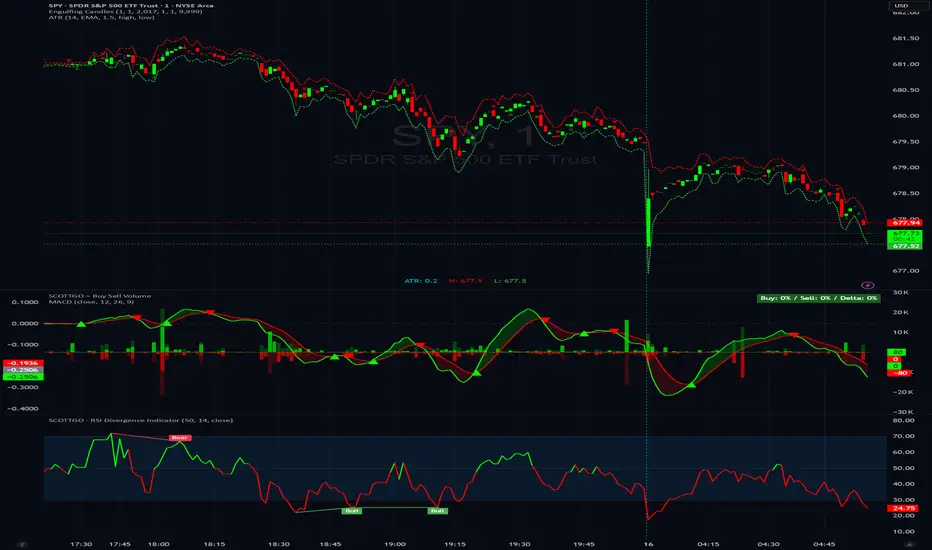
ARDO - Adaptive Regression Deviation Oscillator (v2.4.6)ARDO – Adaptive Regression Deviation Oscillator (v2.4.6)
ARDO (Adaptive Regression Deviation Oscillator) quantifies deviation of price structure from a regression-based equilibrium baseline using adaptive moving-average spreads. It combines percentile-normalized distance, linear-regression slope, and dynamic gradient scaling to reveal trend extension, exhaustion, and regime shifts—offering a structural view of trend integrity and mean-reversion timing beyond traditional momentum oscillators. It is designed to help you answer two questions:
Where are we in the regime? (extended, neutral, or reversal-prone)
Is this a “trade” environment or a “stand aside” environment? (Gate PASS vs Gate BLOCK / drift)
ARDO is best used as a context + timing framework , not a standalone entry/exit system.
What you see in the ARDO pane
1) Spread A (% vs baseline)
Primary “timing” spread (default: stepline). Spread A is colored by a 4-state maColor model:
GREEN : above baseline and strengthening
ORANGE : above baseline but weakening
RED : below baseline and weakening
GRAY : below baseline but improving
2) Spread B (% vs baseline)
Secondary “context” spread (default: columns). Same 4-state color model as above, often used to confirm or filter Spread A behavior.
3) LinReg (slope-gradient)
A LinReg line fit to a selected source (Spread A / Spread B / Spread A+B). ARDO applies a slope-magnitude gradient (opacity/intensity) to visualize regime:
Stronger slope magnitude = stronger directional regime
Fading / low slope magnitude = drift / dead-zone (lower edge, choppy conditions, or end-of-move)
4) Tier zones (Q0–Q2, H2–H4)
ARDO classifies LinReg values into percentile tiers (extremes and mid-tiers). These tiers can be rendered as:
Background regions, or
Zero-line marker circles (“MK …” plots)
Important: Background colors do not export . The “MK Q0 … MK H4” series are emitted so you can reconstruct tier membership in CSV/backtests.
5) Gate PASS / Gate BLOCK
A compact “permission layer” that can require:
Spread A > LinReg
EMA Fast > EMA Slow
Minimum Spread A threshold
Minimum absolute LinReg slope
Use Gate PASS to focus on higher-quality conditions; use Gate BLOCK as a “do nothing / reduce size” warning.
Key settings (what they change)
Tier Mode
Standard: symmetric cut structure (general purpose)
Asymmetric: separate tuning for highs vs lows (often better when upside and downside behavior are not symmetric)
Tier Population
All Bars (LinReg): tiers represent the full LinReg distribution
Pivots Only: tiers are computed from pivot events only (can tighten “extreme” definition and change how frequently zones appear)
Render Mode
Background: easiest to read visually
Zero-line Markers: best for export/backtesting workflows (MK series)
Gating options
Turn on/off each rule independently; adjust thresholds to match symbol volatility and timeframe.
Color overrides
Optional per-state color customization for Spread A, Spread B, and LinReg (4-state).
Alerts included (v2.4.6)
ARDO exposes named alerts you can use for automation or review, including:
Gradient / regime alerts (HIGH vs LOW slope-magnitude regimes; regime shift transitions)
Color-state changes (Spread B → GREEN/ORANGE/RED/GRAY; LinReg state changes)
Tier entry alert s (LinReg entering key tiers such as Q0/Q1/H3/H4)
Structural primitives (Bullish A > B, Bearish A < B, Gate PASS/BLOCK, crosses of 0, etc.)
How to use (practical workflow)
Anchor timeframe (65m or Daily): identify regime (tiers + gradient) and whether you should be aggressive or defensive.
Execution timeframe (5m/1m): time entries using Spread A/B structure and Gate PASS, aligned with the anchor regime.
Avoid forcing trades in drift: fading gradient + mid/low-edge tiers often marks “dead-zone” conditions.
Notes / limitations
ARDO is a context engine: it describes regime and location, not guaranteed direction.
Tier thresholds are distribution-based and will vary by window/timeframe.
Always apply your own risk management; this script is not financial advice.
