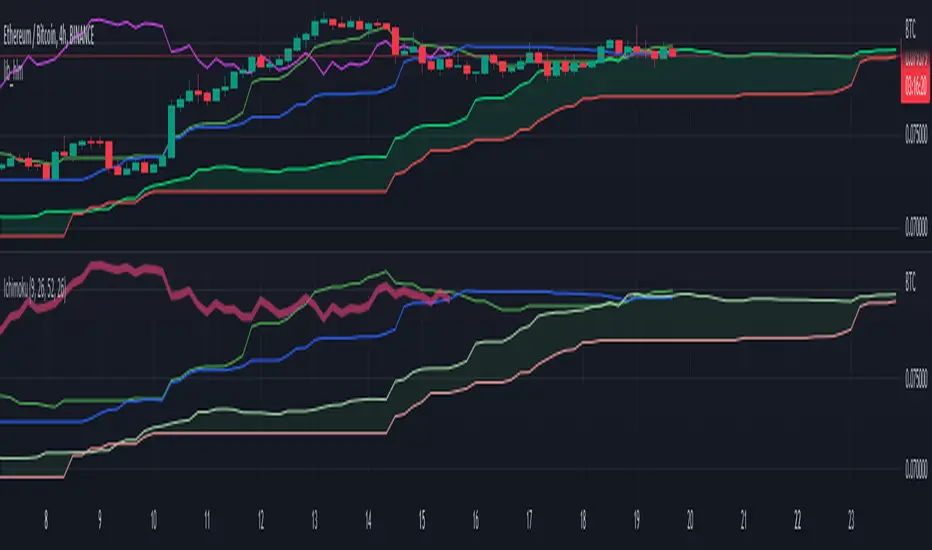
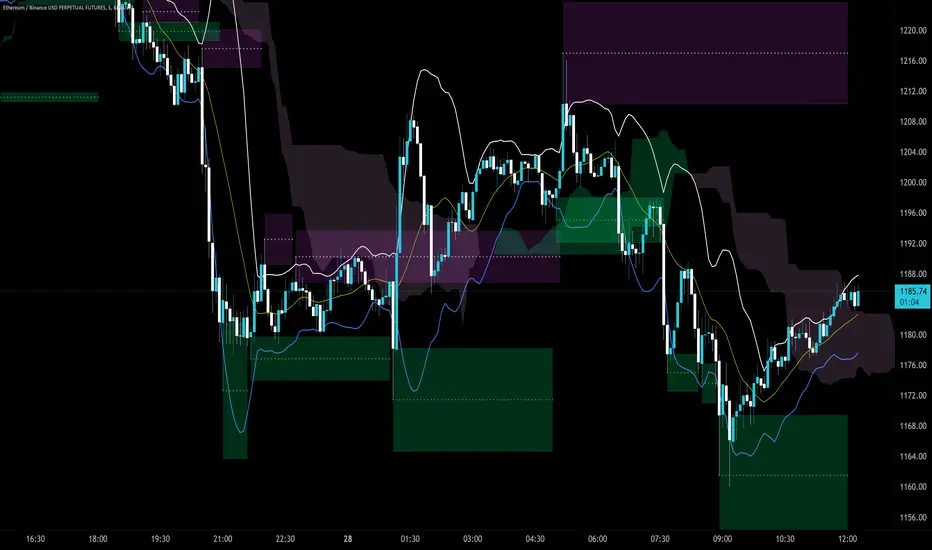
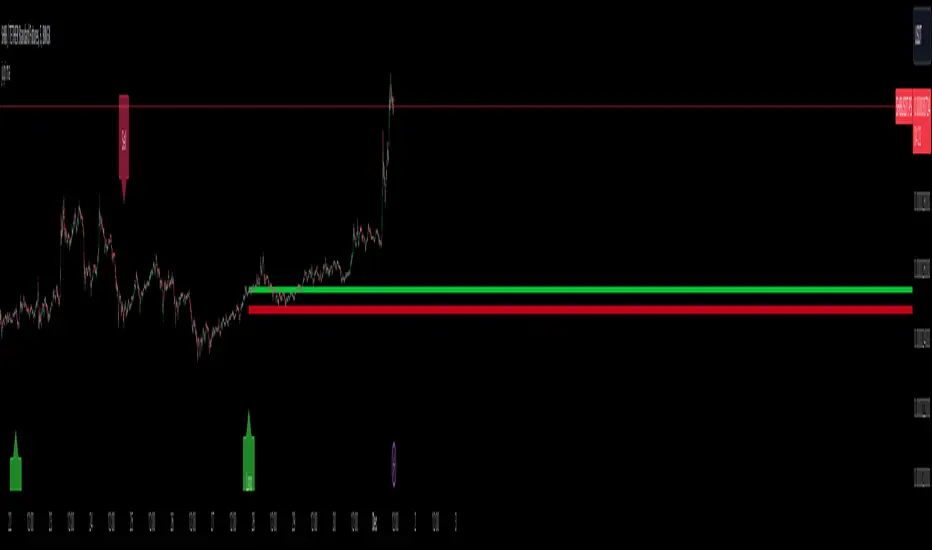
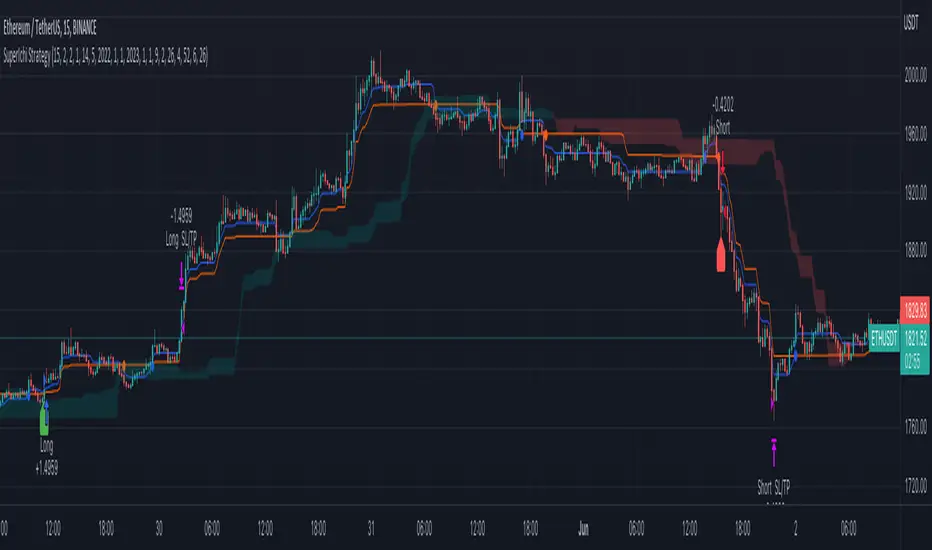
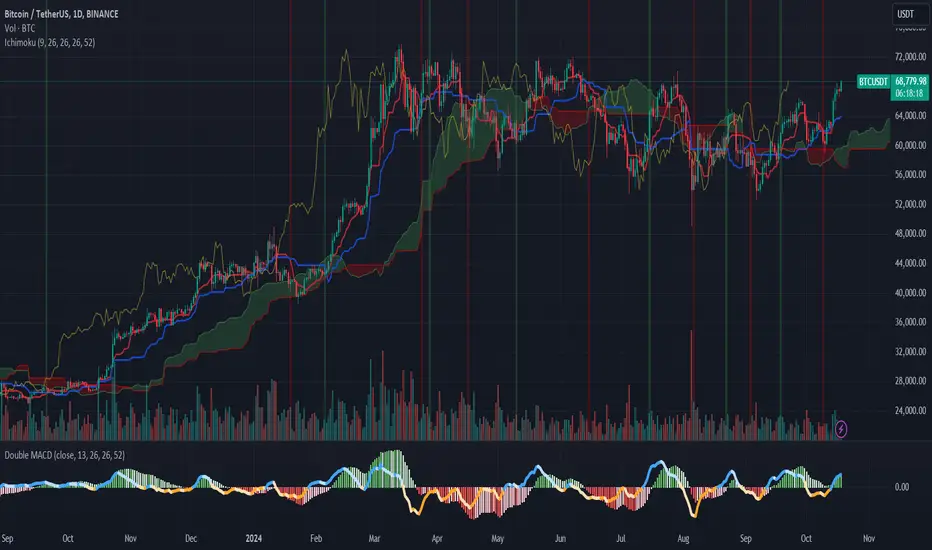
Ichimoku Cloud Anidjarcan be used in any timeframe price crossing the cloud, buy or sell blue line crossing red, attention to buy and sell lagging line, inside prices, doing nothing, indicates trading, market consolidating.Indikator Pine Script®oleh jacanidjar29
Ichimoku ATR Oscillator// An oscillator that visualizes Ichimoku trend line distances in terms of ATR. // Public Domain // By JollyWizard Indikator Pine Script®oleh JollyWizardDiupdate 36
Ichimoku (lib-hlm)An example of how to implement Ichimoku in other scripts using my `lib-hlm`. You can copy and paste this code into any `\\@version=5` indicator to add Ichimoku to it.Indikator Pine Script®oleh JollyWizard17
lib_hlmLibrary "lib_hlm" Ichimoku trend line and plotting tools. HLM(Period) Optionless Ichimoku/Donchian trend line calculation. Parameters: Period : The period for the trend line calculation. Returns: The midpoint of the highest high and the lowest low. HLM_Offset(offset, currentIsZero, intoPast) Standardized language for plotting offsets. Parameters: offset : The offset number to use. currentIsZero : `true` for ichimoku counting. `false` for natural language intoPast : `true` if projecting backwards. `false` if projecting forwards. Returns: The offset adjusted by counting style and direction. TK() Calculates the Ichimoku Tenkan and Kijun lines. Returns: {tenkan, kijun} SenkouSpans(period_1, period_2, period_3) Calculates the Ichimoku Senkou Span A and Senkou Span B values. Parameters: period_1 : default=9 period_2 : default=26 period_3 : default=52 Returns: {senkou_a, senkou_b} Ichimoku_Cloud(period_1, period_2, period_3) Calculate the Ichimoku cloud value and offsets. Parameters: period_1 : default=9 period_2 : default=26 period_3 : default=52 Returns: {senkou_a, senkou_b, cloud_offset} Chikou_Span() Gets the chikou span and offsets. Returns: {chikou, chikou_offset} Ichimoku(enabled) Get the values for the full, default Ichimoku system, including plotting offsets. Common toggle for all values. Parameters: enabled : `true` will return plottable values. `false` will return only na's (turns off plotting). Returns: {tenkan, kijun, senkou_a, senkou_b, cloud_offset, chikou, chikou_offset} Ichimoku_Line_Colors() Get a set of colors with a common transparency for Ichimoku. Returns: {tenkan_color, kijun_color, senkou_a_color, senkou_b_color, chikou_color} Ichimoku_Cloud_Color() Determines the cloud color and applies transparency (Ichimoku). Returns: the dominant lines color with applied transparency Ichimoku_Colors() Gets a full set of default ichimoku colors with cloud color based on the input senkou values. Returns: {tenkan_color, kijun_color, senkou_a_color, senkou_b_color, chikou_color, cloud_color}Perpustakaan Pine Script®oleh JollyWizard1112
Ichimoku Cloud with MACD (By Coinrule)The Ichimoku Cloud is a collection of technical indicators that show support and resistance levels, as well as momentum and trend direction. It does this by taking multiple averages and plotting them on a chart. It also uses these figures to compute a “cloud” that attempts to forecast where the price may find support or resistance in the future. The Ichimoku Cloud was developed by Goichi Hosoda, a Japanese journalist, and published in the late 1960s. It provides more data points than the standard candlestick chart. While it seems complicated at first glance, those familiar with how to read the charts often find it easy to understand with well-defined trading signals. The Ichimoku Cloud is composed of five lines or calculations, two of which comprise a cloud where the difference between the two lines is shaded in. The lines include a nine-period average, a 26-period average, an average of those two averages, a 52-period average, and a lagging closing price line. The cloud is a key part of the indicator. When the price is below the cloud, the trend is down. When the price is above the cloud, the trend is up. The above trend signals are strengthened if the cloud is moving in the same direction as the price. For example, during an uptrend, the top of the cloud is moving up, or during a downtrend, the bottom of the cloud is moving down. The MACD is a trend following momentum indicator and provides identification of short-term trend direction. In this variation it utilises the 12-period as the fast and 26-period as the slow length EMAs, with signal smoothing set at 9. This strategy combines the Ichimoku Cloud with the MACD indicator to better enter trades. Long/Short orders are placed when three basic signals are triggered. Long Position: Tenkan-Sen is above the Kijun-Sen Chikou-Span is above the close of 26 bars ago Close is above the Kumo Cloud MACD line crosses over the signal line Short Position: Tenkan-Sen is below the Kijun-Sen Chikou-Span is below the close of 26 bars ago Close is below the Kumo Cloud MACD line crosses under the signal line The script is backtested from 1 June 2022 and provides good returns. The strategy assumes each order is using 30% of the available coins to make the results more realistic and to simulate you only ran this strategy on 30% of your holdings. A trading fee of 0.1% is also taken into account and is aligned to the base fee applied on Binance. This script also works well on MATIC (1h timeframe), AVA (45m timeframe), and BTC (30m timeframe).Strategi Pine Script®oleh CoinruleDiupdate 315
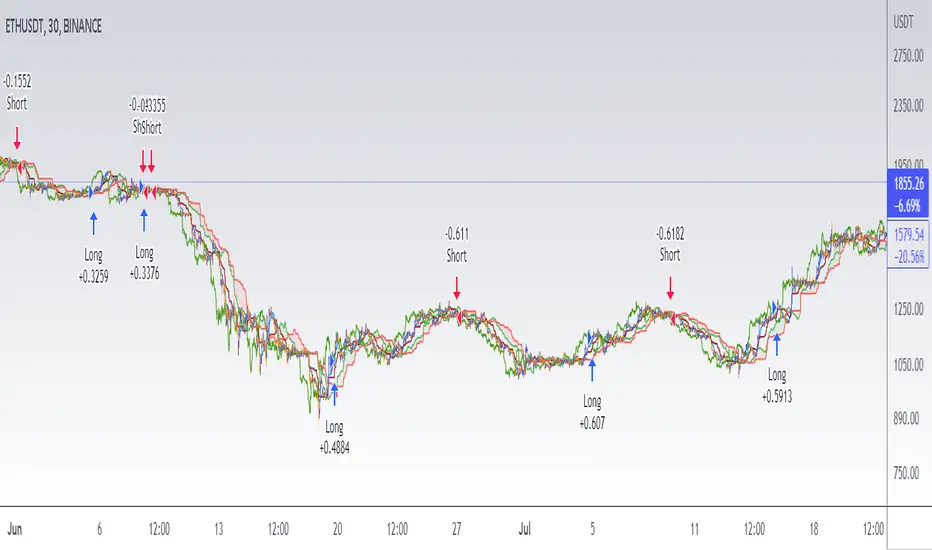
The Impeccable by zyberalThis strategy works differently than others, it uses the IchimokuTenkan, Kijun, and Senkou periods to compute a general sense of market trend. Then I used the MACD fast, slow, and smooth with custom inputs to compute a optimum cross for finding macro bottoms and tops for any asset. This strategy doesn't trade on weekends and does not have a set TP (take profit) for each long or short. Strategi Pine Script®oleh zyberal33112
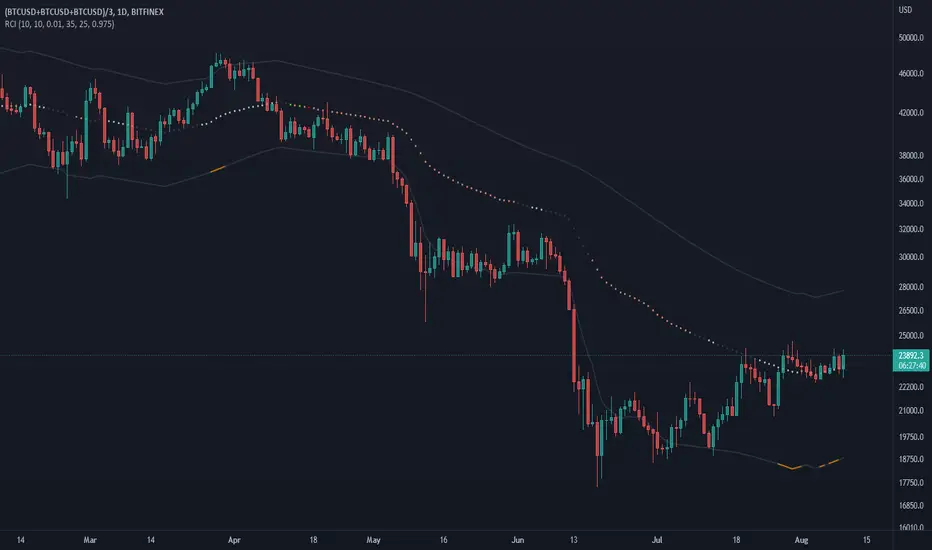
Regression Channel Trend DetectionThis is a regression channel that uses ichimoku to determine trend. The sensitivity is customizable. The centerline will change color according to the trend detected by ichimoku, and each line can act as support/resistance. The bands of the channel also change colors according to how far price is getting away from them. If you notice in this example, the lower band is turning orange when the price is getting too far away from it, suggesting that it may have risen too fast and too soon. This is still in testing so feel free to comment with any suggestions or fixes.Indikator Pine Script®oleh grafman11113
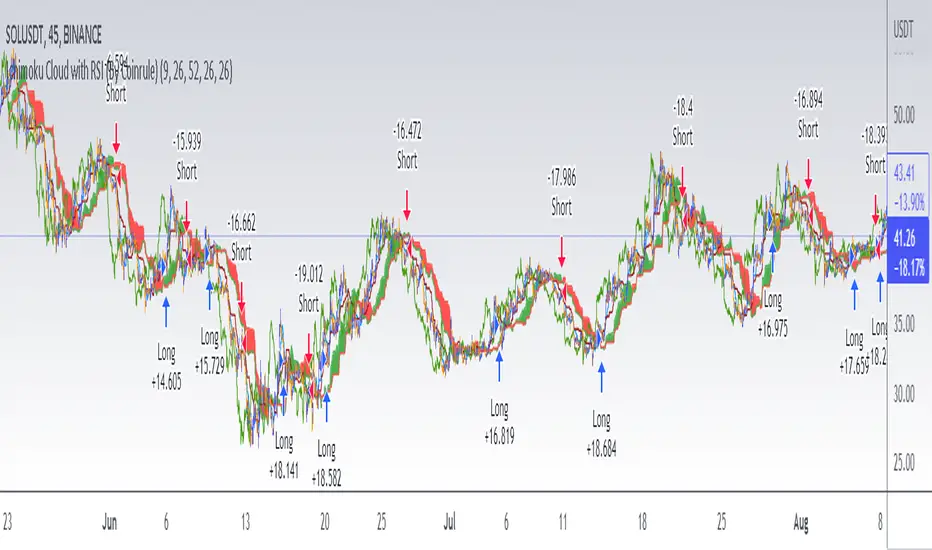
Ichimoku Cloud with RSI (By Coinrule)The Ichimoku Cloud is a collection of technical indicators that show support and resistance levels, as well as momentum and trend direction. It does this by taking multiple averages and plotting them on a chart. It also uses these figures to compute a “cloud” that attempts to forecast where the price may find support or resistance in the future. The Ichimoku Cloud was developed by Goichi Hosoda, a Japanese journalist, and published in the late 1960s. It provides more data points than the standard candlestick chart. While it seems complicated at first glance, those familiar with how to read the charts often find it easy to understand with well-defined trading signals. The Ichimoku Cloud is composed of five lines or calculations, two of which comprise a cloud where the difference between the two lines is shaded in. The lines include a nine-period average, a 26-period average, an average of those two averages, a 52-period average, and a lagging closing price line. The cloud is a key part of the indicator. When the price is below the cloud, the trend is down. When the price is above the cloud, the trend is up. The above trend signals are strengthened if the cloud is moving in the same direction as the price. For example, during an uptrend, the top of the cloud is moving up, or during a downtrend, the bottom of the cloud is moving down. This strategy combines the Ichimoku Cloud with the RSI indicator to better enter trades. Long/Short orders are placed when three basic signals are triggered. Long Position: Tenkan-Sen is above the Kijun-Sen Chikou-Span is above the close of 26 bars ago Close is above the Kumo Cloud RSI is greater less than 50 Short Position: Tenkan-Sen is below the Kijun-Sen Chikou-Span is below the close of 26 bars ago Close is below the Kumo Cloud RSI is greater than 50 The script is backtested from 1 June 2022 and provides good returns. The strategy assumes each order is using 30% of the available coins to make the results more realistic and to simulate you only ran this strategy on 30% of your holdings. A trading fee of 0.1% is also taken into account and is aligned to the base fee applied on Binance. This script also works well on SOL (45m timeframe), BNB (1h timeframe), and ETH (1h timeframe).Strategi Pine Script®oleh CoinruleDiupdate 599
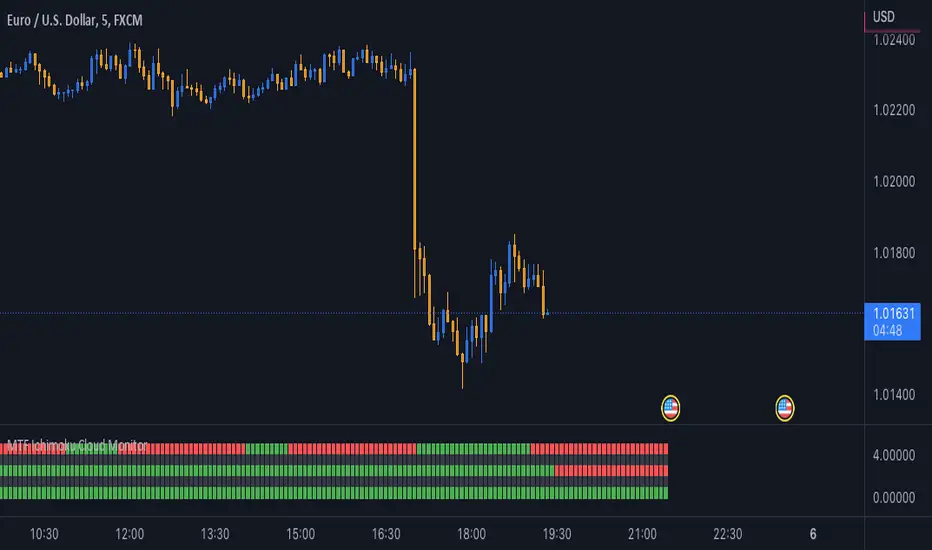
MTF Ichimoku Cloud MonitorIchimoku Kinko Hyo is a technical analysis method that builds on candlestick charting to improve the accuracy of forecast price moves. his Indicator build for Monitor SenkouSpanA & SenkouSpanB Lines (Kumo Cloud) status and you can watch 3 Time Frames Status on one bar and in one timeframe. You can select timeframe and set Inputs for lines from Indicator setting. Good trading to all ... Indikator Pine Script®oleh YazdanianDiupdate 91
Chiko-Span Momentum_PineScript_Version5This is Momentum indicator based on "Chiko-span" of Ichimoku Kinko-Hyo. Differ from normal momentum indicator, this indicator is using "close" and "open" as default parameter which is based on 9 week-candle chart Invented by Ichimoku-Sanjin. And, It is located 26 period before to match chiko-span. (Parameters can change as you like) The usage is same as normal momentum indicator so please check momentum indicator usage. However, due to use this indicator, it may support to compare momentum of chiko-span movement and to predict effect 5 lines of ichimoku. For example, when price break out tenkan-sen, you can measure slope or period of chiko-span momentum and compare previously chiko-span momentum. If momentum is stronger than previously price, we can think that price try to out kijun- sen, touch cloud or break out cloud. I wish, this indicator helps ichimoku users.Indikator Pine Script®oleh UnknownUnicorn4078706Diupdate 40
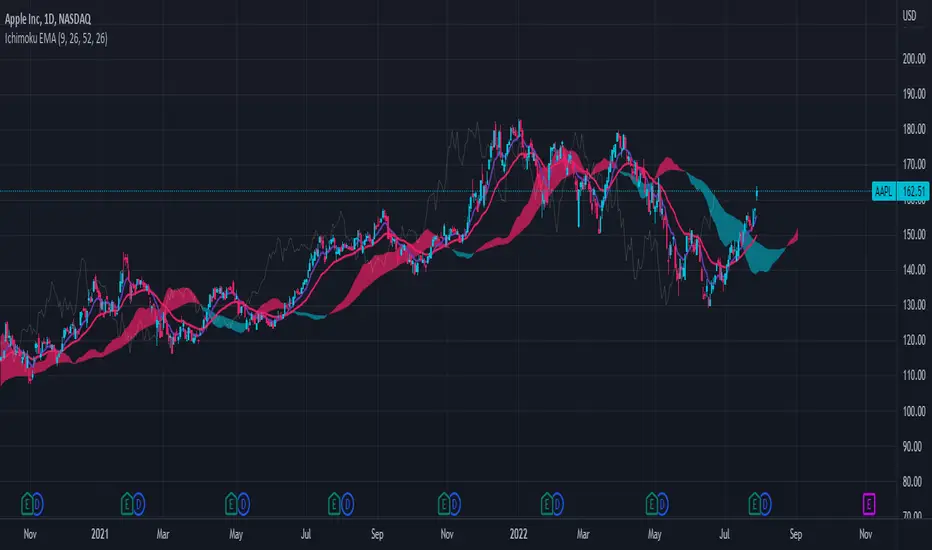
Ichimoku Cloud with EMAThis is a standard Ichimoku Cloud indicator that uses the exponential moving average (EMA) instead of the Tenkan and Kijun Sen. It provides similar signals as the original but just looks nicer in my opinion.Indikator Pine Script®oleh iconians11122
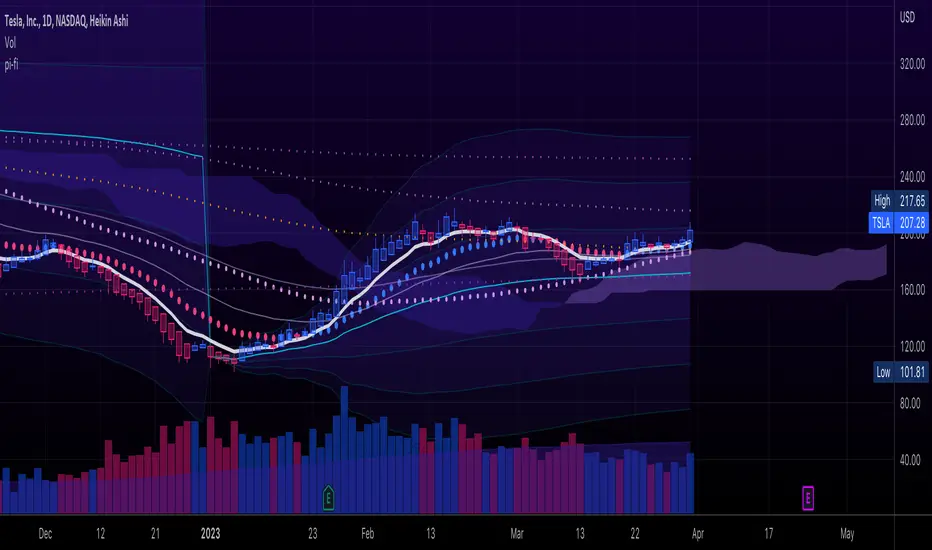
pickle financialversion 1.0 A multi-use indicator FEATURES: 1) Robust VWAP with up to 3 deviations that can be adjusted for Session, Week, Month, Quarter, Year, Decade, Century, Earnings , Dividend, & Split intervals 2) 20 customizable Moving Averages that can be changed to EMAs, SMAs , WMAs, SMMAs, and VWMAs; can also be adjusted to Candle Closes, Highs, Lows, Opens, HLC3, HL2 , OHLC4, & HLCC4 -Praise be lady VWAPIndikator Pine Script®oleh primalstefDiupdate 33151
Ichimoku ImbalanceYou may have heard the word balance or imbalance This indicator is designed based on Ichimoku periods to display imbalances in each period When you see a black mark, it means that one of the Ichimoku periods is saturated or unbalanced If the current candle was equal to the lowest price on 9/26/52 of the last period and the highest price was equal to the last candle from left on 9/26/52 of the last period If the current candle was equal to the highest price on 9/26/52 of the last period and the lowest price was equal to the last candle from right on 9/26/52 of the last period This indicator is a useful and powerful tool for Ichimoku traders to understand overbought and oversold points in different time periods. Note: This is an auxiliary tool and does not issue buy and sell signalsIndikator Pine Script®oleh Esfiam44152
HLM Trend Line (High-Low-Midpoint / Ichimoku Line)Ichimoku style trend line . Some strategies call for a custom Ichimoku style line (midpoint of range's high/low). This allows you to use or replace a single line without having to customize a full Ichimoku setup. Indikator Pine Script®oleh JollyWizardDiupdate 40
Trendlines Boll Ichi S1 by GammaprodI. How to use this indicator : ------------------------------ I.1. Set your teadingview theme to dark theme. I.2. Gammaprod indicator is valid for forex, stock and but more valid for crypto. I.3. Use three timeframe for more validation (choose between those, that fit to your trading style) : - Timeframe 1m, 5m, and 15m for Scalping - Timeframe 30m, 1h and 4h for Intraday - Timeframe 4h, 1D and 1W for Swing Trading I.4 Always use THREE INDICATORS FROM GAMMAPROD, those three indicators is back to back each other, by the way, I only made those three indicators only (for now) : - Trendlines Boll Ichi S1 by Gammaprod - MACD Volume S2 by Gammaprod - Stoch RSI Divs Zone S2 by Gammaprod ============================================================================ II. How to setting : -------------------- II.1. Trendlines Boll Ichi Crypto by Gammaprod II.1.A. Support and Resistance - Well if you familiar with this indicator you can add it, but recommended for Timeframe 30m or more II.1.B. Trendlines Primary or Trendlines Secondary - Timeframe 1m you DON'T NEED Trendlines Primary or Trendlines Secondary - Timeframe 5m you DON'T NEED Trendlines Secondary, but you CAN ADD Trendlines Primary if you fell it helpful (for me, it is helpful to find where the candles start or the end trend or a consolidation or where the candles will surpass a resistance or a support). - Timeframe 15m you DON'T NEED Trendlines Secondary, DEFENITELY add Trendlines Primary it will help to find where the candles stop or a consolidation or where the candles will surpass a resistance or a support). - Timeframe 30m or more, DEFENITELY NEED BOTH Trendlines Primary and Secondary Trendlines, it will help to find where the candle stop or consolidation or where the candle will surpass a resistance or support). II.1.C. Bollinger, Ichimoku Cloud and Lagging Span - Please DON'T CHANGE IT at all, it's really helpful to know when and where to make an entry decesion or a trend or a consolidation, if you don't understand how to read it, you better to learn it first (on "how to read" section and "How to OPEN position" the section below) II.2. Stoch RSI Divs Zone Crypto by Gammaprod (DON'T CHANGE IT) II.3. MACD Volume Crypto by Gammaprod (DON'T CHANGE IT) ============================================================================ III. How to read : ------------------ III.1. Sell or Buy Priority : III.1.A. Sell Priority - Color background on macd and stoch rsi is pink or purple sell is the priority, (if you're not sure to buy, just wait until the best moment to sell) III.1.B. Buy Priority - Color background on macd and stoch rsi Teal or light green buy is the priority, (if you're not sure to sell, just wait until the best moment to buy) III.1.C. Indecision / Golden Moment - Color background on stoch rsi yellow is indecision / golden moment of reversal pattern (wait until it formed background only on Stoch RSI), please be careful at this moment. III.2. Trend / Consolidation : III.2.A. BULLISH trend - When Stoch RSI and MACD have teal or light green background that's means BULLISH trend, better to confirm by the candle is above green cloud and lagging span (red line) is also above the candle. III.2.B. BEARISH trend - When Stoch RSI and MACD have the Pink or purple background that's means BEARISH trend, better to confirm by the candle is above purple cloud and lagging span (red line) is also below the candle. III.2.C. CONSOLIDATION - When Stoch RSI have the mix background that's means CONSOLIDATION, better to confirm by the candle is in or near to green / purple cloud and lagging span (red line) is also on the candle. III.3. Special Mark III.3.A. Ideal Bullish : - Near line 20 and green / teal background = When Stoch RSI have the char R / H on lime color label, that's means divergence or hidden divergence for buy position, if you not see this label that's means just a standard confirmation for buy III.3.B. Not an Ideal Bullish : - Near line 80 and green / teal background = if this happens make sure you know what happen, it could be a false signal or bullish continual pattern III.3.C. Ideal Bearish : - Near line 80 and pink / purple background = When Stoch RSI have the char R / H on lime color label, that's means divergence or hidden divergence for buy position, if you not see this label that's means just a standard confirmation for sell position. III.3.D. Not an Ideal Bearish: - Near line 20 and pink / purple background = if this happens make sure you know what happen, it could be a false signal or bearish continual pattern III.3.E. The Beginning of Reversal (from BEARISH to BULLISH) : - When Stoch RSI line shaping GREEN position is near 20. - MACD lines still PINK, position lines is UNDER the HISTOGRAM, but the HISTOGRAM start to SHAPE FALL PINK (light pink) and the BACKGROUND still PINK / PURPLE. - Position CANDLES NEAR BLUE line, NEAR PURPLE CLOUD, and lagging span (red line) STILL ON the area candle. (it used to be confirmed with the golden moment). III.3.F. The Beginning of Reversal (from BULLISH to BEARISH) : - When Stoch RSI line shaping PINK position is near 80. - MACD lines still GREEN, position lines is ABOVE the HISTOGRAM, but the HISTOGRAM start to SHAPE FALL GREEN (light green) and the BACKGROUND still TEAL / GREEN. - Position CANDLES NEAR WHITE line, NEAR TEAL CLOUD, and lagging span (red line) STILL ON the area candle. (it used to be confirmed with the golden moment). III.3.G. False Signals, or It could be a Golden Moment (better to see it on TF 15 or bigger): - Near line 20 or 80 and yellow background = When Stoch RSI have the char R / H on color label, that's means divergence or hidden divergence for buy / sell position, if you not see this label that's means just a standard confirmation for buy / sell depends on where the Stoch RSI line if near 20 that's means buy, near 80 means sell ============================================================================ IV. How to OPEN position: ------------------------- IV.1. Bullish IV.1.A. Trendlines Boll Ichi S1 by Gammaprod - The candles above the green cloud. - Lagging span (red line) above the candles. - then open buy near yellow line (the first option) / blue line (the second option) (always confirm the position with two other indicators below). IV.1.B. MACD Volume S2 by Gammaprod - Teal or Green background. - The lines is shaped or shaping green. - Better if at the green histogram. IV.1.C. Stoch RSI Divs Zone S3 by Gammaprod - Teal or Green background. - The lines is shaping green. - Better if on the bottom (at a range 20). IV.2. Bearish IV.2.A. Trendlines Boll Ichi S1 by Gammaprod - The candles below the purple cloud. - Lagging span (red line) below the candles. - then open buy near yellow line (the first option) / white line (the second option) (always confirm the position with two other indicators below). IV.2.B. MACD Volume S2 by Gammaprod - Pink or purple background. - The lines are shaped or shaping green. - Better if at the pink histogram. IV.2.C. Stoch RSI Divs Zone S3 by Gammaprod - Pink or purple background. - The lines are shaping pink. - Better if the line on the top (at a range 80). IV.3. Consolidation IV.3.A. Trendlines Boll Ichi S1 by Gammaprod - The candles on the cloud (green or purple). - Lagging span (red line) on the candles. - then open buy near the white or blue line (always confirm the position with two other indicators below). IV.3.B. MACD Volume S2 by Gammaprod - Changing the background. - The line is near the middle line. - Have small Histogram. IV.3.C. Stoch RSI Divs Zone S3 by Gammaprod - Mix background specially on a timeframe 15m or more. - The line move fast up and down. - Better if on the bottom or the top of the lines (at a range 20 or 80). ============================================================================ >> The secret ingredient is comparing the timeframe : The example scalping (Timeframe 1m, 5m and 15m) - TF 1m is for making an open position. - TF 5m is for making a judgement of the trend market. - TF 15m is to confirm that judgement from TF 5m, be careful if it not similar then it used to be a consolidation or the beginning of the reversal. There's a lot a way to open the position than above information that i gave it to you, but consider there are a limit chars on this column, I hope it will help your trading and make a more profit on it.Indikator Pine Script®oleh Gammaprod1616229
Ichimoku Kinko HyoThis indicator is adding to the original indicator Ichimoku Cloud some visual informations. Be aware of settings that are by default 10, 30, 60, while in the original indicator, default settings are 9, 26, 52. These are commonly consider like "crypto settings". Tenkan = blue line Kijun = orange line SSB = red line This indicator display three categories of signals that are given by the Ichimoku indicator: - tenkan / kijun crosses ; - breaks of mid prices for the different time horizon ; - bar coloring depending of the trend Let's review more in deep each of these elements. Tenkan / Kijun crosses When the tenkan crossover the kijun, this is called gold cross and it's display by a green triangle at the bottom of the chart. When the tenkan crossunder the kijun, this is called death cross and it's display by a red triangle at the top of the chart. I advise to not enter long or short only on this signal because it can be fake, especially during ranges. To confirm the signal, we need to wait for a movement of the kijun in the same side of the cross. See first arrow on the chart. Breaks of mid prices Ichimoku is composed of three han-le lines that displays mid-price of the last candles depending on the settings (10, 30, 60). Tenkan show us the mid-price of the last 10 candles (short term) Kijun show us the mid-price of the last 30 candles (mid term) SSB show us the mid-price of the last 60 candles (long term) Break of tenkan by the price is the first signal that Ichimoku gives us before a reversal of the trend. This signal is display by a blue triangle. Then, happened the break of kijun line follow by the break of the SSB. These are display respectively by an orange triangle and a red triangle. Same advise, don't enter long or short only on break of these lines. However, tenkan and kijun breaks can be used as exit point. Bar coloring The bar coloring display the strength of the trend: - green candle: strong bullish trend - this happen when the current price is above tenkan, kijun and SSB ; - blue candle: potential starting of a bullish trend - this happen when the current price is above tenkan and kijun but below the SSB ; - no colored candle: no trend, market is in a range - this happen when the current price is above tenkan and below kijun and SSB or when the current price is below tenkan and above kijun and SSB ; - orange candle: potential starting of a bearish trend - this happen when the current price is below tenkan and kijun but above SSB ; - red candle: strong bearish trend - this happen when the current price is below tenkan, kijun and SSB How to use to enter / exit trades First of all, we need confirmations to enter in the side of the trend. The first signal that the indicator gives us is the break of tenkan, follow by the break of kijun. Candles becomes blue / orange depending of the side. Then, we wait for a cross of tenkan and kijun. This cross has to be confirmed by a movement of kijun. A flat kijun tell us this is a fake cross. When the movement of kijun happened in the same side of the cross it is possible to enter a trade if you are aggresive. Otherwise, you can wait for the third signal to take place: break of SSB, candle become green / red, depending on the side. You can then enter a trade. Then hold the position and wait to exit for break of tenkan or kijun, depending on your horizon (short / mid term). If you have other questions or some features that are missing, pm me. Thanks.Indikator Pine Script®oleh RafsqrDiupdate 33217
Jupiter MAyou can use this srtategy multitime but the best time is your chart should be on5 min and multitime 1 should be on15 then when the the red an green line cross blue line get long position and get short position when upside downIndikator Pine Script®oleh Sirin_sadrDiupdate 202074
SuperIchi StrategyTRADE CONDITIONS Long entry: Tenkan-Sen is above Kijun-Sen (blue line above red line) Price closes above both Tenkan-Sen and Kijun-Sen (price closes above both blue and red lines) Tenkan-Sen and Kijun-Sen is above Senkou Span (both blue and red lines are above cloud) Senkou Span is green (cloud is green) Price pulled back and closed below both Tenkan-Sen and Kijun-Sen within last X (configurable in settings) candles (price pulled back below blue and red lines) Short entry: Tenkan-Sen is below Kijun-Sen (blue line below red line) Price closes below both Tenkan-Sen and Kijun-Sen (price closes below both blue and red lines) Tenkan-Sen and Kijun-Sen is below Senkou Span (both blue and red lines are below cloud) Senkou Span is red (cloud is red) Price pulled back and closed above both Tenkan-Sen and Kijun-Sen within last X (configurable in settings) candles (price pulled back above blue and red lines) Risk management: Each trade risks 2% of account (configurable in settings) SL size determined by swing low/high of previous X candles (configurable in settings) or using the ATR override (configurable in settings) where the max of swing high/low or ATR value will be used to calculate SL TP is calculated by Risk:Reward ratio (configurable in settings) TIPS Timeframe: I have found best results running on anything 5M and above CREDITS SuperIchi by LuxAlgoStrategi Pine Script®oleh kevinmck100Diupdate 99655
Ichimoku [2022] [v5] [keivanipchihagh]A more personalized ichimoki indicator with more configurations. This indicator is exactly like the original ichimoku indicator, but with 104 Line (x4 timeframe) , 208 Line (x8 timeframe) , Quality Line and Tenken-sen & Kijun-sen crossovers added as well. The extras added to the indicator can simply be hidden in order to make the chart look less full. 104 Line : The formula is to average the highest and lowest point of the last 104 candles. This is to see the x4 time-frame as well, which shows a strong support and resistance line. 208 Line : The formula is to average the highest and lowest point of the last 208 candles. This is to see the 84 time-frame as well, which shows even a stronger support and resistance line. Quality Line : It's exactly the same the Kijun-sen but with a positive offset of 26. Tenken-sen & Kijun-sen Crossoveers : Just to make it easier to see the crossovers. In future updates, I'm going to add more components and make it more insightful than it currently is. Ideas would be appreciated (:Indikator Pine Script®oleh keivanipchihaghDiupdate 66109
Scalping Alice 3/5INTRO Scalping Alice is a work in progress. I made it to help with my Scalping Long strategy as a helper for entrances. This instance of the indicator is for 3min and 5min chart analysis only. It still needs to further adopt and calibrate multi-frame data, but for the moment it takes from the Daily, the Hourly and the 15min. It is meant to be used WITHOUT candles. This is because, one of the goals I'm trying to achieve is to compress data and leave out unwanted noise. The 3min and 5min candles are very dynamic (specially in the crypto market), so I don't need to know the whole OHLC, but I do need a range. COMPONENTS Small Blob The first component is the current time-frame Price Blob. The top line is the candle Highs and the bottom line is the candle Lows. The Price Blob's Color changes according to a Double RSI which you can modify the values for. The default is 13 for the Fast RSI and 34 for the Slow RSI. When the Fast RSI is on top it turns Green. When the Slow RSI is on top it turns Red. Big Blob The Outer Blob is the same as the inner blob, but in the 15min time-frame. It changes color the exact same way, but with 15min values. WMA Line The closest line to the blob is the WMA line. You can change the default value, which is 21. The color changes according to a complex modifier, that I will try to explain, but most likely fail. It takes a sort of Tenkan (see Ichimoku Cloud if you don't know what a Tenkan is) value from the 15min chart and the Hourly chart. It then compares the difference from these Tenkans and adds it to the 15min mid price. And finally tries to find a fast Trend of the movement of the price for the last 3 candles. The Tenkan value can be changed from it's default 3. Be wary, this changes the Tenkans for all the timeframes. Blue Tenkan The slower line is an Hourly Tenkan but with a value of 9. Saturation Clouds The last piece are the orange Saturation Clouds. These appear in bigger price movements and work weirdly. They are differences between Hourly Tenkan and current frame Tenkan, along added to the mid point of the price and a little bit of Bollinger math. Again, hard to explain, but they are very useful. Maybe one of the most useful parts of Alice. BULL AND BEAR Bullish : - Green Small Blob - Green Big Blob - Green WMA - Small Price Blob Above WMA - Small Price Blob Above Blue Tenkan - Small Price Blob Inside Upper Saturation Cloud - Lower Saturation Cloud appears but DOES NOT touch Small Price Blob Bearish - Red Small Blob - Red Big Blob - Red WMA - Small Price Blob Below WMA - Small Price Blob Below Blue Tenkan - Small Price Blob Inside Lower Saturation Cloud - Upper Saturation Cloud appears but DOES NOT touch Small Price Blob SMALL TIPS Saturation Clouds When the Saturation Clouds appear, it is an indication of strong price decision. If it appears but it is far from the Small Blob then this indicates Price Reversal. Most likely a nice moment to enter an opposite trend trade. If the cloud appears touching the Small Blob and the Small Blob enters the cloud, this is Trend Confirmation. The price is going to go strongly towards the Trend is is on. Most likely a nice moment to enter an accompanying trend trade. Price Bounce The Small Blob bounces inside the Big Blob. This is very useful for numerous short plays. You have better chances opening longs when the price is on the Lower parts of the Blobs. The same goes for shorts on the Upper Parts. Slow and Fast The color of the WMA is a very fast indicator, it's the least reliable one. Then comes the Small Blob color, then comes the WMA itself. Following that you have the Big Blob color, then the blue Tenkan. And finally the Saturation Clouds are the most reliable part. FINAL THOUGHTS This is a publishable version of this strategy. I hope to keep working on these types of strategies, maybe even upgrading this one. Enjoy, share and leave comments! Indikator Pine Script®oleh nanunakiDiupdate 2227
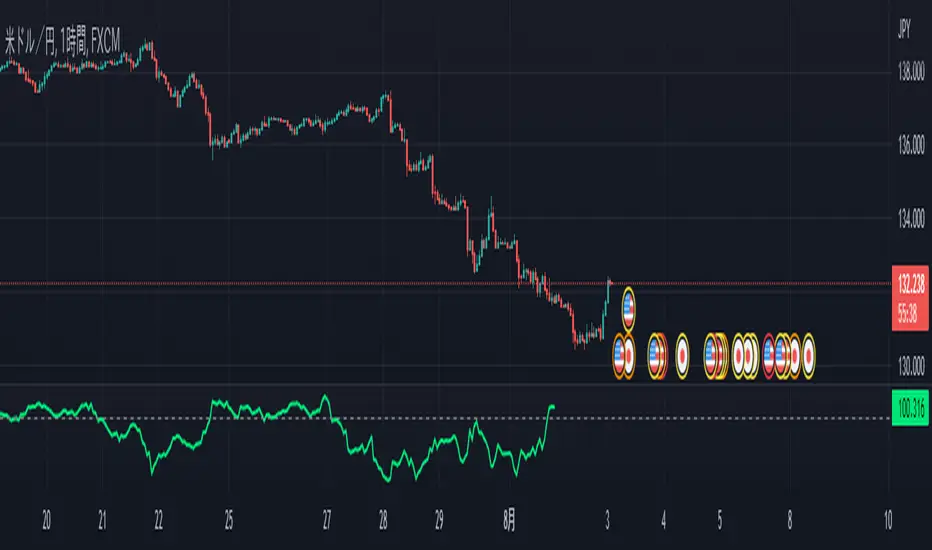
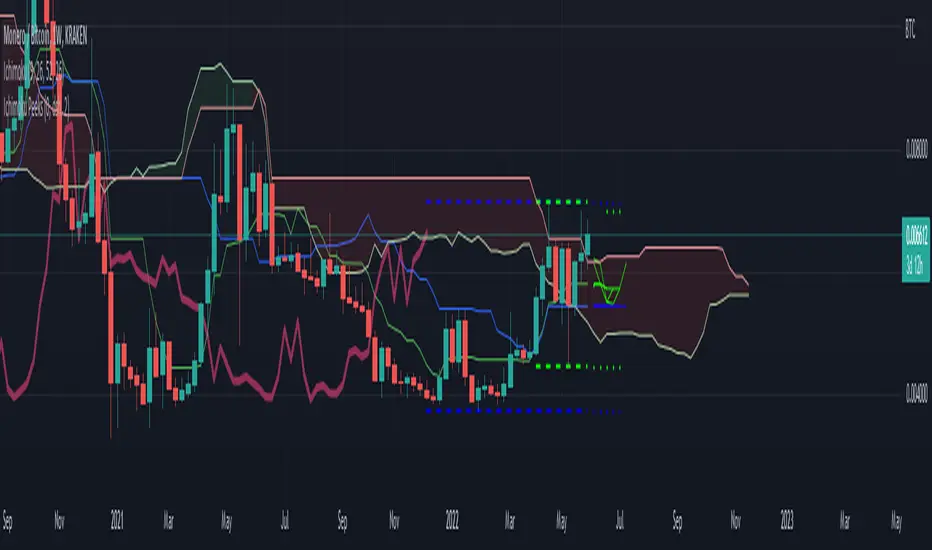
Ichimoku PeeksThis indicator uses the Ichimoku Tenkan / Kijun trend line formulas to predict what those values will be in the future if current price action does not violate the period highs and lows. Because of the way Ichimoku formulates the trend, it contains (but does not visualize) this predictive information in a way that moving averages do not. Sharp chart readers can infer upcoming changes by counting back candles, but the process can be automated, as I've shown here. This description does not seem to be editable so implementation details and usage will be covered in code commentary. Indikator Pine Script®oleh JollyWizardDiupdate 98
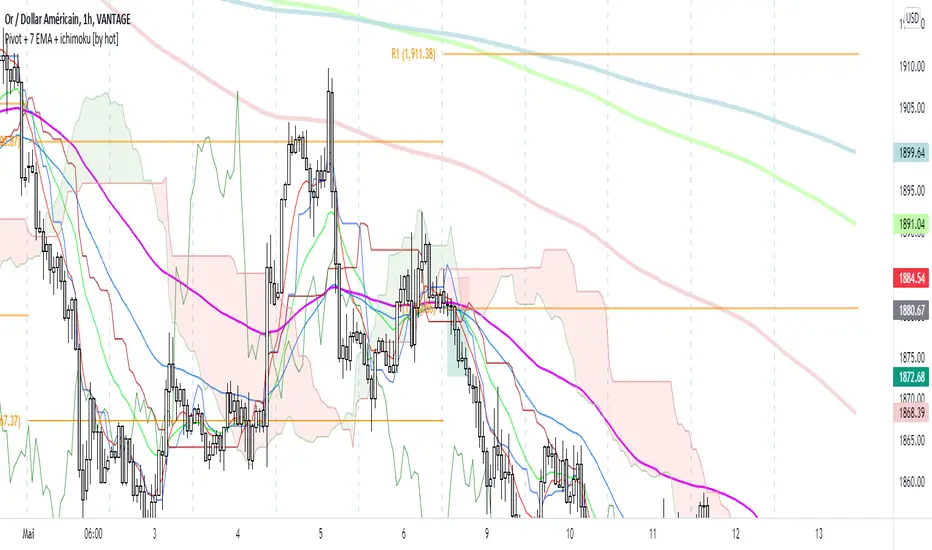
Pivot + 7 EMA + ichimoku [by hot]Pivot, moyenne mobile et ichimoku dans 1 indicateurIndikator Pine Script®oleh Temata9874477
[_ParkF]MDRPThis indicator indicates that 'Momentum Discrepancy Reversal Point' = 'MDRP'. Mixing and modifying several general indicators to find support and resistance It is created to predict the change point of the trend by overlaying it on the chart. The 4 support and resistance lines are drawn live, and the changed support and resistance lines are It erases the line and overlays it again with a new line. For each support and resistance , you can modify the color or line thickness, number of expressions, etc. in the input menu. 1. _____RSI-SR Based on Wilder's RSI formula, overbought and oversold Changes are detected and overlaid on the chart in the form of 2 resistances and 2 supports. 2. _____STOCHRSI-SR Using the general stochastic and Wilder's RSI calculations, Detect changes in overbought and oversold areas It overlays the chart in the form of 1 resistance and 1 support. 3. _____PV-SR Pivot-based support and resistance will be overlaid on the chart, By default, 10 pivot lines are drawn, but by modifying the count in the input menu, You can modify the number of overlays. 4. _____FVG 'Fair value gaps' refers to gaps within consecutive candles. This section is overlaid in the form of a box, The default is to draw 10 FVG boxes, but set count in the input menu. You can modify the number of overlays by editing. 5. _____ZIGZAG This is to find MDRP by overlaying the low and high prices of the current trend on the chart. ZIGZAG labels near supports and resistances of 1, 2, 3 and 4 can increase the reliability of the MDRP. The default value of live in the input menu is true, but if it is false, the closing price is checked and drawn. Reduce false signals. 6. _____ICHIMOKU The 5 lines of ICHIMOKU were overlaid with the default values of 9, 26, 52, 26, Lines other than LeadLine A and B that are overlaid on the chart are overlaid on the chart only as much as the period value of each line. * The _____FVG indicator cited the source of 'makuchaku'. ------------------------------------------------------------------------------------------------------------------------------------------------------------------------ 이 지표는 'Momentum Discrepancy Reversal Point' = 'MDRP'를 찾기 위해 여러개의 일반적 지표들을 혼합, 수정하여 지지와 저항의 형태로 차트에 overlay 시켜 트렌드의 변화 지점을 예측 하기 위해 만들어졌습니다. 4개의 지지와 저항선은 실시간으로 그려지게 되며, 변화된 지지와 저항은 기존의 선을 지우고 새로운 선으로 다시 표시 됩니다. 각 지지와 저항은 input 메뉴에서 색 또는 선의 두께, 표현할 개수 등을 수정할 수 있습니다. 1. _____RSI-SR Wilder's RSI 계산식을 기반으로 과매수, 과매도 영역에서의 변화를 감지하여 2개의 저항과 2개의 지지의 형태로 차트에 표시 됩니다. 2. _____STOCHRSI-SR 일반적 스토캐스틱과 Wilder's RSI의 계산식을 이용하여 과매수, 과매도 영역에서의 변화를 감지하여 1개의 저항과 1개의 지지의 형태로 차트에 표시됩니다. 3. _____PV-SR Pivot을 기반으로 한 지지와 저항을 차트에 표시 하게 되며, 기본값은 10개의 Pivot선이 그려지게 되지만 input 메뉴에서 count를 수정하여 표시할 개수를 수정할 수 있습니다. 4. _____FVG 'Fair value gaps'는 연속된 캔들 안에서의 갭 구간을 말합니다. 이 구간을 박스의 형태로 표시한 것이며, 기본값은 10개의 FVG 박스가 그려지게 되지만 input 메뉴에서 count를 수정하여 표시할 개수를 수정할 수 있습니다. 5. _____ZIGZAG 현재 트렌드의 저가와 고가를 차트에 표시하여 MDRP를 찾기 위한 것으로 1, 2, 3, 4의 지지와 저항 부근에서의 ZIGZAG 라벨은 MDRP의 신뢰도를 높혀줄 수 있습니다. input 메뉴에서의 live 기본값은 체크되어 있지만 체크를 해제하면 종가를 확인하고 그려지기에 거짓 신호를 줄일 수 있습니다. 6. _____ICHIMOKU ICHIMOKU의 5개의 선은 기본값인 9, 26, 52, 26으로 표시하였으며, 차트에 표시되는 선행스팬 1과 2를 제외한 전환선, 기준선, 후행스팬은 각 선의 기간값만큼만 차트에 표시 되게 하였습니다.Indikator Pine Script®oleh ParkFDiupdate 55138