Zen Measured Moves - Price Extension Targets Based on Prior Bar Overview
Zen Measured Moves identifies potential price extension targets by projecting the prior bar's range forward from breakout points. This indicator helps traders anticipate how far price might travel after breaking above a prior high or below a prior low.
How It Works
The indicator calculates three measured move targets in each direction:
Bullish Targets (from prior bar's high):
0.5x - Half the prior range (50% extension)
1x - Full prior range (100% extension)
2x - Double the prior range (200% extension)
Bearish Targets (from prior bar's low):
0.5x - Half the prior range (50% extension)
1x - Full prior range (100% extension)
2x - Double the prior range (200% extension)
Visual Signals
Blue circles above bars indicate bullish measured moves achieved:
Light blue (tiny) = 0.5x target hit
Medium blue (small) = 1x target hit
Dark blue (normal) = 2x target hit
Red circles below bars indicate bearish measured moves achieved:
Light red (tiny) = 0.5x target hit
Medium red (small) = 1x target hit
Dark red (normal) = 2x target hit
Data Window Outputs
All calculated values are available in the Data Window for analysis or export to Excel:
Target hit indicators (1/0 boolean values)
Actual target price levels
Bar type classifications (bullish/bearish)
Range measurements
Internal Bar Strength (IBS) values
Use Cases
Identify potential profit targets after breakouts
Gauge momentum strength by which targets are reached
Filter for high-momentum vs low-momentum moves
Backtest measured move reliability on your instruments
Export data for statistical analysis in Excel
Best Practices
Works on any timeframe or instrument
Most effective when prior bar has clear directional bias
Consider combining with volume or other confirmation indicators
Use IBS values to assess entry/exit quality within bars
Yesterdaysrange

Yesterday's ATR DrawerWith this ATR Drawer, you can easily see what yesterday's ATR was compared to today's High/Low , you don't have to draw it yourself, and if you want, it will also show you yesterday's ATR number in the corner.
When a new High/Low is created during the day, the lines automatically adapt . So if a new high is created, the lower ATR line will move up, and vice versa. Every day, it recalculates and redraws the lines to yesterday's ATR level.
You can add 1 line above and 1 line below yesterday's ATR, which will be at the percentage distance from yesterday's original ATR line. So basically this allows you to set the average range that is usually reached after the ATR is broken .
You can set:
- ATR length
- ATR line width
- Line color
- Show/hide yesterday's ATR
- Upper Avr. Range After ATR Exceeded (%)
- Lower Avr. Range After ATR Exceeded (%)

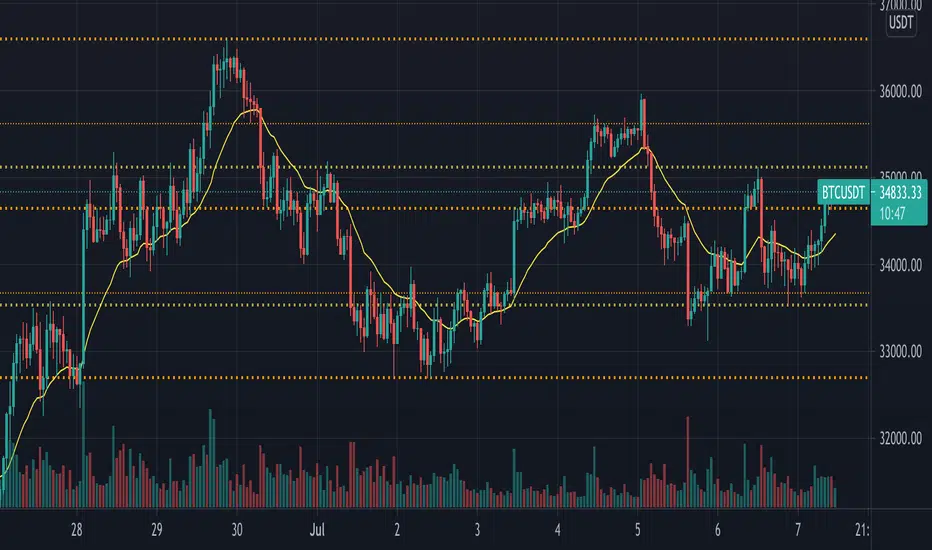
Privious Day and Week ValuesThis indicator is designed for price action. It divides the price range in to four zones based on last week values. Besides, it shows yesterday highest and lowest values. The price usually shows reactions to the drawn horizontal lines!
Yesterday's open, high, low and closeA very simple script to plot the yesterday's OHLC, to be used in an intraday graph.
There were other scripts like this, but their code was ugly, filthy, smelly, and WET, so I did this.

Y-RANGEShows yesterday's range
green line = yesterday's high
red line = yesterday's low
Fills y-range with black color so it's easier to see if we are inside or outside yesterday's range
