Cari skrip untuk "daily"
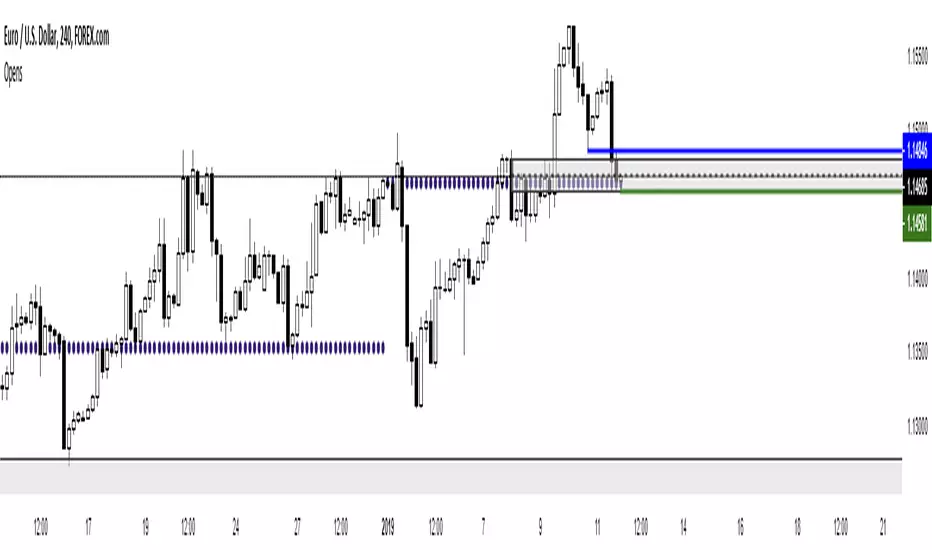
BTC Swinger v1Daily interval swing trading algorithm based on momentum techniques using ATR Stops. Made by Kory Hoang from Stably.
Shout out to the Advanced Crypto Asset Trading crew! ;)
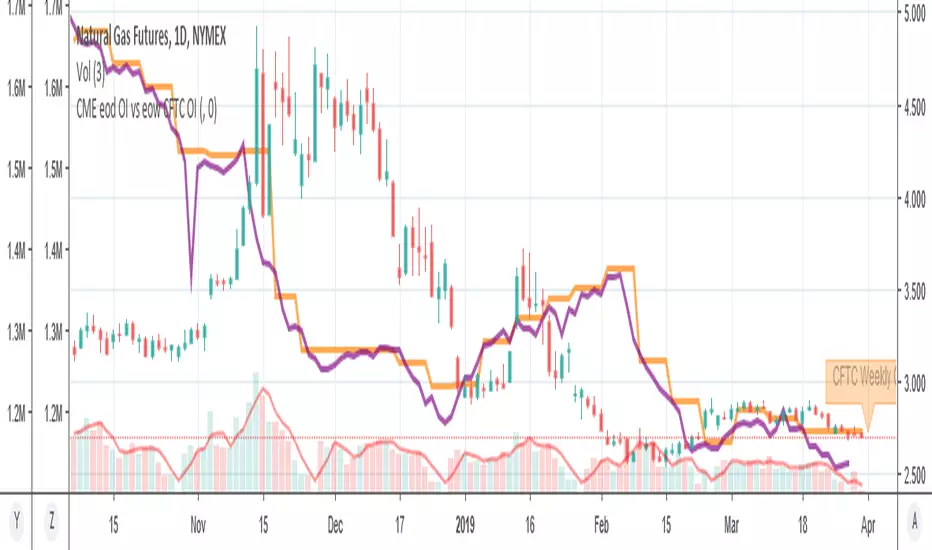
MY_CME eod OI vs CFTC eow OIDaily e-o-d Open Interest as published by CME.
As CFTC COT Open Interest relates to last Tuesday, here you can have an idea how things evolved day-by-day since then.
As CME total OI is not accessibl as data, here I sum OI of the next 9 outstanding contracts, which gives a fair idea of the trend in OI
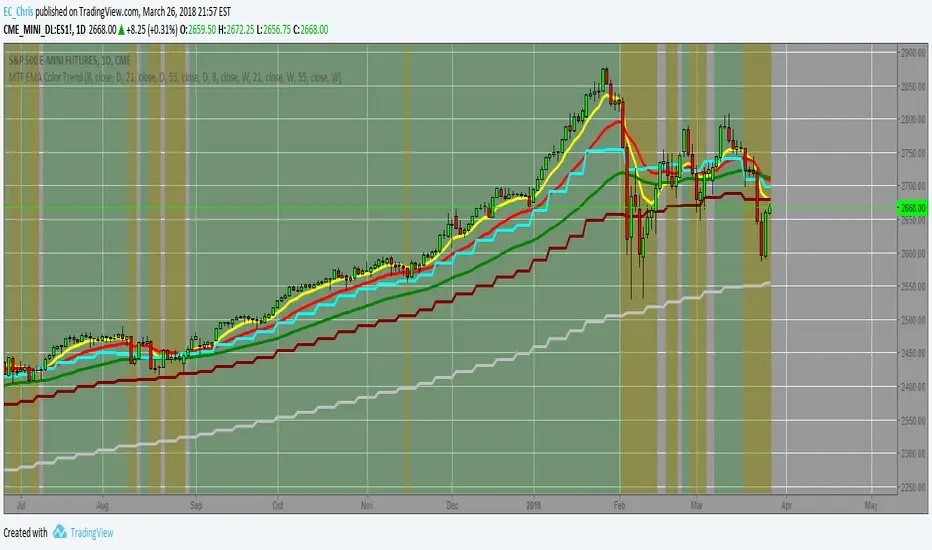
MTF EMA Combo with Background ColorDaily/Weekly EMA combo for longer term trend direction, with combo background color for varying trend direction.
Daily Average True Range OverlayPlots the upper and lower average true range away from the previous days close on all time frames.
Daily Deviations (Lazy Edition)
Plots the standard deviation resistance/support lines.
Uses Previous days close and the VIX as the volatility factor.
credit to u/UberBotMan and u/Living_Granger for the idea and formulas
Daily Deviations (Self Input Version)
Plots the standard deviation resistance/support levels.
Input the previous settlement price and the implied volatility.
credit to u/UberBotMan and u/Living_Granger for the idea and formulas
(preview example is using settlement of 2420 and IV of 11)
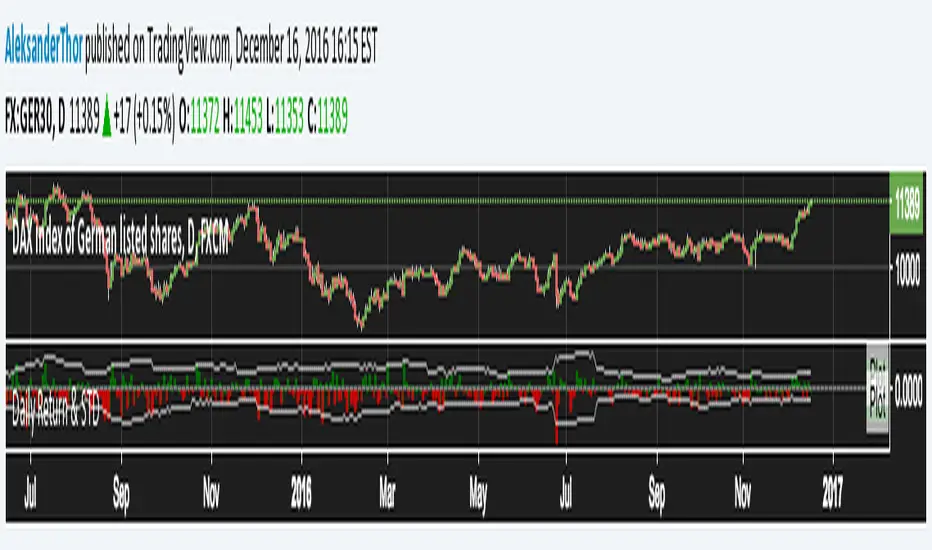
Daily Returns & STDWhat happened last time when xx increased by xx%? - Start collecting some stats!
You can choose the ticker and the timeframe you're interested in
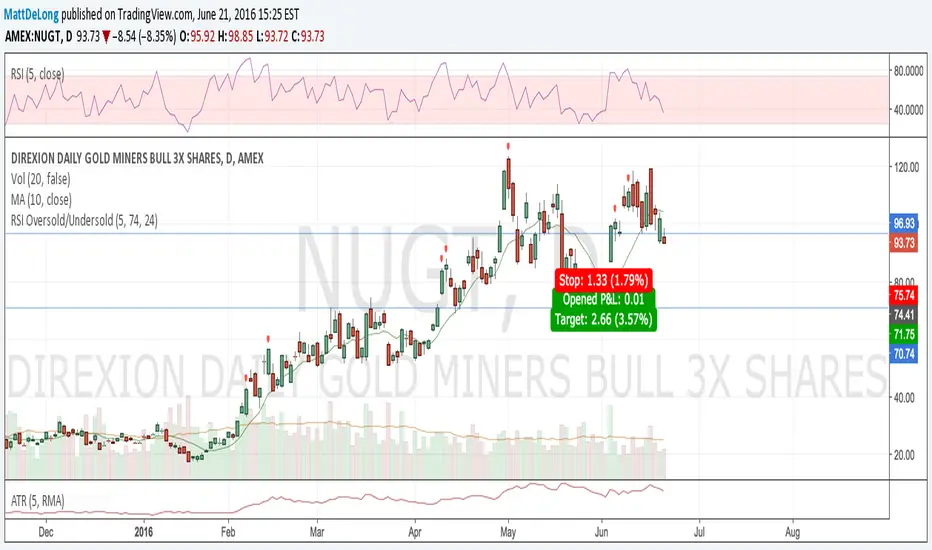
RSI Oversold/UndersoldThe study script will place GREEN BUY arrows BELOW oversold conditions and RED SHORT arrows ABOVE overbought conditions. You can configure the period
Most RSI(14) indicators use a 14-period, I prefer a 5-period. The period, overbought and oversold periods are settings that can easily be changed by adding this study to your chart and clicking the "gear" icon next to the study inside your chart.
Daily SMAThis pine script on intraday chart is exactly the same SMA as built-in MovingAverage on a 1Day chart (with the same lengths)
SA Range Rank WITH GRADE A SET UP 15 MIN NQI APPRECIATE YOUR SUPPORT PLEASE MESSAGE ME FOR ACCESS TO DIRECT AND POWERFUL SIGNALS. MORE TO COME !
NOTICE DEVELOPER NOTE: chatgpt.com
15 MINUTE — PREPARE / POSITION MODE
Developer Note: Bias & Position Framing
This daily view is preparatory, not executable.
The purpose of the Daily timeframe is to define directional bias, not entries. It helps frame which side of the market deserves attention and which activity should be ignored.
The goal here is context, not action.
---
Purpose on Daily
The Daily timeframe is used to:
· Define directional bias for the week
· Prepare position-building zones
· Identify environments where participation is unnecessary or elevated-risk
· Reduce overtrading by narrowing focus
Daily charts answer one question only:
“If I participate this week, which side makes sense?”
---
What Matters Most (Public View)
SA Range Indicator (RI): → Is the market transitioning or trending? → Is energy building, releasing, or rotating?
SA ZoneEngine (visual context only): → Are daily moves aligned with higher-timeframe structure? → Is price operating with or against dominant bias?
These visuals explain environment, not decisions.
---
How to Interpret Public Daily Posts
· Daily is not timing
· Daily is not execution
· Daily is not a signal
Daily charts prepare the trader mentally and structurally by clarifying:
· what deserves patience
· what deserves caution
· what deserves no attention at all
---
Messaging Line
“Daily charts prepare the trade — they don’t execute it.”
---
SEO Intent
daily equity bias, position preparation, market structure analysis
---
For Those Who Find Value
If these daily posts help you see the market more clearly:
· Follow, boost, and share my scripts, Ideas, and MINDS posts
· Feel free to message me directly with questions or build requests
· Constructive feedback and collaboration are always welcome
For traders who want to go deeper, optional memberships may include:
· Additional signal access
· Early previews
· Occasional free tools and upgrades
Membership & Signals trianchor.gumroad.com
---
---
⏱ 15-MIN — PREPARE / POSITION MODE
Developer Note: Setup Formation Phase
The 15-minute timeframe is where setups begin to form, not where they are acted on.
This view exists to separate developing structure from noise.
---
Purpose on 15-Minute
The 15-minute timeframe is used to:
· Spot trap-prone conditions
· Identify developing structure
· Observe compression, rotation, or early expansion
· Prepare for execution — without acting
This timeframe answers a different question:
“Is something forming — or is this noise?”
---
What Matters Most (Public View)
SA Range Indicator (RI): → Compression → expansion transitions → Energy buildup vs premature release
SA CloudRegimes (visual only): → Whether price behavior reflects continuation, pullback, or contraction → Whether movement is controlled or impulsive
These visuals describe behavior, not entries.
---
How to Interpret Public 15-Minute Posts
· 15m is setup formation
· 15m is environmental awareness
· 15m is not execution
Most errors occur when traders act before structure has finished forming.
This timeframe exists to slow that impulse down.
---
Messaging Line
“Preparation happens before the move — not during it.”
---
---
For Those Who Find Value
If these posts help you better recognize developing structure:
· Follow, boost, and share my scripts, Ideas, and MINDS posts
· Feel free to message me directly with questions or build requests
· Constructive feedback and collaboration are always welcome
For traders who want to go deeper, optional memberships may include:
· Additional signal access
· Early previews
· Occasional free tools and upgrades
Membership & Signals trianchor.gumroad.com
15 Minute (15m) — Tactical Entry Alignment / “Permission + Timing”
Goal: Convert higher-timeframe permission into tradable timing.
How to use:
· Trade the first clean reclaim after a pullback.
· Avoid taking a reclaim if price is already extended far beyond the wake edge (late reclaim).
Best conditions:
· Works extremely well when:
o 1H agrees
o session structure is active (open/close windows)
o reclaim occurs near VWAP or a key level you already respect
Settings:
· dispMult 0.75–1.05
· reclaimWindow 6–14
· cooldown 3–6
15-MINUTE — Intraday Structure & Session Logic
Range Indicator (RI)
· Session compression → impulse likely
· Expansion → follow, don’t fade
Use: Defines session behavior.
---
ZoneEngine (Structure)
· Filters session traps
· Explains failed breakouts
Use: Keeps you aligned with real participation.
---
Cloud / Reclaim (Behavior)
· Identifies pullback vs continuation
· Reclaim confirms acceptance
Use: Contextual confirmation.
---
Stop-Hunt Proxy
· Session liquidity sweeps
· Common near opens and transitions
Use: Stop-hunt + compression = likely session impulse.Execution Confirmation (Chart TF)
VWAP location
SMA(3) vs SMA(8)
Candle color (green/red)
WAIT State (NO CONFIRMED TRADE)
When the market is in a specific “trap regime,” the script blocks trades completely.
Grade-A setups (the only ones you trade)
✅ Grade-A Long = B+ Confirmed
A B+ print is your “Grade-A Long permission + execution alignment.”
B+ only fires when ALL are true:
Bull Permission is ON (macro score meets threshold)
WAIT is OFF
Candle is green (close > open)
Price is ABOVE VWAP
SMA(3) > SMA(8)
Translation:
Liquidity + rates are supportive, the market is positioned to move up, and price is already trading like institutions are pressing.
✅ Grade-A Short = B− Confirmed
A B− print is your “Grade-A Short permission + execution alignment.”
B− only fires when ALL are true:
Bear Permission is ON
WAIT is OFF
Candle is red (close < open)
Price is BELOW VWAP
SMA(3) < SMA(8)
Translation:
Liquidity + rates are pressuring, volatility is supportive of downside, and price is already trading under VWAP with downside momentum.
🟫 WAIT State = NO CONFIRMED TRADE
When the background turns gray (WAIT), you do nothing.
WAIT is the regime where:
downside breaks often fail
signals become unreliable
stop-hunts and reversals dominate
Your rule is simple:
WAIT = stand down until it clears.
This prevents “getting chopped to death” in the exact environment you identified as misdirection.
Step-by-step: how to use it on TradingView
Step 1 — Put it on the right instruments
Best use:
CME_MINI:NQ1! (primary)
CME_MINI:ES1!
CBOT_MINI:YM1!
CME_MINI:RTY1!
Works on equities too (SPY, QQQ, NVDA, AAPL), but it’s tuned for futures execution.
Step 2 — Use the right timeframes (this matters)
Best “Grade-A” workflow:
Chart TF (execution): 5m or 15m
Confirm TF (macro permission): 60m or 240m
Settings:
Confirm TF (intraday) = 60 for aggressive /NQ
Confirm TF = 240 for cleaner, fewer signals
If you want fewer but stronger signals: 240.
Step 3 — Confirm the data sources are valid
In Inputs:
Vol: CBOE:VIX
Dollar: TVC:DXY
Rates: CBOT:ZN1!
If that doesn’t work on your feed, change to TVC:US10Y
If these are wrong, the macro layer goes blind and signals degrade.
Step 4 — Interpret the background (your “regime map”)
Gray background: WAIT (do nothing)
Light green background: bull permission environment
Light red background: bear permission environment
Important:
Background alone is not a trade.
Only B+ / B− is a trade.
Step 5 — Execute ONLY on B+ / B− (Grade-A rule)
You do not anticipate.
You do not guess.
You do not trade “almost.”
You enter only when the indicator prints:
B+ for long
B− for short
Because those prints already include:
macro permission
VWAP location
SMA momentum alignment
candle confirmation
and WAIT suppression
Trade management (simple + effective)
For B+ (Long)
Entry: on the B+ bar close or next candle pullback that stays above VWAP
Invalidation: close back below VWAP or SMA3 falls under SMA8
Best targets (futures):
Target 1: recent swing high / session high
Target 2: VWAP band extension / next liquidity level
Hard stop: under last swing low (or your fixed points)
For B− (Short)
Entry: on the B− bar close or next candle retest that stays below VWAP
Invalidation: close back above VWAP or SMA3 crosses above SMA8
Best targets:
Target 1: recent swing low / session low
Target 2: next liquidity shelf / range low
Your “Grade-A Checklist” (print this mentally)
Before taking ANY trade:
Is WAIT OFF?
Did we get a B+ or B− print?
Is price on the correct side of VWAP?
Is SMA3 vs SMA8 aligned?
Is the candle color correct (green for B+, red for B−)?
If yes → take it.
If not → do nothing.
Why this works (the edge)
This indicator forces you to trade only when:
macro conditions allow follow-through
price action confirms institutional control (VWAP)
momentum confirms continuation (3/8 SMA)
and it blocks trades during the mischief regime (WAIT)
That combination is exactly what stops:
revenge trades
chop entries
shorting into bear traps
longing into liquidity tightening
Recommended default settings (Grade-A clean)
For /NQ:
Chart: 5m
Confirm TF: 60m
onlyOnFlip: true (less noise)
Keep VIX/DXY/ZN defaults
For “super clean”:
Chart: 15m
Confirm TF: 240m
Tactical DeviationTactical Deviation - Multi-Timeframe VWAP Deviation Analysis
OVERVIEW
Tactical Deviation combines Volume-Weighted Average Price (VWAP) with statistical standard deviation analysis across multiple timeframes (daily, weekly, monthly) to identify potential mean reversion opportunities and extreme price conditions.
WHAT MAKES THIS ORIGINAL
This script provides a unified multi-timeframe VWAP deviation system that:
- Calculates volume-weighted standard deviation (not simple price movements)
- Simultaneously tracks deviation levels across daily, weekly, and monthly VWAPs
- Offers dynamic volatility adjustment (ATR-based multiplier scaling)
- Visualizes deviation zones with color-coded clouds (1σ-2σ, 2σ-3σ, 3σ+)
- Integrates pivot detection, volume confirmation, and optional RSI filtering
HOW IT WORKS
The indicator calculates VWAP and standard deviation for each timeframe using volume-weighted statistics:
1. VWAP = Sum(Price × Volume) / Sum(Volume) for each period
2. Standard Deviation = √
3. Creates ±1σ, ±2σ, and ±3σ bands around each VWAP
4. Tracks current price deviation in standard deviations from each VWAP
Deviation levels:
- Level 0: Within ±1σ (normal range)
- Level 1: Between ±1σ and ±2σ (moderate deviation)
- Level 2: Between ±2σ and ±3σ (significant deviation)
- Level 3: Beyond ±3σ (extreme deviation)
Optional dynamic multipliers adjust band width based on ATR volatility - wider bands in volatile markets, tighter in calm markets.
HOW TO USE
Basic Usage:
- Enable desired VWAP timeframes (Daily/Weekly/Monthly)
- Monitor the info table showing current deviation levels
- Look for price reaching ±2σ or ±3σ zones (marked with ⚠️ and 🔥 icons)
Visual Elements:
- VWAP lines: Green (Daily), Purple (Weekly), White (Monthly)
- Colored clouds: Show deviation zones (darker = more extreme)
- Info table: Displays current deviation in standard deviations (σ)
Trading Applications:
Mean Reversion: Price reaching ±2σ/±3σ zones may indicate overextension. Look for reversal signals (pivot bounces, volume spikes) with VWAP as mean reversion target.
Trend Analysis: Consistent price above/below VWAP with low deviation suggests trend strength. Extreme deviations may indicate trend exhaustion.
Multi-Timeframe Confluence: Compare deviation levels across timeframes. Confluence of extremes on multiple VWAPs may indicate stronger setups.
Signal System (Optional):
Signals appear when price reaches extreme deviations (≥2σ) with optional confirmations:
- Volume spike (1.5× average)
- Pivot reversal (bounce off pivot low/high)
- RSI filter (oversold/overbought)
- Multi-VWAP confluence
IMPORTANT: Signals are informational only. Always use proper risk management, stop losses, and confirm with your own analysis. Past performance does not guarantee future results.
SETTINGS RECOMMENDATIONS
Day Trading: Enable Daily VWAP, show ±1σ bands, use dynamic multipliers, enable pivot reversal.
Swing Trading: Enable Daily + Weekly VWAPs, use confluence (2+ VWAPs), enable volume confirmation and RSI filter.
Position Trading: Enable all three VWAPs, use confluence requirement, focus on ±2σ/±3σ zones, enable all filters.
TECHNICAL DETAILS
- VWAP resets at period start (midnight daily, Sunday weekly, 1st of month monthly)
- Standard deviation uses volume-weighted statistics
- Pivot detection: Configurable lookback (default 5 bars)
- Volume analysis: Compares to SMA (default 20-period)
- RSI: Standard 14-period calculation
DISCLAIMER
This indicator is a tool for analysis and should not be used as the sole basis for trading decisions. VWAP and standard deviation describe past price behavior. Market conditions change, and historical patterns may not repeat. No indicator can predict future movements with certainty. Always use proper risk management. Past performance does not guarantee future results. Educational purposes only.
Multi-Session Volume Profile [MarkitTick]💡 This comprehensive Multi-Session Volume Profile indicator offers a sophisticated, array-based approach to Auction Market Theory. By simultaneously processing Daily, Weekly, Monthly, and Custom Session profiles, it empowers traders to visualize the migration of value across multiple timeframes without the performance overhead of standard heavy profile scripts. It is designed to identify key liquidity nodes, support/resistance zones defined by volume, and the directional bias of the market through Point of Control (POC) shifts.
✨ Originality and Utility
● Multi-Dimensional Value Analysis
Unlike standard volume profiles that often restrict users to a single timeframe or require multiple instances of an indicator, this script consolidates four distinct profile calculations into a single, efficient tool. It leverages Pine Script® arrays and custom types (`VPSlot`, `VolumeProfile`) to dynamically calculate volume distribution, ensuring minimal lag while maintaining high data granularity.
● Dynamic POC Shift Tracking
A standout feature of this utility is the "Shift Analysis." The indicator does not merely plot the current Point of Control; it calculates the delta between the current session's POC and the previous session's POC. This provides immediate visual feedback on "Value Migration"—whether the market is accepting higher prices (Bullish Shift) or lower prices (Bearish Shift).
● Granular Control via Custom Types
The script utilizes a custom quantitative structure (`type VolumeProfile`) to manage raw volume, highs, lows, and volatility slots independently for each timeframe. This allows for precise "row" calculations, ensuring that the volume distribution accurately reflects price action within the specific session, rather than broad approximations.
🔬 Methodology and Concepts
● Array-Based Bucketing
The core engine relies on a "Row Size" input to divide the session's price range into horizontal buckets (slots). As new price bars form, the script distributes the bar's volume across these slots. If a bar spans multiple slots, volume is distributed proportionally; if a bar is contained within a single slot, the total volume accumulates there. This mimics a true TPO (Time Price Opportunity) calculation using volume as the weight.
● Statistical Value Area Calculation
The Value Area (VA) is determined using a standard deviation proxy. The script identifies the POC (the slot with the highest accumulated volume) and then iteratively adds the next highest volume slots above or below the POC until the total accumulated volume reaches the user-defined percentage (default 70%).
● Session Logic and Reset
The indicator employs state-logic variables (`isNewDay`, `isNewWeek`, `isNewMonth`) to detect session boundaries. Upon a boundary cross, the `reset()` method clears the arrays and initializes a new profile, while the `draw()` method finalizes the visualization of the completed session. This ensures that the lines on the chart always represent the developing or completed structure of the specific time period.
🎨 Visual Guide
The indicator renders up to four distinct profiles, each color-coded for rapid identification.
● Daily Profile (Default: Yellow)
Solid Yellow Line: Represents the Daily POC (Point of Control)—the price level with the most volume traded today.
Dashed/Dotted Yellow Lines: Represent the Value Area High (VAH) and Value Area Low (VAL).
Yellow Background Box: Highlights the 70% Value Area, showing where the bulk of the day's trading occurred.
● Weekly Profile (Default: Blue)
Solid Blue Line: The Weekly POC. Use this to gauge the medium-term trend direction.
Blue Background: Encapsulates the weekly value area. A breakout from this zone often signals a significant trend continuation.
● Monthly Profile (Default: Purple)
Solid Purple Line: The Monthly POC. This is a high-timeframe magnet level, often acting as major support or resistance.
Purple Background: Shows the macro acceptance zone for the asset.
● Custom Session Profile (Default: Cyan)
Solid Cyan Line: Tracks the POC for a specific time window (e.g., 09:30-16:00). Ideal for isolating RTH (Regular Trading Hours) from electronic sessions.
● Labels and Shift Arrows
Right-Side Labels: Display the exact price of the POC for each active profile.
Shift Indicators (▲ / ▼): Located inside the label. A "▲" indicates the current POC is higher than the previous session's POC (Value Migration Up), while "▼" indicates the opposite.
📖 How to Use
● Trend Confirmation via Value Migration
Observe the Shift Arrows in the labels. If the Daily and Weekly profiles both show "▲" (Up Shift), it confirms that value is migrating higher, suggesting a healthy uptrend. Do not short the market when value is migrating up unless price breaks below the VAL.
● Mean Reversion Trades
When price extends far away from the POC but fails to establish value (volume) at those new levels, it often reverts back to the POC. Use the POC lines as profit targets for mean reversion strategies.
● Breakout Validation
A breakout is considered valid if price closes outside the Value Area (Background Box) and volume begins to build at the new levels. If price spikes out of the VAH but quickly returns inside the box, it is a "Failed Auction," and a rotation to the VAL is probable.
● Confluence Zones
Look for price levels where the Daily POC and Weekly VAL/VAH overlap. These "clusters" of volume act as reinforced support or resistance levels.
⚙️ Inputs and Settings
● General Settings
Row Size: Determines the resolution of the profile. Higher numbers (e.g., 100) give smoother, more precise profiles but use more resources. Lower numbers (e.g., 24) are blockier but faster.
Value Area %: The percentage of total volume to include in the VA. Standard is 70.0.
Show POC Shift Analysis: Toggles the display of the ▲/▼ drift comparison.
● Profile Toggles (Daily, Weekly, Monthly, Session)
Each section has individual toggles for Show Profile , Show Value Area , and Show Background .
Start of Week Day: Allows you to define when the weekly profile resets (e.g., Sunday or Monday).
● Alert Settings
Approach Distance (Ticks): Defines how close price must get to a POC/VAH/VAL level to trigger an "Approaching" alert.
Enable Alerts: Master switch to turn on internal alert condition checks.
🔍 Deconstruction of the Underlying Scientific and Academic Framework
● Auction Market Theory (AMT)
The script is grounded in Auction Market Theory, which posits that the market's primary purpose is to facilitate trade. Price advertises opportunity, and Volume records the acceptance of that opportunity. The "Value Area" represents the fair value established by buyers and sellers, while the POC represents the price of maximum consensus.
● Gaussian Distribution Application
The calculation of the Value Area at 70% is derived from the statistical properties of a Normal (Gaussian) Distribution, where approximately 68.2% of data points typically fall within one standard deviation of the mean. In this script, the POC acts as the mode (peak frequency), and the Value Area represents that first standard deviation of transactional volume.
● Volume-Price Integration
By integrating volume into price buckets (`VPSlot`), the indicator transforms two-dimensional time/price data into three-dimensional data (Time, Price, Volume). This reveals the "texture" of the market structure, distinguishing between high-volume nodes (strong acceptance) and low-volume nodes (rejection or emotional trading).
⚠️ Disclaimer
All provided scripts and indicators are strictly for educational exploration and must not be interpreted as financial advice or a recommendation to execute trades. I expressly disclaim all liability for any financial losses or damages that may result, directly or indirectly, from the reliance on or application of these tools. Market participation carries inherent risk where past performance never guarantees future returns, leaving all investment decisions and due diligence solely at your own discretion.
Trinity Trend Dashboard"Trinity Trend Dashboard with Trend Alerts & Custom Colors" indicator
### Trading Dashboard – Quick User Guide
**Purpose**
This indicator displays a compact status dashboard showing how the current price relates to several key levels:
- Previous day's VWAP
- Current (session) VWAP
- Previous day's High
- Previous day's Low
- Donchian Channel basis line (midpoint of highest high / lowest low over chosen period)
Each level shows whether price is **Above** (bullish) or **Below** (bearish), with colored backgrounds to make it instantly readable.
An **overall trend summary** combines all five signals into one clear status:
- **Strong Bullish** → all 5 signals are bullish
- **Strong Bearish** → all 5 signals are bearish
- **Mixed Trend** → anything in between
**How to Read the Dashboard**
- **Left column** = name of the level
- **Right column** = current price position ("Above" or "Below")
- **Green background** = price is above the level (bullish signal)
- **Red background** → price is below the level (bearish signal)
- **Bottom merged row** = overall trend verdict + large colored background
**Key Settings You Can Change**
- **Table Position** → top-right (default), top-left, bottom-left, bottom-right
- **Font Size** → tiny / small (default) / normal / large
- **Donchian Channel Period** → default 20 bars (classic value; adjust for faster/slower basis line)
- **Colors** (fully customizable):
- Left column text color (default: yellow)
- Bullish background (default: lime green)
- Bearish background (default: red)
- Mixed trend background (default: gray)
- Header background & text color
- **Alert toggles** → turn on/off notifications for:
- Trend changed → Strong Bullish
- Trend changed → Strong Bearish
- Trend changed → Mixed Trend
**Alerts**
Alerts fire only when the **overall trend status changes** (e.g. Mixed → Strong Bullish).
Recommended setup in TradingView:
1. Add the indicator to chart
2. Create alert → select this indicator
3. Condition = "Any alert() function call"
4. Frequency = "Once Per Bar Close" (cleanest for daily/lower-timeframe use)
5. Add your preferred notification (popup, email, webhook, etc.)
**Tips for Best Use**
- Works on any timeframe, but shines on intraday charts (5 min – 1 hour) when using daily previous levels.
- Previous-day levels update automatically at the start of each new trading day.
- On very low-liquidity symbols, VWAP may behave differently — test first.
- For scalping/day trading: watch when overall status flips to Strong Bullish/Bearish — often strong momentum confirmation.
- Customize colors so they stand out clearly against your chart background (e.g. darker green/red if chart is bright).
Enjoy cleaner, faster decision-making — all important levels in one glance!
Blockcircle Global Central Bank Balance Sheet and Money SupplyOVERVIEW
This indicator aggregates money supply (M2) and central bank balance sheet data from the world's largest economies into a single, unified view of global liquidity conditions. Rather than manually tracking dozens of separate data feeds or building your own aggregation logic, you get a ready-to-use tool that pulls from FRED, TradingView Economics, and real-time FX rates to convert everything into USD terms automatically.
Global liquidity has historically served as a leading indicator for risk assets. When central banks expand their balance sheets and the money supply grows, capital tends to flow into equities, crypto, and other risk-on assets. When liquidity contracts, markets often follow. This indicator gives you that macro context directly on your chart.
The global liquidity movement (expansionary or contractionary) often leads to asset price appreciation/depreciation in CRYPTOCAP:BTC , SP:SPX , etc
WHAT MAKES IT ORIGINAL AND DIFFERENT
Combines both M2 money supply AND central bank balance sheet data in one place, whereas most existing tools focus on only one metric
Aggregates 11 economies for M2 (USA, EU, China, Japan, UK, Canada, India, Russia, Brazil, Australia, Switzerland) and 10 central banks for balance sheet data
Automatically handles currency conversion using live FX rates so all values display in USD
Includes a dedicated US Net Liquidity calculation (Fed Balance Sheet minus Reverse Repo minus TGA) which filters out temporary distortions that other aggregate tools ignore
Provides granular country by country breakdown in the information table so you can identify which central banks are driving the aggregate trend
Offers four moving average types (SMA, EMA, WMA, RMA) for trend smoothing with configurable length
HOW IT WORKS
The indicator requests monthly M2 data from TradingView's Economics feeds for each included country. Central bank balance sheet data is pulled the same way. All non-USD values are converted using daily FX rates from major currency pairs. The script then sums these converted values to produce the Global M2 and Global CBBS lines.
For US liquidity specifically, the script pulls weekly data for the Reverse Repo Program (RRP) and Treasury General Account (TGA) from FRED. Net Liquidity is calculated as: Fed Balance Sheet minus RRP minus TGA. This formula removes funds parked in reverse repos and Treasury cash balances, showing what is actually circulating in the financial system.
KEY FEATURES
Global M2 Money Supply line tracking 11 major economies with individual toggles for each country
Global Central Bank Balance Sheet line tracking 10 central banks with individual toggles
US-specific components, including Reverse Repo, TGA, and Net Liquidity as separate plot lines
Moving average overlays with selectable type and length for identifying trend direction
Fill the option between M2 and CBBS lines to visualize the gap between money supply and central bank assets
Value labels at line endpoints showing current readings and period-over-period percentage change
Comprehensive information table with optional country breakdown view
Full color customization for all lines, configurable line width, and style options
Alert conditions for significant M2 and CBBS changes plus MA crossover signals
HOW TO USE
Add to any chart and observe the overall direction of global liquidity. Rising lines generally support risk on positioning, while declining lines suggest caution
Watch for divergences between the M2 and CBBS lines. If money supply grows faster than central bank assets, private credit may be expanding. If CBBS rises faster, central banks are actively injecting liquidity
Use the US Net Liquidity line to understand short term dollar liquidity conditions separate from longer term global trends
Enable moving averages to filter noise and identify when liquidity trends are changing direction
Toggle individual countries on or off in the settings to see how specific regions contribute to the total
Reference the information table for exact values and percentage changes without leaving your chart
SETTINGS BREAKDOWN
Table Settings: position, text size, and whether to show the country breakdown
Display Settings: toggle visibility for each line, fill area, value labels, percent labels, and the info table
Line Styling: customize colors for each metric, adjust line width, and select solid, dashed, or dotted style
Moving Average: enable or disable MA overlays for M2 and CBBS, select MA type, and set length
Global M2 Countries: individually enable or disable each of the 11 economies
US Liquidity Components: toggle RRP and TGA data
Global CBBS Countries: individually enable or disable each of the 10 central banks
Alerts: set percentage threshold for change based alerts
IMPORTANT CONSIDERATIONS
Data updates depend on the publication schedule of each source. M2 and CBBS data are typically monthly with some delay. US Fed Balance Sheet, US RRP and US TGA update weekly
FX conversion uses daily close rates which may introduce minor discrepancies during volatile currency periods
Some emerging market data may have longer reporting lags than developed market data
Hope you find it useful and impactful to your trading and investment decisions! If you have any questions at all, please just ask, happy to help
Structural MAs (D/W)This indicator is designed for intraday traders (5m, 15m, 1h) who need to visualize structural Support and Resistance levels from higher timeframes (Daily and Weekly) without chart clutter.