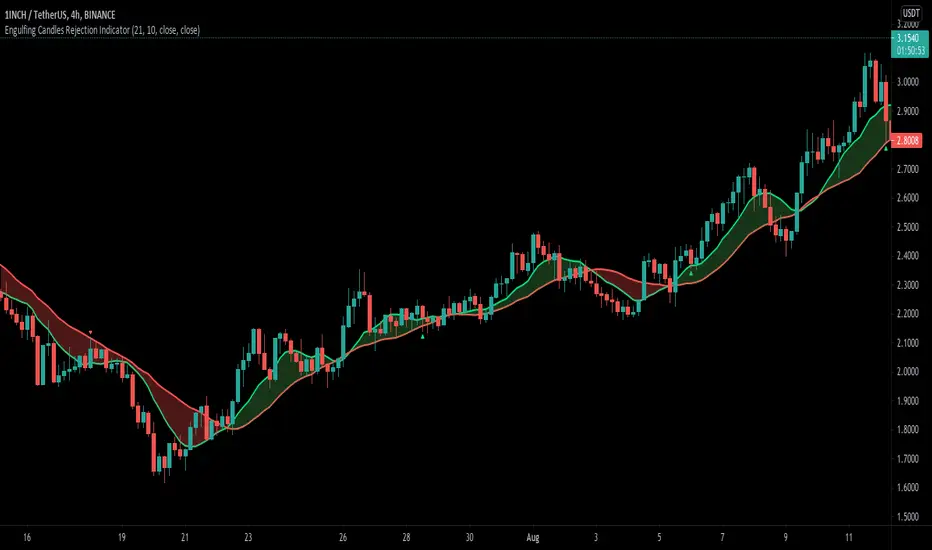
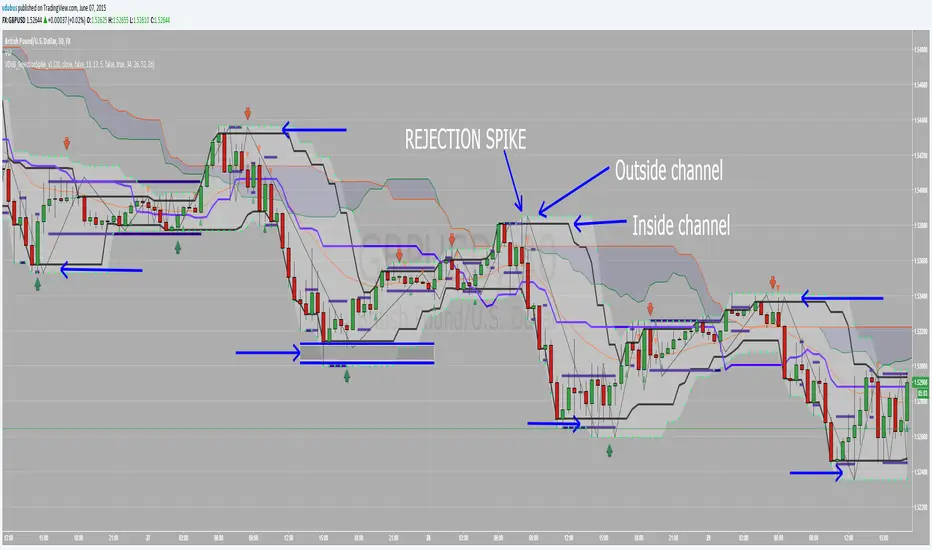
Volume Flow Analysis [UAlgo]Volume Flow Analysis is a market profile style volume study that builds a session anchored volume distribution, extracts key reference levels from the previous profile, and generates institutional style context signals based on Auction Market Theory concepts. The script combines several workflows in one tool: previous session volume profile levels (POC, VAH, VAL), liquidity void detection through LVN valleys, acceptance versus rejection logic around value, and Initial Balance with open type classification.
The indicator runs on price ( overlay=true ) and is designed for intraday or swing traders who want a structured read of where value formed in the prior profile and how the current session is interacting with it. Instead of only plotting static lines, the script actively interprets behavior when price moves outside the previous value area. It checks whether the move is rejected quickly (failed auction) or sustained with time and volume (acceptance), which helps distinguish responsive activity from initiative activity.
Another major component is the profile shape and liquidity void framework. The script identifies previous profile shape as P, b, or D based on POC location within the profile range, and it scans for LVN valleys that can act as low participation zones where price may travel quickly. This gives the user both structural context and event based signals from the same indicator.
The result is a comprehensive volume flow dashboard that merges profile levels, session behavior, and AMT inspired signal logic into a single chart layer.
🔹 Features
🔸 1) Anchored Session Volume Profile (Daily, Weekly, Monthly or Custom Anchor)
The script builds a volume profile for each anchor period selected by the user through the Profile Period (Anchor) input. Common choices include Daily, Weekly, and Monthly anchors. When a new anchor session begins, the current session profile is finalized and promoted to the previous profile, then a new profile begins.
This allows the indicator to continuously reference the fully calculated previous profile while the current session is developing.
🔸 2) Price Range Binning with User Defined Resolution
Each session profile is divided into a configurable number of rows (bins). The script maps price activity into these bins and distributes volume proportionally based on the overlap between each candle range and each volume bin.
This creates a more realistic histogram than assigning all candle volume to a single price level, especially for wide range candles.
🔸 3) Previous Profile Core Levels (POC, VAH, VAL)
Once a session completes, the script calculates and stores the key profile levels:
POC (Point of Control), the price bin with the highest volume
VAH (Value Area High)
VAL (Value Area Low)
Value Area is computed by expanding outward from the POC until the chosen percentage of total profile volume is covered. These levels are then plotted on the chart as dynamic reference lines for the next session.
🔸 4) Acceptance vs Rejection Logic Around Previous Value Area
The indicator monitors current session behavior relative to the previous VAH and VAL and classifies behavior as either rejection (failed auction) or acceptance (initiative drive).
Failed Auction (Rejection):
Price trades outside the previous value area but returns back inside before meeting acceptance criteria. This is treated as a failed attempt to establish new value.
Acceptance (Initiative Drive):
Price stays outside the previous value area for a user defined number of bars and accumulates enough volume relative to average volume. This suggests successful acceptance of higher or lower value.
This framework is useful for separating temporary probes from meaningful value migration.
🔸 5) Institutional Style Signal Labels
The script can display signal labels for:
Failed Auction Bullish and Bearish
Acceptance Bullish and Bearish
LVN Traversal Bullish and Bearish
These labels appear directly on price and use user defined bullish and bearish colors for quick interpretation.
🔸 6) LVN Traversal (Liquidity Void / Vacuum) Detection
The script detects low volume nodes as true local valleys in the previous profile histogram. A bin qualifies as an LVN when surrounding bins on both sides have higher volume for a chosen valley depth.
If current price enters one of these prior LVN zones from above or below, the script marks a potential traversal event. This can help identify zones where price may move faster due to lower prior participation.
🔸 7) Previous Profile Shape Classification (P, b, D)
The script classifies the previous profile shape based on where the POC sits within the full profile range:
P shape if POC is near the upper portion of the profile
b shape if POC is near the lower portion
D shape if POC is near the middle
This gives quick context about the prior session structure, which can support directional bias interpretation and session planning.
🔸 8) Initial Balance (IB) Tracking
The indicator tracks the Initial Balance range using a user defined duration in minutes. During the IB window, it records session high and low. After the IB period ends, it can draw an IB box on the chart for visual reference.
This is useful for intraday frameworks where the IB range is used as a key reference for breakout, reversal, and auction development.
🔸 9) Open Type Classification and Daily Bias
At the start of each new anchor session, the script compares the new open to the previous value area and assigns a basic daily bias such as initiative bullish, initiative bearish, or responsive inside. After the IB period completes, it classifies the open type using rule based conditions, including:
Open Drive Bullish / Bearish
Open Rejection Reverse Bullish / Bearish
Open Test Drive Bullish / Bearish
This adds a session narrative layer on top of the profile levels.
🔸 10) Previous Profile Histogram Visualization on Last Bar
On the last bar, the script can render the previous profile histogram as a horizontal bar style distribution using boxes. Bins inside the previous value area can be colored differently from bins outside value.
This provides an at a glance visual summary of where prior volume concentrated, without needing a separate profile tool.
🔸 11) Extensive Visual Customization
Users can configure colors for:
Previous POC
Previous VA levels
Histogram bins
Value area histogram bins
Bullish signals
Bearish signals
This makes it easy to integrate the indicator into existing chart themes and workflows.
🔸 12) Structured Object Based Design
The script uses custom types ( VolumeBin and SessionProfile ) to store profile state, bins, levels, shape, and LVN zones. This object based approach keeps the logic modular and easier to maintain as features are added.
🔹 Calculations
1) Session Detection and Profile Lifecycle
A new profile session is detected with:
bool isNewSession = timeframe.change(i_anchor)
When a new session begins:
The current profile is finalized (end bar, profile calculations)
The current profile becomes the previous profile
A fresh session profile starts from the current bar
This design ensures that current session logic can reference a fully completed previous profile with stable POC, VAH, VAL, shape, and LVN data.
2) Volume Profile Bin Initialization
Each session profile is divided into i_rows equal price bins between session low and session high:
float step = (this.highestPrice - this.lowestPrice) / rows
for i = 0 to rows - 1
float bottom = this.lowestPrice + (i * step)
float top = bottom + step
this.bins.push(VolumeBin.new(top, bottom, 0.0))
As the current session high or low changes, the script rebuilds the current profile bins and repopulates volume from session start to the current bar. This keeps the current profile geometry aligned with the latest session range.
3) Proportional Volume Distribution Across Bins
For each candle, the script distributes volume across all bins according to candle range overlap:
float overlapTop = math.min(h, bin.priceTop)
float overlapBottom = math.max(l, bin.priceBottom)
if overlapTop > overlapBottom
float overlapRatio = (overlapTop - overlapBottom) / barRange
float volToAdd = v * overlapRatio
bin.volumeTotal += volToAdd
this.totalVolume += volToAdd
Interpretation:
Volume is allocated proportionally to the fraction of the candle range overlapping each price bin. This is a practical approximation of intrabar volume distribution across price.
Special handling exists for zero range candles, where volume is assigned to the bin containing the candle price.
4) POC Detection and Profile Max Volume
After session completion, the script scans all bins to find the highest volume bin:
for i = 0 to this.bins.size() - 1
VolumeBin bin = this.bins.get(i)
if bin.volumeTotal > maxVol
maxVol := bin.volumeTotal
pocIndex := i
The POC price is set to the midpoint of that bin:
this.pocPrice := (pocBin.priceTop + pocBin.priceBottom) / 2
The script also stores maxVolume , which is later used to scale histogram width display on the chart.
5) Value Area Calculation (VAH / VAL)
The Value Area is built by expanding outward from the POC until the target percentage of session volume is reached:
float targetVol = this.totalVolume * (vaPct / 100.0)
float currentVol = pocBin.volumeTotal
int upperIndex = pocIndex
int lowerIndex = pocIndex
At each step, the script compares the next upper and lower bin volumes and expands toward the larger volume side first. This continues until the cumulative value area volume reaches the target percentage.
Final levels:
this.vahPrice := this.bins.get(upperIndex).priceTop
this.valPrice := this.bins.get(lowerIndex).priceBottom
This is a standard volume profile style value area expansion method centered on POC.
6) Previous Profile Shape Classification (P, b, D)
The profile shape is inferred from the POC position inside the profile range:
float profileRange = this.highestPrice - this.lowestPrice
float pocPosPct = (this.pocPrice - this.lowestPrice) / profileRange
Classification logic:
P shape if POC is at or above 70 percent of the range
b shape if POC is at or below 30 percent
D shape otherwise
This is a simplified but practical shape proxy based on volume concentration location.
7) LVN (Liquidity Void) Valley Detection
The script identifies LVNs as local volume minima among profile bins, using a user defined valley depth i_lvnDepth . A bin is treated as an LVN if the bins on both sides for the specified depth all have greater volume:
for j = 1 to lvnDepth
if this.bins.get(i - j).volumeTotal <= currentBin.volumeTotal or this.bins.get(i + j).volumeTotal <= currentBin.volumeTotal
isValley := false
break
Only non zero volume bins are considered. Detected LVNs are stored in this.lvnZones for use in later traversal signals.
8) Initial Balance (IB) Calculation
At the start of a new session, the script resets IB state and starts tracking the session open, session start time, and current IB high and low. While the market is still inside the IB duration:
ibHigh := math.max(ibHigh, high)
ibLow := math.min(ibLow, low)
IB tracking ends once the elapsed time exceeds the configured duration in minutes:
if (time - sessionStartTime) >= i_ibMins * 60000
inIb := false
This produces the opening range used for later visualization and open type classification.
9) Daily Bias and Open Type Classification
At each new session open, the script sets a basic bias by comparing the session open to the previous value area:
Open above previous VAH suggests initiative bullish
Open below previous VAL suggests initiative bearish
Open inside previous value suggests responsive / inside
After the IB period ends, the script classifies the open type using rule based comparisons among:
Open location relative to previous VAH / VAL
Close relative to IB highs and lows
Intraday test and rejection behavior around prior value
Examples from the code include:
"Open-Drive Bullish"
"Open-Rejection-Reverse Bearish"
"Open-Test-Drive Bullish"
This gives a structured session narrative that aligns with many profile and AMT workflows.
10) Acceptance vs Failed Auction Logic (Above VAH)
The script tracks consecutive bars and cumulative volume when price closes above the previous VAH:
if close > prevVah
barsAboveVah += 1
volAboveVah += volume
If price returns inside value before acceptance is confirmed, it prints a failed auction bearish signal (fade breakout logic):
if barsAboveVah > 0 and not acceptedAbove and i_sigFailedAuc
isFailedAucBear := true
Acceptance bullish is confirmed only if both time and volume thresholds are satisfied:
if barsAboveVah >= i_accBars and volAboveVah >= (avgVol * i_accVolMult) and not acceptedAbove and i_sigAccept
acceptedAbove := true
isAcceptBull := true
This is a practical combination of time and participation filters, which reduces false acceptance signals from brief low volume excursions.
11) Acceptance vs Failed Auction Logic (Below VAL)
The same framework is applied below the previous VAL:
Tracking closes below VAL:
if close < prevVal
barsBelowVal += 1
volBelowVal += volume
Failed auction bullish if price returns inside before acceptance:
if barsBelowVal > 0 and not acceptedBelow and i_sigFailedAuc
isFailedAucBull := true
Acceptance bearish if time and volume thresholds are met:
if barsBelowVal >= i_accBars and volBelowVal >= (avgVol * i_accVolMult) and not acceptedBelow and i_sigAccept
acceptedBelow := true
isAcceptBear := true
This creates a symmetric AMT style signal model for both sides of value.
12) LVN Traversal Signal Logic
If LVN traversal signaling is enabled, the script checks whether price enters a previous LVN zone from outside:
Bullish traversal candidate when price enters the LVN from below
Bearish traversal candidate when price enters the LVN from above
Code logic example:
if close > lvn.priceBottom and close < lvn.priceTop and close < lvn.priceBottom
isLvnTravBull := true
This flags the moment price enters a potential liquidity void zone where faster movement may occur.
13) Previous Profile Histogram Rendering on Last Bar
On the last chart bar, the script draws the previous session histogram using boxes. Width is normalized by each bin volume relative to the profile max volume:
float widthRatio = bin.volumeTotal / previousProfile.maxVolume
int boxRight = bar_index + math.round((rightBar - bar_index) * widthRatio)
Bins inside VAH and VAL are colored using the value area histogram color, while other bins use the general histogram color. This gives a compact visual profile snapshot without external tools.
14) Dynamic Plots for Previous POC, VAH, and VAL
The previous profile reference levels are continuously plotted as line break style plots:
plot(plotPoc, "Prev POC", color=i_colPoc, linewidth=2, style=plot.style_linebr)
plot(plotVah, "Prev VAH", color=i_colVa, linewidth=1, style=plot.style_linebr)
plot(plotVal, "Prev VAL", color=i_colVa, linewidth=1, style=plot.style_linebr)
These lines provide stable reference levels throughout the current session and form the basis for the acceptance, rejection, and open type logic.
Indikator Pine Script®