log.info() - 5 Exampleslog.info() is one of the most powerful tools in Pine Script that no one knows about. Whenever you code, you want to be able to debug, or find out why something isn’t working. The log.info() command will help you do that. Without it, creating more complex Pine Scripts becomes exponentially more difficult.
The first thing to note is that log.info() only displays strings. So, if you have a variable that is not a string, you must turn it into a string in order for log.info() to work. The way you do that is with the str.tostring() command. And remember, it's all lower case! You can throw in any numeric value (float, int, timestamp) into str.string() and it should work.
Next, in order to make your output intelligible, you may want to identify whatever value you are logging. For example, if an RSI value is 50, you don’t want a bunch of lines that just say “50”. You may want it to say “RSI = 50”.
To do that, you’ll have to use the concatenation operator. For example, if you have a variable called “rsi”, and its value is 50, then you would use the “+” concatenation symbol.
EXAMPLE 1
━━━━━━━━━━━━━━━━━━━━━━━━━━━━━━━━━
//@version=6
indicator("log.info()")
rsi = ta.rsi(close,14)
log.info(“RSI= ” + str.tostring(rsi))
Example Output =>
RSI= 50
Here, we use double quotes to create a string that contains the name of the variable, in this case “RSI = “, then we concatenate it with a stringified version of the variable, rsi.
Now that you know how to write a log, where do you view them? There isn’t a lot of documentation on it, and the link is not conveniently located.
Open up the “Pine Editor” tab at the bottom of any chart view, and you’ll see a “3 dot” button at the top right of the pane. Click that, and right above the “Help” menu item you’ll see “Pine logs”. Clicking that will open that to open a pane on the right of your browser - replacing whatever was in the right pane area before. This is where your log output will show up.
But, because you’re dealing with time series data, using the log.info() command without some type of condition will give you a fast moving stream of numbers that will be difficult to interpret. So, you may only want the output to show up once per bar, or only under specific conditions.
To have the output show up only after all computations have completed, you’ll need to use the barState.islast command. Remember, barState is camelCase, but islast is not!
EXAMPLE 2
━━━━━━━━━━━━━━━━━━━━━━━━━━━━━━━━━
//@version=6
indicator("log.info()")
rsi = ta.rsi(close,14)
if barState.islast
log.info("RSI=" + str.tostring(rsi))
plot(rsi)
However, this can be less than ideal, because you may want the value of the rsi variable on a particular bar, at a particular time, or under a specific chart condition. Let’s hit these one at a time.
In each of these cases, the built-in bar_index variable will come in handy. When debugging, I typically like to assign a variable “bix” to represent bar_index, and include it in the output.
So, if I want to see the rsi value when RSI crosses above 0.5, then I would have something like
EXAMPLE 3
━━━━━━━━━━━━━━━━━━━━━━━━━━━━━━━━━
//@version=6
indicator("log.info()")
rsi = ta.rsi(close,14)
bix = bar_index
rsiCrossedOver = ta.crossover(rsi,0.5)
if rsiCrossedOver
log.info("bix=" + str.tostring(bix) + " - RSI=" + str.tostring(rsi))
plot(rsi)
Example Output =>
bix=19964 - RSI=51.8449459867
bix=19972 - RSI=50.0975830828
bix=19983 - RSI=53.3529808079
bix=19985 - RSI=53.1595745146
bix=19999 - RSI=66.6466337654
bix=20001 - RSI=52.2191767466
Here, we see that the output only appears when the condition is met.
A useful thing to know is that if you want to limit the number of decimal places, then you would use the command str.tostring(rsi,”#.##”), which tells the interpreter that the format of the number should only be 2 decimal places. Or you could round the rsi variable with a command like rsi2 = math.round(rsi*100)/100 . In either case you’re output would look like:
bix=19964 - RSI=51.84
bix=19972 - RSI=50.1
bix=19983 - RSI=53.35
bix=19985 - RSI=53.16
bix=19999 - RSI=66.65
bix=20001 - RSI=52.22
This would decrease the amount of memory that’s being used to display your variable’s values, which can become a limitation for the log.info() command. It only allows 4096 characters per line, so when you get to trying to output arrays (which is another cool feature), you’ll have to keep that in mind.
Another thing to note is that log output is always preceded by a timestamp, but for the sake of brevity, I’m not including those in the output examples.
If you wanted to only output a value after the chart was fully loaded, that’s when barState.islast command comes in. Under this condition, only one line of output is created per tick update — AFTER the chart has finished loading. For example, if you only want to see what the the current bar_index and rsi values are, without filling up your log window with everything that happens before, then you could use the following code:
EXAMPLE 4
━━━━━━━━━━━━━━━━━━━━━━━━━━━━━━━━━
//@version=6
indicator("log.info()")
rsi = ta.rsi(close,14)
bix = bar_index
if barstate.islast
log.info("bix=" + str.tostring(bix) + " - RSI=" + str.tostring(rsi))
Example Output =>
bix=20203 - RSI=53.1103309071
This value would keep updating after every new bar tick.
The log.info() command is a huge help in creating new scripts, however, it does have its limitations. As mentioned earlier, only 4096 characters are allowed per line. So, although you can use log.info() to output arrays, you have to be aware of how many characters that array will use.
The following code DOES NOT WORK! And, the only way you can find out why will be the red exclamation point next to the name of the indicator. That, and nothing will show up on the chart, or in the logs.
// CODE DOESN’T WORK
//@version=6
indicator("MW - log.info()")
var array rsi_arr = array.new()
rsi = ta.rsi(close,14)
bix = bar_index
rsiCrossedOver = ta.crossover(rsi,50)
if rsiCrossedOver
array.push(rsi_arr, rsi)
if barstate.islast
log.info("rsi_arr:" + str.tostring(rsi_arr))
log.info("bix=" + str.tostring(bix) + " - RSI=" + str.tostring(rsi))
plot(rsi)
// No code errors, but will not compile because too much is being written to the logs.
However, after putting some time restrictions in with the i_startTime and i_endTime user input variables, and creating a dateFilter variable to use in the conditions, I can limit the size of the final array. So, the following code does work.
EXAMPLE 5
━━━━━━━━━━━━━━━━━━━━━━━━━━━━━━━━━
// CODE DOES WORK
//@version=6
indicator("MW - log.info()")
i_startTime = input.time(title="Start", defval=timestamp("01 Jan 2025 13:30 +0000"))
i_endTime = input.time(title="End", defval=timestamp("1 Jan 2099 19:30 +0000"))
var array rsi_arr = array.new()
dateFilter = time >= i_startTime and time <= i_endTime
rsi = ta.rsi(close,14)
bix = bar_index
rsiCrossedOver = ta.crossover(rsi,50) and dateFilter // <== The dateFilter condition keeps the array from getting too big
if rsiCrossedOver
array.push(rsi_arr, rsi)
if barstate.islast
log.info("rsi_arr:" + str.tostring(rsi_arr))
log.info("bix=" + str.tostring(bix) + " - RSI=" + str.tostring(rsi))
plot(rsi)
Example Output =>
rsi_arr:
bix=20210 - RSI=56.9030578034
Of course, if you restrict the decimal places by using the rounding the rsi value with something like rsiRounded = math.round(rsi * 100) / 100 , then you can further reduce the size of your array. In this case the output may look something like:
Example Output =>
rsi_arr:
bix=20210 - RSI=55.6947486019
This will give your code a little breathing room.
In a nutshell, I was coding for over a year trying to debug by pushing output to labels, tables, and using libraries that cluttered up my code. Once I was able to debug with log.info() it was a game changer. I was able to start building much more advanced scripts. Hopefully, this will help you on your journey as well.
Debug

bar_index inspectorThis is a tool for developers who are working with index based plots and find themselves adding the bar_index to their indicators on a regular basis during development and debugging.
What it does:
shows the bar_index in the status line and data window.
plots optional labels (bar index + time) into the chart every 10 bars

LogLibrary "Log"
- Log methods that return input value for code readbility and cleaness.
method str(input)
str
Namespace types: series float, simple float, input float, const float
Parameters:
input (float)
method str(input)
str
Namespace types: series int, simple int, input int, const int
Parameters:
input (int)
method str(input)
str
Namespace types: series bool, simple bool, input bool, const bool
Parameters:
input (bool)
method str(input)
str
Namespace types: series string, simple string, input string, const string
Parameters:
input (string)
method str(input)
str
Namespace types: series linefill
Parameters:
input (linefill)
method str(input)
str
Namespace types: series line
Parameters:
input (line)
method str(input)
str
Namespace types: series box
Parameters:
input (box)
method str(input)
str
Namespace types: series label
Parameters:
input (label)
method str(input)
str
Namespace types: chart.point
Parameters:
input (chart.point)
method str(input)
str
Namespace types: array
Parameters:
input (array)
method str(input)
str
Namespace types: array
Parameters:
input (array)
method str(input)
str
Namespace types: array
Parameters:
input (array)
method str(input)
str
Namespace types: array
Parameters:
input (array)
method str(input)
str
Namespace types: array
Parameters:
input (array)
method str(input)
str
Namespace types: array
Parameters:
input (array)
method str(input)
str
Namespace types: array
Parameters:
input (array)
method str(input)
str
Namespace types: array
Parameters:
input (array)
method str(input)
str
Namespace types: array
Parameters:
input (array)
method str(input)
str
Namespace types: matrix
Parameters:
input (matrix)
method str(input)
str
Namespace types: matrix
Parameters:
input (matrix)
method str(input)
str
Namespace types: matrix
Parameters:
input (matrix)
method str(input)
str
Namespace types: matrix
Parameters:
input (matrix)
method str(input)
str
Namespace types: matrix
Parameters:
input (matrix)
method str(input)
str
Namespace types: matrix
Parameters:
input (matrix)
method str(input)
str
Namespace types: matrix
Parameters:
input (matrix)
method str(input)
str
Namespace types: matrix
Parameters:
input (matrix)
method str(input)
Namespace types: matrix
Parameters:
input (matrix)
method info(input, msg)
Logs the input value with the 'info' log level.
Namespace types: chart.point
Parameters:
input (chart.point) : The input value to log.
msg (string) : The message to log. Default is an empty string.
Returns: The input value.
method info(input, msg)
Logs the input value with the 'info' log level.
Namespace types: series float, simple float, input float, const float
Parameters:
input (float) : The input value to log.
msg (string) : The message to log. Default is an empty string.
Returns: The input value.
method info(input, msg)
Logs the input value with the 'info' log level.
Namespace types: series int, simple int, input int, const int
Parameters:
input (int) : The input value to log.
msg (string) : The message to log. Default is an empty string.
Returns: The input value.
method info(input, msg)
Logs the input value with the 'info' log level.
Namespace types: series bool, simple bool, input bool, const bool
Parameters:
input (bool) : The input value to log.
msg (string) : The message to log. Default is an empty string.
Returns: The input value.
method info(input, msg)
Logs the input value with the 'info' log level.
Namespace types: series string, simple string, input string, const string
Parameters:
input (string) : The input value to log.
msg (string) : The message to log. Default is an empty string.
Returns: The input value.
method info(input, msg)
Logs the input value with the 'info' log level.
Namespace types: series linefill
Parameters:
input (linefill) : The input value to log.
msg (string) : The message to log. Default is an empty string.
Returns: The input value.
method info(input, msg)
Logs the input value with the 'info' log level.
Namespace types: series line
Parameters:
input (line) : The input value to log.
msg (string) : The message to log. Default is an empty string.
Returns: The input value.
method info(input, msg)
Logs the input value with the 'info' log level.
Namespace types: series box
Parameters:
input (box) : The input value to log.
msg (string) : The message to log. Default is an empty string.
Returns: The input value.
method info(input, msg)
Logs the input array with the 'info' log level.
Namespace types: series label
Parameters:
input (label) : The input array to log.
msg (string) : The message to log. Default is an empty string.
Returns: The input array.
method info(input, msg)
Logs the input array with the 'info' log level.
Namespace types: array
Parameters:
input (array) : The input array to log.
msg (string) : The message to log. Default is an empty string.
Returns: The input array.
method info(input, msg)
Logs the input array with the 'info' log level.
Namespace types: array
Parameters:
input (array) : The input array to log.
msg (string) : The message to log. Default is an empty string.
Returns: The input array.
method info(input, msg)
Logs the input array with the 'info' log level.
Namespace types: array
Parameters:
input (array) : The input array to log.
msg (string) : The message to log. Default is an empty string.
Returns: The input array.
method info(input, msg)
Logs the input array with the 'info' log level.
Namespace types: array
Parameters:
input (array) : The input array to log.
msg (string) : The message to log. Default is an empty string.
Returns: The input array.
method info(input, msg)
Logs the input array with the 'info' log level.
Namespace types: array
Parameters:
input (array) : The input array to log.
msg (string) : The message to log. Default is an empty string.
Returns: The input array.
method info(input, msg)
Logs the input array with the 'info' log level.
Namespace types: array
Parameters:
input (array) : The input array to log.
msg (string) : The message to log. Default is an empty string.
Returns: The input array.
method info(input, msg)
Logs the input array with the 'info' log level.
Namespace types: array
Parameters:
input (array) : The input array to log.
msg (string) : The message to log. Default is an empty string.
Returns: The input array.
method info(input, msg)
Logs the input array with the 'info' log level.
Namespace types: array
Parameters:
input (array) : The input array to log.
msg (string) : The message to log. Default is an empty string.
Returns: The input array.
method info(input, msg)
Logs the input matrix with the 'info' log level.
Namespace types: array
Parameters:
input (array) : The input matrix to log.
msg (string) : The message to log. Default is an empty string.
Returns: The input matrix.
method info(input, msg)
Logs the input matrix with the 'info' log level.
Namespace types: matrix
Parameters:
input (matrix) : The input matrix to log.
msg (string) : The message to log. Default is an empty string.
Returns: The input matrix.
method info(input, msg)
Logs the input matrix with the 'info' log level.
Namespace types: matrix
Parameters:
input (matrix) : The input matrix to log.
msg (string) : The message to log. Default is an empty string.
Returns: The input matrix.
method info(input, msg)
Logs the input matrix with the 'info' log level.
Namespace types: matrix
Parameters:
input (matrix) : The input matrix to log.
msg (string) : The message to log. Default is an empty string.
Returns: The input matrix.
method info(input, msg)
Logs the input matrix with the 'info' log level.
Namespace types: matrix
Parameters:
input (matrix) : The input matrix to log.
msg (string) : The message to log. Default is an empty string.
Returns: The input matrix.
method info(input, msg)
Logs the input matrix with the 'info' log level.
Namespace types: matrix
Parameters:
input (matrix) : The input matrix to log.
msg (string) : The message to log. Default is an empty string.
Returns: The input matrix.
method info(input, msg)
Logs the input matrix with the 'info' log level.
Namespace types: matrix
Parameters:
input (matrix) : The input matrix to log.
msg (string) : The message to log. Default is an empty string.
Returns: The input matrix.
method info(input, msg)
Logs the input matrix with the 'info' log level.
Namespace types: matrix
Parameters:
input (matrix) : The input matrix to log.
msg (string) : The message to log. Default is an empty string.
Returns: The input matrix.
method info(input, msg)
Logs the input matrix with the 'info' log level.
Namespace types: matrix
Parameters:
input (matrix) : The input matrix to log.
msg (string) : The message to log. Default is an empty string.
Returns: The input matrix.
method info(input, msg)
Namespace types: matrix
Parameters:
input (matrix)
msg (string)
method warn(input, msg)
Logs the input value with the 'warning' log level.
Namespace types: chart.point
Parameters:
input (chart.point) : The input value to log.
msg (string) : The message to log. Default is an empty string.
Returns: The input value.
method warn(input, msg)
Logs the input value with the 'warning' log level.
Namespace types: series float, simple float, input float, const float
Parameters:
input (float) : The input value to log.
msg (string) : The message to log. Default is an empty string.
Returns: The input value.
method warn(input, msg)
Logs the input value with the 'warning' log level.
Namespace types: series int, simple int, input int, const int
Parameters:
input (int) : The input value to log.
msg (string) : The message to log. Default is an empty string.
Returns: The input value.
method warn(input, msg)
Logs the input value with the 'warning' log level.
Namespace types: series bool, simple bool, input bool, const bool
Parameters:
input (bool) : The input value to log.
msg (string) : The message to log. Default is an empty string.
Returns: The input value.
method warn(input, msg)
Logs the input value with the 'warning' log level.
Namespace types: series string, simple string, input string, const string
Parameters:
input (string) : The input value to log.
msg (string) : The message to log. Default is an empty string.
Returns: The input value.
method warn(input, msg)
Logs the input value with the 'warning' log level.
Namespace types: series linefill
Parameters:
input (linefill) : The input value to log.
msg (string) : The message to log. Default is an empty string.
Returns: The input value.
method warn(input, msg)
Logs the input value with the 'warning' log level.
Namespace types: series line
Parameters:
input (line) : The input value to log.
msg (string) : The message to log. Default is an empty string.
Returns: The input value.
method warn(input, msg)
Logs the input value with the 'warning' log level.
Namespace types: series box
Parameters:
input (box) : The input value to log.
msg (string) : The message to log. Default is an empty string.
Returns: The input value.
method warn(input, msg)
Logs the input array with the 'warning' log level.
Namespace types: series label
Parameters:
input (label) : The input array to log.
msg (string) : The message to log. Default is an empty string.
Returns: The input array.
method warn(input, msg)
Logs the input array with the 'warning' log level.
Namespace types: array
Parameters:
input (array) : The input array to log.
msg (string) : The message to log. Default is an empty string.
Returns: The input array.
method warn(input, msg)
Logs the input array with the 'warning' log level.
Namespace types: array
Parameters:
input (array) : The input array to log.
msg (string) : The message to log. Default is an empty string.
Returns: The input array.
method warn(input, msg)
Logs the input array with the 'warning' log level.
Namespace types: array
Parameters:
input (array) : The input array to log.
msg (string) : The message to log. Default is an empty string.
Returns: The input array.
method warn(input, msg)
Logs the input array with the 'warning' log level.
Namespace types: array
Parameters:
input (array) : The input array to log.
msg (string) : The message to log. Default is an empty string.
Returns: The input array.
method warn(input, msg)
Logs the input array with the 'warning' log level.
Namespace types: array
Parameters:
input (array) : The input array to log.
msg (string) : The message to log. Default is an empty string.
Returns: The input array.
method warn(input, msg)
Logs the input array with the 'warning' log level.
Namespace types: array
Parameters:
input (array) : The input array to log.
msg (string) : The message to log. Default is an empty string.
Returns: The input array.
method warn(input, msg)
Logs the input array with the 'warning' log level.
Namespace types: array
Parameters:
input (array) : The input array to log.
msg (string) : The message to log. Default is an empty string.
Returns: The input array.
method warn(input, msg)
Logs the input array with the 'warning' log level.
Namespace types: array
Parameters:
input (array) : The input array to log.
msg (string) : The message to log. Default is an empty string.
Returns: The input array.
method warn(input, msg)
Logs the input matrix with the 'warning' log level.
Namespace types: array
Parameters:
input (array) : The input matrix to log.
msg (string) : The message to log. Default is an empty string.
Returns: The input matrix.
method warn(input, msg)
Logs the input matrix with the 'warning' log level.
Namespace types: matrix
Parameters:
input (matrix) : The input matrix to log.
msg (string) : The message to log. Default is an empty string.
Returns: The input matrix.
method warn(input, msg)
Logs the input matrix with the 'warning' log level.
Namespace types: matrix
Parameters:
input (matrix) : The input matrix to log.
msg (string) : The message to log. Default is an empty string.
Returns: The input matrix.
method warn(input, msg)
Logs the input matrix with the 'warning' log level.
Namespace types: matrix
Parameters:
input (matrix) : The input matrix to log.
msg (string) : The message to log. Default is an empty string.
Returns: The input matrix.
method warn(input, msg)
Logs the input matrix with the 'warning' log level.
Namespace types: matrix
Parameters:
input (matrix) : The input matrix to log.
msg (string) : The message to log. Default is an empty string.
Returns: The input matrix.
method warn(input, msg)
Logs the input matrix with the 'warning' log level.
Namespace types: matrix
Parameters:
input (matrix) : The input matrix to log.
msg (string) : The message to log. Default is an empty string.
Returns: The input matrix.
method warn(input, msg)
Logs the input matrix with the 'warning' log level.
Namespace types: matrix
Parameters:
input (matrix) : The input matrix to log.
msg (string) : The message to log. Default is an empty string.
Returns: The input matrix.
method warn(input, msg)
Logs the input matrix with the 'warning' log level.
Namespace types: matrix
Parameters:
input (matrix) : The input matrix to log.
msg (string) : The message to log. Default is an empty string.
Returns: The input matrix.
method warn(input, msg)
Logs the input matrix with the 'warning' log level.
Namespace types: matrix
Parameters:
input (matrix) : The input matrix to log.
msg (string) : The message to log. Default is an empty string.
Returns: The input matrix.
method warn(input, msg)
Namespace types: matrix
Parameters:
input (matrix)
msg (string)
method error(input, msg)
Logs the input value with the 'error' log level.
Namespace types: chart.point
Parameters:
input (chart.point) : The input value to log.
msg (string) : The message to log. Default is an empty string.
Returns: The input value.
method error(input, msg)
Logs the input value with the 'error' log level.
Namespace types: series float, simple float, input float, const float
Parameters:
input (float) : The input value to log.
msg (string) : The message to log. Default is an empty string.
Returns: The input value.
method error(input, msg)
Logs the input value with the 'error' log level.
Namespace types: series int, simple int, input int, const int
Parameters:
input (int) : The input value to log.
msg (string) : The message to log. Default is an empty string.
Returns: The input value.
method error(input, msg)
Logs the input value with the 'error' log level.
Namespace types: series bool, simple bool, input bool, const bool
Parameters:
input (bool) : The input value to log.
msg (string) : The message to log. Default is an empty string.
Returns: The input value.
method error(input, msg)
Logs the input value with the 'error' log level.
Namespace types: series string, simple string, input string, const string
Parameters:
input (string) : The input value to log.
msg (string) : The message to log. Default is an empty string.
Returns: The input value.
method error(input, msg)
Logs the input value with the 'error' log level.
Namespace types: series linefill
Parameters:
input (linefill) : The input value to log.
msg (string) : The message to log. Default is an empty string.
Returns: The input value.
method error(input, msg)
Logs the input value with the 'error' log level.
Namespace types: series line
Parameters:
input (line) : The input value to log.
msg (string) : The message to log. Default is an empty string.
Returns: The input value.
method error(input, msg)
Logs the input value with the 'error' log level.
Namespace types: series box
Parameters:
input (box) : The input value to log.
msg (string) : The message to log. Default is an empty string.
Returns: The input value.
method error(input, msg)
Logs the input array with the 'error' log level.
Namespace types: series label
Parameters:
input (label) : The input array to log.
msg (string) : The message to log. Default is an empty string.
Returns: The input array.
method error(input, msg)
Logs the input array with the 'error' log level.
Namespace types: array
Parameters:
input (array) : The input array to log.
msg (string) : The message to log. Default is an empty string.
Returns: The input array.
method error(input, msg)
Logs the input array with the 'error' log level.
Namespace types: array
Parameters:
input (array) : The input array to log.
msg (string) : The message to log. Default is an empty string.
Returns: The input array.
method error(input, msg)
Logs the input array with the 'error' log level.
Namespace types: array
Parameters:
input (array) : The input array to log.
msg (string) : The message to log. Default is an empty string.
Returns: The input array.
method error(input, msg)
Logs the input array with the 'error' log level.
Namespace types: array
Parameters:
input (array) : The input array to log.
msg (string) : The message to log. Default is an empty string.
Returns: The input array.
method error(input, msg)
Logs the input array with the 'error' log level.
Namespace types: array
Parameters:
input (array) : The input array to log.
msg (string) : The message to log. Default is an empty string.
Returns: The input array.
method error(input, msg)
Logs the input array with the 'error' log level.
Namespace types: array
Parameters:
input (array) : The input array to log.
msg (string) : The message to log. Default is an empty string.
Returns: The input array.
method error(input, msg)
Logs the input array with the 'error' log level.
Namespace types: array
Parameters:
input (array) : The input array to log.
msg (string) : The message to log. Default is an empty string.
Returns: The input array.
method error(input, msg)
Logs the input array with the 'error' log level.
Namespace types: array
Parameters:
input (array) : The input array to log.
msg (string) : The message to log. Default is an empty string.
Returns: The input array.
method error(input, msg)
Logs the input matrix with the 'error' log level.
Namespace types: array
Parameters:
input (array) : The input matrix to log.
msg (string) : The message to log. Default is an empty string.
Returns: The input matrix.
method error(input, msg)
Logs the input matrix with the 'error' log level.
Namespace types: matrix
Parameters:
input (matrix) : The input matrix to log.
msg (string) : The message to log. Default is an empty string.
Returns: The input matrix.
method error(input, msg)
Logs the input matrix with the 'error' log level.
Namespace types: matrix
Parameters:
input (matrix) : The input matrix to log.
msg (string) : The message to log. Default is an empty string.
Returns: The input matrix.
method error(input, msg)
Logs the input matrix with the 'error' log level.
Namespace types: matrix
Parameters:
input (matrix) : The input matrix to log.
msg (string) : The message to log. Default is an empty string.
Returns: The input matrix.
method error(input, msg)
Logs the input matrix with the 'error' log level.
Namespace types: matrix
Parameters:
input (matrix) : The input matrix to log.
msg (string) : The message to log. Default is an empty string.
Returns: The input matrix.
method error(input, msg)
Logs the input matrix with the 'error' log level.
Namespace types: matrix
Parameters:
input (matrix) : The input matrix to log.
msg (string) : The message to log. Default is an empty string.
Returns: The input matrix.
method error(input, msg)
Logs the input matrix with the 'error' log level.
Namespace types: matrix
Parameters:
input (matrix) : The input matrix to log.
msg (string) : The message to log. Default is an empty string.
Returns: The input matrix.
method error(input, msg)
Logs the input matrix with the 'error' log level.
Namespace types: matrix
Parameters:
input (matrix) : The input matrix to log.
msg (string) : The message to log. Default is an empty string.
Returns: The input matrix.
method error(input, msg)
Logs the input matrix with the 'error' log level.
Namespace types: matrix
Parameters:
input (matrix) : The input matrix to log.
msg (string) : The message to log. Default is an empty string.
Returns: The input matrix.
method error(input, msg)
Namespace types: matrix
Parameters:
input (matrix)
msg (string)
method log(input, msg, level)
Logs the input value with the specified log level.
Namespace types: chart.point
Parameters:
input (chart.point) : The input value to log.
msg (string) : The message to log. Default is an empty string.
level (int) : The log level (1 - info, 2 - warning, 3 - error). Default is 1.
Returns: The input value.
method log(input, msg, level)
Logs the input value with the specified log level.
Namespace types: series float, simple float, input float, const float
Parameters:
input (float) : The input value to log.
msg (string) : The message to log. Default is an empty string.
level (int) : The log level (1 - info, 2 - warning, 3 - error). Default is 1.
Returns: The input value.
method log(input, msg, level)
Logs the input value with the specified log level.
Namespace types: series int, simple int, input int, const int
Parameters:
input (int) : The input value to log.
msg (string) : The message to log. Default is an empty string.
level (int) : The log level (1 - info, 2 - warning, 3 - error). Default is 1.
Returns: The input value.
method log(input, msg, level)
Logs the input value with the specified log level.
Namespace types: series bool, simple bool, input bool, const bool
Parameters:
input (bool) : The input value to log.
msg (string) : The message to log. Default is an empty string.
level (int) : The log level (1 - info, 2 - warning, 3 - error). Default is 1.
Returns: The input value.
method log(input, msg, level)
Logs the input value with the specified log level.
Namespace types: series string, simple string, input string, const string
Parameters:
input (string) : The input value to log.
msg (string) : The message to log. Default is an empty string.
level (int) : The log level (1 - info, 2 - warning, 3 - error). Default is 1.
Returns: The input value.
method log(input, msg, level)
Logs the input value with the specified log level.
Namespace types: series linefill
Parameters:
input (linefill) : The input value to log.
msg (string) : The message to log. Default is an empty string.
level (int) : The log level (1 - info, 2 - warning, 3 - error). Default is 1.
Returns: The input value.
method log(input, msg, level)
Logs the input value with the specified log level.
Namespace types: series line
Parameters:
input (line) : The input value to log.
msg (string) : The message to log. Default is an empty string.
level (int) : The log level (1 - info, 2 - warning, 3 - error). Default is 1.
Returns: The input value.
method log(input, msg, level)
Logs the input value with the specified log level.
Namespace types: series box
Parameters:
input (box) : The input value to log.
msg (string) : The message to log. Default is an empty string.
level (int) : The log level (1 - info, 2 - warning, 3 - error). Default is 1.
Returns: The input value.
method log(input, msg, level)
Logs the input array with the specified log level.
Namespace types: series label
Parameters:
input (label) : The input array to log.
msg (string) : The message to log. Default is an empty string.
level (int) : The log level (1 - info, 2 - warning, 3 - error). Default is 1.
Returns: The input array.
method log(input, msg, level)
Logs the input array with the specified log level.
Namespace types: array
Parameters:
input (array) : The input array to log.
msg (string) : The message to log. Default is an empty string.
level (int) : The log level (1 - info, 2 - warning, 3 - error). Default is 1.
Returns: The input array.
method log(input, msg, level)
Logs the input array with the specified log level.
Namespace types: array
Parameters:
input (array) : The input array to log.
msg (string) : The message to log. Default is an empty string.
level (int) : The log level (1 - info, 2 - warning, 3 - error). Default is 1.
Returns: The input array.
method log(input, msg, level)
Logs the input array with the specified log level.
Namespace types: array
Parameters:
input (array) : The input array to log.
msg (string) : The message to log. Default is an empty string.
level (int) : The log level (1 - info, 2 - warning, 3 - error). Default is 1.
Returns: The input array.
method log(input, msg, level)
Logs the input array with the specified log level.
Namespace types: array
Parameters:
input (array) : The input array to log.
msg (string) : The message to log. Default is an empty string.
level (int) : The log level (1 - info, 2 - warning, 3 - error). Default is 1.
Returns: The input array.
method log(input, msg, level)
Logs the input array with the specified log level.
Namespace types: array
Parameters:
input (array) : The input array to log.
msg (string) : The message to log. Default is an empty string.
level (int) : The log level (1 - info, 2 - warning, 3 - error). Default is 1.
Returns: The input array.
method log(input, msg, level)
Logs the input array with the specified log level.
Namespace types: array
Parameters:
input (array) : The input array to log.
msg (string) : The message to log. Default is an empty string.
level (int) : The log level (1 - info, 2 - warning, 3 - error). Default is 1.
Returns: The input array.
method log(input, msg, level)
Logs the input array with the specified log level.
Namespace types: array
Parameters:
input (array) : The input array to log.
msg (string) : The message to log. Default is an empty string.
level (int) : The log level (1 - info, 2 - warning, 3 - error). Default is 1.
Returns: The input array.
method log(input, msg, level)
Logs the input array with the specified log level.
Namespace types: array
Parameters:
input (array) : The input array to log.
msg (string) : The message to log. Default is an empty string.
level (int) : The log level (1 - info, 2 - warning, 3 - error). Default is 1.
Returns: The input array.
method log(input, msg, level)
Logs the input matrix with the specified log level.
Namespace types: array
Parameters:
input (array) : The input matrix to log.
msg (string) : The message to log. Default is an empty string.
level (int) : The log level (1 - info, 2 - warning, 3 - error). Default is 1.
Returns: The input matrix.
method log(input, msg, level)
Logs the input matrix with the specified log level.
Namespace types: matrix
Parameters:
input (matrix) : The input matrix to log.
msg (string) : The message to log. Default is an empty string.
level (int) : The log level (1 - info, 2 - warning, 3 - error). Default is 1.
Returns: The input matrix.
method log(input, msg, level)
Logs the input matrix with the specified log level.
Namespace types: matrix
Parameters:
input (matrix) : The input matrix to log.
msg (string) : The message to log. Default is an empty string.
level (int) : The log level (1 - info, 2 - warning, 3 - error). Default is 1.
Returns: The input matrix.
method log(input, msg, level)
Logs the input matrix with the specified log level.
Namespace types: matrix
Parameters:
input (matrix) : The input matrix to log.
msg (string) : The message to log. Default is an empty string.
level (int) : The log level (1 - info, 2 - warning, 3 - error). Default is 1.
Returns: The input matrix.
method log(input, msg, level)
Logs the input matrix with the specified log level.
Namespace types: matrix
Parameters:
input (matrix) : The input matrix to log.
msg (string) : The message to log. Default is an empty string.
level (int) : The log level (1 - info, 2 - warning, 3 - error). Default is 1.
Returns: The input matrix.
method log(input, msg, level)
Logs the input matrix with the specified log level.
Namespace types: matrix
Parameters:
input (matrix) : The input matrix to log.
msg (string) : The message to log. Default is an empty string.
level (int) : The log level (1 - info, 2 - warning, 3 - error). Default is 1.
Returns: The input matrix.
method log(input, msg, level)
Logs the input matrix with the specified log level.
Namespace types: matrix
Parameters:
input (matrix) : The input matrix to log.
msg (string) : The message to log. Default is an empty string.
level (int) : The log level (1 - info, 2 - warning, 3 - error). Default is 1.
Returns: The input matrix.
method log(input, msg, level)
Logs the input matrix with the specified log level.
Namespace types: matrix
Parameters:
input (matrix) : The input matrix to log.
msg (string) : The message to log. Default is an empty string.
level (int) : The log level (1 - info, 2 - warning, 3 - error). Default is 1.
Returns: The input matrix.
method log(input, msg, level)
Logs the input matrix with the specified log level.
Namespace types: matrix
Parameters:
input (matrix) : The input matrix to log.
msg (string) : The message to log. Default is an empty string.
level (int) : The log level (1 - info, 2 - warning, 3 - error). Default is 1.
Returns: The input matrix.
method log(input, msg, level)
Namespace types: matrix
Parameters:
input (matrix)
msg (string)
level (int)

debugLibrary "debug"
Show Array or Matrix Elements In Table
Use anytime you want to see the elements in an array or a matrix displayed.
Effective debugger, particularly for strategies and complex logic structures.
Look in code to find instructions. Reach out if you need assistance.
Functionality includes:
Viewing the contents of an array or matrix on screen.
Track variables and variable updates using debug()
Track if and when local scopes fire using debugs()
Types Allowed:
string
float
int
string
debug(_col, _row, _name, _value, _msg, _ip)
Debug Variables in Matrix
Parameters:
_col (int) : (int) Assign Column
_row (int) : (int) Assign Row
_name (matrix) : (simple matrix) Matrix Name
_value (string) : (string) Assign variable as a string (str.tostring())
_msg (string)
_ip (int) : (int) (default 1) 1 for continuous updates. 2 for barstate.isnew updates. 3 for barstate.isconfirmed updates. -1 to only add once
Returns: Returns Variable _value output and _msg formatted as '_msg: variableOutput' in designated column and row
debug(_col, _row, _name, _value, _msg, _ip)
Parameters:
_col (int)
_row (int)
_name (matrix)
_value (float)
_msg (string)
_ip (int)
debug(_col, _row, _name, _value, _msg, _ip)
Parameters:
_col (int)
_row (int)
_name (matrix)
_value (int)
_msg (string)
_ip (int)
debug(_col, _row, _name, _value, _msg, _ip)
Parameters:
_col (int)
_row (int)
_name (matrix)
_value (bool)
_msg (string)
_ip (int)
debugs(_col, _row, _name, _msg)
Debug Scope in Matrix - Identify When Scope Is Accessed
Parameters:
_col (int) : (int) Column Number
_row (int) : (int) Row Number
_name (matrix) : (simple matrix) Matrix Name
_msg (string) : (string) Message
Returns: Message appears in debug panel using _col/_row as the identifier
viewArray(_arrayName, _pos, _txtSize, _tRows, s_index, s_border, _rowCol, bCol, _fillCond, _offset)
Array Element Display (Supports float , int , string , and bool )
Parameters:
_arrayName (float ) : ID of Array to be Displayed
_pos (string) : Position for Table
_txtSize (string) : Size of Table Cell Text
_tRows (int) : Number of Rows to Display Data In (columns will be calculated accordingly)
s_index (bool) : (Optional. Default True.) Show/Hide Index Numbers
s_border (bool) : (Optional. Default False.) Show/Hide Border
_rowCol (string)
bCol (color) : = (Optional. Default Black.) Frame/Border Color.
_fillCond (bool) : (Optional) Conditional statement. Function displays array only when true. For instances where size is not immediately known or indices are na. Default = true, indicating array size is set at bar_index 0.
_offset (int) : (Optional) Use to view historical array states. Default = 0, displaying realtime bar.
Returns: A Display of Array Values in a Table
viewArray(_arrayName, _pos, _txtSize, _tRows, s_index, s_border, _rowCol, bCol, _fillCond, _offset)
Parameters:
_arrayName (int )
_pos (string)
_txtSize (string)
_tRows (int)
s_index (bool)
s_border (bool)
_rowCol (string)
bCol (color)
_fillCond (bool)
_offset (int)
viewArray(_arrayName, _pos, _txtSize, _tRows, s_index, s_border, _rowCol, bCol, _fillCond, _offset)
Parameters:
_arrayName (string )
_pos (string)
_txtSize (string)
_tRows (int)
s_index (bool)
s_border (bool)
_rowCol (string)
bCol (color)
_fillCond (bool)
_offset (int)
viewArray(_arrayName, _pos, _txtSize, _tRows, s_index, s_border, _rowCol, bCol, _fillCond, _offset)
Parameters:
_arrayName (bool )
_pos (string)
_txtSize (string)
_tRows (int)
s_index (bool)
s_border (bool)
_rowCol (string)
bCol (color)
_fillCond (bool)
_offset (int)
viewMatrix(_matrixName, _pos, _txtSize, s_index, _resetIdx, s_border, bCol, _fillCond, _offset)
Matrix Element Display (Supports , , , and )
Parameters:
_matrixName (matrix) : ID of Matrix to be Displayed
_pos (string) : Position for Table
_txtSize (string) : Size of Table Cell Text
s_index (bool) : (Optional. Default True.) Show/Hide Index Numbers
_resetIdx (bool)
s_border (bool) : (Optional. Default False.) Show/Hide Border
bCol (color) : = (Optional. Default Black.) Frame/Border Color.
_fillCond (bool) : (Optional) Conditional statement. Function displays matrix only when true. For instances where size is not immediately known or indices are na. Default = true, indicating matrix size is set at bar_index 0.
_offset (int) : (Optional) Use to view historical matrix states. Default = 0, displaying realtime bar.
Returns: A Display of Matrix Values in a Table
viewMatrix(_matrixName, _pos, _txtSize, s_index, _resetIdx, s_border, bCol, _fillCond, _offset)
Parameters:
_matrixName (matrix)
_pos (string)
_txtSize (string)
s_index (bool)
_resetIdx (bool)
s_border (bool)
bCol (color)
_fillCond (bool)
_offset (int)
viewMatrix(_matrixName, _pos, _txtSize, s_index, _resetIdx, s_border, bCol, _fillCond, _offset)
Parameters:
_matrixName (matrix)
_pos (string)
_txtSize (string)
s_index (bool)
_resetIdx (bool)
s_border (bool)
bCol (color)
_fillCond (bool)
_offset (int)
viewMatrix(_matrixName, _pos, _txtSize, s_index, _resetIdx, s_border, bCol, _fillCond, _offset)
Parameters:
_matrixName (matrix)
_pos (string)
_txtSize (string)
s_index (bool)
_resetIdx (bool)
s_border (bool)
bCol (color)
_fillCond (bool)
_offset (int)

lib_unitLibrary "lib_unit"
functions for assertions and unit testing
method init(this)
Namespace types: Test
Parameters:
this (Test)
method is_true(this, expression, message)
assert that expression is true, if it's false a runtime error will be thrown
Namespace types: Test
Parameters:
this (Test)
expression (bool) : The value to be true
message (string) : The message to print in the runtime error
method is_false(this, expression, message)
assert that expression is false, if it's true a runtime error will be thrown
Namespace types: Test
Parameters:
this (Test)
expression (bool) : The value to be false
message (string) : The message to print in the runtime error
method equals(this, expression, expected, message)
assert if expression and expected are equal, if they don't match a runtime error will be thrown
Namespace types: Test
Parameters:
this (Test)
expression (string) : The value to test
expected (string) : The expected value
message (string) : The message to print in the runtime error
method equals(this, expression, expected, message)
assert if expression and expected are equal, if they don't match a runtime error will be thrown
Namespace types: Test
Parameters:
this (Test)
expression (int) : The value to test
expected (int) : The expected value
message (string) : The message to print in the runtime error
method equals(this, expression, expected, message)
assert if expression and expected are equal, if they don't match a runtime error will be thrown
Namespace types: Test
Parameters:
this (Test)
expression (float) : The value to test
expected (float) : The expected value
message (string) : The message to print in the runtime error
method equals(this, expression, expected, message)
assert if expression and expected are equal, if they don't match a runtime error will be thrown. This version is testing length, order and values
Namespace types: Test
Parameters:
this (Test)
expression (string ) : The array to test
expected (string ) : The expected array
message (string) : The message to print in the runtime error
method equals(this, expression, expected, message)
assert if expression and expected are equal, if they don't match a runtime error will be thrown. This version is testing length, order and values
Namespace types: Test
Parameters:
this (Test)
expression (int ) : The array to test
expected (int ) : The expected array
message (string) : The message to print in the runtime error
method equals(this, expression, expected, message)
assert if expression and expected are equal, if they don't match a runtime error will be thrown. This version is testing length, order and values
Namespace types: Test
Parameters:
this (Test)
expression (float ) : The array to test
expected (float ) : The expected array
message (string) : The message to print in the runtime error
method not_na(this, expression, message)
assert if expression is not na, if it is a runtime error will be thrown.
Namespace types: Test
Parameters:
this (Test)
expression (string) : The value to test
message (string) : The message to print in the runtime error
method not_na(this, expression, message)
assert if expression is not na, if it is a runtime error will be thrown.
Namespace types: Test
Parameters:
this (Test)
expression (int) : The value to test
message (string) : The message to print in the runtime error
method not_na(this, expression, message)
assert if expression is not na, if it is a runtime error will be thrown.
Namespace types: Test
Parameters:
this (Test)
expression (float) : The value to test
message (string) : The message to print in the runtime error
method not_na(this, expression, message)
assert if expression is not na, if it is a runtime error will be thrown.
Namespace types: Test
Parameters:
this (Test)
expression (string ) : The value to test
message (string) : The message to print in the runtime error
method not_na(this, expression, message)
assert if expression is not na, if it is a runtime error will be thrown.
Namespace types: Test
Parameters:
this (Test)
expression (int ) : The value to test
message (string) : The message to print in the runtime error
method not_na(this, expression, message)
assert if expression is not na, if it is a runtime error will be thrown.
Namespace types: Test
Parameters:
this (Test)
expression (float ) : The value to test
message (string) : The message to print in the runtime error
method gt(this, expression1, expression2, message)
assert that expression1 > expression2, if it is not, a runtime error will be thrown.
Namespace types: Test
Parameters:
this (Test)
expression1 (int) : The value that should be greater
expression2 (int) : The value that should be lesser
message (string) : The message to print in the runtime error
method gt(this, expression1, expression2, message)
assert that expression1 > expression2, if it is not, a runtime error will be thrown.
Namespace types: Test
Parameters:
this (Test)
expression1 (float) : The value that should be greater
expression2 (int) : The value that should be lesser
message (string) : The message to print in the runtime error
method gte(this, expression1, expression2, message)
assert that expression1 >= expression2, if it is not, a runtime error will be thrown.
Namespace types: Test
Parameters:
this (Test)
expression1 (int) : The value that should be greater or equal
expression2 (int) : The value that should be lesser or equal
message (string) : The message to print in the runtime error
method gte(this, expression1, expression2, message)
assert that expression1 >= expression2, if it is not, a runtime error will be thrown.
Namespace types: Test
Parameters:
this (Test)
expression1 (float) : The value that should be greater or equal
expression2 (int) : The value that should be lesser or equal
message (string) : The message to print in the runtime error
method lt(this, expression1, expression2, message)
assert that expression1 < expression2, if it is not, a runtime error will be thrown.
Namespace types: Test
Parameters:
this (Test)
expression1 (int) : The value that should be lesser
expression2 (int) : The value that should be greater
message (string) : The message to print in the runtime error
method lt(this, expression1, expression2, message)
assert that expression1 < expression2, if it is not, a runtime error will be thrown.
Namespace types: Test
Parameters:
this (Test)
expression1 (float) : The value that should be lesser
expression2 (int) : The value that should be greater
message (string) : The message to print in the runtime error
method lte(this, expression1, expression2, message)
assert that expression1 <= expression2, if it is not, a runtime error will be thrown.
Namespace types: Test
Parameters:
this (Test)
expression1 (int) : The value that should be lesser or equal
expression2 (int) : The value that should be greater or equal
message (string) : The message to print in the runtime error
method lte(this, expression1, expression2, message)
assert that expression1 <= expression2, if it is not, a runtime error will be thrown.
Namespace types: Test
Parameters:
this (Test)
expression1 (float) : The value that should be lesser or equal
expression2 (int) : The value that should be greater or equal
message (string) : The message to print in the runtime error
Test
Fields:
strict (series__bool)
verbose (series__bool)
logger (|robbatt/lib_log/2;Logger|#OBJ)

TooltipLibrary "Tooltip"
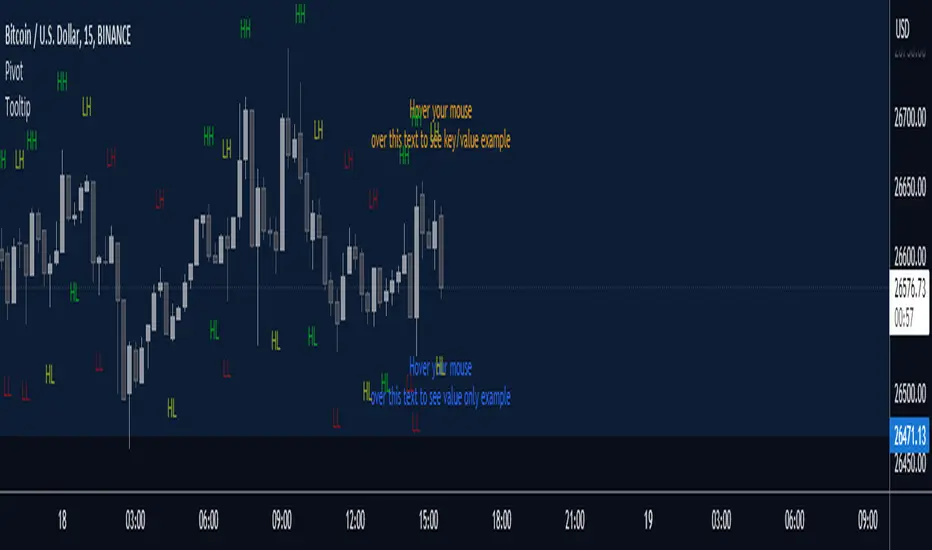
This library helps creating and managing nice looking data (key/value) tooltips that you can use for
labels. The tooltips data key/value will align automatically. It is optional to convert the data to a values only string too.
method addSpacesToKey(this)
Calculates the amount of spaces needed after the key to make it the key least 4 characters wide.
Namespace types: Data
Parameters:
this (Data) : (Data) The Data.
method addTabs(this, longestKeyLength)
Calculates the amount of tabs to be used.
Namespace types: Data
Parameters:
this (Data) : (Data) The Data.
longestKeyLength (int)
method longestKeyLength(this)
Returns the length of the longest key string in the array.
Namespace types: Data
Parameters:
this (Data ) : (Tooltip) The object to work with.
@return (int) The length of the key.
method toString(tooltips, withKey)
Helper function for the tooltip.
Namespace types: Data
Parameters:
tooltips (Data )
withKey (bool) : (bool) Wether to create a string with keys in it.
@return (string) The string
new()
Creates a new array to store tooltip data in
@return (Data) The data array.
Data
Key/Value pair for tooltips
Fields:
key (series string)
value (series string)
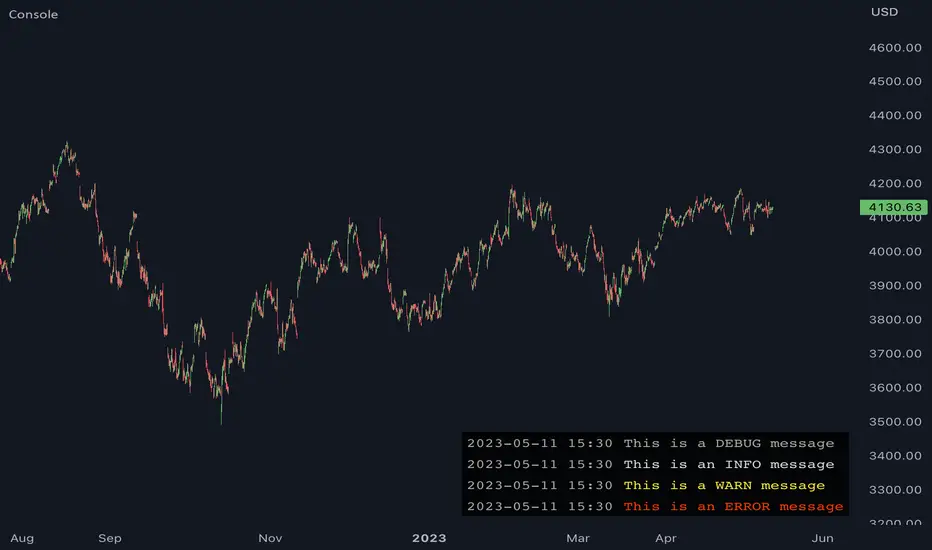
JavaScript-style Debug ConsoleThis library provides a JavaScript-style debug console to Pine Coders. It supports the most commonly used utilities from the WHATWG Console Standard including the following:
• console.log
• console.debug
• console.info
• console.warn
• console.error
• console.assert
• console.count
• console.countReset
• console.group
• console.groupEnd
• console.clear
In addition to the WHATWG standard, this library also supports the following methods:
• console.show
• console.hide
FEATURES
• Follows the WHATWG Console Standard, which is widely adopted by all major JavaScript runtimes including browsers and Node.js.
• Provides an out-of-box UI with pre-configured theming, ensuring a clean and professional-looking console.
• Allows for easy UI customizations to fit your personal preferences.
• Has extremely simple import and initialization, making it easy to integrate with your existing codebase.
USAGE
1. Import this library:
import algotraderdev/Console/1
2. Initialize the console object:
var console = Console.new()
// You can also specify optional params to customize the look & feel.
var console = Console.new(
position = position.bottom_right,
max_rows = 50,
width = 0,
text_size = size.normal,
background_color = #000000CC,
timestamp_color = #AAAAAA,
info_message_color = #DDDDDD,
debug_message_color = #AAAAAA,
warn_message_color = #FFEB3B,
error_message_color = #ff3c00)
3. Use the console object to debug your code. Here are some examples:
// Basic logging
console.log('hello world!') // prints 'hello world'
console.warn('warn') // prints 'warn' in yellow
console.error('error') // prints 'error' in red
console.clear() // clears the console
// Assertion
console.assert(a.isEmpty(), 'array should be empty') // prints 'assertion failed: array should be empty' if the array is not empty
// Counter
console.count('fooFunction') // prints 'fooFunction: 1'
console.count('fooFunction') // prints 'fooFunction: 2'
console.countReset('fooFunction') // resets the counter
console.count('fooFunction') // prints 'fooFunction: 1'
// Group
console.log('A')
console.group()
console.log('B')
console.group()
console.log('C')
console.log('D')
console.groupEnd()
console.log('E')
console.groupEnd()
console.log('F')
// prints
// A
// B
// C
// D
// E
// F
// Hide and show
console.hide()
console.show()
toolsLibrary "tools"
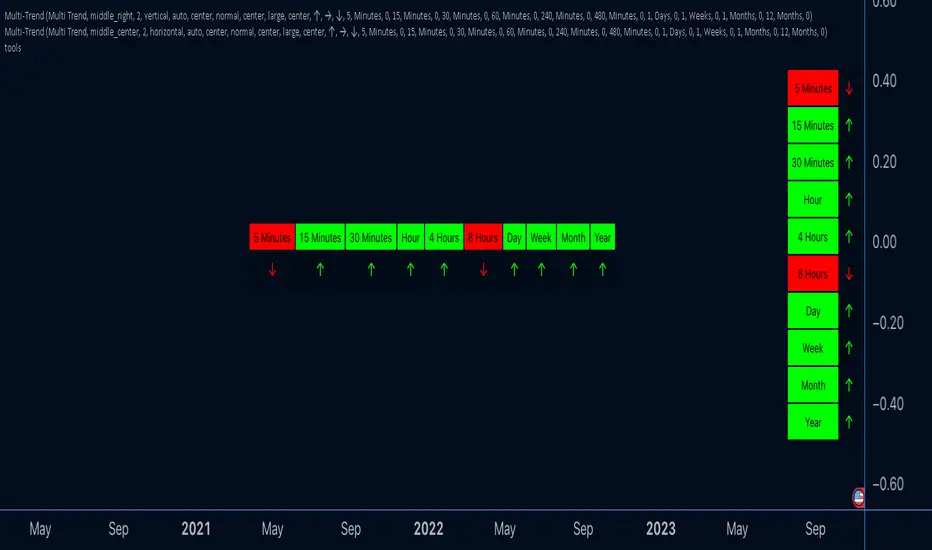
A library of many helper methods, plus a comprehensive print method and a printer object.
This is a newer version of the helpers library. This script uses pinescripts v5 latest objects and methods.
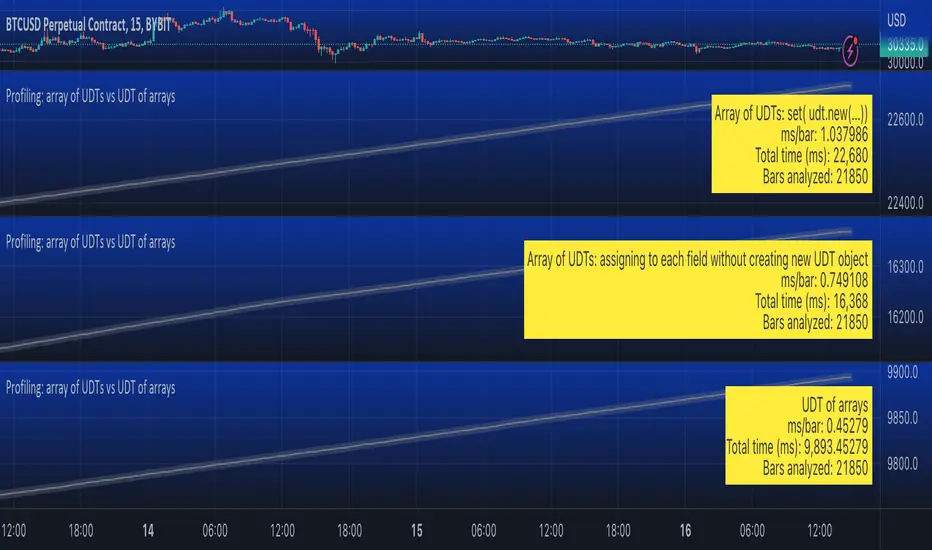
Profiling: array of UDTs vs UDT of arraysUsing Stopwatch Library by PineCoders, I am trying to test which is faster, an array of user-defined type (UDT) objects vs an object with many child arrays.
The task is to store and manipulate array of objects having total 9 values: 4 floats, 4 strings and 1 int.
Option 1: create a UDT with 9 fields and store an array of such UDT objects.
Option 2: create a UDT with 9 arrays individually for each value.
The test task is of three stages:
Populate array(s) with some (timenow) values - in the options you can choose how many values to push into the array/arrays. Note that max size of array(s) is set independently, so you can push 1000 of elements into an array capped at 100 max size and as new elements will be pushed (added to the end) the old exceeding elements will be shifted (removed from the beginning)
Write - write to random elements of the array. Two options for writing to a UDT object: (1) assign to each field independently, (2) create a UDT object and use array.set() function.
Read - read from random elements of the array.
In the options you can how many times per bar to run each of the steps (same number for each step).
I tested by adding three indicators to the chart and choosing different options for each:
1. Array of UDT's where writing is done by creating a new UDT from the values and then using set(udt)
2. Array of UDT's where writing is done by assigning the value of each of the properties of the UDT individually (saving time on creating of a new object).
3. UDT of arrays.
As of 16 Arpil 2023 the UDT of arrays seems about 20-30% faster than the array of UDT's with setting each property without creating new UDT object.
Console📕 Console Library
🔷 Introduction
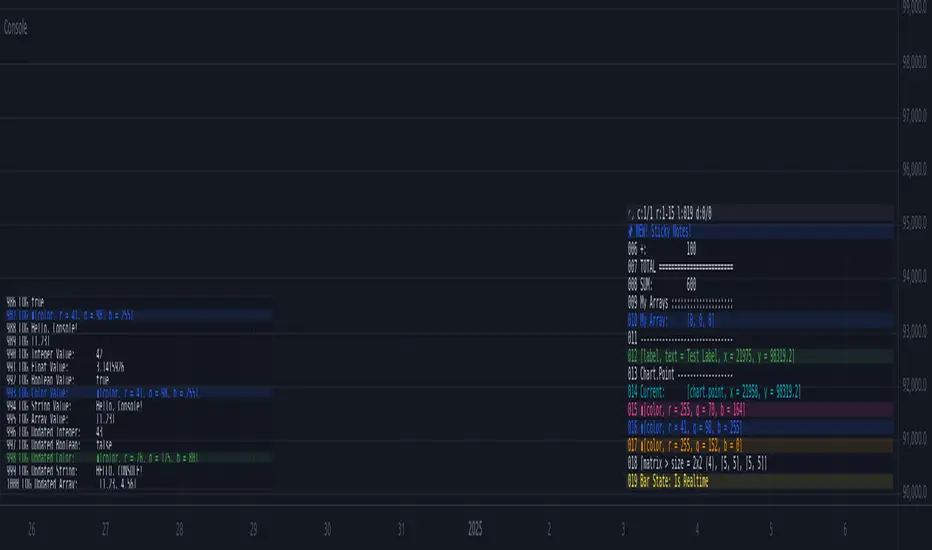
This script is an adaptation of the classic JavaScript console script. It provides a simple way to display data in a console-like table format for debugging purposes.
While there are many nice console/logger scripts out there, my personal goal was to achieve inline functionality and visual object (label, lines) logging .
🔷 How to Use
◼ 1. Import the Console library into your script:
import cryptolinx/Console/1
- or -
Instead of the library namespace, you can define a custom namespace as alias.
import cryptolinx/Console/1 as c
◼ 2. Create and init a new `` object.
The `init()` method is used to initialize the console object with default settings. It can be used to customize it.
// When using the `var` keyword in a declaration, the logs will act as ever-forwarding.
// Without `var`, the `console` variable will be redeclared every time `bar` is called.
// var console = Console.terminal.new(log_position=position.bottom_left, prefix = '> ', show_no = true)
- or -
If you has set up an alias before.
var console = c.terminal.new().init()
◼ 3. Logging
// inline ✨
array testArray = array.new(3, .0).log(console)
// basic
console.log(testArray)
// inline ✨
var testLabel = label.new(bar_index, close, 'Label Text').log(console)
// basic
console.log(testLabel)
// It is also possible to use `().` for literals ✨.
int a = 100
testCalc = (5 * 100).log(console) + a.log(console) // SUM: 600
console.
.empty()
.log('SUM' + WS + testCalc.tostring())
◼ 4. Visibility
Finally, we need to call the `show()` method to display the logged messages in the console.
console.show(true) // True by default. Simply turn it on or off
HTF Bars Discrepancy Detector (for debugging)Illustrate discrepancies between two symbols of the same higher timeframe.
Sometimes:
- HTF data can come for one symbol but not for another
- or come with gaps (e.g. after HTF bar 3 in the next chart TF's candle we have HTF bar 5 for one or both symbols)

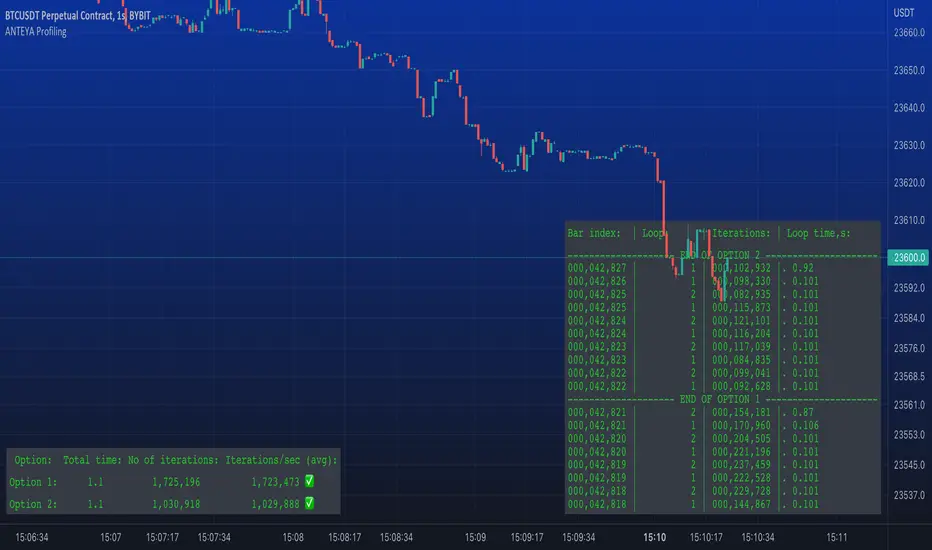
ANTEYA ProfilingThis script allows to compare which code is more efficient by running it inside a loop for a certain time or a certain number of iterations.
Just paste your pieces of code as Option 1 and Option 2 inside the loop (see comments in the script).
Signal ViewerThe "Signal Viewer" script is a debugging tool that can be used for the signal of a Signal Indicator script like the "Two MA Signal Indicator" or the "Template Signal Indicator". This script will visualize the signal based on the convention that was defined in the settings. Also, alerts will be produced based on this convention. It's useful to be used before you connect the signal indicator script to a template strategy like the "Template Trailing Strategy" script. You can cross-validate the correctness of the signal that the indicators emit and make sure it is aligned with the expected behavior after the decomposition of the signal using the convention described in the settings. Please make sure that the connection in the "Signal Viewer" script matches the convention used by the template strategy script.

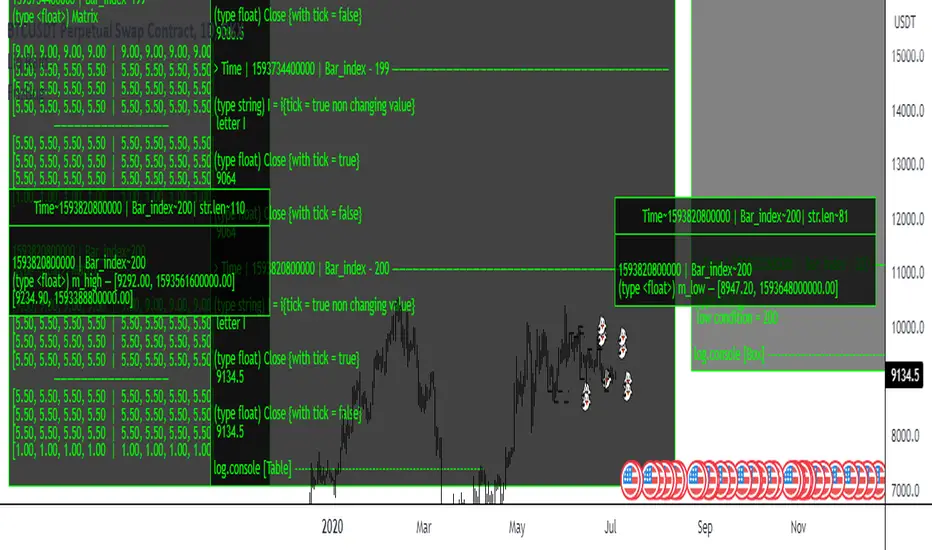
FrizBugLibrary "FrizBug"
Debug Tools | Pinescript Debugging Tool Kit
All in one Debugger - the benefit of wrapper functions to simply wrap variables or outputs and have the code still execute the same. Perfect for Debugging on Pine
str(inp)
Overloaded tostring like Function for all type+including Object Variables will also do arrays and matricies of all Types
Parameters:
inp : All types
Returns: string
print_label(str, x_offset, y, barstate, style, color, textcolor, text_align, size)
Label Helper Function - only needs the Str input to work
Parameters:
str :
x_offset : offset from last bar + or -
y : price of label
barstate : barstate built in variable
style : label style settin7
color : color setting
textcolor : textcolor
text_align : text align setting
size : text_sise
Returns: label
init()
initializes the database arrays
Returns: tuple | 2 matrix (1 matrix is varip(live) the other is reagular var (Bar))
update(log, live, live_console, log_console, live_lbl, log_lbl)
Put at the very end of your code / This updates all of the consoles
Parameters:
log : This matrix is the one used for Bar updates
live : This matrix is the one used for Real Time updates
live_console : on_offs for the consoles and lbls - call in the update function
log_console : on_offs for the consoles and lbls - call in the update function
live_lbl : on_offs for the consoles and lbls - call in the update function
log_lbl : on_offs for the consoles and lbls - call in the update function
Returns: void
log(log, inp, str_label, off, rows, index_cols, bars_back)
Function Will push to the Console offset to the right of Current bar, This is the main Console - it has 2 Feeds left and right (changeable)"
Parameters:
log : Matrix - Log or Live
inp : All types
str_label : (optional) This input will label it on the feed
off : Useful for when you don't want to remove the function"
rows : when printing or logging a matrix this will shorten the output will show last # of rows"
index_cols : When printing or logging a array or matrix this will shorten the array or the columns of a matrix by the #"
bars_back : Adjustment for Bars Back - Default is 1 (0 for barstate.islast)"
Returns: inp - all types (The log and print functions can be used as wrapper functions see usage below for examples)
Print(log, str_label, off, bars_back)
Function can be used to send information to a label style Console, Can be used as a wrapper function, Similar to str.format use with str()
Parameters:
log :
str_label : (optional) Can be used to label Data sent to the Console
off : Useful for when you don't want to remove the function
bars_back : Adjustment for Bars Back - Default is 1 (0 for barstate.islast)
Returns: string
print(inp, str_label, off, bars_back)
This Function can be used to send information to a label style Console, Can be used as a wrapper function, Overload print function
Parameters:
inp : All types
str_label : string (optional) Can be used to label Data sent to the Console
off : Useful for when you don't want to remove the function
bars_back : Adjustment for Bars Back - Default is 1 (0 for barstate.islast)
Returns: inp - all types (The log and print functions can be used as wrapper functions see usage below for examples)
Credits:
@kaigouthro - for the font library
@RicardoSantos - for the concept I used to make this
Thanks!
Use cases at the bottom
conditionLibrary "condition"
True/False Condition tools and toggles for booleans and utility.
suggested use is checking if a calculation is required, or can be skipped
speeding up script calculations in realtime and historical scenarios.
isonlywihtout(_first_cond, _second_cond)
output is true only if first true and second false
Parameters:
_first_cond : (bool) First Condition
_second_cond : (bool) Second Condition
Returns: True if coditions met
isonlywih(_first_cond, _second_cond)
output is true only for the first condition if the second condition is also true
Parameters:
_first_cond : (bool) First Condition
_second_cond : (bool) Second Condition
Returns: True if coditions met
isactive(_cond)
output is true active only while actively true
Parameters:
_cond : (bool) Condition met
Returns: True if coditions met
isnotactive(_cond)
output is true only while condition is not active
Parameters:
_cond : (bool) Condition met
Returns: True if coditions met
isontoggle(_cond)
output is true and holds on True activation , na input has no effect, only a false will disengage
Parameters:
_cond : (bool) Condition met
Returns: True if coditions met
isofftoggle(_cond)
output is true and holds on False activation, na input has no effect, only a true will disengage
Parameters:
_cond : (bool) Condition met
Returns: True if coditions met
isnotboth(_first_cond, _second_cond)
output is false only if both are active, either or neither pass true
Parameters:
_first_cond : (bool) First Condition
_second_cond : (bool) Second Condition
Returns: True if coditions met
isneither(_first_cond, _second_cond)
output is false only if both are active, either or neither pass true
Parameters:
_first_cond : (bool) First Condition
_second_cond : (bool) Second Condition
Returns: True if coditions met
isbothtoggled(_first_cond, _second_cond)
output is true and held when both trigger true, and only disengages if both are false at once
Parameters:
_first_cond : (bool) First Condition
_second_cond : (bool) Second Condition
Returns: True if coditions met
UtilitiesLibrary "Utilities"
General utilities
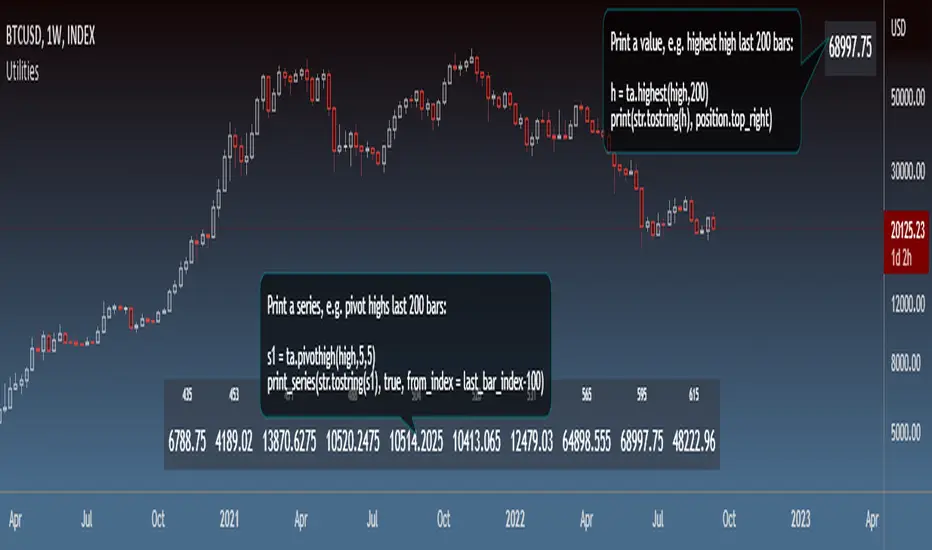
print_series(s, skip_na, position, show_index, from_index, to_index)
Print series values
Parameters:
s : Series (string)
skip_na : Flag to skip na values (optional bool, dft = false)
position : Position to print the Table (optional string, dft = position.bottom_center)
show_index : Flag to show series indices (optional bool, dft = true)
from_index : First index to print (optional int, dft = 0)
to_index : Last index to print (optional int, dft = last_bar_index)
Returns: Table object, if series was printed
print(v, position, at_index)
Print value
Parameters:
v : Value (string)
position : Position to print the Table (optional string, dft = position.bottom_center)
at_index : Index at which to print (optional int, dft = last_bar_index)
Returns: Table object, if value was printed
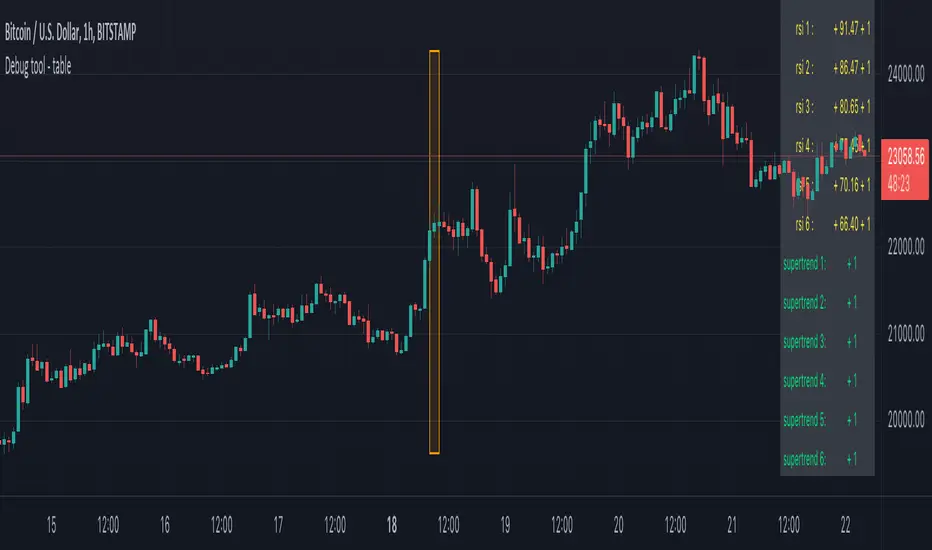
Debug tool - tableWhen having a script with lot's of values, it can be difficult to seek the values you need to debug
For example, here, multiple values aren't visible anymore (right side chart)
————————————————————————————————————————————————————————————————
This script show a way where you can show the values in a table on 1 particular bar, with 2 options:
1)
'middle' -> here the script uses chart.left_visible_bar_time and chart.right_visible_bar_time to calculate the middle
the values of that bar (in orange box) is shown, you can check the value by putting your mouse cursor on that bar:
Just zooming in/out, or scrolling through history will automatically show you the middle and the values of that bar.
Using the arrows on your keyboard will allow you to go 1 bar further/back each time.
(Give it some time to load though, also, sometimes you need to click anywhere on the chart before arrows start working)
2)
'time' -> settings -> Date -> the orange bar will be placed on the chosen bar, the values will be placed in the table as well.
————————————————————————————————————————————————————————————————
If the table interfere with the candles, you can alter the position without changing the placement of the orange bar -> settings -> position table
This script holds lots of values, just to show the difference between values placed on the chart, and values, placed in the table.
To make more clear how the script works, an 'example' (v_rsi1 / rsi1) is highlighted in the code itself
Cheers!
matrixautotableLibrary "matrixautotable"
Automatic Table from Matrixes with pseudo correction for na values and default color override for missing values. uses overloads in cases of cheap float only, with additional addon for strings next, then cell colors, then text colors, and tooltips last.. basic size and location are auto, include the template to speed this up...
TODO : make bools version
var string group_table = ' Table'
var int _tblssizedemo = input.int ( 10 )
string tableYpos = input.string ( 'middle' , '↕' , inline = 'place' , group = group_table, options= )
string tableXpos = input.string ( 'center' , '↔' , inline = 'place' , group = group_table, options= , tooltip='Position on the chart.')
int _textSize = input.int ( 1 , 'Table Text Size' , inline = 'place' , group = group_table)
var matrix _floatmatrix = matrix.new (_tblssizedemo, _tblssizedemo, 0 )
var matrix _stringmatrix = matrix.new (_tblssizedemo, _tblssizedemo, 'test' )
var matrix _bgcolormatrix = matrix.new (_tblssizedemo, _tblssizedemo, color.white )
var matrix _textcolormatrix = matrix.new (_tblssizedemo, _tblssizedemo, color.black )
var matrix _tooltipmatrix = matrix.new (_tblssizedemo, _tblssizedemo, 'tool' )
// basic table ready to go with the aboec matrixes (replace in your code)
// for demo purpose, random colors, random nums, random na vals
if barstate.islast
varip _xsize = matrix.rows (_floatmatrix) -1
varip _ysize = matrix.columns (_floatmatrix) -1
for _xis = 0 to _xsize -1 by 1
for _yis = 0 to _ysize -1 by 1
_randomr = int(math.random(50,250))
_randomg = int(math.random(50,250))
_randomb = int(math.random(50,250))
_randomt = int(math.random(10,90 ))
bgcolor = color.rgb(250 - _randomr, 250 - _randomg, 250 - _randomb, 100 - _randomt )
txtcolor = color.rgb(_randomr, _randomg, _randomb, _randomt )
matrix.set(_bgcolormatrix ,_yis,_xis, bgcolor )
matrix.set(_textcolormatrix ,_yis,_xis, txtcolor)
matrix.set(_floatmatrix ,_yis,_xis, _randomr)
// random na
_ymiss = math.floor(math.random(0, _yis))
_xmiss = math.floor(math.random(0, _xis))
matrix.set( _floatmatrix ,_ymiss, _xis, na)
matrix.set( _stringmatrix ,_ymiss, _xis, na)
matrix.set( _bgcolormatrix ,_ymiss, _xis, na)
matrix.set( _textcolormatrix ,_ymiss, _xis, na)
matrix.set( _tooltipmatrix ,_ymiss, _xis, na)
// import here
import kaigouthro/matrixautotable/1 as mtxtbl
// and render table..
mtxtbl.matrixtable(_floatmatrix, _stringmatrix, _bgcolormatrix, _textcolormatrix, _tooltipmatrix, _textSize ,tableYpos ,tableXpos)
matrixtable(_floatmatrix, _stringmatrix, _bgcolormatrix, _textcolormatrix, _tooltipmatrix, _textSize, tableYpos, tableXpos) matrixtable
Parameters:
_floatmatrix : float vals
_stringmatrix : string
_bgcolormatrix : color
_textcolormatrix : color
_tooltipmatrix : string
_textSize : int
tableYpos : string
tableXpos : string
matrixtable(_floatmatrix, _stringmatrix, _bgcolormatrix, _textcolormatrix, _textSize, tableYpos, tableXpos) matrixtable
Parameters:
_floatmatrix : float vals
_stringmatrix : string
_bgcolormatrix : color
_textcolormatrix : color
_textSize : int
tableYpos : string
tableXpos : string
matrixtable(_floatmatrix, _stringmatrix, _bgcolormatrix, _txtdefcol, _textSize, tableYpos, tableXpos) matrixtable
Parameters:
_floatmatrix : float vals
_stringmatrix : string
_bgcolormatrix : color
_txtdefcol : color
_textSize : int
tableYpos : string
tableXpos : string
matrixtable(_floatmatrix, _stringmatrix, _txtdefcol, _bgdefcol, _textSize, tableYpos, tableXpos) matrixtable
Parameters:
_floatmatrix : float vals
_stringmatrix : string
_txtdefcol : color
_bgdefcol : color
_textSize : int
tableYpos : string
tableXpos : string
matrixtable(_floatmatrix, _txtdefcol, _bgdefcol, _textSize, tableYpos, tableXpos) matrixtable
Parameters:
_floatmatrix : float vals
_txtdefcol : color
_bgdefcol : color
_textSize : int
tableYpos : string
tableXpos : string

consoleLibrary "console"
Simple debug console to print messages from your strategy code.
USAGE :
Make sure your strategy overlay is false
Import the library :
import keio/console/1 as console
init(lines, panes)
Initialise function.
USAGE :
var log = console.init()
Parameters:
lines : Optional. Number of lines to display
panes : Optional. Number of panes to display
Returns: initialised log
print(log)
Prints a message to the console.
USAGE :
log := console.print(log, "message")
Parameters:
log : Mandatory. The log returned from the init() function
Returns: The log
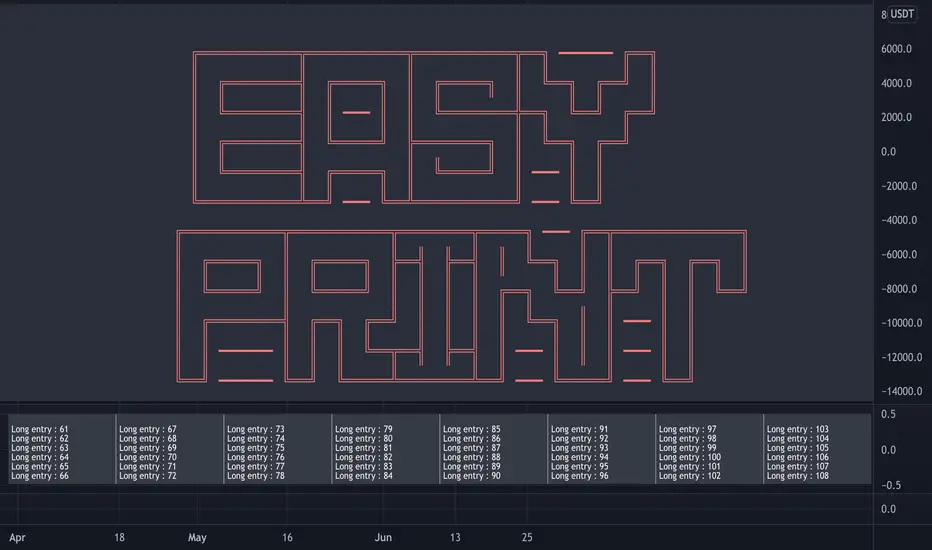
Simple debug functionSimple method I used to debug problem in my script.
For loop generates 5 numbers from the given depth. At present, depth is 9
Rules for generating the combinations are as follows:
First number is always 1
Two even numbers should not be adjacent to each other and two odd numbers should not be adjacent to each other
Numbers should be ordered in incremental order.
Print all possible combinations
While the logic above is just a random one. Debug method can be reused for any program.
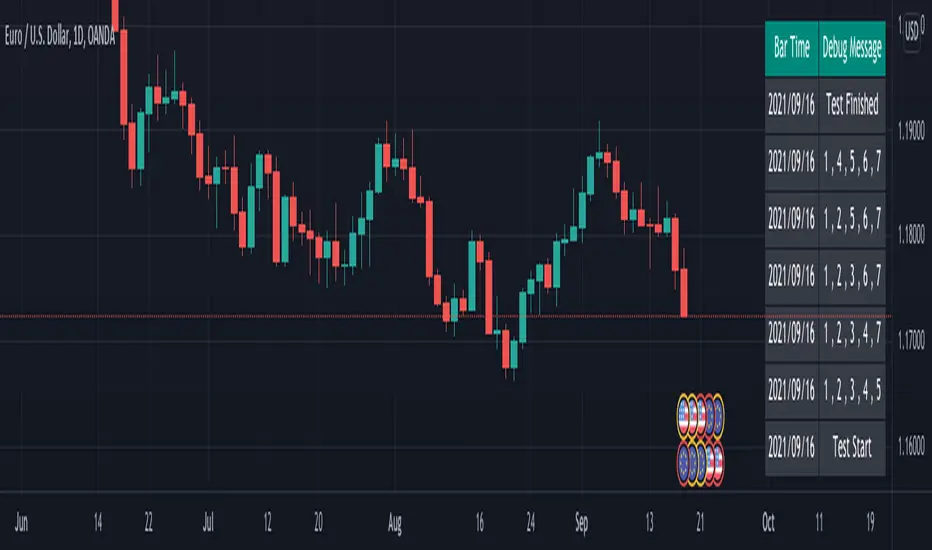
Logging in Pine ScriptI'm building quite a lot of pretty complicated indicators/strategies in Pine Script. Quite often they don't work from the 1 try so I have to debug them heavily.
In Pine Script there are no fancy debuggers so you have to be creative. You can plot values on your screens, check them in the data window, etc.
If you want to display some textual information, you can plot some info as labels on the screen.
It's not the most convenient way, so with the appearance of tables in Pine Script, I decided to implement a custom logger that will allow me to track some useful information about my indicator over time.
Tables work much better for this kind of thing than labels. They're attached to your screen, you can nicely scale them and you can style them much better.
The idea behind it is very simple. I used few arrays to store the message, bar number, timestamp, and type of the message (you can color messages depend on the type for example).
There is a function log_msg that just append new messages to these arrays.
In the end, for the last bar, I create the table and display the last X messages in it.
In parameters, you can show/hide the entire journal, change the number of messages displayed and choose an offset. With offset, you can basically scroll through the history of messages.
Currently, I implemented 3 types of messages, and I color messages according to these types:
Message - gray
Warning - yellow
Error - red
Of course, it's a pretty simple example, you can create a much fancier way of styling your logs.
What do you think about it? Is it useful for you? What do you use to debug code in Pine Script?
Disclaimer
Please remember that past performance may not be indicative of future results.
Due to various factors, including changing market conditions, the strategy may no longer perform as good as in historical backtesting.
This post and the script don’t provide any financial advice.

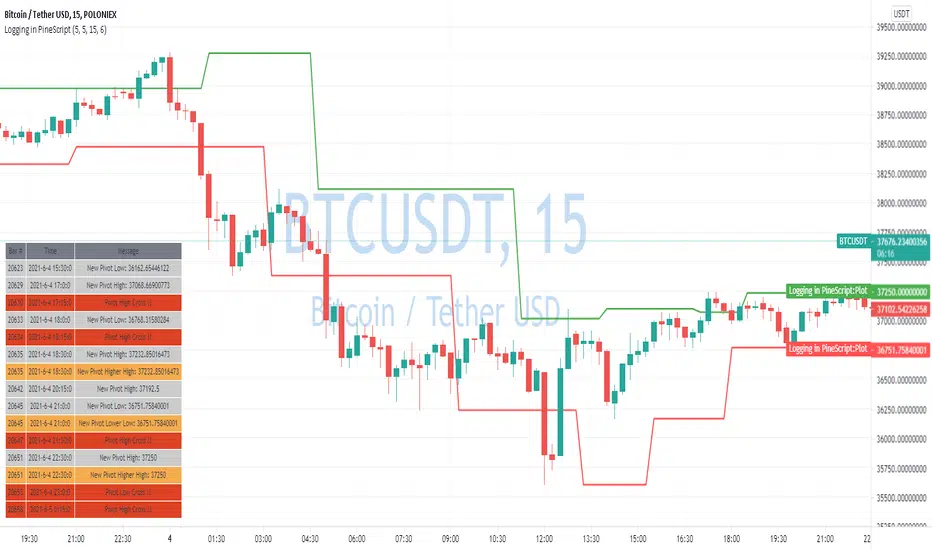
Combination Parabolic MA/IIR/ALMA Strategy, with other goodiesOkay, so this is a lot. It started mostly with me combining indicators and looking for ideal entry criteria.
It is also a collection of conditions, whether used or unused, for my current chosen "best" strategy. It is currently set how I like it, but it has changed with time, and will continue to do so. Within, there are variables that are unused, but offer some insight into the overall odds of a trade. They were, in fact, once used but fell out of favor. And all details for this strategy are within the comment header of the script.
As this evolves, I most certainly wont keep any future findings and hope for profit from my peers (yinz). Also, I'd like to give a sincere thanks to the people of TV for what I learned in a few month's time and their flexible membership plans. Basically, I'm just a mad scientist, but this monster's a masterpiece and folks here before me made many indirect contributions to it.
--------------------------
Okay guys, lastly and most importantly,
Each smack of the like button is a vote of your confidence in me, to my beautiful landladies, Celeste and Adele, that my rent will be caught up and that it won't always be a problem. Which, in my mind, makes me a graph. And they've got strong hands and don't sell the low. I more than respect that. Seriously. And I'm very grateful for their willingness to work with me, but the thing is that I didn't ask first; life just happens. But few are tolerant of others. And quite importantly, I truly believe that I will be successful one day, and that "thumbs-up" button is your vote of confidence. If you're not sure, then don't hit it yet. Maybe my scripts will boost your confidence in me :)
-------------------------
PS: And you know what? I'ma give a shout-out to Philakone for teaching me everything that I know about Elliot Wave . Absolutely. Two years ago, I would keep telling myself that one day I will put something in his gratuity wallet or pursue the paid courses. And, I still plan on it, because I'm grateful. And so also, to everybody else, I'm recommending him to learn from. because as a trader who might not know everything for free, you can certainly fill in the gaps with his altruistic offerings. And I'm betting that you will then feel more than inclined to buy the Udemy course.
"If wave 2 retraces a lot; number 4 will not". Repetition. Philakone didn't fix my memory but he sure did find a workaround, haha
Okay, everyone, Thanks!

